
Bidhelm
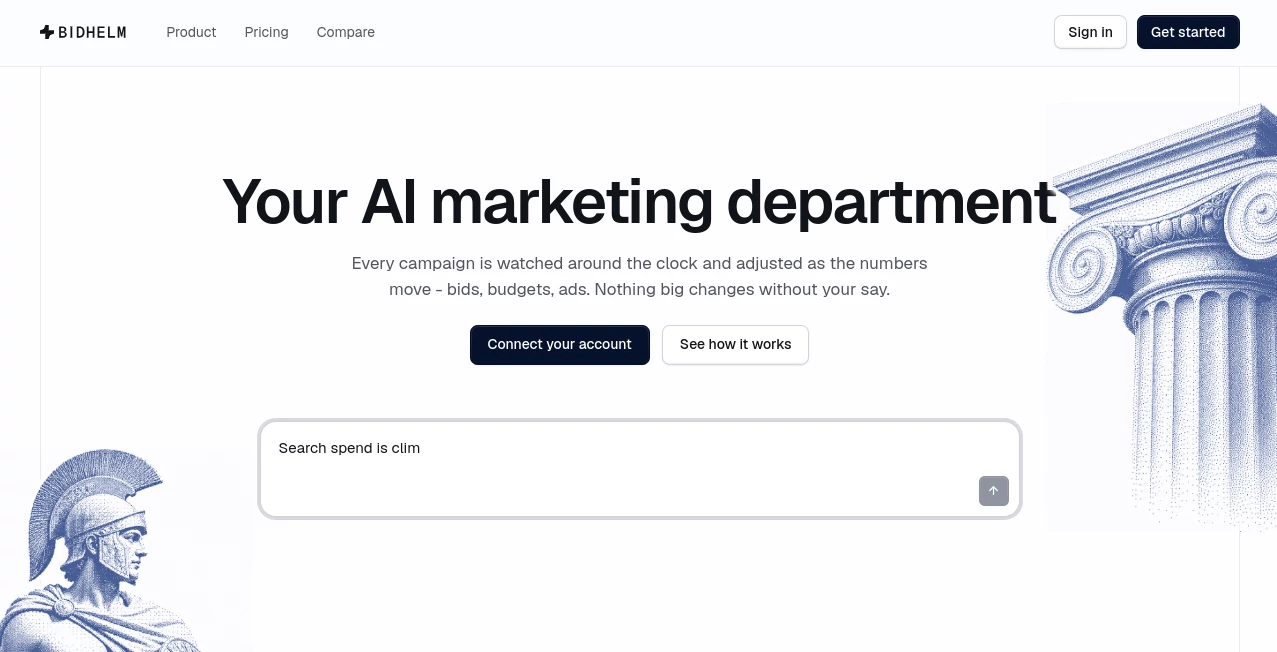
What is Bidhelm?
Running Google Ads well is rarely about launching a campaign and leaving it alone. Budgets shift, search terms change, profitable campaigns need more room to grow, and small problems can quietly turn into expensive ones. BidHelm takes a different approach by acting as an autonomous AI marketing department that continuously watches advertising performance and makes data-driven adjustments.
The platform is designed around Google Ads management, with its AI agent monitoring campaigns around the clock, examining bids, budgets, keywords, ads, and conversion data. Instead of waiting for a monthly report to discover wasted spend, businesses can have issues identified as they develop and have suitable changes prepared or applied according to their automation preferences.
One particularly useful aspect is the balance between automation and control. Changes can begin as drafts with a plain-language explanation, while trusted types of optimizations can be allowed to run automatically. This makes the platform appealing to businesses that want less manual campaign management without completely giving up oversight.
Key Features
- Continuous campaign monitoring: Campaigns, keywords, and search terms can be checked throughout the day instead of relying on occasional manual reviews.
- Automated optimization: The system can identify underperforming areas, adjust budgets, pause weak performers, and scale campaigns that are producing stronger results.
- Negative keyword discovery: Search-term patterns can be analyzed to identify irrelevant traffic and reduce future wasted clicks.
- Budget management: Spending can be rebalanced toward campaigns with stronger performance while helping prevent excessive delivery.
- Ad creation and testing: Advertising copy can be generated from real business information and tested against alternative versions.
- Competitive intelligence: Auction data can be used to understand competitors, impression-share gaps, and opportunities within the advertising landscape.
- Automatic rollback: Changes that appear to hurt performance can be reversed, providing an additional safety layer for automated campaigns.
- AI account chat: Users can ask questions about their advertising account in plain English and request actions without navigating through complicated reports.
User Interface
The interface is built around making campaign management easier to understand rather than forcing users to dig through endless advertising dashboards. Account information, optimization activity, reports, strategy insights, and conversations with the AI are brought together in one environment.
The plain-language interaction is especially practical for business owners who understand their goals but do not want to become full-time Google Ads analysts. A question such as which keywords are not converting or what changed during the previous week can be handled conversationally.
For users who prefer more control, proposed actions can be presented as drafts with an explanation of why the change is being suggested. That creates a useful middle ground between completely manual advertising and unrestricted automation.
Accuracy & Performance
Performance analysis is based on advertising data rather than generic marketing advice. The system examines signals such as clicks, conversions, cost per acquisition, return on ad spend, budgets, search terms, and campaign performance to determine where attention is needed.
The optimization system also uses statistical scoring to prioritize campaigns. Its methodology considers ROAS, CPA, and conversion volume when evaluating efficiency, helping prevent a campaign from being judged by a single metric in isolation.
For example, a campaign with excellent efficiency but very little volume may not automatically be the best place to put every additional advertising dollar. Looking at several performance dimensions together can produce more practical decisions.
Capabilities
The platform covers several important parts of the Google Ads workflow. Its optimization features can monitor campaigns at frequent intervals, identify wasted spend, mine search terms for negative keywords, redistribute budgets, adjust advertising schedules, and protect accounts when unusual performance patterns appear.
Its creative capabilities extend beyond campaign optimization. Advertising headlines and descriptions can be generated using business facts such as reviews, pricing, strengths, and competitive advantages. Different variants can then be tested using statistical methods, with stronger performers receiving more traffic as evidence accumulates.
There is also a competitive strategy layer. Auction insights can reveal who is competing for the same advertising space, how frequently competitors appear, and where impression-share opportunities may exist. This gives marketers a more practical starting point for deciding where to compete.
Security & Privacy
Because advertising automation requires access to Google Ads data, permissions and account control are important considerations. The service states that it accesses Google Ads campaign and performance information and that users can revoke access through their Google account settings.
For automated plans, the platform can receive permission to make campaign changes. Those actions are logged, and the service provides rollback and anomaly-protection mechanisms intended to reduce the impact of problematic changes.
The privacy policy states that personal data is not sold or shared with advertisers. Payment card details are handled by the payment processor rather than stored as full card information on the platform's own servers.
Use Cases
- Small businesses: Owners without a dedicated advertising team can automate repetitive campaign monitoring and optimization.
- E-commerce stores: Shopping campaigns and product-heavy accounts can benefit from ongoing budget and performance analysis.
- SaaS companies: Teams focused on leads and demos can monitor acquisition costs while shifting spend toward campaigns producing stronger conversions.
- Agencies: Advertising professionals can use automation to reduce repetitive account maintenance and spend more time on strategy and client work.
- Growing companies: Businesses increasing their advertising budgets can use continuous monitoring to catch inefficient spending before it becomes significant.
- Busy marketing teams: Teams that already know how to run Google Ads but lack the time for constant account checks can delegate routine optimization.
Pros and Cons
Pros
- Continuous monitoring instead of occasional campaign reviews.
- Automated budget, keyword, and campaign optimization.
- Plain-language interaction with advertising data.
- Detailed logging of optimization activity.
- Automatic rollback and anomaly detection provide additional safeguards.
- Ad creation and statistical testing are included alongside optimization.
- A free plan allows users to audit accounts before committing to automation.
- No long-term contract is required for the paid plan.
Cons
- The platform is focused specifically on Google Ads rather than broader advertising networks.
- Full automation requires granting permission for the system to make campaign changes.
- Usage-based charges can increase with the complexity of a large advertising account.
- Automated decisions still require sensible business goals, accurate conversion tracking, and appropriate campaign setup.
- As with any automated advertising system, optimization does not guarantee a particular ROI or level of savings.
Pricing Plans
The service offers a Free plan at $0, allowing users to connect unlimited accounts, receive a full account audit, view suggested optimizations, access weekly insights, use the AI chat up to 20 times per day, and explore the dashboard. No credit card is required for the free option.
The Pro plan starts at $5.90 per week plus 3% of managed ad spend. It adds automatic optimization, monitoring, smart alerts, automated campaign adjustments, budget protection, unlimited AI chat, and additional strategy analyses.
There can also be usage-based AI fees depending on account complexity. The platform explains that these costs are tied to the amount of analysis being performed and are displayed in the dashboard so users can monitor estimated usage. Paid users can cancel at any time, with no long-term contract.
How to Use It
- 1. Create an account: Start with the free option without entering payment details.
- 2. Connect Google Ads: Authorize access to the advertising account you want to analyze.
- 3. Review the audit: Examine the account analysis and identify areas where money may be leaking or campaigns may have room to improve.
- 4. Explore recommendations: Review suggested optimizations and understand the reasoning behind them.
- 5. Choose your automation level: Keep changes under manual approval or enable automation for the types of actions you are comfortable allowing.
- 6. Monitor results: Use reports, account chat, optimization logs, and performance data to see what has changed and how campaigns respond.
Comparison with Similar Tools
Traditional Google Ads management tools generally fall into two categories: dashboards that help marketers analyze campaigns and rule-based systems that automate predefined actions. This approach sits closer to an autonomous agent. Instead of requiring users to create a large collection of individual rules, the system is designed to interpret campaign performance, decide what needs attention, and take action within the permissions provided.
Another difference is the combination of optimization, creative testing, and competitive analysis. A marketer can move from identifying wasted spend to improving advertising copy and examining auction competition without switching between several specialized services.
That does not necessarily make it the right choice for every advertiser. Businesses that prefer completely manual campaign management may want a conventional analytics platform instead. For teams looking to reduce repetitive Google Ads work while retaining visibility into decisions, the autonomous model is considerably more interesting.
Conclusion
Managing Google Ads can consume an unreasonable amount of time, particularly when an account contains multiple campaigns, thousands of keywords, or constantly changing search behavior. The strongest idea behind this platform is simple: routine optimization should not require someone to stare at an advertising dashboard all day.
Its combination of continuous monitoring, budget optimization, negative keyword discovery, creative testing, competitive analysis, conversational controls, and automatic safeguards gives marketers a practical way to delegate much of the repetitive work.
The free audit also makes the service easy to evaluate before paying for automation. For businesses already investing in Google Ads and looking for a more hands-off way to manage campaign performance, it is a compelling option worth testing.
Frequently Asked Questions (FAQ)
What does the platform optimize?
It can work with campaign performance, budgets, bids, keywords, search terms, advertising copy, scheduling, and other Google Ads signals to identify optimization opportunities.
Does it monitor campaigns continuously?
Yes. The automated optimization system is designed to monitor campaigns throughout the day, with the Pro plan checking campaign, keyword, and search-term performance every 30 minutes.
Can I control automated changes?
Yes. The platform supports an approval-based workflow where changes can be presented as drafts with reasons. Users can also allow trusted types of actions to run automatically.
Can it create Google Ads?
Its creative functionality can generate advertising headlines and descriptions using business-specific information and test different variants to identify stronger performers.
Is there a free plan?
Yes. The Free plan costs nothing and includes account auditing, optimization insights, dashboard access, and limited AI chat without requiring a credit card.
How much does the Pro plan cost?
The Pro plan starts at $5.90 per week plus 3% of managed advertising spend. Additional usage-based AI charges may apply depending on account complexity.
Can I cancel the paid plan?
Yes. The paid plan can be cancelled from the dashboard without a long-term contract. Automated changes stop when the account returns to the Free tier.
Does it guarantee better advertising results?
No. The service does not guarantee specific savings, conversions, ROI, or other advertising outcomes. Results depend on factors including account structure, conversion tracking, market conditions, competition, and the quality of the underlying campaigns.
Who is this tool best suited for?
It is particularly useful for businesses, e-commerce companies, SaaS teams, agencies, and marketers that actively spend on Google Ads but want to reduce the amount of manual monitoring and optimization required.
AI Ad Creative Assistant , Marketing , AI Analytics Assistant , AI Advertising Assistant .
These classifications represent its core capabilities and areas of application. For related tools, explore the linked categories above.

Bidhelm Alternatives Product

extractkeywo…

PortBackLinks

Atracker

Leonardo.ai

Naxely

AIInLink

VideoDubber'…

CloudByte PMS

etsyseotools