
BotaN
What is BotaN?
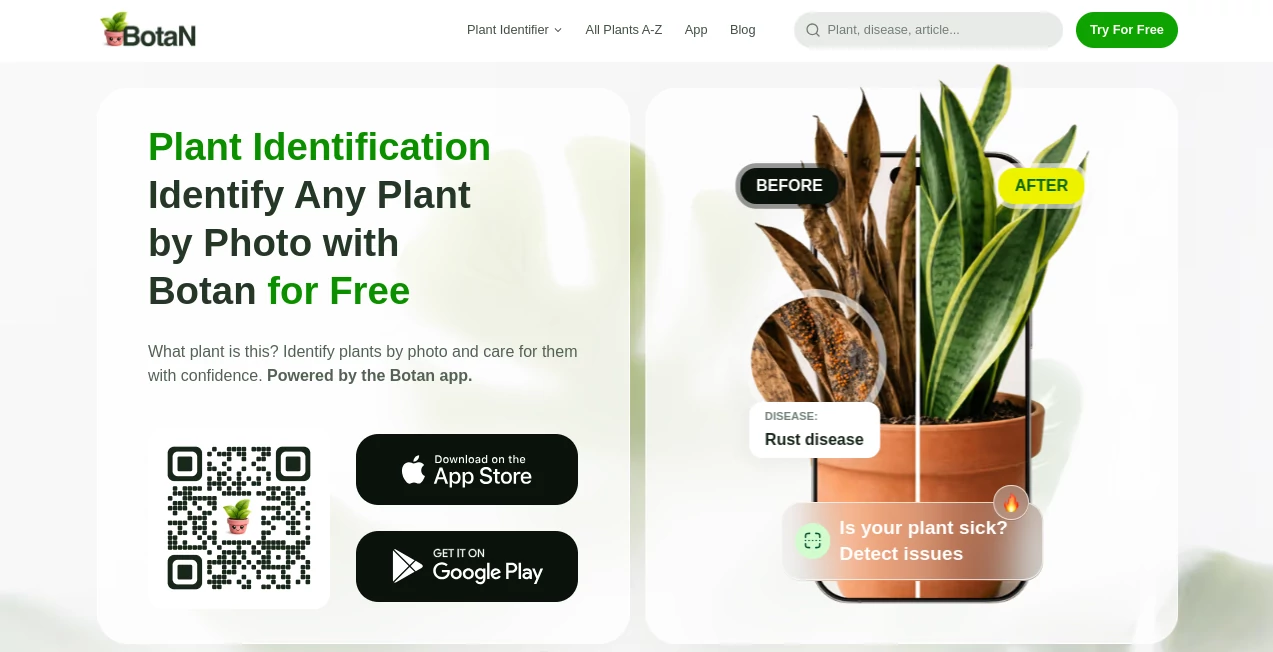
Knowing what plant you have is often the easy part. Understanding why its leaves are turning yellow, how often it needs water, or whether it is safe around pets can be much harder. Botan brings plant identification, care guidance, disease detection, and expert help into one simple experience. Instead of searching through dozens of pages to identify a mystery plant, users can take or upload a photo and receive an identification result within seconds.
The platform is designed for both complete beginners and experienced plant enthusiasts. Its database contains more than 30,000 plant species, covering houseplants, trees, flowers, herbs, succulents, and many less common varieties. The service also combines identification with practical next steps, so the result is more useful than simply displaying a plant name.
Key Features
- Photo-based plant identification: Upload a photograph or take one with your phone to identify a plant and access relevant information.
- Large plant database: The service covers more than 30,000 species, including common indoor plants as well as rare and exotic varieties.
- Disease and issue detection: Users can photograph a plant and damaged areas to investigate possible diseases and their causes.
- Personalized care plans: Identification can be followed by recommendations for watering, fertilizing, pruning, repotting, and other routine tasks.
- Toxicity information: Plant profiles can indicate potential toxicity concerns for people and pets.
- Digital garden management: Users can organize their plants, give them names, and create reminders for regular care.
- Environment guidance: Additional tools provide suggestions related to factors such as pot size and soil pH.
- Botanist assistance: A live chat option allows users to ask questions and seek help when automated results are not enough.
User Interface
The interface is built around a straightforward idea: take a picture, get an answer, and decide what to do next. The identification workflow does not require users to understand botanical terminology before getting started. The main actions are easy to find, whether someone wants to scan a plant, check an existing photo, or manage plants already saved in their collection.
This simplicity is particularly useful for new plant owners. A person who has just bought a houseplant from a nursery, for example, can photograph it instead of trying to identify it from leaf shapes and botanical descriptions. More experienced gardeners can use the same workflow as a quick reference tool when dealing with unfamiliar species.
Accuracy & Performance
Identification speed is one of the strongest aspects of the service. The website states that plant recognition can take around 1 to 3 seconds, while its published figures report identification accuracy above 98%. The platform also highlights more than 664,000 plants identified and more than 283,000 plant issues and diseases detected.
Image quality still matters. Clear photographs where the plant is visible and reasonably close generally provide better information for recognition. The service itself recommends avoiding photos taken from too far away. For difficult cases, users can retry the identification or contact an expert through the available chat feature.
Capabilities
The real value comes from what happens after identification. Instead of stopping at a species name, the platform can provide care information and practical recommendations. A typical care plan can include reminders such as watering in a certain number of days, fertilizing, or pruning leaves.
Disease analysis adds another useful layer. Users can photograph the whole plant and damaged areas to help identify potential problems. Once an issue is detected, the service can provide treatment guidance and an estimated recovery plan. There are also plant searches covering thousands of flowers, trees, succulents, herbs, and other species, making the database useful even when a camera is not involved.
Security & Privacy
Privacy is worth considering because the service relies on photographs and artificial intelligence. According to its privacy policy, uploaded plant photos used for identification can be processed through third-party AI services, including Plant.ID, Pl@ntNet, and OpenAI GPT models. The company also states that photos may be used to improve identification models and recognition performance under the terms described in its privacy documentation.
The platform states that it does not collect or store sensitive information as part of its stated app features. However, users should still review the current privacy policy before uploading photographs if they have particular concerns about image processing, third-party AI services, or data usage.
Use Cases
- Houseplant owners: Identify an unfamiliar plant and build a practical watering and maintenance routine.
- Beginner gardeners: Learn what a plant needs without having to understand complicated botanical terminology.
- Plant collectors: Organize a growing collection and keep individual plants associated with their care tasks.
- Garden troubleshooting: Investigate yellow leaves, visible damage, disease symptoms, or other unusual changes.
- Pet owners: Check available toxicity information before bringing an unfamiliar plant into a home.
- Outdoor exploration: Identify trees, herbs, flowers, and other plants encountered outside.
- Students and learners: Use visual identification as a convenient way to explore plant species and botanical information.
- Experienced growers: Quickly check unfamiliar species and use care recommendations as a secondary reference.
Pros and Cons
Pros
- Supports identification of more than 30,000 plant species.
- Fast photo-based recognition.
- Combines identification with plant care information.
- Includes disease and issue detection.
- Provides treatment and care plans rather than only identification results.
- Offers toxicity information for plants.
- Includes reminders and digital garden organization.
- Provides access to expert assistance through live chat.
- Available through iOS and Android, with plant identification also available through the website.
Cons
- Some paid functionality is available only through the mobile application.
- Identification quality can depend on the clarity and angle of the submitted photograph.
- AI-based identification should be treated as guidance rather than an absolute botanical authority.
- Users who are particularly concerned about image privacy should review the third-party AI processing information before using photo-based features.
Pricing Plans
The website offers plant identification online for free, while paid functionality is handled through the mobile application. According to the current terms, app functionality may be offered through one-time payments or subscriptions, with the exact price and available plans shown inside the application.
Published pricing information associated with the service lists options including a weekly plan at $11, a quarterly plan at $35.99, and lifetime access at $69.99. Prices can vary according to location, platform, currency, promotions, and the offer presented to the user, so the current price displayed in the application should be treated as the final reference before purchasing.
How to Use the App
- Step 1: Open the plant identification feature and take a clear photograph or upload an existing image from your phone.
- Step 2: Wait for the visual recognition process to analyze the plant and return the most likely match.
- Step 3: Review the identified species and the accompanying plant information.
- Step 4: If the plant appears unhealthy, photograph the entire plant and affected areas to investigate possible diseases or issues.
- Step 5: Follow the suggested care or treatment plan, including tasks such as watering, fertilizing, pruning, or repotting.
- Step 6: Save plants to your collection and enable reminders when you want help maintaining a regular care schedule.
- Step 7: Use the live chat option when you need additional guidance from a botanist.
Comparison with Similar Tools
Many plant identification services focus mainly on answering one question: what plant is this? That approach works well for occasional identification, but it leaves the user with another question immediately afterward: what should I do with it?
This platform takes a broader approach by connecting identification with disease detection, treatment instructions, toxicity information, care schedules, environmental recommendations, and expert assistance. Its database of more than 30,000 species also gives it useful coverage across indoor plants, trees, herbs, flowers, and less common varieties.
For someone who only needs to identify a plant once or twice, a basic free identification service may be enough. For people managing several plants or dealing with recurring care tasks, the combination of identification and ongoing plant management makes this approach considerably more practical.
Conclusion
A good plant identification tool should do more than put a name beside a photograph. The more useful question is what happens next. This service performs well in that area by connecting visual recognition with care schedules, disease analysis, toxicity information, treatment guidance, and access to expert help.
Its large plant database and quick identification workflow make it approachable for beginners, while the deeper care and troubleshooting features give experienced growers useful tools as well. There are some considerations around paid mobile features and the processing of uploaded images through third-party AI services, but the overall package is well suited to anyone who wants a more organized way to understand and care for plants.
For a new plant owner trying to keep a first houseplant alive or an experienced gardener managing a much larger collection, having identification and practical care information in the same place can remove a surprising amount of guesswork.
Frequently Asked Questions (FAQ)
Can I identify a plant from a photo?
Yes. You can take a photograph or upload an existing image, and the visual recognition system will provide a likely plant identification.
How many plant species can it recognize?
The database contains more than 30,000 plant species, including houseplants, trees, flowers, herbs, succulents, and other varieties.
Can it detect plant diseases?
Yes. Users can photograph the entire plant along with damaged areas to investigate potential diseases and their causes. Treatment and care guidance can then be provided based on the detected issue.
Can I check whether a plant is toxic?
Yes. Toxicity information is provided as part of the plant details and can help users determine whether a species may pose a risk to people or pets.
Does it provide plant care reminders?
Yes. Users can receive reminders for routine tasks such as watering, fertilizing, pruning, and other plant maintenance activities.
Is the plant identifier free?
The website provides free plant identification. Additional paid functionality is available through the mobile application, where the available plans and current prices are displayed.
Is it available on mobile devices?
Yes. The service is available for both iOS and Android, and plant identification is also available through the web experience.
What happens if the identification result is unclear?
You can try again with a clearer photograph. For more difficult plant-related questions, the service also provides access to expert assistance through live chat.
Are uploaded photos processed by artificial intelligence?
Yes. The privacy policy explains that photos submitted for plant identification may be processed through third-party AI services. Users should review the current privacy policy for detailed information about processing and potential use of uploaded content.
Is it useful for beginners?
Yes. The service is designed for both beginners and experienced plant enthusiasts, with simple identification combined with step-by-step care information that can make plant maintenance easier to understand.
AI Image Recognition , AI Life Assistant .
These classifications represent its core capabilities and areas of application. For related tools, explore the linked categories above.
BotaN details
Website unavailable — View Alternatives
Pricing
- Freemium
Apps
- Web App
- iOS App
- Android App
Categories

BotaN Alternatives Product

Pinpoint Ans…

MEANINGS

Where Is Thi…

MatchMyType

PlateLens

Play Queens …

AI Palm Read…

Reverse Imag…

Judgement Ta…