
Checkie-AI
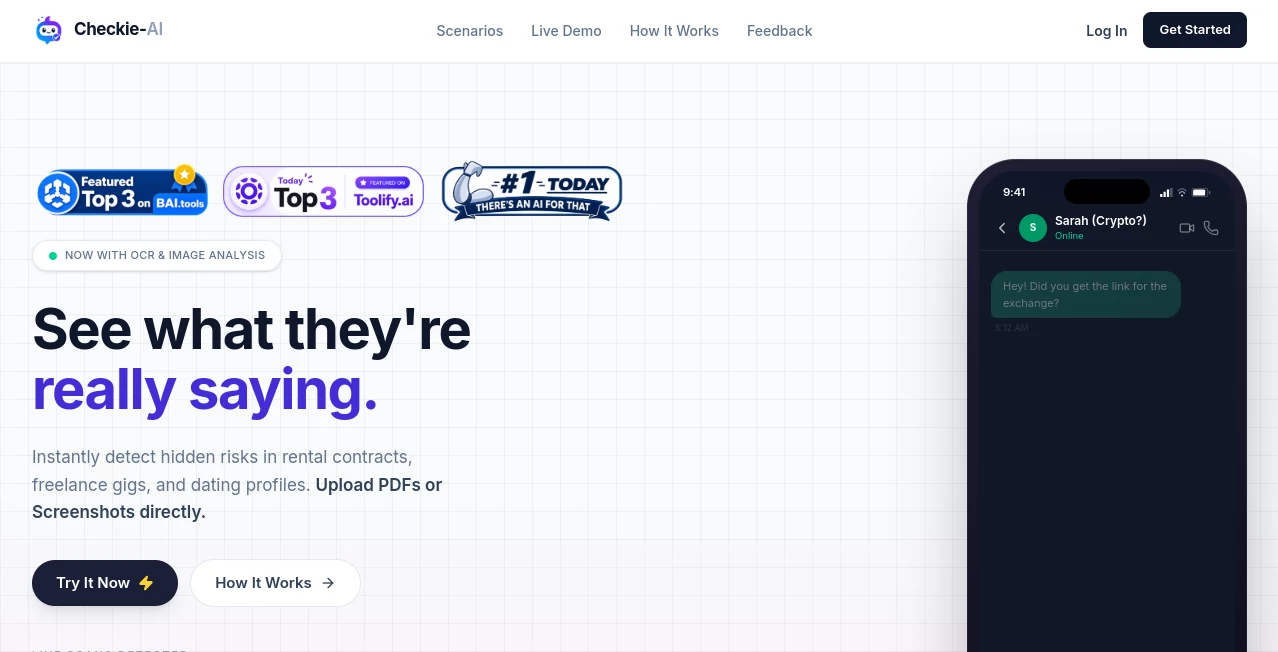
What is Checkie-AI?
Software testing can quickly become repetitive, especially when teams need to examine the same kinds of user flows, pages, and edge cases across many websites. Checkie AI takes a practical approach to this problem by bringing artificial intelligence into manual and exploratory testing workflows. It is designed to help testers discover possible bugs, generate testing ideas, and examine web pages from different perspectives without relying entirely on traditional checklists.
The platform has been developed around the idea that AI should support testers rather than simply replace human judgment. Its testing assistants can inspect a web page, suggest areas worth investigating, and help testers think beyond the most obvious scenarios. This makes it particularly interesting for QA professionals, developers, product teams, and anyone responsible for website quality.
Key Features
- AI-assisted manual and exploratory testing
- AI bots designed for different testing perspectives
- Automatic suggestions for potential bugs and issues
- Test plan generation for web pages
- User-flow exploration ideas
- Custom AI bots with user-defined prompts
- Configurable prompts for influencing testing behavior
- Browser-based testing workflow
- Website quality scoring and testing insights
- Support for discovering unusual or overlooked test scenarios
User Interface
The interface is built around the browser, which makes the testing workflow feel familiar to people who already spend their working day inside web applications. Rather than forcing testers to move information between several tools, the browser extension can work in the context of the page being examined.
One useful touch is the ability to enable or disable individual testing bots. Testers can also create custom bots and give them their own questions or instructions. For teams with different QA priorities, this provides more flexibility than a fixed collection of automated checks.
Accuracy & Performance
AI-assisted testing is most valuable when it expands a tester's thinking rather than presenting every suggestion as a confirmed defect. The platform follows this philosophy by generating ideas and observations that can then be investigated by a human tester.
Its approach is especially useful during exploratory testing, where finding unexpected behavior often depends on asking the right questions. AI can quickly produce alternative scenarios, while the tester remains responsible for reproducing, validating, and prioritizing the reported issue.
Capabilities
A notable capability is the collection of specialized testing bots. Different bots can approach the same page with different objectives, such as attempting to break functionality, creating a test plan, or considering the user flows that visitors would reasonably expect.
Custom bots add another layer of flexibility. A tester can define a specific question or testing perspective and have it applied directly to the current page. This can be useful for teams that have their own testing methodology or repeatedly check specific product requirements.
The platform has also explored broader AI-informed testing workflows, where AI assists manual testers, automation engineers, and test managers with activities ranging from discovering bugs to generating test ideas and quality insights.
Security & Privacy
When using any AI-powered testing service, teams should consider what information is exposed during testing. Websites containing private customer information, internal applications, authentication credentials, or confidential business data should be evaluated carefully before being connected to an external testing service.
For production environments, teams should follow their own security policies and confirm the current service terms, data handling practices, and access requirements before testing sensitive applications.
Use Cases
For manual testers, the biggest advantage is having another source of testing ideas available while working on a web page. Instead of repeatedly asking the same questions, testers can use AI-generated suggestions to explore alternative paths and potential failure points.
Developers can also use the approach during development or before a release. Running additional exploratory checks can reveal usability problems, unexpected states, or functional issues that may not have been covered by conventional automated tests.
Product managers can benefit from looking at a product through different testing perspectives. For example, a feature may work correctly under normal conditions but behave poorly when users take an unexpected path. AI-assisted exploration can help surface those scenarios earlier.
QA teams can also create custom testing bots for recurring requirements. A team working on an e-commerce application might create a bot focused on checkout behavior, while another team could build one around navigation, forms, accessibility considerations, or unusual user flows.
Pros and Cons
Pros
- Useful for manual and exploratory testing workflows
- Generates additional testing ideas quickly
- Provides multiple testing perspectives
- Supports custom AI testing bots
- Works directly within a browser-based workflow
- Can help testers look beyond predictable test cases
Cons
- AI-generated findings still need human verification
- Results can vary depending on the complexity of the website
- Teams testing sensitive applications need to review security and data-handling requirements carefully
- It complements established QA practices rather than eliminating the need for experienced testers
Pricing Plans
Pricing and availability can change as the product evolves, particularly because AI testing services are frequently updated with new testing capabilities and service models. Users should check the current offering directly before choosing a plan or adopting the platform for a production workflow.
How to Use Checkie AI
- Open the web page or application you want to investigate.
- Launch the browser-based testing experience.
- Choose the testing bots that match your objective.
- Run the AI-assisted checks and review the generated observations.
- Investigate suggested bugs, user-flow issues, and unusual scenarios manually.
- Create custom bots when a particular testing requirement needs to be repeated.
- Use the resulting findings to improve the application and expand your test coverage.
Comparison with Similar Tools
Traditional automated testing platforms are generally strongest when teams already know exactly which behavior they want to verify and have defined repeatable test cases. AI-assisted exploratory testing takes a different route. Instead of focusing exclusively on predefined assertions, it can help testers generate new questions and investigate areas they may not have considered.
That makes this type of solution particularly complementary to existing QA infrastructure. A mature team can continue using unit tests, integration tests, end-to-end automation, and manual verification while adding AI-assisted exploration as another layer of coverage.
For smaller teams, the attraction is even simpler: an AI testing assistant can provide useful testing ideas without requiring every scenario to be designed from scratch. It is not a substitute for a complete QA strategy, but it can make the discovery phase considerably more productive.
Conclusion
AI-assisted software testing is becoming increasingly useful as web applications grow more complicated and teams are expected to release faster. The strongest aspect of this approach is not simply automation; it is the ability to encourage testers to think about a product from several different angles.
With specialized testing bots, customizable prompts, browser-based workflows, and support for exploratory testing, this solution offers a practical companion for people who want to find more potential problems before users do. For developers, QA professionals, and product teams looking to expand their testing process, it is a worthwhile tool to explore.
Frequently Asked Questions (FAQ)
What is Checkie AI used for?
It is designed to assist with software testing, particularly manual and exploratory testing. It can generate testing ideas, suggest potential issues, and help testers investigate web pages from different perspectives.
Can testers create custom testing bots?
Yes. Custom bots can be configured with user-defined questions and instructions, allowing teams to create testing perspectives tailored to their own applications and QA processes.
Does it replace human software testers?
No. AI-generated observations should be treated as testing assistance rather than definitive proof of a defect. Human testers remain important for validating findings, understanding context, and deciding which issues actually matter.
Is it useful for exploratory testing?
Yes. Exploratory testing is one of the areas where AI assistance can be particularly helpful because the system can suggest additional scenarios, questions, and possible failure points that a tester can investigate.
Can it be used alongside traditional automated testing?
Yes. AI-assisted exploratory testing can complement unit tests, integration tests, end-to-end automation, and manual QA by adding another way to discover scenarios that predefined tests may not cover.
AI Testing & QA , Code & IT , AI Developer Tools , AI Productivity Tools .
These classifications represent its core capabilities and areas of application. For related tools, explore the linked categories above.

Checkie-AI Alternatives Product

ForthWrite

SalaryHow

Toonifyit

TruthSpine

Speech Text

MyToolster W…

BulkPicTools

Timestamp Ro…

Tate-A-Tate