CleanAudio
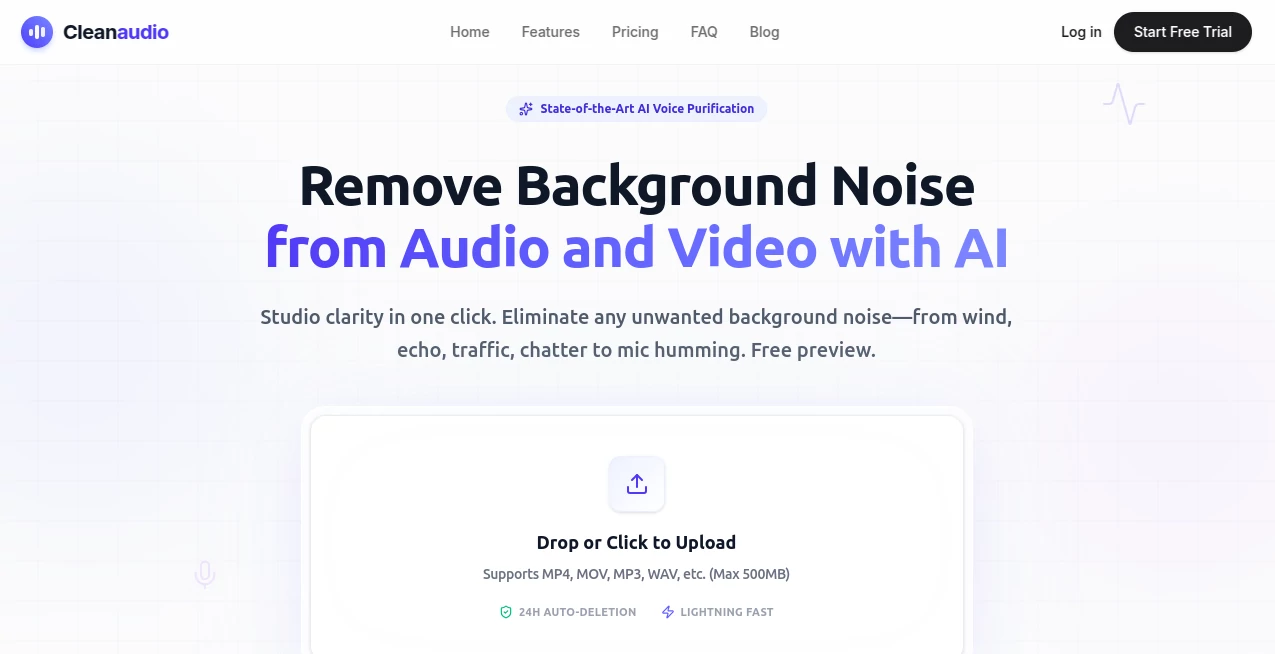
What is CleanAudio?
I once recorded an important interview in a café, only to discover later that the air conditioning hum and background chatter had ruined it. Re-recording wasn’t possible, and hours in editing software left the voices sounding robotic. Then I tried this tool. I uploaded the file, waited a few seconds, and the difference was night and day — the voice came through clear and natural while the noise simply disappeared. No complicated settings, no guessing. It felt like having a professional audio engineer in my browser. Since then, it’s become my go-to whenever I record outside a perfect studio.
Introduction
Good audio shouldn’t require a soundproof room or expensive equipment. Yet most of us record in less-than-ideal places — bedrooms with echo, streets with traffic, offices with fans. This platform solves that problem with a simple, powerful AI that strips away unwanted noise while protecting the voice you actually want to keep. Whether you’re a podcaster salvaging an episode, a YouTuber cleaning vlog footage, or a professional polishing client recordings, it delivers studio-quality results in seconds without any technical headaches. The best part? You can hear a preview before paying, so you know exactly what you’re getting.
Key Features
User Interface
The whole experience is built around simplicity. Drag and drop your file or click to upload, and the clean version appears almost instantly. A clear before/after comparison lets you hear the difference immediately. No accounts forced on you for basic use, no cluttered menus — just upload, preview, and download. It works beautifully on both desktop and mobile, so you can clean recordings on the go if needed. The interface stays out of your way so you can focus on the result rather than fighting the tool.
Accuracy & Performance
The AI is remarkably good at distinguishing voice from noise. It removes wind, traffic, fans, AC hum, room echo, static, and even distant chatter while keeping natural tone and breathing intact. Processing is fast — most files finish in under 30 seconds — and the results hold up even on challenging recordings. Voices don’t sound processed or robotic, which is where many other tools fall short. In real use, it consistently turns “unusable” takes into publish-ready audio.
Capabilities
It handles both audio and video files, supporting all common formats. You can clean everything from short voice notes to full podcast episodes or YouTube videos. The AI targets specific problems like wind noise, echo, traffic, pet sounds, and electronic hum. Preview lets you hear 30 seconds of cleaned audio before committing. Outputs are high quality and ready for immediate use in editing software or direct publishing.
Security & Privacy
Your files are processed securely and automatically deleted within 24 hours. No training on user data, no long-term storage unless you choose to keep something. For creators handling client work or sensitive interviews, that peace of mind is invaluable.
Use Cases
A podcaster records in a noisy apartment and cleans the entire episode in minutes instead of spending hours in Audacity. A YouTuber filming outdoors removes wind and traffic noise from vlog footage before uploading. A business professional cleans client Zoom recordings for polished deliverables. An educator records lessons from home and removes background distractions so students stay focused on the content. It fits naturally into any workflow where clear voice matters.
Pros and Cons
Pros:
- One-click simplicity that actually delivers professional results.
- Excellent at preserving natural voice while removing real-world noise.
- Works on both audio and video files.
- Fast processing with useful previews before purchase.
- Strong privacy — files deleted automatically after processing.
Cons:
- Very extreme noise levels may still need some manual touch-up.
- Longer files or heavy usage benefit from paid plans.
Pricing Plans
You can try it completely free with a 30-second preview on every upload. Pay-as-you-go credits work great for occasional use, while the Pro subscription offers unlimited cleaning, priority processing, and best value for regular creators and teams. The pricing is transparent and fair — many users find it cheaper and more effective than hiring a sound engineer or struggling with complex desktop software.
How to Use CleanAudio
Go to the site, drag your audio or video file into the upload area. Wait a moment while it processes. Listen to the 30-second preview to hear the difference. If you’re happy, purchase credits or subscribe and download the full clean version. That’s it — no software to install, no complex settings to learn. You can be done in under a minute for most files.
Comparison with Similar Tools
Many noise removal tools are either overly complicated desktop software or produce artificial-sounding results. This one stands out for its balance of simplicity, speed, and natural-sounding output. Where others require technical knowledge or deliver robotic voices, CleanAudio focuses on what creators actually need: clear, human-sounding audio with minimal effort. The browser-based approach and generous preview make it far more approachable than traditional alternatives.
Conclusion
Clear audio shouldn’t be a luxury reserved for those with perfect recording setups or big budgets. This tool brings studio-quality cleanup to everyone, making noisy recordings usable and professional-sounding in seconds. Whether you create content for a living or just want your voice notes and interviews to sound their best, it removes the frustration and lets your message come through clearly. In a world full of background noise, it’s a small but powerful way to stand out.
Frequently Asked Questions (FAQ)
How long does processing take?
Most files are cleaned in under 30 seconds.
Does it work on video files too?
Yes — it cleans the audio track while preserving the video.
Can I try it before buying?
Absolutely — every upload includes a free 30-second preview.
What kinds of noise does it remove?
Wind, traffic, fans, AC, echo, static, chatter, pet sounds, and more.
Are my files kept private?
Yes — files are deleted automatically within 24 hours and never used for training.
AI Noise Cancellation , AI Audio Enhancer , AI Voice Assistants , AI Voice & Audio Editing .
These classifications represent its core capabilities and areas of application. For related tools, explore the linked categories above.

CleanAudio Alternatives Product

Betula AI

TonesMatch

Speech Text

Gpt Realtime

bridger west…

Mp3ToMidi

Adobe Podcast

PureMIDI

Flow Song