


















ClickClaw
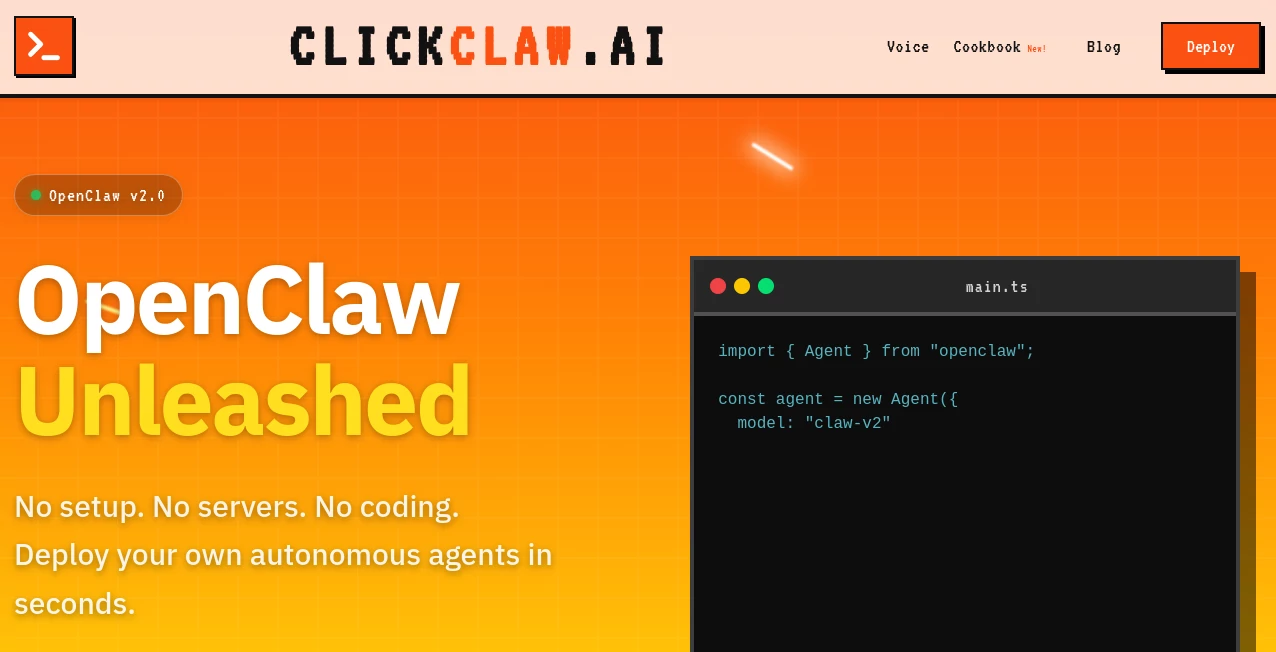
What is ClickClaw?
I’ve tried running my own AI agents before — setting up servers, managing dependencies, worrying about security — and it always turned into a weekend black hole. Then I found this platform and the whole experience flipped. You pick an agent, click deploy, and within seconds you have a fully hosted, secure, always-on AI assistant ready to work. No servers to babysit, no complex configuration, just real autonomy with almost zero friction. The first time I deployed one and watched it handle a simple task while I made coffee, I realized how much this changes things for regular people who just want helpful AI without becoming DevOps experts.
Introduction
Autonomous AI agents are incredibly powerful, but getting them running reliably has been a barrier for most people. ClickClaw removes that barrier completely. It provides managed hosting specifically built for powerful open-source agents like OpenClaw, letting you launch a private, 24/7 AI assistant in seconds. Whether you want it to manage your inbox, research topics, handle repetitive tasks, or act as a personal assistant across apps, it handles the infrastructure so you can focus on what the agent actually does for you. It’s secure, scalable, and simple enough that even non-technical users feel confident using it.
Key Features
User Interface
The dashboard is wonderfully straightforward. Browse available agents, click the one you want, customize a few basic settings if needed, and hit deploy. Everything happens in one clean interface without overwhelming options. Once running, you can monitor activity, adjust settings, or spin up additional agents with the same ease. It feels less like managing infrastructure and more like choosing a helpful coworker who never sleeps.
Accuracy & Performance
Because it’s built specifically for agent frameworks like OpenClaw, the agents run smoothly with consistent performance. They stay responsive, maintain context well, and handle real tasks without constant babysitting. Users report reliable uptime and fast response times, even when the agent is juggling multiple tools or long-running workflows. The hosting layer is clearly optimized for this kind of always-on, autonomous behavior.
Capabilities
You can deploy agents that clear your inbox, manage calendars, research topics, control browsers, run scripts, and integrate with messaging apps like WhatsApp or Telegram. The platform handles security, updates, and scaling automatically. It supports both personal assistants and more specialized agents, making it versatile for daily life tasks or focused business automation. The one-click nature means you can experiment with different agents easily without commitment.
Security & Privacy
Security is a big focus here. Each agent runs in its own isolated, secure environment with proper safeguards. Your data stays private, and the platform is designed for people who want powerful agents without exposing themselves to unnecessary risks. For anyone running agents that access emails, files, or personal information, this level of care is genuinely reassuring.
Use Cases
A busy professional deploys a personal assistant that handles email triage and calendar management while they focus on high-value work. A solopreneur creates an agent that researches competitors and summarizes findings every morning. A content creator uses one to gather trending topics and draft initial outlines. Even families set up simple agents to manage shared schedules or shopping lists. The common thread is turning “I wish I had help with this” into “my agent handles it.”
Pros and Cons
Pros:
- Truly one-click deployment — faster than almost anything else in the agent space.
- Secure, managed hosting removes all the usual infrastructure headaches.
- Works beautifully with powerful open-source agent frameworks.
- Great for both beginners and experienced users who want simplicity.
- Fast iteration — spin up, test, and adjust agents quickly.
Cons:
- Relies on the underlying agent framework’s capabilities (though OpenClaw is quite strong).
- Advanced customization may still require some technical comfort on higher plans.
Pricing Plans
It starts at a very accessible monthly price with plans that scale based on resources and number of agents. The entry tier is generous enough for personal use and light experimentation, while higher tiers support more demanding workloads and multiple agents. Many users find even the basic plan delivers excellent value compared to managing their own servers or using less reliable alternatives.
How to Use ClickClaw
Sign up, browse the available agents, choose the one that fits your needs, and click deploy. Add any initial instructions or connect the tools you want it to use. Once running, interact with your agent through chat interfaces or messaging apps. Monitor performance from the dashboard and make adjustments as needed. The whole process from idea to active agent can take less than five minutes, making experimentation feel risk-free and fun.
Comparison with Similar Tools
While other agent platforms require complex setup, server management, or significant technical knowledge, this one prioritizes simplicity and reliability through managed hosting. It strikes a sweet spot — more powerful than basic no-code agents, yet far easier than self-hosting solutions. For people who want real autonomous agents without the DevOps burden, it often becomes the clear favorite.
Conclusion
AI agents have enormous potential, but only if you can actually run them reliably. This platform makes that possible for regular people by handling all the complicated parts behind the scenes. It turns the dream of having a helpful, always-on digital assistant into something practical and accessible. If you’ve been waiting for AI that can genuinely take work off your plate without adding new headaches, this is one of the most promising solutions available right now.
Frequently Asked Questions (FAQ)
How long does deployment take?
Usually just seconds to a couple of minutes from click to running agent.
Do I need technical skills?
No — the whole point is making powerful agents available without technical setup.
Is my data secure?
Yes, agents run in isolated, secure environments with strong privacy practices.
Can I run multiple agents?
Yes, higher plans support running several specialized agents simultaneously.
What kind of tasks can the agents do?
Almost anything you can describe — email management, research, scheduling, browser automation, and much more depending on the agent configuration.
AI Workflow Management , AI App Builder , AI Developer Tools .
These classifications represent its core capabilities and areas of application. For related tools, explore the linked categories above.

ClickClaw Alternatives Product

Miro

freellm.net

ShipAhead

DeepSeek V4

Weekly Brief

Where Is Thi…

Jujutsu Zero…

Skygen AI

globalize.now
