

















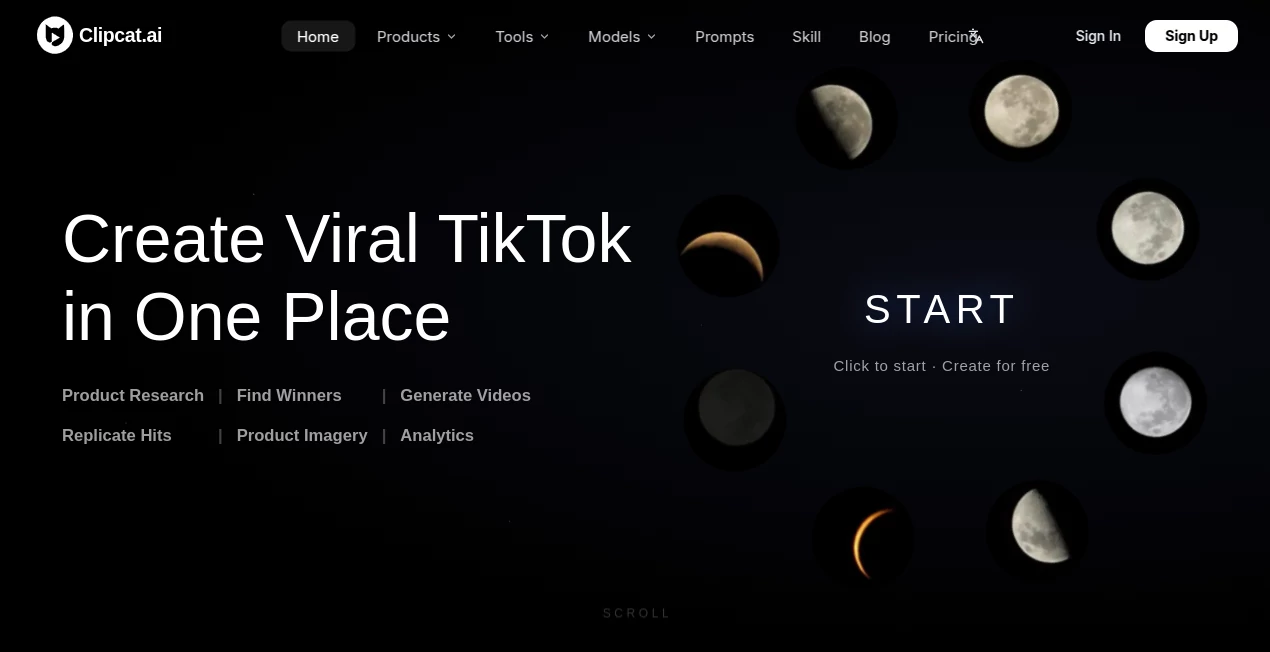
What is Clipcat AI?
Clipcat AI is a TikTok-focused e-commerce creative platform built for sellers, brands, content creators, media buyers, and teams that want to turn product ideas into shoppable short-form content. Instead of treating video generation as a single isolated task, the platform connects product research, trend discovery, video creation, viral video replication, product imagery, and performance analysis in one workflow.
The idea is particularly useful for businesses that need to produce a steady stream of TikTok content without filming every product manually. A seller can provide product information or images, describe the desired result, or use a reference video, while the platform handles much of the creative production process.
Its homepage currently reports more than 10 million generated videos, along with claims of 8x e-commerce conversion and 90% lower production costs. These figures are presented by the platform itself, so they are best viewed as company-reported performance indicators rather than independently verified benchmarks.
Key Features
- AI TikTok Video Generation: Create shoppable short videos from product information and images without traditional filming.
- Viral Video Replication: Use a successful TikTok video as a reference and adapt its hook, pacing, structure, and selling logic to another product.
- Product Research: Discover trending niches and potentially promising products using sales-related data.
- Viral Video Discovery: Find trending TikTok content by keyword and organize useful references for further analysis.
- Consistent Characters: Create digital characters that can maintain a recognizable identity across multiple videos.
- Product Imagery: Generate white-background product shots, model try-ons, scene images, and other e-commerce visuals.
- Analytics: Review published video performance and identify possible weaknesses that can guide future creative decisions.
User Interface
The platform is organized around the complete TikTok commerce workflow rather than a traditional video editor. Its main experience brings product discovery, viral content collection, generation, replication, imagery, and analytics into connected stages.
This approach makes the interface more practical for sellers who care about publishing and selling rather than spending hours adjusting timelines, transitions, and individual clips. The workflow is also designed around simple inputs such as product images, descriptions, prompts, and reference TikTok links.
Accuracy & Performance
Performance depends heavily on the selected AI model, source material, prompt quality, video duration, and resolution. The platform supports several current video-generation models, including Seedance 2.0, Seedance 2.5, Grok Imagine 1.5, Veo 3.1, and Sora 2.
One practical advantage is the ability to work from real TikTok references rather than relying only on a text prompt. The system can analyze a successful piece of content and use its underlying structure as a creative starting point. For e-commerce teams, that can be more useful than generating completely random concepts from scratch.
The platform also states that a typical first video can be ready in roughly 10 to 20 minutes, depending on the generation process. Results can vary, so users should still review generated videos before publishing them.
Capabilities
The strongest part of the platform is its combination of research and production. Users can identify promising products, collect viral references, generate product-focused videos, replicate proven creative structures, and then analyze performance after publishing.
Content can include voiceover videos, UGC-style reviews, unboxing concepts, OOTD content, localized videos for different markets, and other shoppable formats. Product imagery can also be created for detail pages and advertising campaigns.
Another useful capability is consistent on-camera characters. For brands building a recognizable creator-style identity, maintaining the same digital presenter across multiple pieces of content can make a content library feel more connected.
Security & Privacy
Because the platform can work with product images, creative references, account information, and marketing data, businesses should review its privacy policy and terms before uploading confidential material or connecting business workflows.
For routine e-commerce content, product photography, public TikTok references, and ordinary marketing assets, the workflow is straightforward. For sensitive commercial information, companies should apply their normal internal data-handling policies and only provide information necessary for the task.
Use Cases
TikTok Shop sellers can use the platform to turn product images into shoppable videos and test multiple creative approaches without arranging a new filming session for every variation.
E-commerce brands can build a repeatable content pipeline covering product research, creative development, product imagery, and post-publishing analysis.
Media buyers can study successful TikTok creatives, identify useful patterns, and produce variations around products they are advertising.
Content creators can experiment with UGC-style videos, voiceovers, reviews, and localized content without needing a traditional production setup.
Cross-border teams can create content for different markets and languages while keeping the underlying product and campaign concept consistent.
Small businesses can benefit from the reduced need for cameras, actors, editing software, and repeated manual production. Someone with a product image and a clear idea can move from concept to finished creative much faster.
Pros and Cons
Pros
- Designed specifically around TikTok e-commerce workflows.
- Combines product research, creation, replication, imagery, and analytics.
- Can create shoppable videos from product information and images.
- Supports viral video references as creative starting points.
- Offers consistent digital characters for recurring content.
- Supports multiple AI video-generation models.
- Useful for producing content at higher volume.
Cons
- Credit consumption varies according to model, duration, resolution, and generation method.
- AI-generated results can vary depending on the source images and prompts.
- Users who want detailed manual video editing may still prefer a dedicated video editor.
- The strongest value is aimed at TikTok and e-commerce workflows rather than general-purpose video production.
- Paid purchases are listed as final and non-refundable, so choosing a plan requires some care.
Pricing Plans
The platform uses a credit-based pricing system. A free option is available, while paid plans currently include Basic, Creator, Expert, and Enterprise tiers.
- Basic: $11 per month, or $9 per month when billed annually. The annual option includes 12,000 credits.
- Creator: $66 per month, or $56 per month with annual billing, with 108,720 annual credits.
- Expert: $110 per month, or $94 per month with annual billing, with 192,000 annual credits.
- Enterprise: $242 per month, or $213 per month with annual billing, with 444,000 annual credits.
Annual billing can save up to 48% compared with monthly pricing, according to the current pricing page. Credit usage depends on the selected model, video length, resolution, and generation method, so the number of videos included in each plan is an estimate rather than a fixed allowance.
How to Use It
- Sign up for an account and enter the video marketing workspace.
- Upload clear product images, preferably from multiple angles.
- Describe the type of shoppable video or creative concept you want to produce.
- Optionally provide a TikTok reference link when you want to build from an existing winning structure.
- Choose relevant settings such as language, aspect ratio, duration, and generation model.
- Start the generation process and review the completed video.
- Download the result and use the analytics workflow to evaluate published content and improve future creatives.
A useful approach is to test several hooks or creative structures instead of relying on a single generated video. For example, a skincare seller could create one product demonstration, one UGC-style review, and one problem-solution video, then compare which concept produces stronger engagement.
Comparison with Similar Tools
Many AI video generators focus primarily on turning text or images into visually appealing clips. This platform takes a narrower but more commercially focused approach. Its workflow is built around TikTok selling, which means research, viral-content discovery, replication, product imagery, and analytics are treated as parts of the same process.
That distinction matters for e-commerce teams. A general AI video generator may be excellent for producing an individual cinematic clip, while this platform is more interested in answering a different question: how can a seller repeatedly find promising content patterns and turn them into product-focused TikTok creatives?
For someone producing occasional personal videos, a simpler video-generation tool may be enough. For a seller managing multiple products and testing creatives regularly, the connected research-to-analytics workflow can be considerably more useful.
Conclusion
For TikTok sellers and e-commerce marketers, the biggest appeal is not simply generating another AI video. It is the way the platform connects the stages surrounding that video. Product research can lead to trend discovery, trend discovery can lead to creative replication, and generated content can then be evaluated through analytics.
The result is a more commerce-oriented approach to AI video production. Businesses that need frequent product videos, UGC-style creatives, localized content, or variations of proven TikTok formats may find this workflow particularly practical.
It is not a replacement for every professional video-editing application, and generated content should always be reviewed before publication. But for teams focused on TikTok commerce and high-volume creative testing, it offers a compelling combination of automation, research, generation, and optimization.
Frequently Asked Questions (FAQ)
What is this platform mainly used for?
It is primarily designed for TikTok e-commerce marketing, including product research, viral video discovery, shoppable video generation, viral-content replication, product imagery, and performance analysis.
Do I need video editing experience?
No. The workflow is designed so users can provide product images, describe their goals, or submit a reference video without needing traditional filming or editing skills.
Can I create TikTok Shop videos?
Yes. Shoppable short videos are one of the platform's main use cases, with workflows designed specifically for TikTok sellers and e-commerce brands.
Can I use an existing TikTok video as a reference?
Yes. A reference link can be used to analyze and replicate elements such as the hook, structure, pacing, visuals, and selling-point logic while adapting the concept to another product.
Can it create UGC-style videos?
Yes. Supported creative formats include voiceover content, reviews, unboxing concepts, OOTD-style videos, and other UGC-oriented formats.
Does it support different languages?
Yes. The platform supports multilingual and multi-market content creation, making it suitable for sellers targeting audiences in different regions.
Can I generate product images as well as videos?
Yes. Product imagery can include white-background shots, model try-ons, scene images, and detail-oriented e-commerce visuals.
How long does video generation take?
The platform states that a typical generated video can be ready in approximately 10 to 20 minutes, although processing time can vary depending on the selected generation method and workload.
Does it offer analytics?
Yes. Its analytics features are designed to evaluate published TikTok content, identify performance weaknesses, and suggest directions for future optimization.
Does it have a free option?
Yes. New users can start with a free option before moving to paid credit-based plans when they need greater production capacity.