Coolors
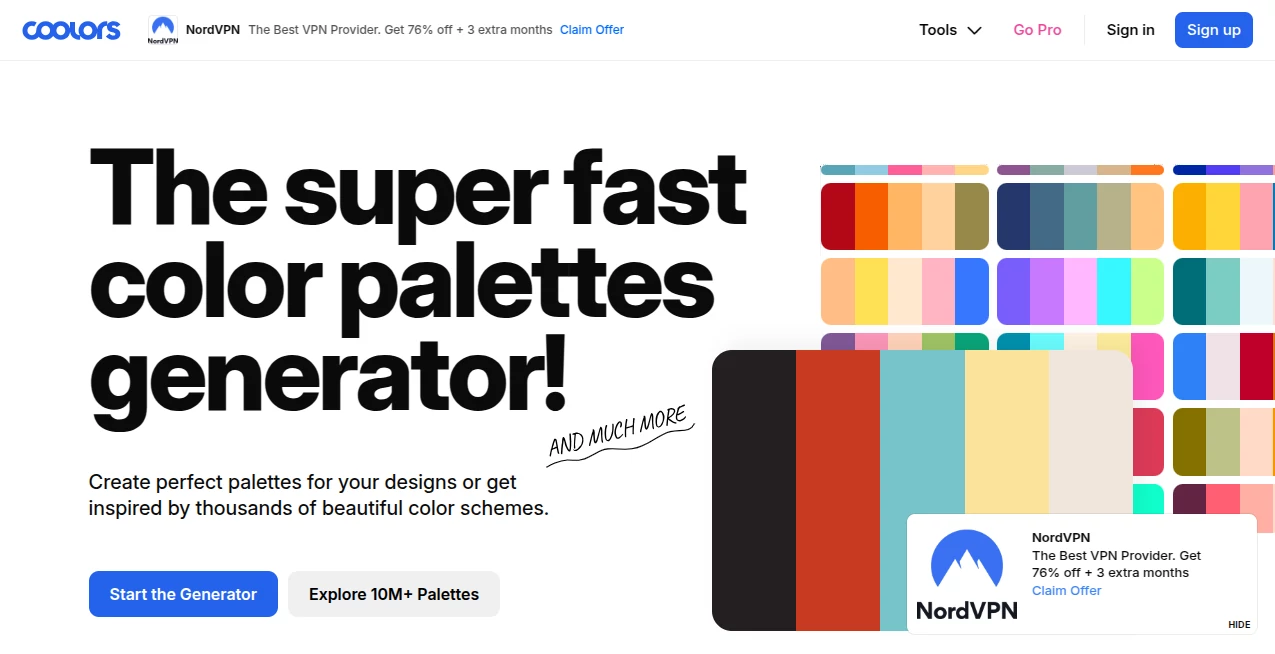
What is Coolors?
Choosing the right color palette can make or break a design. Whether you're working on branding, UI design, illustration, or social media content, color harmony is what brings everything together. This platform was built to remove the guesswork from that process and make color selection fast, intuitive, and even enjoyable.
Instead of spending hours experimenting with shades and combinations, users can instantly generate beautiful palettes, tweak them in real time, and lock in the perfect tones for their creative projects. It has become a go-to tool for designers who value speed, simplicity, and inspiration in one place.
Key Features
User Interface
The interface is minimal, clean, and highly responsive. Everything is designed to keep the creative flow uninterrupted. With just a tap or press of the spacebar, new color combinations appear instantly, allowing users to explore endless variations without friction.
Accuracy & Performance
Color generation is fast and consistent, producing visually balanced palettes that follow modern design principles. The system ensures that generated combinations are not random but carefully aligned with aesthetic harmony, making it reliable for professional use.
Capabilities
- Instant color palette generation
- Advanced color code customization (HEX, RGB, HSL)
- Image-based palette extraction
- Gradient creation and adjustment
- Export options for design tools and workflows
Security & Privacy
User-generated palettes and preferences are handled securely. No unnecessary data tracking interferes with the creative process, ensuring a smooth and privacy-friendly experience for designers and teams.
Use Cases
- Brand identity and logo design
- Website and mobile app UI design
- Social media content creation
- Illustration and digital art projects
- Interior and mood board planning
Pros and Cons
Pros
- Extremely fast and intuitive workflow
- Beautiful, ready-to-use color combinations
- Supports multiple color formats
- Great for both beginners and professionals
- Strong inspiration tool for creative projects
Cons
- Limited advanced design system features
- May require external tools for full design workflows
- Internet connection needed for full functionality
Pricing Plans
The platform offers a flexible pricing structure. A free version is available with essential features that are more than enough for most users. For professionals and teams, premium options unlock advanced capabilities such as extended export options, cloud syncing, and additional customization tools.
How to Use Coolors
Getting started is extremely simple. Users can begin by generating a random palette and then adjust each color manually until the perfect combination is achieved. Colors can be locked to preserve them while exploring new suggestions for the remaining slots. Once satisfied, palettes can be exported or saved for later use in design software.
Comparison with Similar Tools
Compared to other color palette generators, this platform stands out for its speed and simplicity. While some alternatives focus heavily on complex design systems, this tool prioritizes instant inspiration and usability. It is particularly strong for designers who need quick decisions without sacrificing visual quality.
Conclusion
For designers, creators, and marketers who need reliable and visually appealing color combinations, this platform delivers a smooth and inspiring experience. It removes barriers in the creative process and turns color selection into something fast, playful, and productive. Whether you're building a brand or designing a simple post, it helps you move from idea to execution with confidence.
Frequently Asked Questions (FAQ)
Is this tool suitable for beginners?
Yes, it is designed to be extremely beginner-friendly while still offering enough depth for professionals.
Can I export my color palettes?
Yes, palettes can be exported in multiple formats compatible with popular design software.
Do I need design experience to use it?
No, the interface is intuitive enough for anyone to start creating immediately.
Can I use it for commercial projects?
Yes, the generated palettes can be used in both personal and commercial design work.
AI Colorize , AI Graphic Design , AI Design Assistant , Design & Art .
These classifications represent its core capabilities and areas of application. For related tools, explore the linked categories above.

Coolors Alternatives Product

Claude Desig…

Pixora

Playyy AI

Luma AI

Card Maker AI

The CAD Hub

RoomMaxxing

SciDraw AI

MeltFlex AI