


















DepthFlow
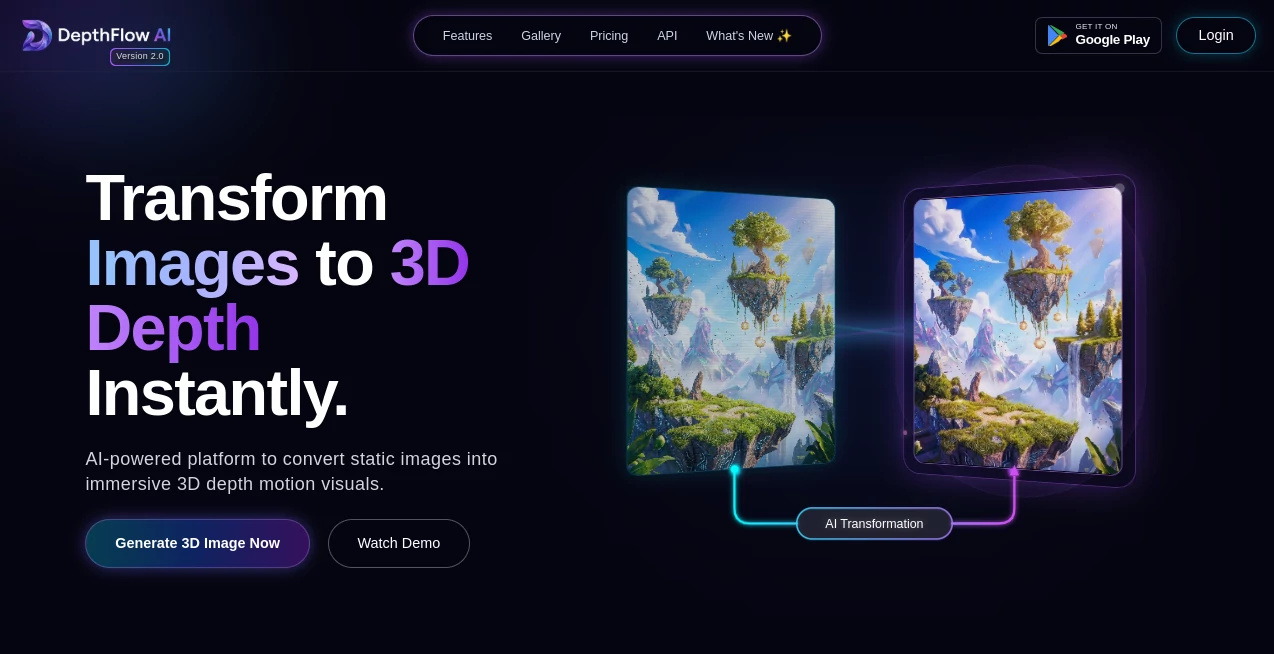
What is DepthFlow?
Creating eye-catching motion from a single image usually demands complex animation software, detailed masking, and countless keyframes. This solution changes that workflow completely by turning ordinary images into immersive 3D parallax videos within minutes. Whether you're producing content for social media, digital marketing, presentations, or creative portfolios, it offers a refreshingly simple way to add cinematic movement without building a full 3D scene.
Powered by modern depth estimation technology and GPU acceleration, the platform automatically analyzes image depth before generating realistic camera motion. The result feels surprisingly natural, giving still artwork, portraits, landscapes, product photos, and concept illustrations an impressive sense of depth and realism. The software is also open-source, making it especially attractive for creators who value flexibility, customization, and unlimited local rendering without restrictive subscriptions or watermarks. Its support for high-resolution exports, customizable motion presets, and advanced visual effects makes it suitable for both hobbyists and professional artists looking to elevate static visuals into engaging animated content. These capabilities are highlighted throughout the project's documentation and repository, including GPU-accelerated rendering, customizable depth maps, and support for high-quality looping animations. :contentReference[oaicite:0]{index=0}
Key Features
User Interface
The interface is designed to remain approachable even for users with little animation experience. Upload an image, choose a motion style, adjust a few camera settings, and preview the result before exporting. Advanced users can dive deeper into projection controls, depth adjustments, scripting options, and custom depth maps while beginners can rely on built-in presets for fast results.
Accuracy & Performance
The rendering engine is highly optimized for GPU acceleration, enabling smooth processing even at very high resolutions. Modern depth estimation models help produce convincing 3D perspectives while minimizing visual artifacts around object edges. High-quality supersampling and seamless looping further improve the final output, making animations suitable for professional production. Documentation notes support for rendering up to 8K resolution on capable hardware along with optimized shader-based processing. :contentReference[oaicite:1]{index=1}
Capabilities
- Convert a single image into realistic 3D parallax animation.
- Generate smooth cinematic camera movements.
- Support AI-generated or custom depth maps.
- Create seamless looping videos.
- Export in multiple resolutions and frame rates.
- Apply depth of field, vignette, and lens effects.
- Use customizable animation presets.
- Automate rendering with Python scripting.
- Run locally without mandatory cloud processing.
- Produce commercial-ready videos without watermarks.
Security & Privacy
One of the strongest advantages is its local-first workflow. Since rendering can be performed on the user's own computer, creative assets remain under personal control instead of being uploaded to third-party servers. Unlimited local usage, open-source development, and self-hosting options provide additional transparency for professionals handling confidential artwork or commercial projects. :contentReference[oaicite:2]{index=2}
Use Cases
- Animating AI-generated artwork.
- Creating engaging Instagram and TikTok posts.
- Producing cinematic YouTube intros.
- Enhancing product showcase videos.
- Adding movement to concept art.
- Creating digital advertising assets.
- Building animated presentation slides.
- Generating stock footage from still photography.
- Making NFT and digital collectible previews.
- Designing promotional visuals for websites.
Pros and Cons
Pros
- Excellent visual quality with realistic depth effects.
- Open-source and free to use.
- No watermark restrictions.
- Fast GPU-powered rendering.
- Supports extremely high export resolutions.
- Highly customizable for advanced creators.
- Commercial usage is supported.
Cons
- A capable GPU significantly improves performance.
- Advanced settings may require experimentation.
- Animation quality depends on image composition and depth estimation.
- Some artistic scenes may benefit from manually created depth maps.
Pricing Plans
The software is available as a free and open-source project, allowing creators to use it without subscription fees. Since it runs locally, users can generate unlimited animations while maintaining full control over their projects. Optional community support and contributions help sustain future development. :contentReference[oaicite:3]{index=3}
How to Use DepthFlow
Start by importing a high-quality image into the application. Allow the software to estimate a depth map automatically or provide your own for greater precision. Select one of the available camera motion presets or customize movement manually. Fine-tune depth intensity, focus effects, and animation speed while previewing the result. Finally, export the animation using the preferred resolution, frame rate, and codec for your intended platform.
Comparison with Similar Tools
Compared with traditional video editors, this solution dramatically reduces the time required to create realistic depth animation from a single image. Unlike many online AI generators that require cloud uploads or impose watermark limitations, it provides unlimited local rendering and extensive customization. Professional creators also benefit from scripting support, custom depth maps, GPU optimization, and high-resolution exports that are often unavailable in browser-based alternatives. Its combination of openness, performance, and creative flexibility makes it particularly appealing for artists who want complete control over their workflow. :contentReference[oaicite:4]{index=4}
Conclusion
For creators who want to breathe life into static images without learning complex 3D software, this platform delivers an outstanding balance between simplicity and professional capability. The generated parallax animations feel smooth, cinematic, and visually engaging while offering enough customization to satisfy experienced designers. Open-source accessibility, local rendering, impressive export quality, and modern AI-powered depth estimation make it one of the most compelling image-to-video solutions currently available for creative professionals and digital artists alike.
Frequently Asked Questions (FAQ)
Can it animate a single image?
Yes. A single photo or illustration is enough to generate a realistic 3D parallax animation.
Does it require cloud processing?
No. Projects can be rendered locally, giving users greater privacy and unlimited usage.
Can I use my own depth maps?
Yes. Custom depth maps are supported alongside automatic AI depth estimation.
Is it suitable for commercial projects?
Yes. Commercial usage is encouraged, making it useful for marketing, design, and professional content creation.
Does it support high-resolution exports?
Yes. Users can export high-quality videos with customizable resolutions, frame rates, and rendering options.
AI Image to Video , AI Video Generator , AI Video Editor , AI Photography .
These classifications represent its core capabilities and areas of application. For related tools, explore the linked categories above.

DepthFlow Alternatives Product

OmniVideo

Image 2 AI

Luma AI

Faceless vid…

Neurohelper

Kling 5.0

Gemini Omni …

ai seedance …

Seedance 3.0
