
Nya AI
What is Nya AI?
Modern teams rarely struggle with a lack of tools—they struggle with having too many of them. Conversations happen in one app, documents live somewhere else, files are scattered across cloud storage, and valuable knowledge gets buried over time. This platform solves that problem by bringing AI chat, collaborative documents, searchable knowledge, cloud storage, and team workspaces into a single environment.
Designed for individuals, startups, and organizations, it combines intelligent assistance with structured collaboration. Instead of switching between multiple services, users can create documents, organize notes, search across their entire knowledge base, collaborate in real time, and interact with advanced AI models without leaving the workspace. The project is also fully open source and self-hostable, making it especially attractive for developers and companies that require greater control over their infrastructure. Its core focus is creating a unified productivity hub powered by artificial intelligence and knowledge retrieval.
Key Features
User Interface
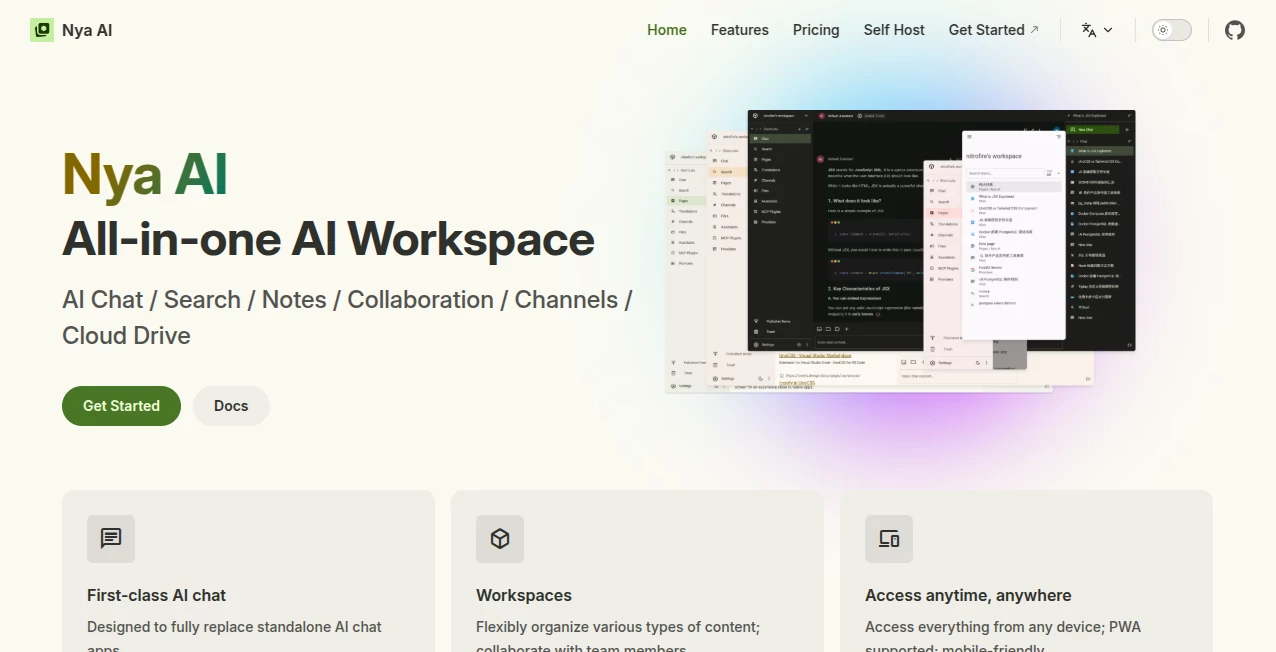
The interface feels clean and organized, with dedicated workspaces for documents, AI conversations, cloud files, and collaborative pages. Navigation is intuitive, making it easy to switch between projects while keeping important information within reach.
Accuracy & Performance
Built around modern AI technologies and retrieval-augmented search, the platform helps users locate relevant information across stored content instead of relying only on traditional keyword searches. Fast synchronization and responsive performance make it suitable for both personal productivity and collaborative work.
Capabilities
- AI-powered chat assistant
- Collaborative workspaces
- Markdown document editing
- Version history for documents
- Knowledge base with full-text search
- Retrieval-Augmented Generation (RAG)
- Cloud drive integration
- Team collaboration tools
- Cross-device access with PWA support
- Open-source and self-hostable deployment
- Content organization through channels and pages
- AI-assisted note management
Security & Privacy
Organizations that value data ownership will appreciate its self-hosting capabilities. Teams can deploy the platform within their own infrastructure while maintaining control over documents, conversations, and knowledge repositories. Version control also helps preserve document history and collaboration transparency.
Use Cases
- Create a centralized company knowledge base.
- Collaborate on technical documentation.
- Manage internal project notes.
- Use AI to answer questions from organizational knowledge.
- Store documents and files in one searchable workspace.
- Support distributed teams with collaborative editing.
- Build documentation for software projects.
- Organize research materials across multiple workspaces.
Pros and Cons
Pros
- Combines multiple productivity tools into one platform.
- Fully open source with self-hosting support.
- Powerful AI search backed by RAG technology.
- Real-time collaboration for teams.
- Works across desktop and mobile devices.
- Markdown support with document version history.
Cons
- Advanced deployment may require technical knowledge.
- Large organizations may need additional infrastructure planning.
- Some AI capabilities depend on configured models and integrations.
Pricing Plans
The project provides an open-source version that organizations can self-host. Additional hosted services or premium offerings may be available depending on deployment requirements and future product updates.
How to Use Nya AI
Begin by creating a workspace and inviting team members if collaboration is needed. Organize documents into pages, upload files to the cloud drive, and create structured knowledge repositories. Start AI conversations directly within the workspace, allowing the assistant to retrieve information from stored content and help generate summaries, documentation, or answers based on your organization's knowledge.
Comparison with Similar Tools
Unlike traditional note-taking applications that primarily focus on document creation, this platform combines collaborative editing, AI chat, searchable knowledge management, cloud storage, and workspace organization into one integrated environment. Its open-source architecture and self-hosting capabilities also make it a compelling alternative for organizations that prioritize flexibility, customization, and complete control over their data.
Conclusion
Bringing conversations, documentation, AI assistance, and knowledge management together creates a far more productive working experience than juggling multiple disconnected applications. Whether used by developers, research teams, startups, or growing businesses, the platform provides a flexible workspace where information remains organized, searchable, and immediately useful. Its open-source philosophy further strengthens its appeal for teams seeking transparency and long-term scalability.
Frequently Asked Questions (FAQ)
Is the platform open source?
Yes. It is released as an open-source project and can be self-hosted.
Can multiple people edit documents together?
Yes. Collaborative pages allow teams to work on shared content in real time.
Does it include AI-powered search?
Yes. Full-text search combined with Retrieval-Augmented Generation helps users find information across stored knowledge.
Can it replace separate note-taking and documentation tools?
For many teams, yes. It combines documents, AI chat, collaboration, cloud storage, and knowledge management in one workspace.
Does it work on mobile devices?
Yes. The platform supports Progressive Web App (PWA) technology, making it accessible across desktop and mobile devices.
AI Productivity Tools , AI Team Collaboration , AI Knowledge Base , AI Notes Assistant .
These classifications represent its core capabilities and areas of application. For related tools, explore the linked categories above.

Nya AI Alternatives Product

AfterSession

broop

Chrome Sidek…

Techvorizon …

Whisper Web

EntreDash

Zamicus

Alloy

Skygen AI