

















DocuGov.ai
What is DocuGov.ai?
Government paperwork and compliance documentation are often complex, time-consuming, and prone to human error. This platform is designed to streamline that entire experience by leveraging artificial intelligence to help users process, generate, and manage official documents with greater speed and accuracy. Instead of spending hours navigating forms and regulations, users can rely on intelligent automation that understands structure, context, and requirements.
What makes this solution particularly valuable is its focus on reducing friction in bureaucratic processes. Whether you are handling administrative forms, regulatory submissions, or structured data extraction, it provides a smoother and more reliable workflow that saves both time and effort.
Key Features
User Interface
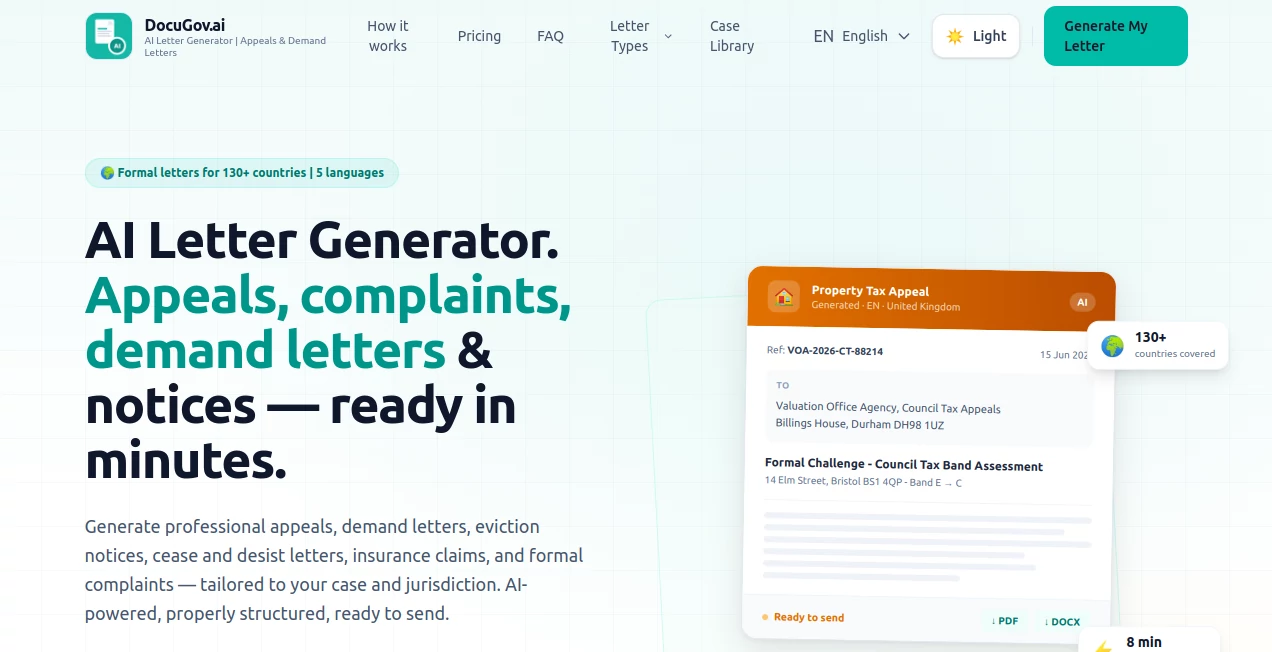
The interface is designed to be clean, minimal, and intuitive. Users can easily upload documents, select processing options, and receive results without needing technical expertise. The layout is structured to support both beginners and advanced users.
Accuracy & Performance
The system is optimized for high-precision document understanding. It can interpret structured and semi-structured data, reducing manual corrections and improving overall workflow efficiency. Performance remains stable even with large document batches.
Capabilities
- Automated document parsing and structuring
- Smart extraction of key fields and data points
- Generation of formatted outputs based on templates
- Support for regulatory and administrative workflows
- Batch processing for large-scale document handling
Security & Privacy
Data protection is a core priority. The platform is built with secure processing pipelines to ensure sensitive information remains protected. Encryption and controlled access measures help maintain confidentiality across all operations.
Use Cases
- Government form automation and submission preparation
- Legal and compliance document processing
- Administrative data extraction for organizations
- Policy and regulatory documentation workflows
- Enterprise document digitization and structuring
Pros and Cons
Pros
- Saves significant time on document processing
- Reduces human errors in data entry
- User-friendly interface suitable for non-technical users
- Strong focus on structured and official documents
- Scalable for organizational use
Cons
- May require initial learning for advanced features
- Best performance depends on document quality
- Advanced customization may not suit all users
Pricing Plans
The platform typically follows a flexible pricing structure designed to accommodate individuals, teams, and enterprises. Users can start with basic access for essential features, while advanced plans unlock higher processing limits, automation tools, and enterprise-grade capabilities.
How to Use
- Upload your document into the system
- Select the type of processing or extraction needed
- Review automatically generated results
- Edit or refine outputs if necessary
- Export or integrate results into your workflow
Comparison with Similar Tools
Compared to general-purpose document tools, this platform is more specialized toward structured and regulatory workflows. While other solutions may focus on basic text extraction or generic automation, this one emphasizes accuracy, compliance readiness, and government-grade document handling. It is particularly strong in environments where precision and formatting consistency are critical.
Conclusion
For organizations and individuals dealing with complex documentation workflows, this solution offers a practical and efficient way to reduce manual effort and improve accuracy. Its combination of automation, structured processing, and user-friendly design makes it a valuable addition to modern digital workflows, especially in compliance-heavy environments.
Frequently Asked Questions (FAQ)
-
What types of documents can be processed?
The system supports structured and semi-structured documents, especially those used in administrative and regulatory contexts.
-
Is technical knowledge required?
No, the interface is designed to be accessible for both technical and non-technical users.
-
Can it handle large volumes of data?
Yes, it is optimized for batch processing and scalable workflows.
-
Is my data secure?
Yes, security and privacy are built into the core architecture with encryption and controlled access.
AI Workflow Management , AI Document Extraction , AI Documents Assistant , AI Legal Assistant .
These classifications represent its core capabilities and areas of application. For related tools, explore the linked categories above.

DocuGov.ai Alternatives Product

Docubix

AfterSession

Claude and C…

CursiveKit

justmarkdown

Watermark in…

Sourcetable

Lime Social

Yorph AI
