


















Examino
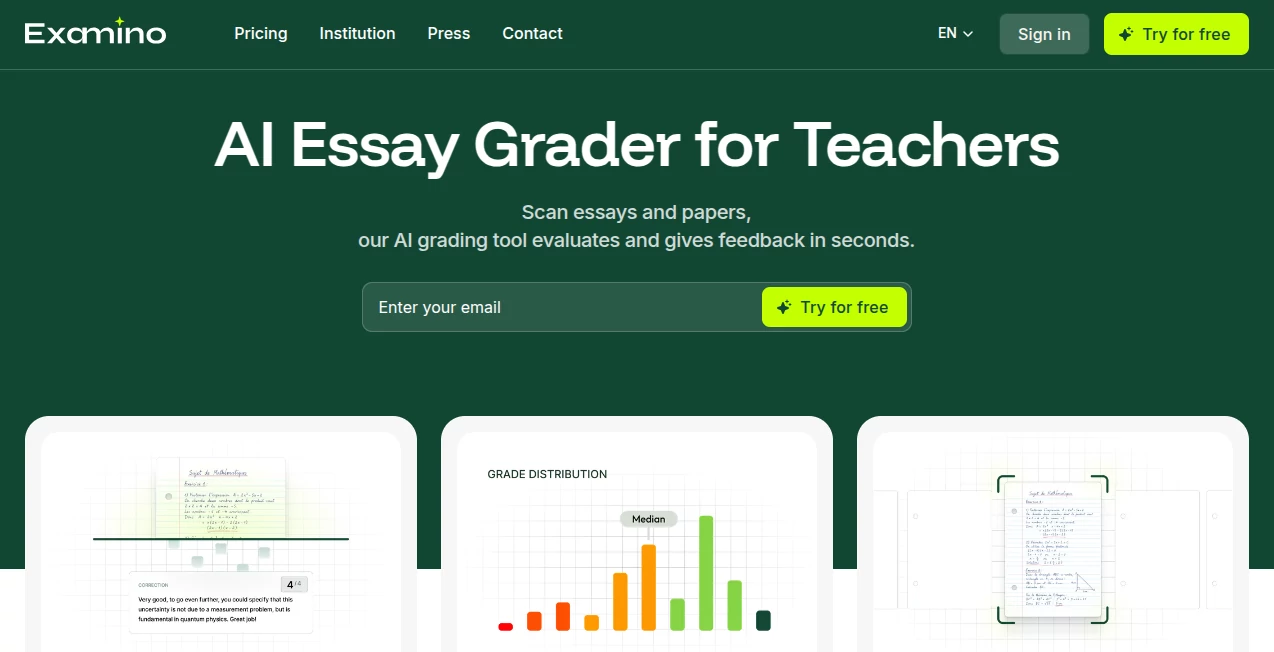
What is Examino?
Correcting exams is one of the most time-consuming responsibilities in education. From handwritten essays to complex mathematical solutions, maintaining fairness while reviewing dozens of papers can quickly become overwhelming. This AI-powered grading platform was created to simplify that process without sacrificing quality, helping educators focus more on teaching and less on repetitive evaluation.
Designed for schools, colleges, tutors, and training organizations, the platform analyzes handwritten and digital exam papers, generates objective scores, and provides detailed feedback within seconds. Teachers remain in full control of the grading criteria while the system handles the repetitive work, making assessments faster, more consistent, and easier to manage across multiple classes and subjects.
Key Features
User Interface
The platform offers a clean and intuitive workspace where educators can create an assessment, upload question papers, import student submissions, and review grading results without a steep learning curve. Mobile scanning support makes it convenient to digitize handwritten exams directly from a smartphone, reducing administrative effort.
Accuracy & Performance
The grading engine evaluates answers according to teacher-defined scoring criteria rather than relying on generic responses. It supports essays, calculations, diagrams, graphs, and structured answers while maintaining consistency across every paper. Most assessments are processed in approximately half a minute, allowing teachers to grade an entire class dramatically faster than manual correction. The platform supports more than 25 academic subjects and multiple education levels.
Capabilities
- Automatic grading of handwritten and digital exams.
- AI-generated scoring suggestions.
- Custom grading rubrics and expected answers.
- Essay evaluation with detailed feedback.
- Mathematics and equation analysis.
- Diagram and graph interpretation.
- Class performance tracking.
- Exportable grading reports.
- Smart paper scanning using a smartphone.
- Support for multiple academic disciplines.
- Bulk paper processing.
- Feedback customization for different teaching styles.
Security & Privacy
Privacy is an important consideration for educational institutions. Teachers are encouraged to anonymize student papers before grading, helping reduce bias during assessment. The service also states that user data is protected and personal information is handled according to GDPR principles. Account information is secured, and uploaded content is not used to train AI models, providing additional confidence for educators working with sensitive academic data.
Use Cases
- Teachers grading classroom exams.
- University instructors evaluating written assignments.
- Private tutors reviewing homework.
- Educational institutions managing large-scale assessments.
- Training centers conducting certification programs.
- Schools seeking consistent grading standards.
- Departments monitoring overall student performance.
Pros and Cons
Pros
- Significantly reduces grading time.
- Works with handwritten and digital papers.
- Supports essays, mathematics, diagrams, and structured answers.
- Customizable grading criteria.
- Provides constructive feedback alongside scores.
- Easy-to-use interface for educators.
- Performance analytics for entire classes.
Cons
- Requires scanned or photographed exam papers.
- AI recommendations should still be reviewed for high-stakes assessments.
- Monthly grading credits may limit heavy users on smaller plans.
Pricing Plans
A free plan allows educators to grade up to 10 papers each month, making it easy to evaluate the service before subscribing. Paid plans increase the monthly grading credits, including a Standard option with 100 papers per month and a Plus option with 300 papers per month. Larger organizations can contact the team for customized solutions.
How to Use Examino
Begin by creating a new assessment and uploading the exam questions in PDF format or as images. Import student answer sheets by uploading scans or photographs, including handwritten papers captured with a smartphone if needed. Review the automatically detected grading criteria, edit expected answers whenever necessary, and launch the grading process. Within seconds, detailed scores, feedback, and performance summaries become available for review and export.
Comparison with Similar Tools
Unlike many general-purpose AI assistants that require teachers to manually build grading prompts, this platform is designed specifically for academic assessment. It understands educational workflows, supports handwritten papers, recognizes mathematical expressions and diagrams, and offers structured grading based on teacher-defined rubrics. These education-focused capabilities make it particularly valuable for instructors who need reliable and repeatable evaluation rather than generic text analysis.
Conclusion
Modern education demands both efficiency and fairness, and this grading solution successfully delivers both. By automating repetitive assessment tasks while allowing educators to control grading standards, it creates a practical balance between artificial intelligence and professional judgment. Teachers gain valuable hours each week, students receive faster and more consistent feedback, and institutions benefit from improved assessment quality across a wide variety of subjects.
Frequently Asked Questions (FAQ)
Can handwritten exams be graded?
Yes. The platform is designed to analyze handwritten papers uploaded as scans or smartphone photos.
Does it support essay grading?
Yes. Essays, written responses, calculations, diagrams, and structured answers can all be evaluated.
Can teachers customize grading criteria?
Yes. Educators can modify scoring rules, expected answers, and grading scales before processing exams.
Is there a free version?
Yes. A free plan includes grading credits for up to 10 papers each month.
Who is the platform best suited for?
It is ideal for teachers, professors, tutors, schools, universities, and training organizations looking to save time while maintaining consistent assessment quality.
AI Documents Assistant , AI Education Assistant , AI Homework Helper , AI Productivity Tools .
These classifications represent its core capabilities and areas of application. For related tools, explore the linked categories above.

Examino Alternatives Product

aipen.ink

CoolVerdict

Youfiliate

Presenti AI

Read PDF Alo…

GPT Image 2 …

Receipt AI

Syncity AI

DocReplacer
