

















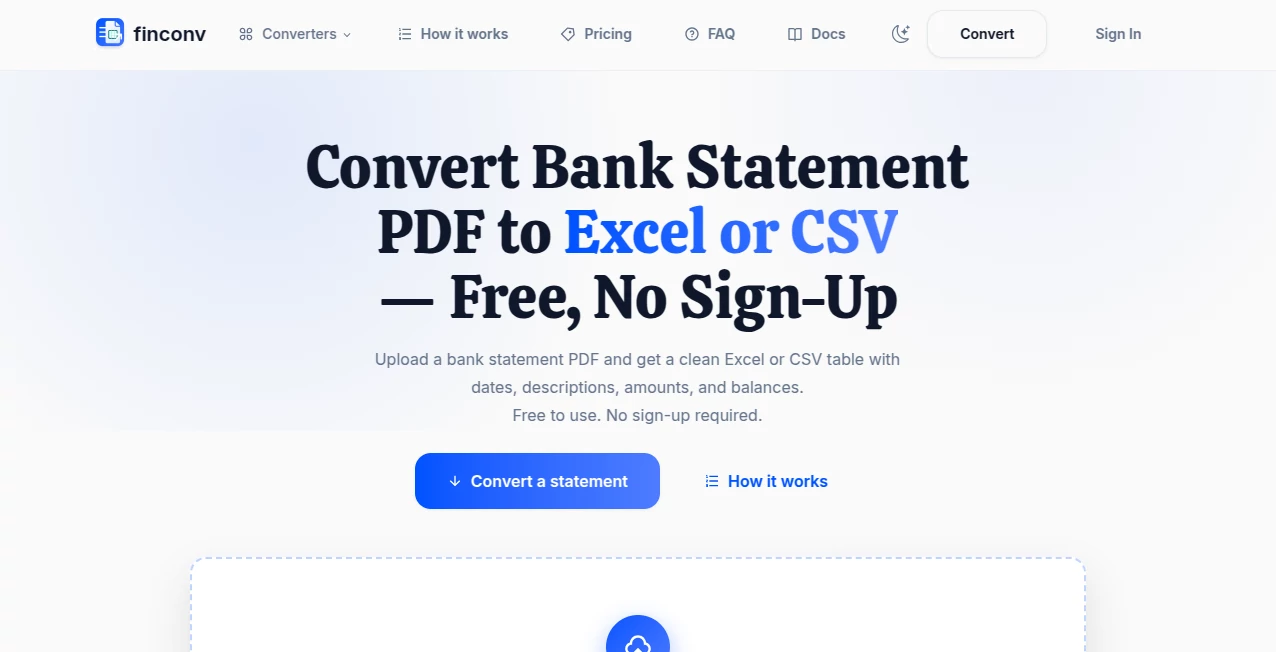
What is FinConv?
Turning a bank statement into a usable spreadsheet can be surprisingly tedious. A PDF may look perfectly organized on screen, yet copying its transactions into Excel can quickly become a long session of manual work. FinConv is built around a much simpler idea: upload a bank statement and turn the information into structured data that is ready to review and use.
The online converter accepts PDF, JPG, and PNG statements and can process both regular and scanned documents. It extracts transaction information such as dates, descriptions, debits, credits, and balances, then presents the result in a clean table. There is no account creation required, and the core conversion is currently free during beta.
This makes it particularly useful for freelancers, bookkeepers, accountants, small businesses, and anyone who needs to move financial information from documents into spreadsheets without retyping every transaction.
Key Features
- Convert bank statement PDFs into editable Excel files.
- Export extracted transactions as CSV for spreadsheet and accounting workflows.
- Generate structured JSON for applications, scripts, and data processing.
- Support for PDF, JPG, and PNG statement files.
- Process scanned statements and image-based documents.
- Handle password-protected PDFs up to 50MB.
- Extract common transaction fields including date, description, debit, credit, and balance.
- Preview extracted information before downloading the final file.
- Support checking, savings, and credit card statements.
- Work directly from a mobile browser without requiring an application.
User Interface
The interface keeps the conversion process focused on the task rather than surrounding users with unnecessary settings. The workflow starts with a straightforward file upload, followed by automatic extraction and a preview of the resulting transaction table.
This simplicity is valuable when the goal is simply to get financial data out of a document. A user who has never worked with document conversion software can understand the process almost immediately: upload, review, and download.
Accuracy & Performance
The extraction process uses AI to read transaction information and organize it into structured rows. It can work with traditional PDFs as well as scanned statements and image files, which makes it more flexible than converters designed only for text-based documents.
Financial data deserves extra attention, however. Statement layouts can vary considerably between banks, and scanned documents may differ in quality. The service itself recommends reviewing the extracted table against the original statement before using the information for accounting, tax preparation, or other financial decisions.
For everyday conversion work, this approach strikes a practical balance: automation handles the repetitive extraction while the user retains the final review step.
Capabilities
The main strength is the range of useful output formats. Excel is suitable when transactions need to be sorted, filtered, edited, or reconciled manually. CSV is a natural choice when the information needs to be imported into accounting or spreadsheet software. JSON is useful when structured transaction data needs to move into a script, application, or another automated workflow.
The extracted columns depend on the original statement, but typical information can include Date, Description, Check No., Debit, Credit, and Balance. Credit card statements can also be processed, with the resulting fields reflecting the information provided by the source document.
Support for password-protected PDFs is another practical touch. Files up to 50MB can be processed without first having to unlock and re-save the document.
Security & Privacy
Financial documents contain highly sensitive information, so privacy is an important consideration when using any online conversion service. Uploaded files are sent to the service's AI provider for transaction extraction and are not stored on the platform's servers after processing.
Users should still follow sensible financial-data practices and review the service's privacy information before uploading particularly sensitive documents. Most importantly, extracted transactions should be checked before being used as an official accounting or financial record.
Use Cases
One of the clearest use cases is bookkeeping. Instead of manually entering dozens or hundreds of transactions from a monthly statement, a bookkeeper can extract the information into Excel or CSV and continue the reconciliation process from there.
Small businesses can use the converted data to organize expenses, prepare internal reports, review business spending, or maintain financial records. Freelancers can turn statements into spreadsheets when preparing expense summaries or getting records ready for tax-related work.
Accountants may also benefit from the structured CSV output when moving transaction data into another accounting workflow. For technical users, JSON provides an additional option for feeding extracted transactions into custom scripts or applications.
A simple example is a freelancer who receives several months of statements as PDFs. Rather than opening each document and manually copying every transaction, the files can be converted into spreadsheets and reviewed before the information is categorized and reconciled.
Pros and Cons
- Pros: Free during beta, no sign-up required, supports PDF/JPG/PNG files, handles scanned statements, supports password-protected PDFs up to 50MB, offers Excel/CSV/JSON exports, includes a preview step, and works on mobile browsers.
- Cons: Extraction is still in beta, financial information should be reviewed carefully, output columns depend on the original statement layout, and QIF, OFX, and QBO exports are not currently available.
Pricing Plans
The core converter is currently free while the service is in beta. Users do not need to create an account before converting a statement, which removes one of the common barriers found in online document-processing services.
There is currently no need to purchase a subscription simply to perform the basic conversion workflow. Future premium functionality may expand the available options as the product develops.
How to Use It
Using the converter requires only a few steps.
- Upload a bank statement in PDF, JPG, or PNG format.
- Allow the system to extract the transaction information automatically.
- Review the extracted rows and compare important figures with the original statement.
- Download the result as Excel, CSV, or JSON depending on the next step in your workflow.
For accounting or tax-related work, the review stage should not be skipped. Automated extraction is designed to reduce repetitive data entry, but the original statement remains the best reference for confirming important financial information.
Comparison with Similar Tools
Traditional PDF converters generally focus on turning one document format into another, which does not necessarily produce useful financial data. A bank statement can technically become an Excel file while still containing poorly organized rows, broken columns, or text that requires extensive cleanup.
This converter takes a more specialized approach by focusing on transaction-level information. Instead of simply transferring the visual contents of a document, it attempts to identify financial fields and arrange them into structured rows.
It also sits between fully manual workflows and larger accounting platforms. Someone who only needs to convert statements may not want to adopt an entire bookkeeping system, while manually entering transactions is unnecessarily time-consuming. A focused document-to-data workflow can fill that gap.
Conclusion
For anyone regularly dealing with bank statements in PDF or image form, converting financial documents into structured data can save a considerable amount of repetitive work. The combination of automatic extraction, multiple export formats, scanned-document support, and a no-sign-up workflow makes this a particularly practical option for small-scale financial data conversion.
Its beta status means users should approach extracted information as a starting point rather than an unquestionable financial record. Still, when paired with a sensible review process, it offers a convenient way to move transaction data from statements into spreadsheets and other digital workflows.
Frequently Asked Questions (FAQ)
Can I convert a bank statement to Excel for free?
Yes. The core conversion is currently free during beta, and no account is required. The resulting transactions can be downloaded as an Excel XLSX or CSV file.
Does it support scanned bank statements?
Yes. Scanned PDFs as well as JPG and PNG images are supported. Because scan quality varies, users should check the extracted transactions against the original document.
Can password-protected PDFs be converted?
Yes. Password-protected bank statement PDFs up to 50MB are supported.
What information can be extracted?
A typical statement may produce fields such as date, description, check number, debit, credit, and balance. The exact columns depend on the information and layout of the original document.
Can I export transactions as CSV?
Yes. CSV is available for users who need plain structured data for spreadsheets, accounting imports, or other data-processing workflows.
Is JSON available?
Yes. JSON export is available for users who need structured transaction data for scripts, applications, or automated workflows.
Can credit card statements be converted?
Yes. Credit card statements can be processed in the same general workflow as checking and savings statements, with the extracted fields reflecting the information available in the original document.
Is the uploaded financial document stored?
The service states that uploaded files are sent to its AI provider for extraction and are not stored on its own servers. Users should nevertheless review the privacy information and consider the sensitivity of any document before uploading it.
Does it support QIF, OFX, or QBO?
Not currently. Excel, CSV, and JSON are the available export formats, while QIF, OFX, and QBO support is planned for the future.
Can I use it from a phone?
Yes. The service works in a mobile browser, allowing users to upload a PDF or statement image without installing a dedicated application.