Flux 3
What is Flux 3?
Flux 3 is a next-generation multimodal AI creation platform designed for generating images, video, audio, and interactive visual scenes from natural-language prompts. Instead of treating visual generation, motion, and sound as separate stages, it brings them together in a single creative workflow. Users can start with text, images, existing footage, or audio references and turn those inputs into polished visual content.
The platform is particularly interesting for creators who want more control over what happens inside a generated scene. A prompt can describe the subject, camera movement, atmosphere, dialogue, sound effects, and overall mood, giving creators a practical way to direct a scene without working through a traditional editing timeline.
Key Features
- Text-to-video generation for creating short visual sequences from written prompts.
- Image-to-video workflows that animate an existing image or visual concept.
- Reference-based generation for guiding the appearance and continuity of a scene.
- Native audio generation covering dialogue, ambience, sound effects, and music.
- Multimodal inputs combining text, images, video, and audio references.
- Prompt-controlled action and world interaction.
- Image generation with a focus on high-fidelity visual output.
- Scene continuity for developing related shots and visual ideas.
- Aspect ratio, duration, and resolution controls for video generation.
- Support for reference images and video clips to provide additional creative direction.
User Interface
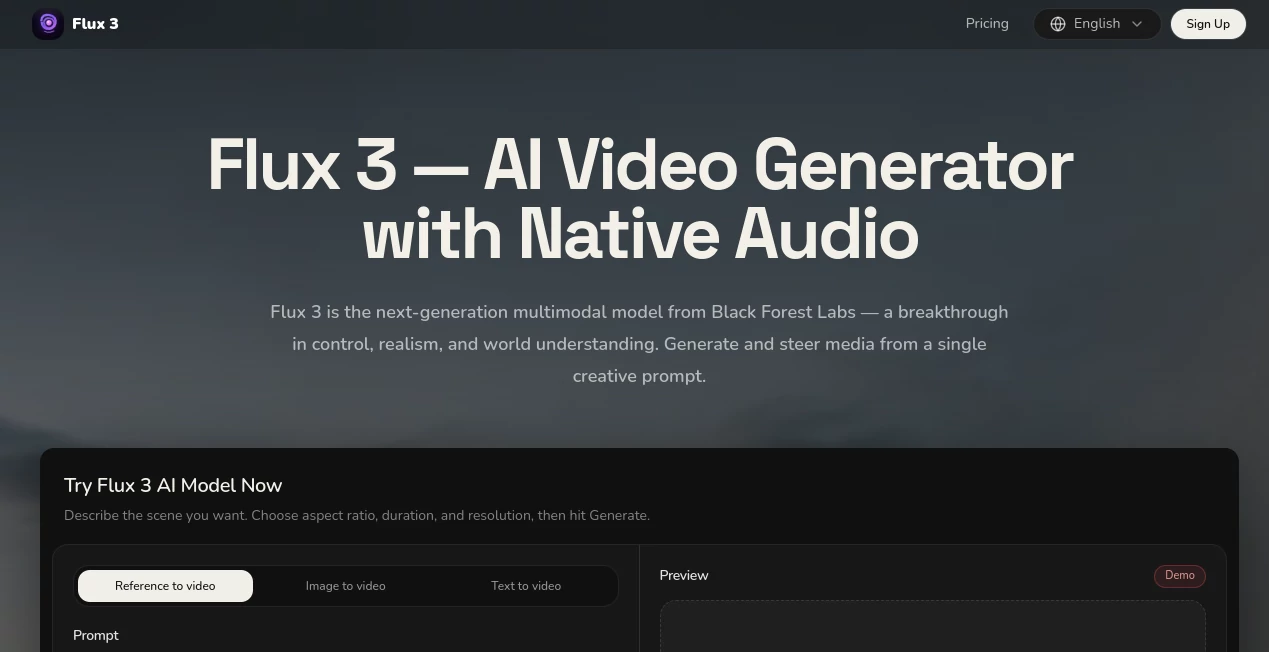
The interface is built around a straightforward prompt-first workflow. Rather than forcing users through a complicated collection of editing panels, the main generation experience focuses on describing the scene, selecting the desired output settings, and generating a result.
Creators can select an aspect ratio, choose a video duration, adjust quality, and provide reference material before starting a generation. The current workspace also supports multiple reference images, video clips, and audio files, making it useful when a simple text prompt is not enough to communicate the intended result.
This approach feels particularly practical for experimentation. A filmmaker can describe a shot, a marketer can outline a product scene, and a designer can provide reference material without having to build the entire concept manually first.
Accuracy & Performance
Performance is closely tied to the quality and specificity of the prompt. The platform is designed around detailed scene direction, allowing users to describe movement, atmosphere, sound, camera behavior, and visual style rather than relying on a short generic instruction.
The available generation interface supports clips from 4 to 15 seconds and offers up to 2K quality in the current preview experience. Reference inputs can also help guide the generation when consistency or a particular visual direction matters.
As with other generative media systems, results can vary between generations. More precise descriptions generally give creators a stronger starting point, while iteration remains an important part of the creative process.
Capabilities
The platform covers several parts of the modern AI media workflow. Image generation can be used for product visuals, environments, character concepts, portraits, and interface compositions. Video generation expands those still concepts into short moving scenes through text-to-video and reference-to-video workflows.
One of the more notable capabilities is native audio generation. Dialogue, environmental sounds, sound effects, and music can be produced alongside the visual content instead of requiring a separate audio-production step afterward.
Multimodal input adds another layer of control. Users can combine written instructions with reference images, existing footage, or audio to communicate an idea more precisely. This makes the system suitable for projects where visual continuity, motion, and sound all need to work together.
Security & Privacy
Privacy is an important consideration when working with generative media, particularly when reference images, videos, or original creative materials are uploaded. Users should review the platform's current privacy policy and terms before submitting confidential or commercially sensitive material.
The service is presented as an independent preview platform rather than the official website of Black Forest Labs. Availability, capabilities, and model access may change as the underlying technology develops, so creators should check the latest service information before using it for sensitive or commercial production workflows.
Use Cases
- Filmmaking and Previsualization: Create story concepts, visual references, storyboards, and short cinematic sequences before committing to full production.
- Marketing Campaigns: Produce product scenes, promotional clips, campaign concepts, and social media visuals from a single creative brief.
- Content Creation: Develop short-form videos, visual stories, atmospheric clips, and experimental content without a conventional production setup.
- Game Development: Explore environments, characters, action sequences, and concept scenes during early development.
- Product Design: Generate product hero imagery, interface concepts, and visual demonstrations for presentations or marketing materials.
- Creative Research: Quickly test different visual directions, camera movements, environments, and moods before choosing a final concept.
Pros and Cons
- Pros: Combines image, video, audio, and multimodal generation in one workflow.
- Pros: Supports text, image, video, and audio references for more controlled creation.
- Pros: Native audio can reduce the need for separate sound-generation workflows.
- Pros: Useful controls for aspect ratio, duration, and output quality.
- Pros: Suitable for both professional creative exploration and quick experimentation.
- Cons: Generation capabilities and model availability may change during the preview period.
- Cons: High-quality generations can consume credits quickly.
- Cons: Results may require several iterations when precise visual consistency is needed.
Pricing Plans
The current pricing structure is credit-based and includes paid options for creators who need higher generation volume and additional capabilities. The Pro plan is listed at $20 per month when billed monthly, with yearly billing reducing the effective price to $17 per month. It includes 1,700 credits, video generation up to 15 seconds, private videos, unlimited downloads, email support, and text, image, and reference-to-video workflows.
The Max plan is listed at $100 per month on monthly billing, with yearly billing bringing the effective price to $83 per month. It provides 10,800 credits, video generation up to 15 seconds, a commercial license, priority support, private videos, and unlimited downloads.
Pricing and available features can change as the service develops, so users should check the current plan information before purchasing.
How to Use Flux 3
- Describe the scene: Write a detailed prompt explaining the subject, environment, movement, camera direction, sound, and mood you want.
- Add references: Upload images, video clips, or audio when additional visual or auditory guidance is required.
- Choose output settings: Select the aspect ratio, duration, and available quality level for the project.
- Generate: Start the generation and review the resulting image or video.
- Refine the prompt: Adjust the scene description and generate another version when the first result does not match the intended direction.
Comparison with Similar Tools
Many AI video generators concentrate primarily on turning text or images into short clips. This platform takes a broader approach by combining video generation with image creation, reference inputs, audio generation, and prompt-directed scene control.
That difference makes it particularly appealing to creators who want to explore an entire visual concept rather than simply animate a still image. Someone developing a product campaign, for example, can move from a visual concept to a short promotional scene while also considering dialogue, ambience, and sound effects within the same creative workflow.
It is not necessarily the best choice for every project. Users who need traditional timeline editing, advanced post-production, or highly specialized professional video tools may still need dedicated editing software alongside generative workflows. For rapid concept development and multimodal experimentation, however, the unified approach is compelling.
Conclusion
For creators looking beyond basic AI image generation, this platform offers an appealing way to experiment with complete audiovisual scenes. Its combination of image generation, video creation, native audio, reference inputs, and prompt-based control makes it useful across marketing, filmmaking, game development, product design, and social content.
The strongest results are likely to come from users who treat generation as an iterative creative process rather than expecting a perfect result from the first prompt. With detailed scene direction and appropriate reference material, the workflow can turn an early idea into a much more tangible visual concept in a relatively short time.
Frequently Asked Questions (FAQ)
What can this AI platform create?
It can generate images and short videos while also supporting native audio, reference-based workflows, and multimodal creative inputs.
Can I create a video from an image?
Yes. The platform supports image-to-video and reference-to-video workflows, allowing an existing visual to help guide the generated scene.
Can it generate audio with video?
Yes. Native audio generation is one of its central capabilities, including dialogue, ambience, sound effects, and music generated alongside visual content.
How long can generated videos be?
The current generation interface supports video durations ranging from 4 to 15 seconds, depending on the available generation settings and model capabilities.
Is there a paid plan?
Yes. Current paid options include Pro and Max plans with different credit allocations, generation limits, privacy options, support levels, and commercial licensing.
Who can benefit from this tool?
Filmmakers, content creators, marketers, product teams, game developers, designers, and businesses can use it to explore and produce visual concepts with less manual production work.
AI Image to Video , AI Video Generator , AI Music Generator , AI Text to Video .
These classifications represent its core capabilities and areas of application. For related tools, explore the linked categories above.

Flux 3 Alternatives Product

Viewra

OmniGemini

Spark Robin
Kling 3.0
SkyReels-V4

Seedance 2.0…

gemini music

Wan 2.7

LPM 1.0