


















GhostChat
What is GhostChat?
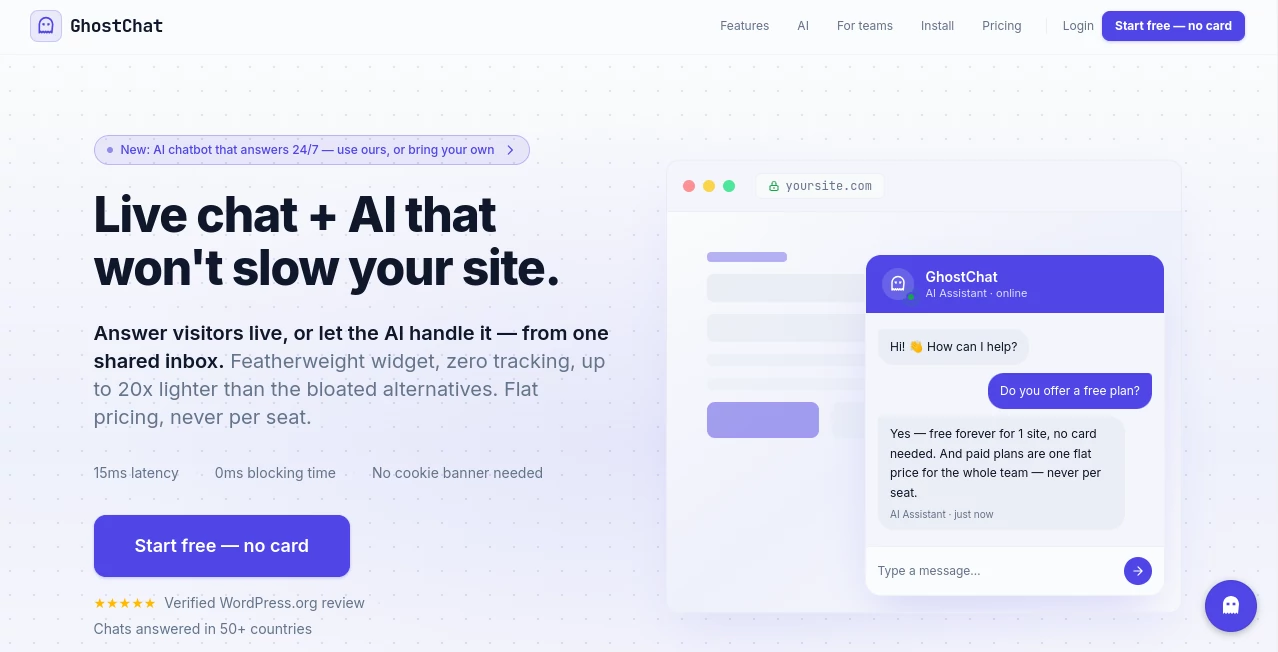
Modern websites need a communication channel that feels instant without sacrificing speed or visitor privacy. This platform delivers exactly that by combining lightweight live chat with intelligent AI automation in a single solution. Whether a business wants to answer every message manually or automate conversations with AI, it offers a flexible experience designed for startups, agencies, online stores, SaaS companies, and growing teams.
Unlike many traditional chat widgets that introduce unnecessary scripts, tracking technologies, and performance issues, this solution focuses on fast loading times and a privacy-first approach. Visitors can start conversations without intrusive cookie banners, while businesses receive a professional shared inbox, automation tools, and seamless integrations that simplify customer support.
The platform is equally attractive for developers. Installation takes only a few moments, integrations are straightforward, and advanced APIs allow complete control over the chat experience. From simple contact conversations to AI-powered customer support, it provides an elegant balance between usability, customization, and performance.
Key Features
User Interface
The dashboard is clean, responsive, and designed for everyday use. Conversations are organized in an intuitive shared inbox, allowing individuals or entire teams to reply quickly without navigating through complicated menus. The chat widget itself has a minimal design that blends naturally into almost any website while maintaining excellent responsiveness across desktop and mobile devices.
Accuracy & Performance
Performance is one of the strongest advantages. The lightweight widget loads extremely fast and minimizes its impact on website speed, making it suitable for businesses that care about Core Web Vitals and user experience. AI-assisted conversations provide reliable responses based on configured knowledge sources, while human agents can instantly take over whenever a conversation requires personal attention.
Capabilities
- Lightweight live chat widget for websites.
- Built-in AI assistant for automated customer conversations.
- Option to connect external AI models through webhooks.
- Shared inbox for multiple team members.
- Developer-friendly JavaScript API.
- Webhook support for custom workflows.
- WordPress integration.
- Works with modern web frameworks.
- Conversation history and visitor context.
- Email notifications and Gmail conversation support.
- Business hour automation.
- Multi-language support with automatic translation.
Security & Privacy
Privacy is treated as a core feature rather than an afterthought. The widget avoids unnecessary tracking technologies and does not rely on cookies for visitor tracking. Identity verification is available for authenticated users, conversations are securely stored, and businesses retain greater control over customer communication compared to many conventional chat platforms. This privacy-focused architecture makes it especially attractive for organizations that value compliance and customer trust.
Use Cases
- Providing live customer support for SaaS businesses.
- Answering sales questions on product landing pages.
- Automating FAQ responses with AI.
- Supporting WooCommerce and e-commerce stores.
- Managing customer conversations across multiple websites.
- Capturing leads outside business hours.
- Connecting custom AI agents built with popular language models.
- Reducing response times without increasing support costs.
Pros and Cons
- Pros
- Very lightweight with minimal impact on website performance.
- Privacy-first design with no unnecessary visitor tracking.
- Supports both built-in AI and custom AI integrations.
- Simple installation process.
- Affordable flat pricing without per-seat fees on team plans.
- Developer-friendly APIs and webhook support.
- Suitable for both small businesses and larger teams.
- Cons
- Some advanced automation features require paid plans.
- Custom AI workflows may require technical knowledge.
- Organizations needing highly specialized enterprise workflows may require additional integration work.
Pricing Plans
A generous free plan is available for a single website, making it easy to evaluate the platform without a credit card. Paid plans introduce additional websites, longer conversation history, business automation, visitor context, advanced integrations, shared team collaboration, branding removal, identity verification, and AI capabilities. Pricing follows a predictable flat-rate structure rather than charging per support agent, making costs easier to manage as teams grow.
How to Use GhostChat
Create an account and register your website. Install the lightweight widget by adding the provided script to your website or by using the official WordPress plugin. Configure business hours, customize the appearance, and optionally enable AI automation. Businesses that require more advanced workflows can connect external language models through webhooks and APIs, allowing conversations to integrate with existing customer support systems or internal tools.
Comparison with Similar Tools
Many live chat platforms prioritize extensive feature lists but often introduce heavy scripts, complicated pricing structures, or unnecessary visitor tracking. This solution distinguishes itself by keeping the widget remarkably lightweight while still offering advanced AI automation, developer APIs, webhook integrations, shared team collaboration, and privacy-focused architecture. Businesses looking for a balance between speed, affordability, and modern AI functionality will likely appreciate this approach.
Conclusion
For businesses searching for a modern customer communication platform, this solution offers an impressive combination of speed, privacy, flexibility, and intelligent automation. It works equally well for solo founders, development teams, agencies, and established organizations that need scalable live chat without slowing down their websites. The combination of AI assistance, developer-friendly integrations, and transparent pricing makes it a compelling option for companies that want to improve customer engagement while maintaining excellent website performance.
Frequently Asked Questions (FAQ)
Is there a free version available?
Yes. A free plan is available for one website with unlimited messaging and essential chat features.
Can AI answer customer questions automatically?
Yes. Businesses can enable the built-in AI assistant or connect their own preferred language models using webhooks.
Does it support WordPress?
Yes. An official WordPress plugin simplifies installation and configuration.
Can multiple team members manage conversations?
Yes. Team plans include a shared inbox that allows multiple users to collaborate on customer conversations.
Is visitor privacy protected?
Yes. The platform is designed with a strong privacy focus, minimizing tracking technologies while securely handling conversations.
AI Chatbot , AI Customer Service Assistant , AI API Design , AI Developer Tools .
These classifications represent its core capabilities and areas of application. For related tools, explore the linked categories above.

GhostChat Alternatives Product

PZERO

Customer Fee…

Vibe Code Pi…

Ptero

LPM 1.0

VoiceFlow Te…

Astrology Bot

TutuoAI

git-lrc
