
GPT Image 2
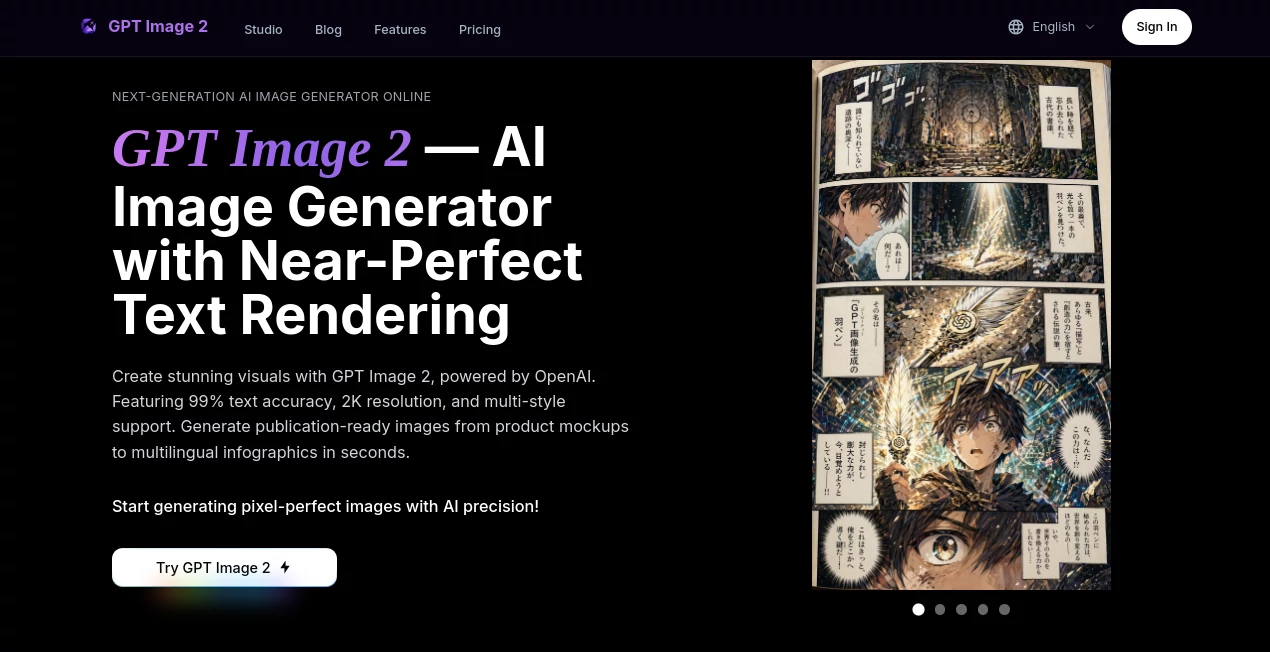
What is GPT Image 2?
Creating professional-quality AI artwork often depends on writing the right prompt. This platform simplifies that process by giving creators access to a carefully curated collection of prompts, practical examples, and an interactive playground where ideas can be tested instantly. Whether the goal is photorealistic portraits, product mockups, posters, UI concepts, or artistic illustrations, it provides an enjoyable environment for experimentation and creative exploration.
One of its strongest advantages is the focus on real examples collected from the creative community rather than generic prompt suggestions. Users can browse proven prompt templates, study the resulting images, understand why they work, and modify them to match their own projects. This approach significantly reduces trial and error while helping beginners and professionals achieve higher-quality results in less time.
Instead of overwhelming users with complicated settings, the experience remains clean and approachable. Designers, marketers, developers, educators, and content creators can quickly discover inspiration, test ideas, and generate visuals suitable for presentations, advertising campaigns, websites, social media, or personal projects.
Key Features
- Large collection of community-tested prompts.
- Interactive image generation playground.
- Prompt examples organized by creative use case.
- Support for posters, portraits, product images, UI mockups, and more.
- High-quality image generation with sharp text rendering.
- Fast image creation workflow.
- Support for multiple aspect ratios.
- Image editing capabilities.
- Simple interface requiring minimal learning.
- Regularly expanding prompt library.
User Interface
The interface is designed to encourage creativity rather than slow it down. Visitors can browse prompt categories, search for inspiration, copy successful prompts, and launch image generation from a single workspace. Everything is organized logically, making it easy for first-time users to begin creating within minutes.
The prompt library is especially useful because each example demonstrates how small wording changes influence the final result. This practical learning experience makes prompt writing feel much more accessible.
Accuracy & Performance
The platform showcases image generation that follows prompts with impressive consistency. Complex layouts, readable typography, realistic lighting, and detailed compositions are reproduced with remarkable precision. It performs particularly well for posters, product packaging, interface mockups, editorial graphics, and scenes containing visible text, reflecting the strengths of the underlying image model. :contentReference[oaicite:0]{index=0}
Generation is designed to be fast, allowing users to iterate repeatedly until the desired result is achieved. This rapid feedback loop is valuable for professional creative workflows where multiple versions are often required.
Capabilities
The platform supports a broad range of visual projects, including realistic photography, concept art, branding assets, advertising graphics, social media content, product visualization, UI design concepts, illustrations, calligraphy, comic-style artwork, diagrams, and educational graphics.
Its prompt collection also serves as a learning resource. By exploring successful examples, users develop stronger prompt engineering skills that can be applied across many creative projects.
Security & Privacy
The playground is designed to be easily accessible while minimizing unnecessary friction during image generation. Users can experiment with prompts without dealing with a complicated onboarding process, making it convenient for quick testing and creative exploration. Available features and limits may vary as the service evolves. :contentReference[oaicite:1]{index=1}
Use Cases
- Marketing campaign visuals.
- Social media graphics.
- Product photography concepts.
- Poster and flyer creation.
- Website illustrations.
- UI and UX mockups.
- Educational materials.
- Creative storytelling.
- Comic and manga artwork.
- Content creation for blogs and newsletters.
Pros and Cons
Pros
- Excellent collection of real prompt examples.
- Simple and beginner-friendly interface.
- Fast creative workflow.
- Strong text rendering capabilities.
- Useful for both inspiration and production.
- Wide variety of supported visual styles.
Cons
- Some advanced professional editing workflows may require external software.
- Image generation availability may depend on service capacity.
- Highly specialized artistic styles can still require prompt refinement.
Pricing Plans
The platform offers free access to explore prompts and try image generation during supported availability. Usage limits or premium options may change over time as additional capabilities are introduced. :contentReference[oaicite:2]{index=2}
How to Use GPT Image 2
Start by browsing the prompt library and selecting an example that matches your project. Copy the prompt into the playground, customize the wording to reflect your own subject, style, colors, lighting, or composition, and generate an image. Review the result, make small prompt adjustments if necessary, and repeat until the final artwork matches your vision. Saving successful prompts for future projects helps build a consistent creative workflow.
Comparison with Similar Tools
Compared with many AI image generators that primarily focus on producing visuals, this platform places equal emphasis on teaching users how to write better prompts. The curated examples, community contributions, and organized use-case library provide educational value alongside image generation. It is especially attractive for creators who want to improve prompt quality instead of relying solely on trial and error. Its strong handling of typography, prompt adherence, and structured visual layouts also makes it well suited for commercial design tasks. :contentReference[oaicite:3]{index=3}
Conclusion
This platform successfully combines creative inspiration, practical learning, and modern image generation into a single experience. Its growing library of tested prompts helps users create better visuals while improving their understanding of prompt design. From marketing professionals and designers to hobbyists exploring AI art for the first time, it offers an enjoyable environment where experimentation leads to consistently impressive results.
Frequently Asked Questions (FAQ)
What is this platform mainly used for?
It helps users discover effective prompts, generate AI images, and learn prompt engineering through practical examples.
Can beginners use it?
Yes. The interface is simple enough for beginners while offering enough flexibility for experienced creators.
What types of images can be created?
Users can generate portraits, posters, illustrations, product mockups, interface concepts, educational graphics, and many other visual styles.
Does it support image editing?
Yes. The platform includes image editing capabilities alongside text-to-image generation. :contentReference[oaicite:4]{index=4}
Who benefits most from using it?
Designers, marketers, developers, educators, content creators, entrepreneurs, and anyone interested in AI-assisted visual creation.
AI Photo & Image Generator , Prompt , AI Design Generator , AI Text to Image .
These classifications represent its core capabilities and areas of application. For related tools, explore the linked categories above.

GPT Image 2 Alternatives Product

Carouzel AI

z-image.me

Z-Image

tryon.ink
Seedream 5.0
Nano Banana 2
ComicsMaker

Curved Text …

meigen ai