

















GPT Image 2 Art
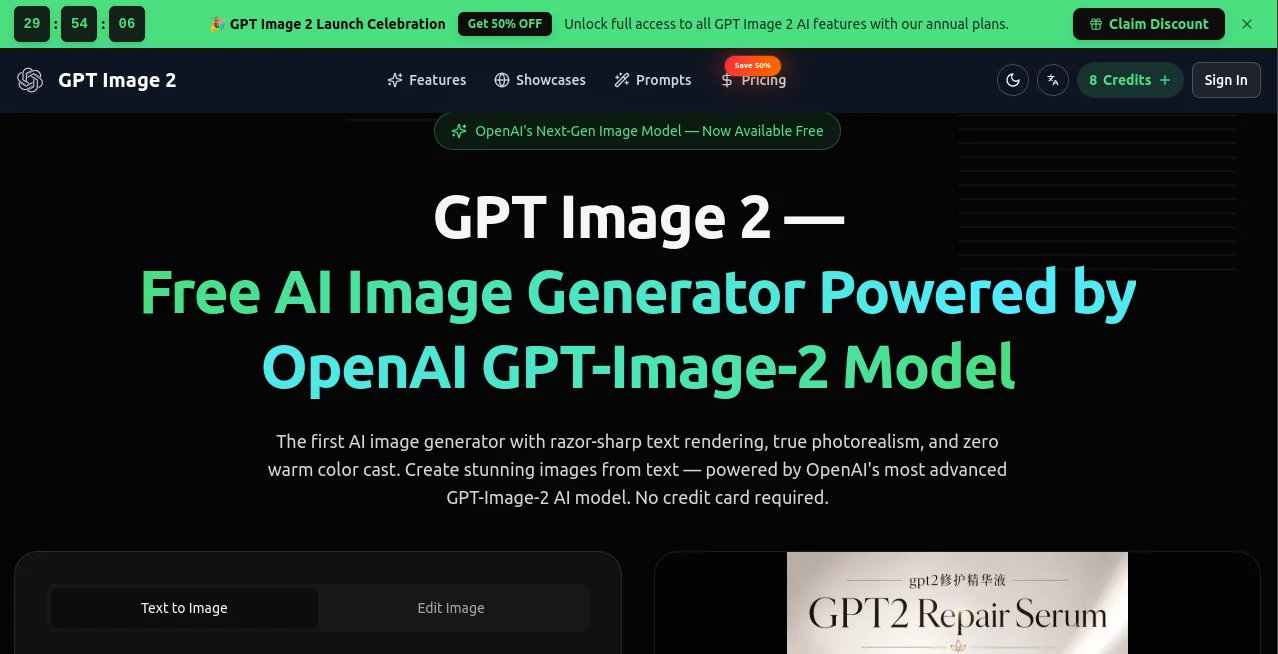
What is GPT Image 2 Art?
Have you ever stared at a blank page, wishing you could just tell a computer what you see in your head and have it appear? That dream is now a reality. I remember the first time I tried to generate a poster for a friend's garage sale. I spent hours fiddling with fonts, aligning boxes, and trying to make a lemonade stand look refreshing. It was painful. Now, imagine typing "vintage lemonade stand, warm sunset lighting, bold typography that says 'Ice Cold 50 Cents'" and getting a professional-grade poster in seconds. That is exactly what the latest generation of AI image creation does, and it does it better than anything that has come before. This isn't just a filter or a simple editor; it is a complete creative partner that understands composition, lighting, and even the nuances of human emotion. Whether you are a business owner needing marketing material, a student working on a project, or just someone who loves to create, this tool feels like magic—but it is very real technology working hard for you. It has changed how I approach design, turning what used to be a chore into the most exciting part of my day.
Key Features
The power of this tool lies in its ability to bridge the gap between human language and visual art. It doesn't just randomly generate pixels; it reads your words, understands the context, and builds an image that respects your specific requests. The difference between this and older models is like the difference between a toddler scribbling with crayons and a professional illustrator. The level of control you have is staggering. You can ask for a photorealistic cat wearing a spacesuit, and it will render the reflections on the visor, the fur texture, and the stitching on the suit with stunning accuracy. But beyond the "wow" factor, it has practical, real-world capabilities that make it an essential tool for anyone who works with visuals. Let's break down what actually makes this engine so powerful under the hood.
User Interface
One of the biggest barriers to using complex software is the learning curve. If you have ever opened Photoshop for the first time, you know the anxiety of seeing a thousand buttons you don't understand. This tool completely removes that obstacle. The interface is refreshingly simple: a text box and a "Generate" button. That is essentially it. You don't need to know what "kerning" or "masking" means. You just type what you want, in plain English (or Spanish, or Japanese, or any other language). The system handles the complexity behind the scenes. I let my father, who struggles to send an email, try it. He typed "a big juicy burger with fries and a milkshake, bright colors." The result was so good he printed it out and hung it in his kitchen. That ease of use is the killer feature. You can adjust settings for aspect ratio (like wide banners for websites or tall images for phone stories) and style, but the core experience remains conversational. You talk, it draws. It feels incredibly natural and fast.
Accuracy & Performance
Historically, AI image generators have been notoriously bad at one specific thing: text rendering. Ask an old AI to make a "Happy Birthday" sign, and it would give you a beautiful cake covered in hieroglyphics that looked nothing like letters. Those days are over. This model has cracked the code on typography. You can generate movie posters with dense credits, logos with specific slogans, or even a mockup of a mobile app screen with working button labels. The accuracy is reported to be over 99% for many languages, including complex scripts like Chinese, Japanese, and Hindi. Beyond text, the performance is lightning fast. In "Instant Mode," you get a four to eight-megapixel image in just a few seconds. If you need absolute perfection, there is a "Thinking Mode" where the AI actually pauses, reasons about your prompt like a human would, checks for logical errors, and then generates a masterpiece. It is like having a tireless intern who double-checks their work every single time.
Capabilities
This tool isn't just a one-trick pony. While many competitors focus on creating "art," this engine focuses on utility. The most impressive capability is what experts call "surgical editing" . Have you ever made a perfect image but wished the model’s shirt was blue instead of red? Normally, you would have to regenerate the whole thing and hope for the best. With this, you can upload the image and say, "Keep everything exactly the same, but change the shirt to blue." It will alter the specific object while preserving the lighting, the face, the background, and the shadow. This is a game-changer for e-commerce and branding. Furthermore, it can generate up to eight variations of a character or product in one go, keeping the style perfectly consistent. If you are making a children's book or a product catalog, this feature alone will save you hundreds of hours of work.
Security & Privacy
Whenever a tool becomes this powerful at mimicking reality, questions about safety naturally arise. It is important to address the elephant in the room: the potential for misuse. Like a high-performance sports car, the tool itself is neutral; the ethics depend on the driver. There are valid concerns about deepfakes or fake identities, as the model can convincingly replicate UI or personas . However, the creators of the technology are aware of these risks and have implemented guardrails. The model is designed to refuse requests that involve public figures in defamatory scenarios or the creation of illegal content . For legitimate users, the security is robust. Your data is handled with standard encryption, and as a user, you retain the rights to the images you create, allowing you to use them for business or personal projects without fear. It is a tool for empowerment, not deception, and using it responsibly is part of the social contract of adopting new tech.
Use Cases
The versatility of this tool means it fits into almost every industry. For marketers and small business owners, it is a goldmine. You can generate social media ads, product mockups, and email headers without hiring a graphic designer. Imagine you sell candles; you can generate a lifestyle photo of that candle in a snowy cabin, a tropical beach, and a modern apartment instantly. For educators and students, it turns complex ideas into visual diagrams in seconds. You can ask for a flowchart of the water cycle or a timeline of World War II, and it will produce a gorgeous, classroom-ready visual. Web developers and UI designers are using it to generate custom illustrations, icons, and even realistic screenshots of app interfaces to test layouts . Finally, for hobbyists and creators, it unlocks a new level of fun. You can visualize characters from your novel, generate custom Dungeons & Dragons maps, or simply create unique wallpapers for your phone. It democratizes creativity, meaning you no longer need to be able to draw to express your vision.
Pros and Cons
No tool is perfect, and knowing the strengths and weaknesses helps you use it better. The advantages here are massive. You get professional-grade quality without the price tag of a designer. It saves immense amounts of time, turning hours of work into seconds of waiting. The intuitive interface means anyone can use it, from tech CEOs to grandmas making birthday cards. It handles complex typography and multi-object scenes that crash other AI models .
On the flip side, the biggest con is the learning curve of "prompting." While it is easy to start, mastering the specific vocabulary to get the exact result you want takes practice. Sometimes, if your description is vague, the AI will make assumptions that don't match your intent. Also, because it relies on a central server, you need a stable internet connection. If the servers are busy, you might experience a slight delay during peak hours. Finally, while the free tier offers a taste, heavy users will likely need to invest in a paid plan to avoid daily usage caps .
Pricing Plans
Getting started with this technology is surprisingly accessible. The platform operates on a freemium model, which means you can try it without opening your wallet. The Free Tier allows you to generate a limited number of images per day (typically enough to test the waters, around 2-4 high-quality renders). This is perfect for curious users who just want to see what the hype is about. For creators, entrepreneurs, and designers who need consistent access, the Pro Plan unlocks significantly higher limits, faster processing speeds, and priority access to the latest features like the high-resolution "Thinking Mode." Usually, this falls in the range of a standard software subscription—think of it as the cost of a couple of coffees per month. For large businesses or development teams, there is usage-based API pricing, allowing you to integrate the engine directly into your own products or workflows. You pay for what you use, which is highly efficient for scaling automation . Always check the official platform for the most current pricing, but rest assured, the value you get for the investment is frankly unmatched in the current market.
How to Use GPT Image 2
If you can type a sentence, you can use this tool. Step one is to navigate to the website. You will be greeted by a clean workspace and a prominent text input bar. Step two: write your prompt. Don't overthink it at first. Just describe the subject, the environment, the lighting, and the mood. For example: "A realistic fox sitting in a forest, glowing mushrooms, cinematic lighting, high detail." Step three: choose your settings. You can pick the aspect ratio (square for Instagram, widescreen for YouTube thumbnails, or vertical for TikTok/Stories). If you are looking for pure speed, pick "Instant Mode." If you have a complex layout with specific text placements, pick "Thinking Mode." Step four: hit generate. The image will appear in about five to fifteen seconds. If you love it, download it as a PNG. If you want to fix a detail, just type a follow-up instruction like "Make the mushrooms purple" or "Make the fox look angry." The model retains context, so you can have a conversation to refine the result until it matches the image in your head perfectly.
Comparison with Similar Tools
You might have heard of other AI giants like Midjourney or Adobe Firefly. How does this one stack up? Midjourney is famous for its artistic aesthetic; it produces beautiful, dream-like paintings. However, it is notoriously bad at text and struggles with precise edits. This tool trades a tiny bit of that ultra-stylized "art" feeling for realism and control . If you need a logo, a poster, or a product shot, this is the winner. Adobe Firefly integrates well with Photoshop, making it great for professional editors who already have a workflow, but it often feels slower and clunkier for standalone generation . Nano Banana (by Google) is the closest competitor, offering great speed and portrait quality, but recent benchmarks show this tool pulling ahead by a significant margin in text rendering and complex reasoning . For the average user who just wants a reliable, high-quality image without jumping through hoops, this specific engine is currently the undisputed industry leader.
Conclusion
We are witnessing a shift in how we interact with computers. For decades, we had to learn their language (code, menus, buttons). Now, they are learning ours. This image tool represents the cutting edge of that shift. It is not just a gadget for tech enthusiasts; it is a legitimate utility that can save you time, money, and frustration. Whether you are launching a startup and need branding, a teacher trying to engage students, or a parent making a custom birthday invitation, this puts the power of a design studio under your fingertips. The results are stunning, the process is fun, and the potential is limitless. Sure, it has minor flaws and requires a bit of practice to master, but the benefits far outweigh the effort. If you have been on the fence about trying AI art, this is the moment to jump in. You will kick yourself for not using it sooner.
Frequently Asked Questions (FAQ)
Q: Do I need a powerful computer or graphics card to run this?
A: Absolutely not. The processing happens on remote servers. All you need is a modern web browser (like Chrome, Safari, or Edge) and a stable internet connection. It works just fine on phones, tablets, and old laptops.
Q: Can I use the images I generate for my business or to sell online?
A: The standard usage rights permit commercial use. That means you can use the images for book covers, t-shirts, advertising, or product packaging. However, it is always best practice to review the specific terms of service on the site to be sure, and avoid trying to generate copyrighted characters like Mickey Mouse.
Q: Why is my image not generating perfectly?
A: Usually, this is about the prompt. Avoid conflicting instructions. Instead of "a cat and a dog fighting but also hugging," try "a cat and a dog playfully wrestling." Also, remember that "Thinking Mode" works better for complex scenes with text, while "Instant Mode" is better for simple portraits or landscapes. Practice makes perfect.
Q: Is my data safe? Can the AI copy my style?
A: Your prompts are generally used to improve the service, but you can opt out. The AI learns patterns from millions of public images; it doesn't "memorize" your specific uploads unless you are using editing features. It is generally safe for brainstorming proprietary ideas, though you should avoid uploading sensitive personal documents.