


















hairiseverything
What is hairiseverything?
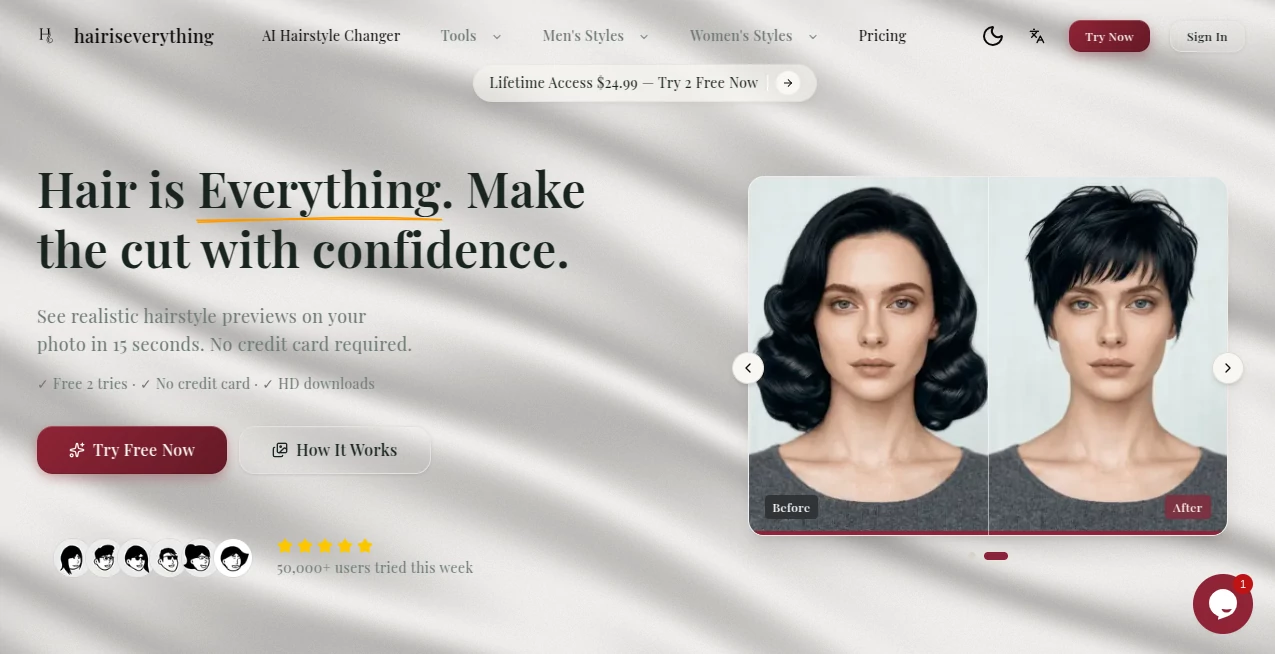
Choosing a new hairstyle can feel surprisingly stressful. A haircut lasts for weeks or even months, yet most people still rely on imagination, celebrity photos, or a quick opinion from friends before making a decision. This AI-powered hairstyle preview platform changes that experience by letting users see realistic hairstyle transformations on their own photos before visiting a barber or salon. Instead of generic mockups, it focuses on preserving facial identity while generating natural-looking hairstyles that match different lengths, textures, and styles.
Designed for anyone who wants greater confidence before making a change, the platform creates photorealistic previews in only a few seconds. Whether someone is considering a modern fade, textured crop, elegant bob, layered haircut, or trendy bangs, the results make it much easier to visualize the final outcome and communicate expectations with a professional stylist.
Key Features
User Interface
The interface is refreshingly simple. Users only need to upload a clear front-facing photo, browse hairstyle categories, select a preferred reference, and generate results. Everything is organized in an intuitive workflow that requires no design or editing experience. Before-and-after comparisons are presented clearly, making it easy to compare several styles before deciding.
Accuracy & Performance
One of the strongest qualities is its attention to realism. Instead of placing an artificial-looking wig over a face, the system creates natural hairlines, believable textures, and realistic volume while keeping facial features, skin tone, lighting, expression, and background intact. Results are typically generated within seconds, allowing users to experiment with multiple looks quickly and efficiently. The platform works best with well-lit, front-facing images featuring a visible hairline. :contentReference[oaicite:0]{index=0}
Capabilities
- Generate realistic hairstyle previews from a single photo.
- Browse curated hairstyle collections for both men and women.
- Compare multiple hairstyle options side by side.
- Download HD images for salon consultations.
- Create natural-looking hair texture and clean hairline blending.
- Maintain facial identity while changing only the hairstyle.
- Preview classic, modern, short, medium, and long hairstyles.
- Help users communicate hairstyle preferences more clearly with stylists.
Security & Privacy
Privacy receives considerable attention. Uploaded photos are used only for generating hairstyle previews and are not displayed publicly. Users maintain control over their images, making the experience more comfortable for anyone concerned about sharing personal photos online. :contentReference[oaicite:1]{index=1}
Use Cases
- Preview a haircut before visiting a barber.
- Explore trendy hairstyles without taking any risk.
- Compare several styles before making a final decision.
- Show realistic references to professional stylists.
- Experiment with different hair lengths.
- Find hairstyles that complement individual face shapes.
- Create inspiration for social media or personal styling projects.
- Reduce uncertainty before major appearance changes.
Pros and Cons
Pros
- Very realistic hairstyle generation.
- Fast processing with results in seconds.
- Excellent preservation of facial identity.
- Simple and beginner-friendly interface.
- High-quality downloadable images.
- Free trial available without requiring a credit card.
- Helpful for communicating ideas with barbers and stylists.
Cons
- Currently optimized for front-facing photos only.
- Hair color editing is separate from hairstyle generation.
- Image quality depends on the uploaded photo.
- Credit-based generation limits heavy free usage.
Pricing Plans
New users can begin with a free plan that includes two hairstyle previews without entering payment details. Those who need additional generations can choose between a one-time lifetime purchase with monthly refreshed credits or flexible pay-as-you-go credit packs. This pricing structure works well for both occasional users and people who regularly experiment with new styles. :contentReference[oaicite:2]{index=2}
How to Use HairIsEverything
Start by uploading a clear front-facing photograph taken under good lighting. Browse the available hairstyle categories and select a style that matches your preferences. Generate the preview and compare different results until you find the appearance that feels right. Finally, download the high-resolution images and bring them to your next salon or barber appointment for a much clearer consultation.
Comparison with Similar Tools
Many virtual hairstyle applications focus mainly on entertainment, producing unrealistic overlays that resemble wigs rather than genuine hairstyles. This platform takes a more practical approach by emphasizing natural texture, accurate blending, and identity preservation. Instead of dramatically altering facial features, it concentrates solely on changing the hairstyle, making previews significantly more believable. The ability to generate professional-quality before-and-after comparisons also makes it particularly useful during real salon consultations rather than casual experimentation alone.
Conclusion
Finding the right hairstyle no longer has to involve uncertainty. By combining photorealistic AI generation with an intuitive workflow, this solution allows users to explore new looks confidently before making a permanent change. Its realistic rendering, identity preservation, privacy-first approach, and salon-friendly downloads create genuine value for anyone considering a new haircut. For people who want to eliminate guesswork and walk into their next appointment with confidence, it delivers an experience that feels both practical and remarkably convincing.
Frequently Asked Questions (FAQ)
Can I use selfies taken with my phone?
Yes. Clear front-facing selfies with good lighting provide the best results.
Will the AI change my facial features?
No. The system is designed to preserve your identity while modifying only the hairstyle.
Can I download the generated images?
Yes. High-resolution downloads are available for sharing with your barber or stylist.
Is there a free version?
Yes. New users receive free hairstyle generations before upgrading to paid credit plans.
Who is this platform best suited for?
Anyone planning a haircut, salon visit, or personal style transformation who wants to preview realistic results before making a decision.
AI Photo & Image Generator , AI Selfie & Portrait , AI Photography , AI Image to Image .
These classifications represent its core capabilities and areas of application. For related tools, explore the linked categories above.
hairiseverything details
Website unavailable — View Alternatives
Pricing
- Free
Apps
- Web App
Categories

hairiseverything Alternatives Product

MakeMyOC

Nano Banana …

GPTIMG2 AI

Leonardo.ai

Nano Banana …

LPM AI:

Wolfcut Onli…

Shutterstock

AniFlow AI
