


















Hand OCR
What is Hand OCR?
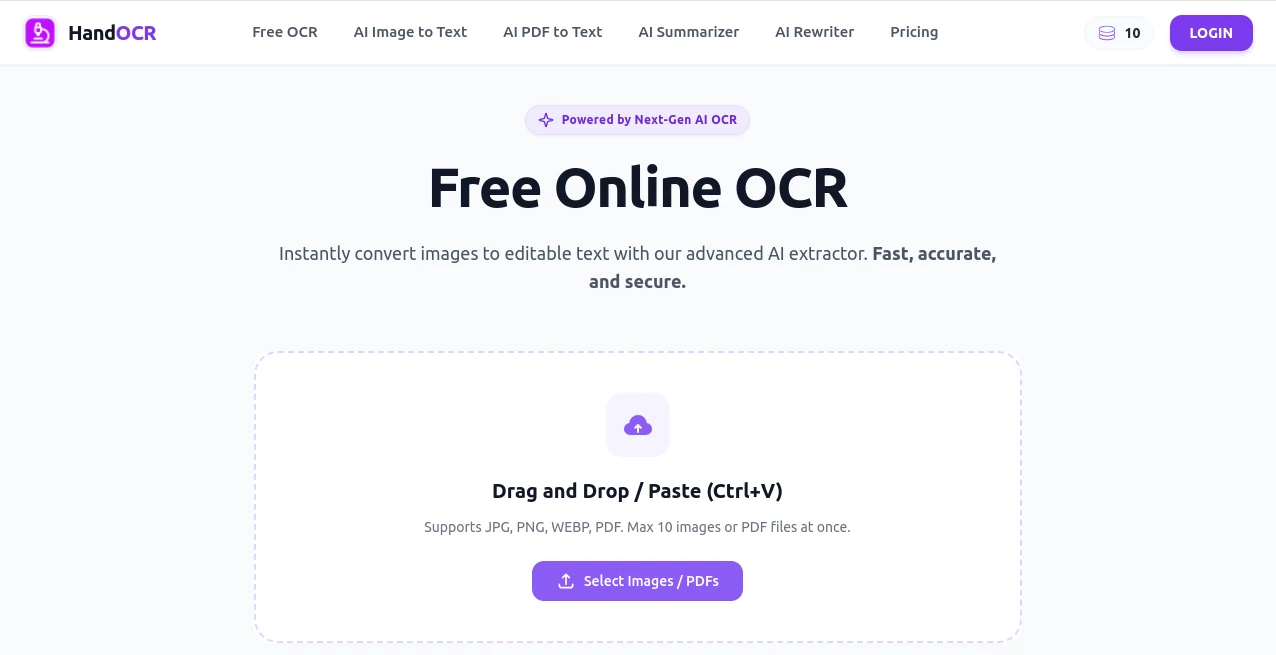
In a world where documents are still filled with scanned pages, handwritten notes, and image-based text, having a reliable OCR solution can completely change the way you work. This platform is designed to simplify the process of extracting text from images and scanned files with impressive speed and accuracy.
Instead of manually rewriting or struggling with low-quality conversions, users can quickly turn visual content into editable and usable text. Whether you are a student, researcher, business owner, or developer, this tool helps you save time and reduce repetitive work.
Key Features
User Interface
The interface is clean, minimal, and designed for ease of use. Users can upload files in just a few clicks without needing technical knowledge. Everything is arranged in a straightforward layout that makes the process smooth even for beginners.
Accuracy & Performance
One of the strongest points of this tool is its ability to recognize text with high precision. It performs well even with slightly blurry images or complex document layouts. Processing speed is optimized so users don’t have to wait long for results.
Capabilities
- Extract text from images and scanned documents
- Support for handwritten and printed text recognition
- Multi-language text detection
- Export results into editable formats
- Batch processing for multiple files
Security & Privacy
User data is handled with care, ensuring uploaded files are processed securely. Documents are not permanently stored longer than necessary, which adds an extra layer of trust for sensitive information.
Use Cases
- Converting printed documents into editable digital text
- Extracting notes from handwritten materials
- Digitizing invoices, receipts, and reports
- Assisting researchers with text-based data extraction
- Helping businesses automate document processing workflows
Pros and Cons
Pros
- Fast and efficient text recognition
- User-friendly interface
- Works with multiple file formats
- Good accuracy on both printed and handwritten text
- No complex setup required
Cons
- Performance may vary with extremely low-quality images
- Advanced customization options are limited
- Internet connection required for processing
Pricing Plans
The platform typically offers flexible pricing options depending on usage needs. Users can often start with a free tier for basic tasks and upgrade to premium plans for higher limits, faster processing, and additional features.
How to Use This Tool
Getting started is simple and does not require technical expertise. Users can upload an image or document, select the desired output format, and start the recognition process. Within seconds, the extracted text is displayed and ready to copy, edit, or download.
For best results, it is recommended to upload clear images with good lighting and minimal distortion. This ensures higher accuracy and better formatting in the final output.
Comparison with Similar Tools
Compared to other OCR solutions in the market, this platform focuses on balancing speed, simplicity, and accuracy. While some tools may offer more advanced enterprise features, this one stands out for its ease of use and quick results, making it ideal for everyday users and small teams.
Conclusion
For anyone dealing with scanned documents, images containing text, or handwritten notes, this platform offers a practical and efficient solution. It reduces manual work, improves productivity, and provides reliable text extraction in just a few steps. Its simplicity combined with solid performance makes it a strong choice in the OCR space.
Frequently Asked Questions (FAQ)
Is this tool free to use?
A basic version is usually available for free, with optional premium upgrades for advanced usage and higher limits.
Does it support handwritten text?
Yes, it can recognize both printed and handwritten text, depending on clarity and quality.
Can I use it for business documents?
Absolutely. It is suitable for invoices, reports, and other professional documents.
Is my data safe?
Yes, uploaded files are processed securely and are not stored longer than necessary.
What file types are supported?
It supports common image formats and scanned document files for text extraction.
AI Image Recognition , AI PDF , AI Productivity Tools , AI Document Extraction .
These classifications represent its core capabilities and areas of application. For related tools, explore the linked categories above.

Hand OCR Alternatives Product

Weekly Brief

Remove Text

GPT Image 2 …

Resyfy AI

mainaro

Discord Time…

InPage AI

WhatIsThisMo…

Caspian
