
kivi AI
What is kivi AI?
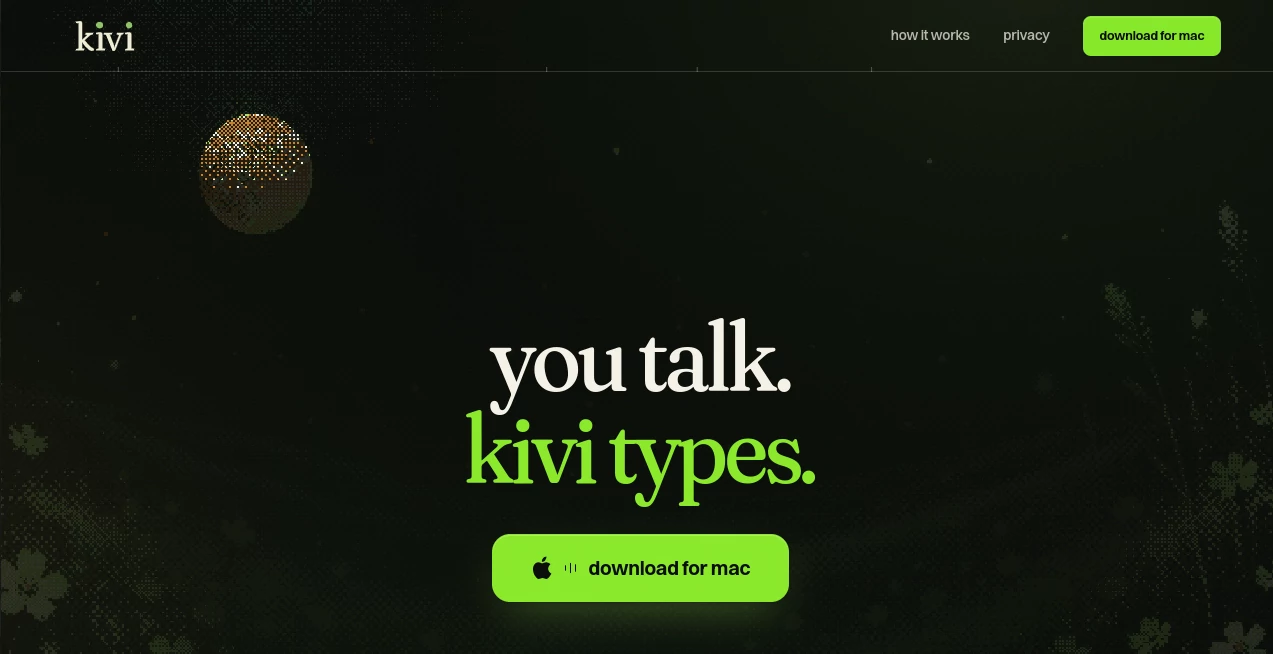
HeyKivi is a voice-first productivity app designed to make writing on a Mac feel much more natural. Instead of stopping to type every sentence, users can simply hold a keyboard shortcut, speak normally, and let the app turn their words into polished text inside the application they are already using.
The idea is refreshingly simple: speak the way you normally think, without worrying about filler words, awkward phrasing, or perfect sentence structure. The app can clean up dictated speech while preserving the meaning and, when needed, the user's personal style. It is particularly useful for people who spend much of their day writing messages, emails, notes, documentation, code-related instructions, or short reports.
It currently runs on macOS 14 or later and is offered free during its alpha stage. That makes it an interesting option for Mac users who want to experiment with a faster way of getting thoughts from their head onto the screen.
Key Features
- Voice dictation that works across Mac applications.
- Speech cleanup that turns casual spoken language into readable text.
- Memory for names, slang, and technical terminology.
- App-specific personas for different writing styles.
- Text rewriting and reformatting through spoken commands.
- Support for tasks such as drafting replies, changing tone, formatting text, and generating content.
- A keyboard-driven workflow designed to keep users inside their existing applications.
User Interface
The interface takes a deliberately lightweight approach. Rather than forcing users to move into a separate editor, the experience is built around the applications they already use. Holding the designated shortcut and speaking is enough to start a dictation workflow, while selected text can be acted on with a keyboard command and a spoken instruction.
The examples shown on the product site demonstrate the concept across applications such as Slack, Messages, Mail, Notes, Cursor, Reminders, Terminal, and Numbers. This makes the workflow feel less like using another writing platform and more like adding a voice layer to the Mac.
Accuracy & Performance
The strongest part of the experience is not simply converting speech into words. The system is designed to understand the difference between how someone talks and how they would normally write. For example, a spoken update containing pauses, corrections, and filler words can be turned into a concise written update without requiring the user to manually clean everything afterward.
There are also practical examples involving technical terminology, mathematical expressions, names, shopping lists, and informal messages. The memory feature can remember a corrected name or specialized term so that future dictation can use the preferred spelling. As with any AI speech-recognition system, important output should still be reviewed before being sent or published.
Capabilities
Beyond basic speech-to-text conversion, the app can work as a voice-controlled writing assistant. Users can ask it to make selected text more formal, turn rough notes into a structured document, create a quick reply, reformat information, or change the presentation of existing text.
Personas add another useful layer. A developer may want exact code terminology and no unnecessary corporate language, while someone writing messages may prefer lowercase text and a casual style. A productivity workflow might instead favor headings and scannable bullet points. These preferences can be defined in plain language and applied according to the application or context.
This makes the tool particularly appealing to people who frequently switch between different forms of communication during the day. The same spoken input does not necessarily have to sound the same everywhere.
Security & Privacy
Privacy is an important consideration because voice dictation can involve personal, business, or confidential information. An account is required to use the service, and the provider states that it processes the personal information needed to administer accounts and provide the application.
The privacy documentation states that information is processed and stored in India and may be transferred to other countries where the company and its service providers operate, subject to applicable law. Users remain responsible for ensuring that they have the necessary rights and permissions for any content or personal information they dictate or process.
The terms also explain that AI-generated output can vary in quality and should be reviewed by a human. For sensitive business material, users should therefore consider their organization's own privacy and data-handling requirements before using the service.
Use Cases
Emails and messages: Dictate a rough reply instead of composing it character by character. The app can turn conversational speech into a cleaner message while retaining the intended meaning.
Developer workflows: Developers can dictate instructions involving filenames, function names, authentication details, or technical terminology and then use spoken commands to modify selected content.
Meeting and project notes: A quick spoken update can be converted into a structured set of points, making it easier to capture ideas while moving between tasks.
Personal notes: Shopping lists, reminders, calculations, and everyday thoughts can be entered without reaching for the keyboard.
Editing existing text: Select text and give a direct instruction such as changing its tone, shortening it, reformatting it, or turning it into a different type of document.
Multi-style communication: People who regularly move between technical work, casual messaging, and professional communication can maintain different writing preferences for different contexts.
Pros and Cons
Pros:
- Very fast voice-first workflow.
- Works within the Mac applications users already rely on.
- Can clean up natural, imperfect speech.
- Memory can help with recurring names and specialized terminology.
- Personas allow different writing styles for different applications.
- Useful beyond dictation through text editing and transformation commands.
- Currently available free during the alpha phase.
Cons:
- Currently focused on Mac users running macOS 14 or later.
- The product is still in alpha, so functionality and reliability may change.
- AI-generated results should be reviewed rather than treated as automatically perfect.
- An account is required to use the application.
- Users handling sensitive information should carefully review the applicable privacy terms before use.
Pricing Plans
The product is currently free while it is in alpha. The website does not present the current alpha access as a conventional multi-tier pricing structure. This gives Mac users an easy way to test the workflow without committing to a paid subscription at this stage.
Because the product is still developing, users interested in long-term or professional deployment should check the latest pricing and access terms before making purchasing decisions.
How to Use It
- Use a Mac running macOS 14 or later.
- Create an account and install the desktop application.
- Open the application where you want to write.
- Hold the designated keyboard shortcut and speak naturally.
- Let the app convert and polish the spoken input.
- For existing text, select the relevant content and use the shortcut to give a spoken editing instruction.
- Set personal preferences for tone, formatting, slang, or technical terminology when you want more consistent results.
- Review the final text before sending, publishing, or using it for an important decision.
Comparison with Similar Tools
Traditional dictation software is mainly concerned with one job: turning spoken words into text. This approach goes a step further by combining transcription with rewriting, formatting, memory, and contextual writing preferences.
Compared with a conventional AI writing assistant, the workflow is also more direct. Instead of opening another website, copying text, writing an instruction, and pasting the result back, users can work directly inside the application where the text already exists.
The distinction is especially noticeable for people who communicate throughout the day. A short voice command can change an email's tone, restructure a Slack update, clean up a list, or turn rough notes into something more organized. The result is a workflow built around speaking rather than switching between multiple writing tools.
Conclusion
This is an appealing productivity concept for Mac users who think faster than they type. Its biggest advantage is the combination of natural dictation with useful post-processing: the system can clean up speech, remember important terminology, adapt to different writing styles, and act on selected text through spoken commands.
The alpha status means it is still a work in progress, but that is also part of its appeal for early adopters. Someone who spends hours each week writing emails, messages, notes, documentation, or code-related instructions may find that replacing even part of the keyboard with voice makes everyday work noticeably quicker.
Rather than trying to become another destination where users write everything, the product takes a more practical route: bring voice and AI assistance directly into the applications people already use.
Frequently Asked Questions (FAQ)
What operating system is required?
The application currently requires macOS 14 or later and is designed for Mac computers.
Is it free to use?
Yes. The product is currently offered free while it is in alpha.
Can it remember names and technical terms?
Yes. Its memory feature is designed to remember corrected names, slang, and technical terminology so that preferred spellings can be used in later dictation.
Can I use it for different writing styles?
Yes. Users can define preferences for tone, language style, formatting, and terminology, with different personas demonstrated for contexts such as development, messaging, and productivity.
Can it edit text that is already on the screen?
Yes. Users can select text, invoke the keyboard shortcut, and give a spoken instruction to rewrite, reformat, expand, shorten, or otherwise modify the selected content.
Does it only convert speech into text?
No. In addition to dictation, it can polish spoken input, apply writing preferences, transform selected text, draft replies, and help structure rough information.
Should AI-generated text be checked?
Yes. AI output can contain mistakes or unexpected results, so important text should be reviewed before it is sent, published, or used for professional decisions.
What happens to my data?
The provider states that account-related personal data is processed to operate the service and that information is processed and stored in India, with possible transfers to other countries where the company or its service providers operate. Users should review the applicable privacy documentation when working with sensitive information.
Is it suitable for professional use?
It can be useful for professional writing, development, communication, and productivity workflows. However, organizations handling confidential or regulated information should evaluate the privacy terms and internal data policies before adopting it.
AI Productivity Tools , AI Voice Assistants , AI Speech to Text , AI Writing Assistants .
These classifications represent its core capabilities and areas of application. For related tools, explore the linked categories above.
kivi AI details
Website unavailable — View Alternatives
Pricing
- Freemium
Apps
- Web App
- Mac App
Categories

kivi AI Alternatives Product

Monkey Eatin…

Simplified

GenPPT AI

GameClick.io
HTMLSlides
SubtitleGene…

Inkfox AI

AI Agent Ski…

Whisper Web