

















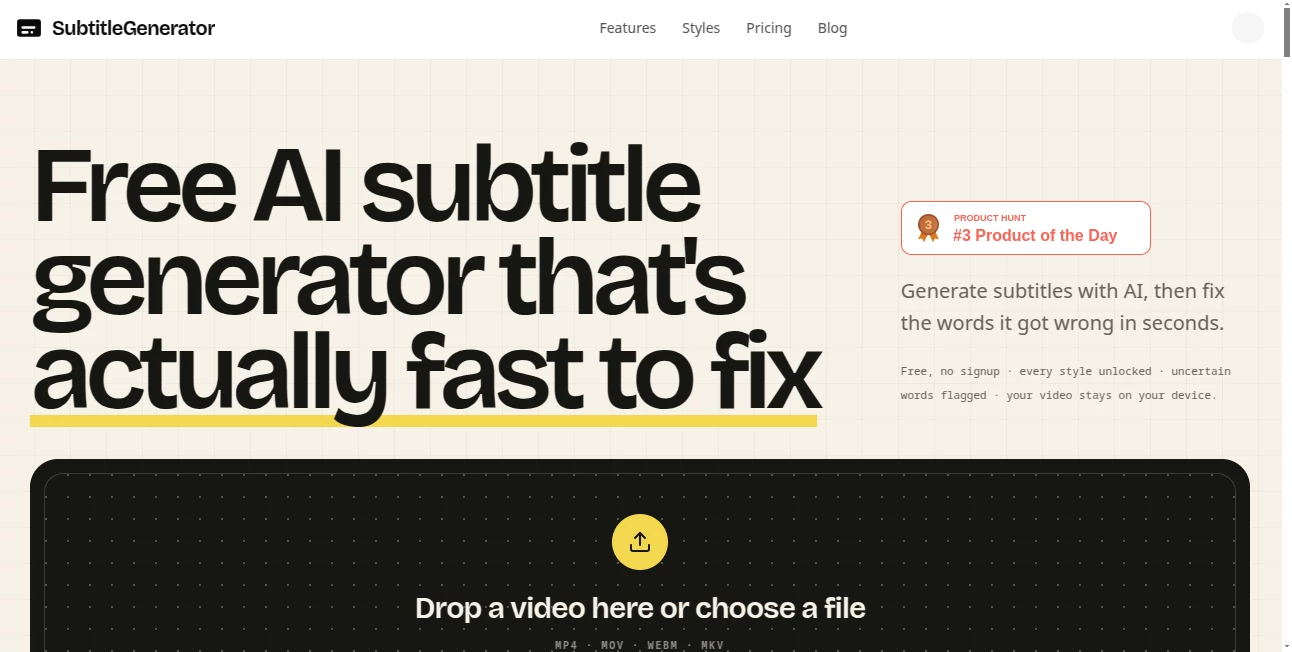
What is SubtitleGenerator?
Most of us have been there. You finish a video, hit the caption button, and then spend the next twenty minutes hunting for the three words the AI mangled. Names, fast speech, background music — something always slips through. This tool was built to fix that exact headache. It generates the subtitles, flags the uncertain words for you, and lets you clean them up in seconds instead of rewatching the whole thing. The first time I used it on a noisy gaming clip, I fixed four mistakes in under a minute and was done. That felt almost unfair.
Introduction
Captions are no longer optional. Whether you’re posting Shorts, uploading a tutorial, or publishing a podcast clip, clear text on screen keeps people watching and makes the content usable without sound. The problem is that most automatic tools force you to proofread every single line. This one takes a smarter route. It transcribes the spoken language with word-level timing, highlights every low-confidence word, and keeps the entire workflow inside your browser. You drop the file, review the flagged spots, pick a style, and export. No account required to start, and the original video never leaves your device. For creators who value both speed and accuracy, that combination is rare and genuinely useful.
Key Features
User Interface
Everything happens on one page. You drop an MP4, MOV, WebM or MKV, wait a short while, and the timeline fills with captions. Uncertain words appear highlighted so you can jump straight to them. Click any cue or any point on the waveform and the preview follows. Drag the edges of a block to retime it. Adding a missing line is as simple as clicking the gap. The style gallery shows 33 animated options grouped into six families — clean, creator, karaoke, cinematic, pop, and branded — and you can preview them on your own footage before committing. It never feels cluttered; it just feels ready for work.
Accuracy & Performance
The transcription is solid on clear speech and still holds up surprisingly well with background music, fast talkers, or accents. What really sets it apart is the confidence system. Every word the model was unsure about gets flagged automatically, so you stop hunting and start fixing. You can keep a word, type the correction, or re-transcribe just that short section without redoing the whole track. On a recent interview with several proper names, the tool flagged the risky spots for me and I was finished in a fraction of the time I usually spend.
Capabilities
Beyond basic generation you get full styling control, burned-in video export, and eight subtitle formats ready for editors (SRT, VTT, ASS, SSA, SBV, SMI, TXT, JSON). Higher plans unlock high-accuracy transcription mode, full-track translation inside the same editor, custom fonts, and saved brand styles. The free tier already includes every animation and the complete correction workflow. Files up to a certain length and size are handled cleanly, and exports render locally in the browser with a visible progress bar.
Security & Privacy
Your video file stays on your device. Only the extracted audio is sent for transcription and is deleted afterwards. The final captioned video is rendered in the browser, so the original never sits on someone else’s server. That design choice makes a real difference when you’re working with client material, unreleased content, or personal recordings.
Use Cases
Podcasters pull short clips and check names before publishing. YouTube creators choose between clean SRT files or bold burned-in layouts that match their brand. Short-form editors use the 9:16-safe styles and word-level emphasis for TikTok or Reels. Educators turn dense course lessons into readable captions that students can actually follow. Agencies start from branded styles and still keep the fast correction workflow for every client project. Even people making recipe videos or fitness counts benefit from the ability to fix timing without starting over.
Pros and Cons
Pros:
- Uncertain words are flagged automatically, so fixing takes minutes instead of a full rewatch.
- Thirty-three polished styles available from the start, including free users.
- Video never leaves your device; only audio is processed.
- Clean browser workflow from upload to export with no install required.
- Solid free tier and transparent paid plans with pay-as-you-go minutes if you need extra.
Cons:
- Free exports carry a small watermark and stay at 720p.
- Very long or high-resolution files process faster on a desktop than on mobile.
- Translation and the highest accuracy mode sit behind the paid plans.
Pricing Plans
The free plan lets you generate and edit with every style unlocked, 60 minutes of subtitle time per month once you create an account, videos up to 10 minutes, and 720p exports with a small watermark. Pro costs nine dollars a month (or ninety a year) and removes the watermark, unlocks HD, adds translation, eight export formats, high-accuracy mode, re-transcription of selected cues, and up to 700 minutes monthly. Max at fifteen dollars a month (or one hundred fifty a year) raises the limits further to hour-long videos and 1,400 minutes. If you only need occasional extra time, you can buy pay-as-you-go minutes that never expire. The structure is clear and lets you start without commitment.
How to Use the Tool
Open the page and drop your video file. Wait while the AI transcribes the spoken language and flags every low-confidence word. Click through the highlighted spots, correct them, or re-transcribe a short section if needed. Choose one of the thirty-three styles and preview it on the canvas. When everything looks right, export either a burned-in video or one of the subtitle formats for your editor. The entire path stays on a single page and requires no account for a first try.
Comparison with Similar Tools
Many caption tools either force you to proofread the entire transcript or lock the best styles behind a paywall. Others upload the full video and keep it on their servers. This one focuses on the actual bottleneck most creators face — finding and fixing the mistakes — while keeping the source file private and giving free users access to the full style library. The combination of flagged uncertain words, local video handling, and a complete browser workflow makes the daily experience noticeably smoother than the average alternative.
Conclusion
Good captions should feel almost invisible once they’re done. This tool gets you there with less friction than most options on the market. It generates quickly, shows you exactly where it might have slipped, and lets you finish the job without the usual rewatch fatigue. Whether you publish once a week or several times a day, the time saved on corrections adds up fast. If you’ve ever muttered at an AI for missing a name or mangling a phrase, this is the quiet upgrade that actually respects your schedule.
Frequently Asked Questions (FAQ)
Do I need an account to try it?
No. You can generate and edit one video right away with no signup.
Does the video leave my computer?
No. Only the extracted audio is sent for transcription and then deleted. Exports render in the browser.
What if the AI gets a word wrong?
Every low-confidence word is flagged automatically. You fix those few spots instead of scanning the whole timeline.
Which formats can I export?
Burned-in video or SRT, VTT, ASS, SSA, SBV, SMI, TXT and JSON.
Is there a free plan with real features?
Yes. All styles are unlocked, uncertain words are flagged, and you get monthly minutes once you create an account. Paid plans remove the watermark and raise the limits.