


















holaOS
What is holaOS?
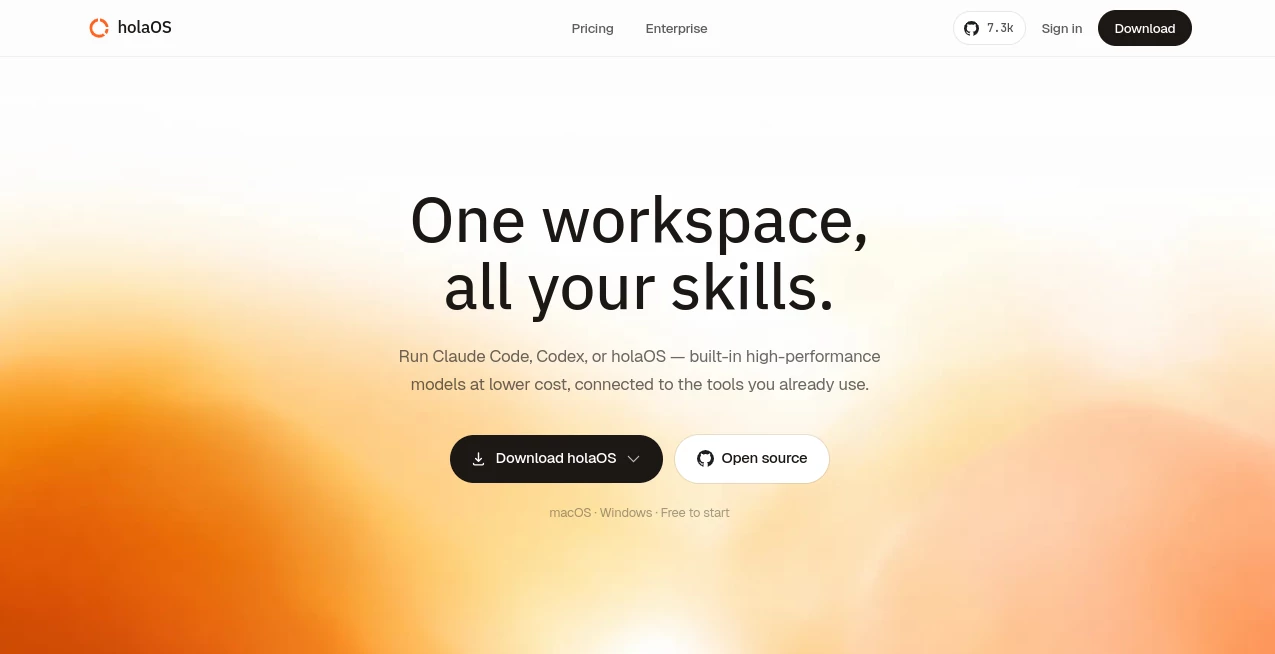
holaOS is an open-source desktop environment built for people who want AI to handle work that extends beyond a single conversation. Instead of treating every request as a fresh prompt, it creates persistent workspaces where an agent can keep its own memory, files, instructions, apps, skills, and outputs over time.
The idea is particularly appealing for long-running tasks. A user might maintain one workspace for content planning, another for inbox management, and another for competitive research. Each environment remains focused on its own purpose, giving the agent a consistent context rather than forcing the user to explain everything again.
Another strong point is its open architecture. The platform is designed around an environment layer, while the desktop application provides the interface for managing workspaces, models, memory, applications, and ongoing tasks. This makes it feel less like another chatbot and more like an operating environment for AI-assisted work.
Key Features
- Persistent AI workspaces with independent memory, files, instructions, apps, and outputs.
- Support for multiple model providers, including OpenAI, Anthropic, OpenRouter, Gemini, Ollama, MiniMax, and the platform's own proxy.
- Apps that give agents practical capabilities such as working with Gmail, LinkedIn, Reddit, GitHub, and spreadsheets.
- Reusable Skills that provide structured instructions and repeatable ways of handling specific types of work.
- Automations for running tasks on a schedule or in response to events.
- Marketplace Templates that allow users to start with preconfigured environments instead of building everything from scratch.
- Durable memory that can preserve useful facts, procedures, preferences, and context between sessions.
- Approval controls for actions that could publish content, send messages, or trigger financial activity.
User Interface
The desktop experience is organized around the workspace rather than a traditional chat history. Once a workspace is open, users can interact with the agent through a chat and agent pane, inspect generated outputs, review installed applications and skills, access accumulated memory, and configure automations.
This structure makes sense for people who work on several ongoing projects. Instead of having one enormous conversation containing unrelated tasks, each workspace can represent a particular role or objective. The result is a cleaner working environment and a much easier way to return to unfinished projects.
Accuracy & Performance
Performance naturally depends on the model selected and the complexity of the task, but the environment itself addresses a common weakness of AI assistants: loss of context between sessions. Workspace instructions, memory, files, application capabilities, and previous outputs can remain available to future runs.
The platform also separates runtime continuity from longer-term memory. That distinction helps the system resume active work while keeping durable information available for future tasks. In practical use, this can be valuable when a project takes days or weeks rather than a few minutes.
Capabilities
The capabilities go beyond text generation. Apps can expose real actions to an agent, while Skills provide reusable patterns for handling work. For example, a workspace can be equipped to draft social content, retrieve information from connected services, work with spreadsheets, interact with development platforms, or prepare recurring reports.
Automations add another useful layer. Once a workflow is configured, the workspace can run tasks according to a schedule without requiring the user to manually start every session. This opens the door to recurring research, reporting, content preparation, monitoring, and other routine operations.
Security & Privacy
One of the more thoughtful aspects of the architecture is the separation between workspaces. Each workspace has its own agent identity, memory, installed applications, skills, and outputs, helping prevent unrelated projects from sharing context accidentally.
Actions with external or financial consequences are also designed around user approval. Publishing something publicly, sending a message, or initiating a paid action can pause for confirmation instead of being executed blindly. Users therefore retain an opportunity to review consequential actions before they happen.
Use Cases
Content and social media: Create a dedicated workspace for planning posts, maintaining brand instructions, researching topics, and preparing a content calendar.
Research: A research workspace can accumulate sources, notes, outputs, and recurring instructions, making it suitable for competitive analysis or regular industry reports.
Inbox management: A workspace equipped with the appropriate app can help organize email-related work and handle repetitive triage tasks while keeping its operating instructions available for future sessions.
Business workflows: Teams can build workspaces around recurring operational processes, combining applications, reusable Skills, memory, and scheduled automations.
Development: Developers can create focused environments around codebases and technical workflows, then extend them with applications and custom capabilities when the standard environment is not enough.
Personal productivity: Instead of using AI only for individual questions, users can create persistent environments for planning, recurring tasks, research, organization, and other areas of daily work.
Pros and Cons
Pros:
- Persistent workspaces provide continuity between sessions.
- Open-source architecture offers transparency and room for customization.
- Multiple AI model providers can be used rather than being locked to one model family.
- Apps, Skills, and Automations make the environment extensible.
- Marketplace Templates reduce the time needed to create a useful workspace.
- Approval gates add an extra layer of control for consequential actions.
Cons:
- The workspace concept may take some time to understand for users accustomed to simple chatbots.
- Advanced workflows require more configuration than asking a conventional AI assistant a single question.
- Some capabilities depend on installing the appropriate Apps or connecting external services.
- Model performance still depends heavily on the provider and model selected.
Pricing Plans
The project is presented as an open-source AI environment rather than a conventional subscription-only SaaS product. The desktop and underlying environment can be used from the available open-source project, while users can configure supported model providers according to their preferred setup.
Because model providers can have their own API or usage charges, the overall cost of running an advanced workflow can depend on the selected provider, model, and workload. Users who prefer local inference can also connect Ollama, which provides an alternative to relying entirely on cloud-based models.
How to Use the Platform
Getting started is straightforward. First, install the desktop application and create or open a workspace. Users can begin with a blank workspace, select a Marketplace Template, or point the application to an existing local workspace.
Next, configure an AI model provider. Supported options include several major cloud providers as well as local model execution through Ollama. Once the model is ready, the user can send a task through the workspace's agent interface.
For better results, instructions should be specific. Rather than simply asking for help with marketing, for example, a user could ask the agent to prepare a week's worth of LinkedIn content for a particular audience, follow a defined tone, and organize the results into separate drafts.
As the workspace becomes more useful, Apps, Skills, and Automations can be added. Over time, the environment can become increasingly tailored to a particular workflow, with memory and previous outputs providing additional continuity.
Comparison with Similar Tools
Traditional AI chat applications are excellent for quick questions, brainstorming, writing, and one-off tasks. Their biggest limitation for long-running projects is often the need to repeatedly reconstruct context.
This approach is different. The workspace acts as a persistent environment around the AI agent, bringing together memory, files, instructions, applications, skills, and automation. Instead of asking what the AI can answer right now, the more useful question becomes what kind of ongoing work the environment can maintain and execute.
It also differs from conventional automation platforms. Rather than relying exclusively on fixed rules and predefined steps, the agent can interpret natural-language instructions and use the capabilities available inside its workspace. This makes it especially interesting for workflows that are structured enough to repeat but flexible enough to require judgment.
Conclusion
For users who have outgrown the idea of AI as simply a chat window, this platform offers a more ambitious approach. Persistent workspaces, memory, applications, reusable Skills, model flexibility, and scheduled automation combine to create an environment where AI can participate in work over a much longer period.
The biggest attraction is the continuity. A useful workspace can retain its purpose, instructions, capabilities, and accumulated knowledge instead of starting from zero every time a new conversation begins. That makes the platform worth exploring for developers, researchers, creators, entrepreneurs, and anyone interested in building repeatable AI-powered workflows.
Frequently Asked Questions (FAQ)
What is this platform designed for?
It is designed for long-running AI work where an agent needs persistent context, memory, files, applications, reusable instructions, and automation rather than a single isolated prompt.
Can I use different AI models?
Yes. The current environment supports several providers, including OpenAI, Anthropic, OpenRouter, Gemini, Ollama, MiniMax, and its own model proxy.
Can I run AI models locally?
Yes. Ollama is supported, allowing users to connect models running locally on their own machine.
What are workspaces?
A workspace is a self-contained AI environment with its own agent identity, memory, files, Apps, Skills, instructions, outputs, and automations. Different projects can therefore be kept separate.
Can I automate recurring tasks?
Yes. Automations can be configured to run tasks on a schedule or in response to supported events, making the environment suitable for recurring workflows.
Can developers extend the platform?
Yes. Developers can create custom Apps, Skills, Templates, and integrations. Apps can provide interfaces, local state, MCP tools, background services, and connections to external systems.
Does the agent perform actions without permission?
Actions with public or financial side effects are designed to pause for user approval before they are submitted. This gives the user an opportunity to review or redirect the proposed action.
Is it open source?
Yes. The underlying environment is open source, and its runtime, workspace structure, and core architecture are designed to be inspectable and extensible.
Who can benefit most from it?
Developers, researchers, creators, marketers, entrepreneurs, and productivity-focused users can all benefit, particularly when their work involves recurring tasks or projects that need continuity across multiple AI sessions.
AI Workflow Management , AI Productivity Tools , AI Task Management , AI Developer Tools .
These classifications represent its core capabilities and areas of application. For related tools, explore the linked categories above.
holaOS details
Website unavailable — View Alternatives
Pricing
- Free
Apps
- Web App
- Windows App
- Mac App
Categories

holaOS Alternatives Product

DemoDash

Reverse Imag…
Timestamp Ro…

Verne

Skygen AI

EntreDash

DevUtilX

JSON-Tools

ClawBridge
