


















Hunyuan3D
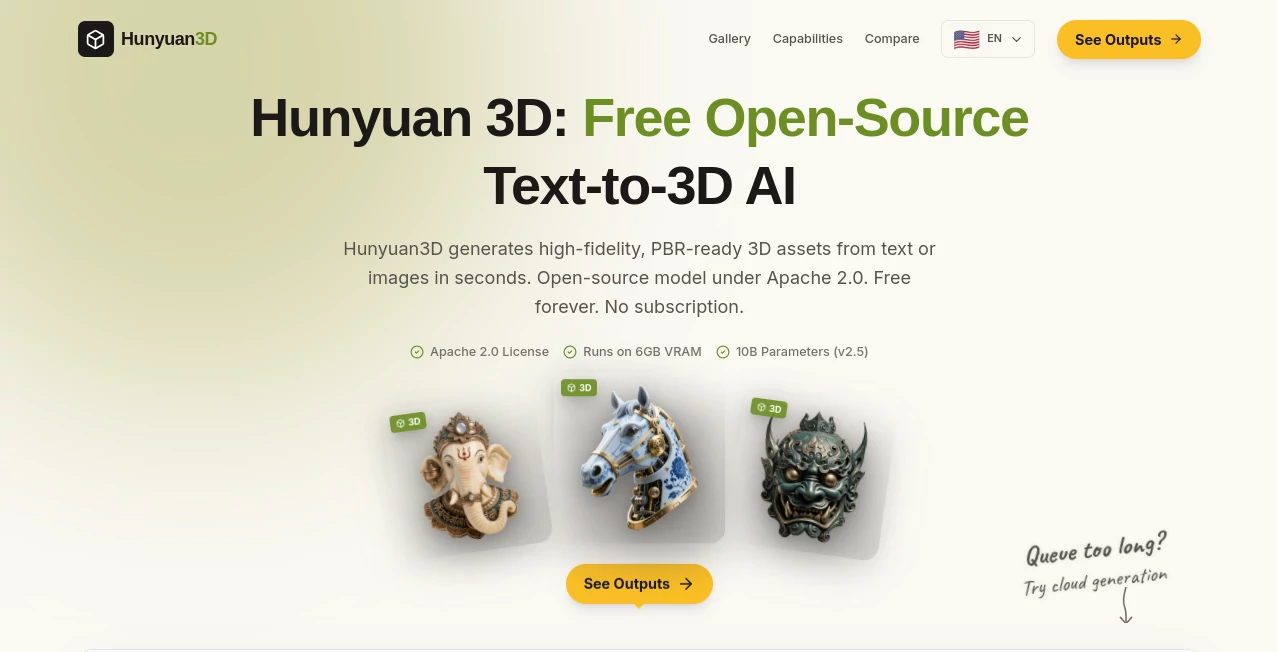
What is Hunyuan3D?
I still remember the first time I tried turning a simple idea into a proper 3D model. Hours in Blender, endless tutorials, and a lot of frustration. Then I discovered this platform and everything felt different. You type a description or upload a photo, and in seconds you get a high-quality, production-ready 3D asset with proper textures and PBR materials. No subscription, no watermarks on the free version, and the model is even open-source. It’s the kind of tool that makes you wonder why 3D creation ever felt so complicated.
Introduction
Creating 3D assets has traditionally been slow, expensive, and technically demanding. Hunyuan 3D changes that story completely. Developed as an open-source project, it lets anyone generate detailed 3D models from text prompts or single images in seconds. The results are production-ready — clean geometry, rich textures, and materials suitable for games, rendering, or 3D printing. What makes it special is the combination of accessibility and quality: it’s completely free to use, respects your time, and delivers assets that actually feel useful rather than experimental. For indie developers, designers, educators, and hobbyists, it removes one of the biggest barriers in 3D creation.
Key Features
User Interface
The interface is refreshingly straightforward. A clean prompt box and image upload area let you start fast. You can generate from text alone or guide the model with a reference image for better accuracy. Results appear quickly with multiple variations, and the preview tools let you rotate and inspect the model from every angle. No steep learning curve — even first-time users get solid outputs without frustration.
Accuracy & Performance
The model excels at understanding both creative prompts and visual references. It produces coherent geometry with good topology and rich, detailed textures that hold up under close inspection. Generation is impressively fast for the quality level, and the open-source nature means the community continues improving it. In practice, assets often need only minor cleanup before being ready for Unity, Unreal, or Blender pipelines.
Capabilities
It supports both text-to-3D and image-to-3D workflows, delivering PBR-ready models with textures and materials. You can create characters, objects, environments, and more. The outputs work beautifully for games, visualization, 3D printing, and AR/VR experiences. Because it’s open-source under Apache 2.0, you can run it locally or integrate it into your own tools and pipelines. The balance of speed, quality, and openness makes it stand out in the growing 3D AI space.
Security & Privacy
Since it’s open-source and free to use, you have full control over how and where you run the model. When using the hosted version, your prompts and generated assets are handled with care, and the transparent approach builds trust for creators who want to keep their ideas private.
Use Cases
An indie game developer generates character and prop models from quick sketches, speeding up prototyping dramatically. A product designer turns concept drawings into realistic 3D mockups for client presentations. A teacher creates interactive 3D models for classroom lessons. A 3D printing enthusiast turns everyday ideas into printable objects without spending hours modeling. The common thread is speed and accessibility — turning ideas into tangible 3D assets without the traditional technical hurdles.
Pros and Cons
Pros:
- Completely free with no subscription or hidden limits on the base model.
- Open-source freedom — run it locally or integrate it anywhere.
- High-quality, PBR-ready outputs suitable for real production work.
- Fast generation that keeps creative momentum alive.
- Works from both text and images for maximum flexibility.
Cons:
- Like most 3D AI tools, very complex scenes may still need some manual refinement.
- Local deployment requires decent hardware for best performance.
Pricing Plans
The core model is free forever with no subscription required. The hosted platform offers optional paid tiers for faster generation, higher limits, and priority access during peak times. Because the model itself is open-source, you can always run it locally at no cost. This approach makes professional-grade 3D generation accessible to everyone, from students to studios.
How to Use Hunyuan 3D
Head to the platform and start with a clear text prompt or upload a reference image. Choose your desired output settings and hit generate. Review the variations, pick the best one, and download the 3D asset in standard formats. For better results, experiment with descriptive prompts and reference images. You can also run the open-source model locally if you prefer full control. The entire process is fast enough that you can iterate multiple concepts in one session.
Comparison with Similar Tools
Many 3D AI tools are either expensive, limited in quality, or locked behind subscriptions. Hunyuan 3D stands out with its open-source approach, strong output quality, and completely free core access. It gives creators more freedom and control compared to closed commercial solutions while delivering results competitive with paid alternatives. For anyone tired of restrictive platforms, the combination of quality and openness feels liberating.
Conclusion
3D creation should be about ideas and creativity, not technical barriers or expensive software. This platform makes that possible by delivering fast, high-quality results while staying completely open and accessible. Whether you’re building games, visualizing products, teaching, or just exploring 3D for fun, it removes the biggest obstacles and lets your imagination take the lead. In a field that used to feel exclusive, this is the kind of tool that opens the door wider for everyone.
Frequently Asked Questions (FAQ)
Is it really free?
Yes — the core model is free forever with no subscription required.
Can I use the generated assets commercially?
Yes — the open-source license supports commercial use.
Do I need powerful hardware?
You can use the hosted version instantly, or run it locally if you have a capable GPU.
What file formats are supported?
Standard 3D formats suitable for Blender, Unity, Unreal Engine, and 3D printing.
How good is the quality for production?
Many users find the outputs production-ready with only light cleanup, especially for games and visualization.
AI 3D Model Generator , AI Image to 3D Model , AI Design Generator .
These classifications represent its core capabilities and areas of application. For related tools, explore the linked categories above.

Hunyuan3D Alternatives Product
RenderQuill

MuseArt AI

Grayscale Im…
Meshy AI

Sento AI

trellis 2
![FLUX.2 [max] Image Generator - AI image generator with prompt gallery and production-ready editing workflows.](/media_submitaitools/telegram/flux2max.app-favicon.webp)
FLUX.2 [max]…
RoomMaxxing

flux 3
