
InitRunner
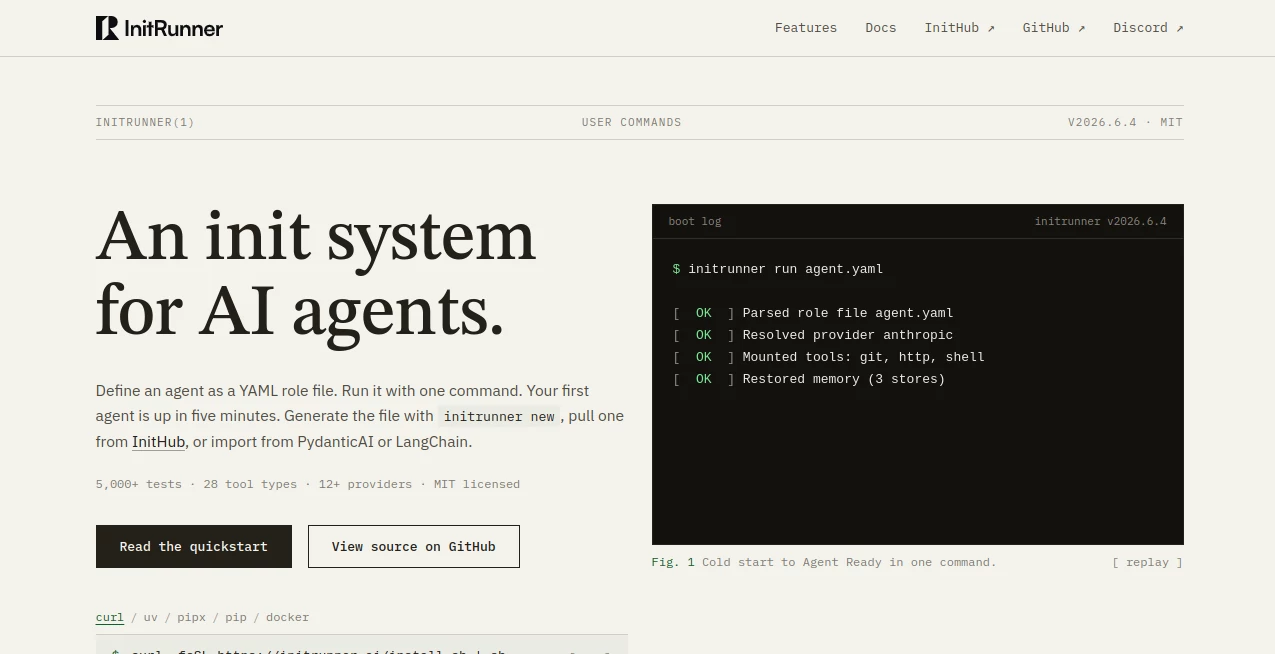
What is InitRunner?
Modern digital work is no longer about doing everything manually. Teams and creators are constantly looking for ways to automate repetitive tasks, connect tools together, and build smooth workflows that simply run in the background. This is exactly where this platform stands out.
It is designed as a powerful automation environment that helps users execute tasks, connect systems, and streamline processes without needing deep technical knowledge. Whether you are a developer, marketer, or business owner, it brings structure and speed to your daily operations in a surprisingly simple way.
Instead of switching between multiple tools or writing complex scripts, users can design and run workflows that feel natural, fast, and highly efficient.
Key Features
User Interface
The interface is clean, minimal, and focused on usability. Everything is arranged so users can quickly understand how to build and manage workflows without confusion. The drag-and-drop experience makes automation accessible even for non-technical users.
Accuracy & Performance
Workflows run smoothly with consistent performance. Tasks are executed in sequence with reliable outputs, reducing manual errors and saving time across repetitive operations. It is built to handle both small tasks and more complex automation chains.
Capabilities
This system supports multi-step automation, integration with external services, and task execution logic that can adapt to different needs. From simple triggers to advanced workflow chains, it provides flexibility for various use cases.
- Multi-step workflow creation
- Integration with external tools and APIs
- Automated task execution
- Custom logic handling
- Scalable automation structure
Security & Privacy
Security is handled with modern standards, ensuring that data and workflow executions remain protected. Users can manage automation confidently without worrying about unauthorized access or data leaks.
Use Cases
- Automating repetitive business tasks like reporting or data handling
- Connecting marketing tools for smoother campaign execution
- Building internal productivity workflows for teams
- Running backend automation for web or app systems
- Streamlining operations for startups and digital agencies
Pros and Cons
Pros
- Easy-to-use interface for beginners and professionals
- Strong automation capabilities
- Flexible workflow design
- Saves time on repetitive tasks
- Suitable for multiple industries
Cons
- May require learning time for advanced automation setups
- Some integrations might depend on external configurations
- Advanced workflows can become complex for new users
Pricing Plans
The platform typically follows a flexible pricing structure depending on usage level and feature access. Users can start with basic functionality and scale up as their automation needs grow. Enterprise-level options may be available for larger teams requiring advanced control and integrations.
How to Use This Tool
Getting started is straightforward. Users begin by creating a new workflow, selecting triggers, and defining actions. Each step can be customized based on the task requirement. Once the workflow is ready, it can be executed manually or set to run automatically based on conditions.
For advanced users, custom logic and integrations can be added to extend functionality even further, allowing for highly personalized automation systems.
Comparison with Similar Tools
Compared to traditional automation platforms, this solution focuses more on simplicity and execution speed. While many tools require technical setup or scripting knowledge, this one emphasizes visual workflow building and accessibility.
It positions itself between no-code automation tools and developer-focused platforms, making it suitable for a wide range of users—from beginners to advanced professionals.
Conclusion
Automation is becoming a core part of modern digital work, and this platform delivers a practical way to simplify complex processes. It combines ease of use with powerful workflow capabilities, helping users save time and improve productivity without unnecessary complexity.
For anyone looking to streamline operations and reduce manual work, it offers a strong and reliable solution worth exploring.
Frequently Asked Questions (FAQ)
What is this platform used for?
It is used to automate tasks, build workflows, and connect different tools into a single streamlined system.
Do I need coding skills?
No, the platform is designed to be user-friendly and does not require programming knowledge for basic use.
Can it handle complex workflows?
Yes, it supports advanced automation logic and multi-step processes for more demanding use cases.
Is it suitable for businesses?
Absolutely. It is designed for both individuals and teams looking to improve productivity and efficiency.
Can it integrate with other tools?
Yes, it supports integrations with external services and APIs for extended functionality.
AI Workflow Management , AI App Builder , AI No-Code & Low-Code , AI Developer Tools .
These classifications represent its core capabilities and areas of application. For related tools, explore the linked categories above.

InitRunner Alternatives Product

Miro

Firefox

freellm

Verne

globalize.now

Duct Tape 3

Sento AI

ShipAhead

LocaFlow