


















jbox
What is jbox?
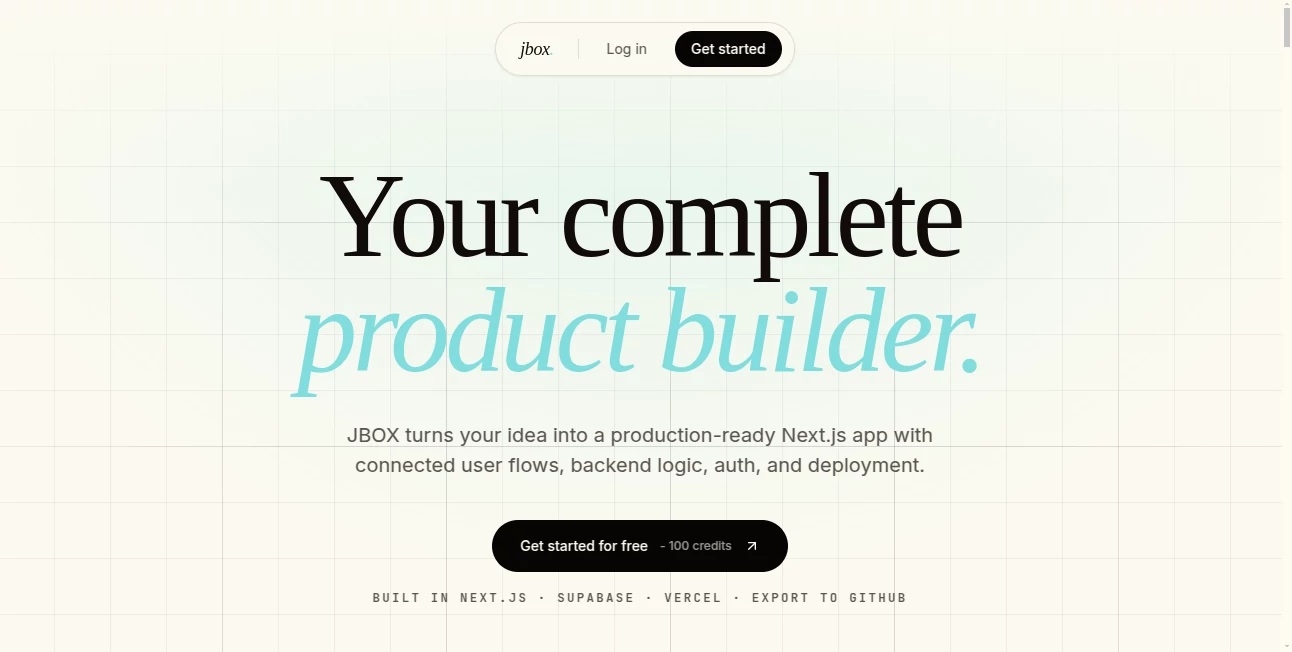
JBOX takes a different approach to building software with AI. Instead of focusing only on generating a page or a small piece of code, it is designed to turn a product idea into a connected, production-ready application. The platform maps user journeys, roles, permissions, edge cases, interface screens, backend logic, and other important parts of a product before producing the application code.
The idea is particularly appealing for founders, product managers, designers, and developers who want to move quickly without losing sight of how the different parts of an application fit together. A simple product description can become the starting point for a complete system rather than a collection of disconnected screens.
Its generated applications use a modern development stack built around Next.js, TypeScript, Tailwind, shadcn/ui, Supabase, and Vercel. Projects can also be exported to GitHub, giving developers the option to continue working with the generated code in their usual development environment.
Key Features
The strongest part of the platform is its focus on the product as a connected system. It brings product architecture, design patterns, user flows, and development into the same workspace.
- Prompt-to-flow product generation
- Multi-role user and product flow mapping
- Edge-case identification
- Design-system-first approach
- Production-ready Next.js code
- Built-in backend integration
- Authentication and permissions support
- GitHub code export
- One-click Vercel deployment
- Supabase-powered database, storage, and authentication
User Interface
The interface is built around a visual canvas where product flows can be viewed as connected parts rather than isolated screens. This is useful when an application has several user types or when different actions lead to different outcomes.
For example, a product with administrator, employee, and customer roles can be planned as a connected experience. Instead of manually keeping track of every screen and permission, the platform brings those relationships into the product map.
This approach can make larger ideas easier to understand. It is also helpful during the early planning stage, when discovering a missing user journey can save considerably more work than fixing it after development.
Accuracy & Performance
AI-generated software still needs human review, but the platform's emphasis on flows and edge cases gives it a practical advantage over tools that concentrate primarily on individual pages. Its workflow is designed to consider how screens, roles, permissions, and failure states interact.
The generated code is intended to be clean, readable, and editable. Developers can open an exported project in their preferred editor and continue building rather than treating the generated application as a closed environment.
Another practical advantage is the integrated development stack. Supabase provides the database, authentication, storage, and row-level security layer, while Vercel handles deployment. This reduces the amount of initial configuration needed to get a project running.
Capabilities
The platform is capable of generating complete product flows with screens, application logic, multiple user roles, and edge cases. It can take a plain-language product description and translate it into a structured application concept before producing production-oriented code.
The generated stack includes Next.js and TypeScript on the application side, with Tailwind and shadcn/ui for the interface. Supabase is connected for backend functionality, while Vercel provides the deployment path.
GitHub export is another useful feature for development teams. A generated project can be pushed as a fully scaffolded repository containing the relevant flows, components, and database wiring. This makes the tool suitable not only for prototypes but also as a starting point for real software projects.
Use Cases
There are several situations where this approach can be especially useful. A startup founder could describe a SaaS product and use the generated flows to turn the initial concept into something tangible. A product manager could use it to explore different roles and customer journeys before handing the project to a development team.
It can also be useful for internal business applications. Imagine creating an employee management system with separate experiences for administrators and staff. The important challenge is not simply producing two attractive dashboards; it is making sure permissions, workflows, forms, data, and unusual situations work together. That is the type of problem the platform is designed to address.
Developers can benefit as well. Rather than starting every project from an empty repository, they can use AI to establish the initial architecture and then take over with conventional development tools.
Pros and Cons
Pros
- Focuses on complete product systems instead of isolated screens
- Supports multi-role workflows and permissions
- Includes edge-case planning as part of the workflow
- Generates production-oriented Next.js applications
- Uses a familiar modern development stack
- Includes Supabase backend integration
- Supports GitHub export
- Provides a direct deployment path through Vercel
- Offers free credits without requiring a credit card to start
Cons
- AI-generated applications still require developer review and testing
- The platform is particularly oriented toward the Next.js ecosystem
- Complex products may require additional customization after generation
- Usage beyond the included credits requires additional payment
Pricing Plans
The pricing model is based on credits rather than a traditional monthly subscription. New users receive 100 free credits when they sign up, and no credit card is required to begin.
After the initial credits are used, additional credits can be purchased for $20 per 100 credits. The service also offers priority AI processing, unlimited flow generation, and production-code export within its main paid offering.
For larger organizations, an Enterprise option is available with custom credit tiers, onboarding support, SSO and team management, and a dedicated account manager. The pay-as-you-go structure can be attractive for users who do not want another fixed monthly software subscription.
How to Use It
Start by describing the product you want to build in plain language. Instead of thinking only about individual pages, explain what the product should accomplish, who will use it, and what those users need to do.
The platform can then map the product's flows, roles, screens, logic, and potential edge cases. Review the resulting structure and make changes where necessary. Because the system is connected, updates to one part can affect related parts of the product.
Once the product structure is ready, the application can be generated using the supported technology stack. Developers can then review and modify the generated code, export the project to GitHub, or deploy it through Vercel.
Comparison with Similar Tools
Many AI application builders are excellent at producing a functional page from a prompt. The difference here is the emphasis on what happens beyond the page. User roles, permissions, connected flows, edge cases, backend wiring, and deployment are treated as parts of the same product.
This makes the platform a better fit for someone who has a complete application idea rather than simply wanting a quick landing page or an isolated interface. A developer who wants editable source code also gets a more conventional development path through Next.js, TypeScript, GitHub, and Vercel.
For very small experiments, a simpler AI website builder may be enough. For a multi-user SaaS product or an application with several connected workflows, the system-oriented approach can be considerably more useful.
Conclusion
Building software is rarely difficult because of one screen. The real complexity appears between screens: permissions, user roles, data, failed actions, different journeys, and all the small decisions that determine whether an application actually works.
This platform addresses that problem by treating an application as a complete system from the beginning. Its combination of visual product mapping, AI-generated flows, production-oriented code, Supabase integration, GitHub export, and Vercel deployment makes it an appealing option for founders and teams that want to move from an idea to a working application without starting every project from scratch.
It is not a replacement for thoughtful product decisions or engineering review, but it can remove a substantial amount of repetitive early-stage work. For teams comfortable with the modern JavaScript ecosystem, that makes it a particularly interesting addition to an AI-assisted development workflow.
Frequently Asked Questions (FAQ)
What can the platform generate?
It can generate complete product flows containing screens, application logic, user roles, edge cases, and production-oriented code rather than focusing only on individual interface screens.
Can the generated code be edited?
Yes. The generated code is designed to be readable and editable, allowing developers to open the project in their preferred development environment and continue working on it.
Which technologies are used?
The generated applications use Next.js, TypeScript, Tailwind, and shadcn/ui, with Supabase for backend functionality and Vercel for deployment.
Does it support multiple user roles?
Yes. Multiple roles, permissions, different user journeys, and failure states are supported as part of the product flow.
Can projects be exported to GitHub?
Yes. Projects can be exported to GitHub with the generated flows, components, and database wiring included in the repository.
Does it provide a backend?
Yes. Projects include a managed Supabase backend with PostgreSQL, authentication, storage, and row-level security configured as part of the generated application.
Can generated applications be deployed?
Yes. The platform supports one-click deployment to Vercel, with deployment-related configuration prepared as part of the project.
Is there a free plan?
Users receive 100 free credits when they sign up, and a credit card is not required to start.
How much do additional credits cost?
Additional credits are available for $20 per 100 credits, allowing users to top up when needed instead of committing to a monthly subscription.
Is it suitable for professional development?
It can be a useful starting point for professional projects, particularly when developers want editable Next.js code and an integrated backend and deployment workflow. Human review, testing, security checks, and customization are still important before releasing a production application.
AI Website Builder , AI No-Code & Low-Code , AI Developer Tools , AI App Builder .
These classifications represent its core capabilities and areas of application. For related tools, explore the linked categories above.

jbox Alternatives Product

WhatsMyName …

NetlifyAPP

AI Workflow …

Reverse Imag…

Geekflare AI

Gemini Omni

Lovable APP

Sourcetable

Agent Grid
