
jsonyaml
What is jsonyaml?
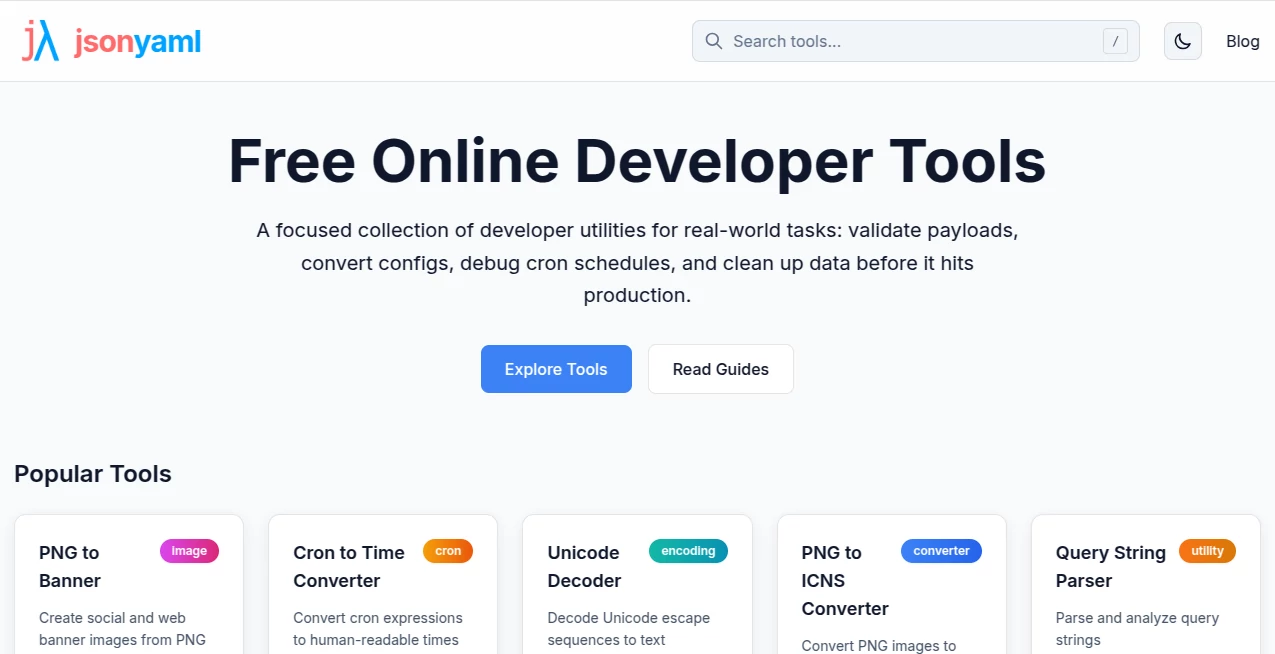
Switching between JSON and YAML used to be one of those small annoyances that ate up more time than it should. Paste the data, hope the formatting survives, fix the indentation by hand… we’ve all been there. This platform makes that whole process feel effortless. Drop in your JSON or YAML, and it instantly converts with perfect structure, readable formatting, and zero hassle. What started as a simple converter has grown into a full collection of genuinely useful developer utilities that actually save time on real projects.
Introduction
Developers constantly juggle data formats—API responses in JSON, configuration files in YAML, logs, configs, you name it. Having a reliable, fast way to transform between them without leaving the browser or installing yet another CLI tool is a small luxury that adds up. This site delivers exactly that: clean, instant conversions plus a thoughtfully chosen set of supporting tools. No accounts required for basic use, no ads cluttering the screen, just focused utilities that feel built by someone who actually writes code every day. The attention to detail shows in everything from syntax highlighting to smart error messages.
Key Features
User Interface
The design is pleasantly minimal. Two side-by-side panels let you see input and output at the same time, with real-time conversion as you type or paste. Buttons are clear, formatting options are one click away, and everything loads instantly. It’s the kind of interface you forget about because it just works—you focus on your data instead of fighting the tool.
Accuracy & Performance
Conversions are precise and respect the nuances of both formats. Complex nested structures, special characters, and comments (where supported) come through cleanly. It handles large payloads smoothly without slowing down or crashing the browser. In practice, it consistently produces output you can copy straight into your project without needing cleanup passes.
Capabilities
Bidirectional JSON ↔ YAML conversion sits at the core, but the platform offers much more: JSON/YAML validation, formatters, minifiers, schema validation, and a growing collection of other everyday developer utilities (cron parsers, encoders, hash generators, etc.). You can beautify messy data, validate before pushing to production, or quickly transform between formats during migrations. The tools feel chosen for real workflows rather than just checking boxes.
Security & Privacy
Your data stays in your browser for most operations. No unnecessary server uploads, no accounts forced on you, and no tracking of what you’re converting. For developers handling sensitive configs or API payloads, that local-first approach is genuinely refreshing and trustworthy.
Use Cases
A backend developer quickly converts API response samples from JSON to YAML for documentation. A DevOps engineer validates and formats Kubernetes manifests before committing. A data analyst transforms exported JSON logs into more readable YAML for review. A frontend team cleans up configuration files during a framework migration. Anyone who works with structured data finds themselves returning to the site regularly because it solves small but frequent problems so cleanly.
Pros and Cons
Pros:
- Lightning-fast, accurate conversions with beautiful formatting.
- Collection of genuinely useful supporting tools in one place.
- Works entirely in-browser with strong privacy focus.
- Simple, distraction-free interface that respects your time.
- Free to use for the vast majority of everyday tasks.
Cons:
- Some advanced features may require switching to other specialized tools.
- No persistent project saving in the free tier (though most users don’t need it).
Pricing Plans
The core experience—including unlimited basic conversions and many utilities—is completely free. Premium options exist for heavier usage, advanced features, or priority support, but most developers find the free tier more than sufficient for daily work. It’s the kind of fair, developer-friendly pricing that builds loyalty rather than frustration.
How to Use JSON YAML Converter
Head to the converter page, paste your JSON into the left panel (or upload a file), and watch the YAML appear instantly on the right. Need the reverse? Just paste YAML on the right and see clean JSON on the left. Use the formatting buttons to beautify or minify as needed. For other utilities, browse the tools list and pick what you need. The entire experience is fast enough that it becomes part of your natural workflow instead of an extra step.
Comparison with Similar Tools
Many online converters feel clunky, slow, or full of ads. Others require accounts or limit usage heavily. This one stands out with its clean design, speed, accuracy, and thoughtful collection of additional tools. It avoids the bloat of all-in-one suites while still giving you more than just basic conversion. For developers who value simplicity and reliability, it often becomes the default choice.
Conclusion
Great developer tools don’t need to be complicated—they just need to solve real problems cleanly and get out of the way. This platform does exactly that. Whether you’re converting data formats dozens of times a day or just need a reliable validator or formatter occasionally, it makes the process smoother and less frustrating. In a world full of noisy tools, its quiet competence is exactly what many of us have been looking for.
Frequently Asked Questions (FAQ)
Is it really free?
Yes—core conversion and many utilities are free with generous usage limits.
Do I need to create an account?
No account is required for normal use.
Can I convert large files?
Yes, it handles reasonably large payloads smoothly in the browser.
Does it support YAML comments?
It preserves comments where possible during conversion.
AI Developer Docs , AI Developer Tools .
These classifications represent its core capabilities and areas of application. For related tools, explore the linked categories above.

jsonyaml Alternatives Product

Geekflare AI

WhatsMyName …

Agent Grid

Tate-A-Tate

Nestify

Vibe Coding …

ShipAhead

tanship

AgentOne