
Kiro
What is Kiro?
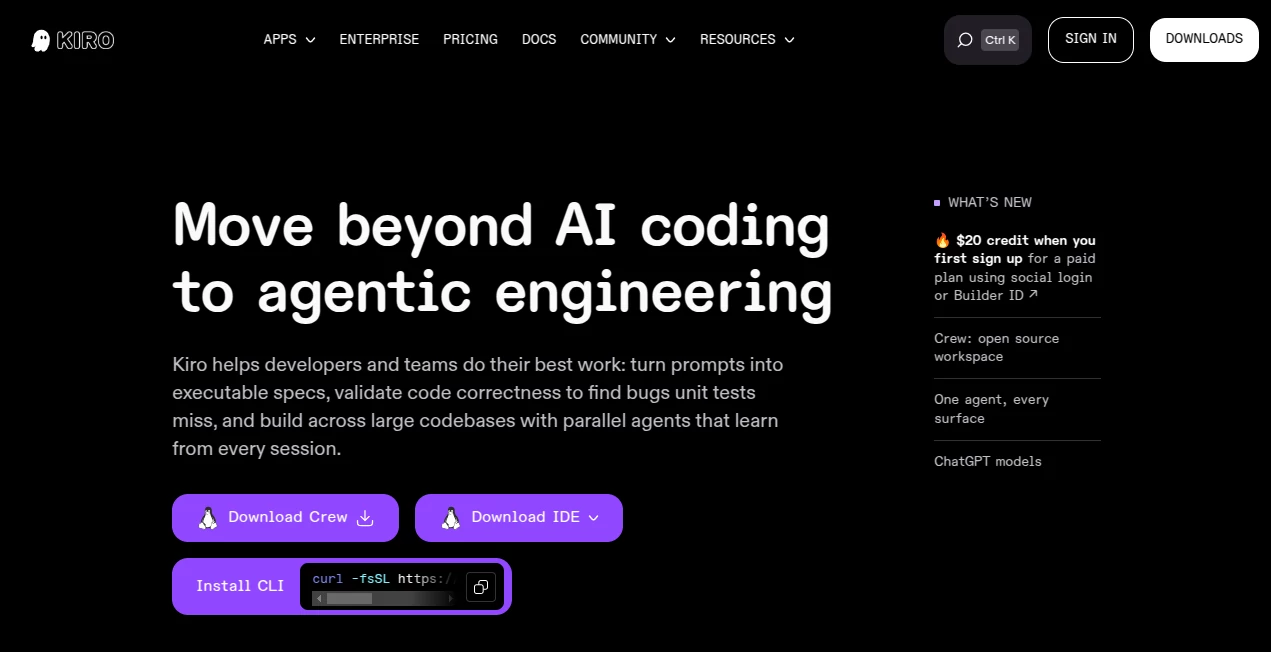
Modern software development is moving beyond simple AI code completion. Developers increasingly need tools that can understand a project, reason about requirements, make coordinated changes, run tests, and keep the work aligned with the original goal. Kiro is built around that idea, combining an agentic development environment with a structured, specification-driven workflow.
Instead of asking an AI assistant for a few lines of code and manually connecting the pieces, developers can describe what they want to build and work through requirements, architecture, implementation tasks, and validation. This makes the experience particularly interesting for larger features and existing codebases where a quick prompt can easily miss an important dependency or requirement.
The platform is available as an IDE, CLI, and web experience, giving developers several ways to work with AI agents. It also builds on familiar VS Code foundations, including support for Open VSX extensions, themes, and VS Code settings.
Key Features
- Spec-driven development for turning ideas into structured requirements, designs, and implementation tasks.
- Agentic coding that can create, modify, search, and work across files in a project.
- Parallel agent execution for handling independent implementation tasks more efficiently.
- Steering files for defining project-specific coding standards, context, rules, and workflows.
- Hooks that allow agents to respond automatically to events such as file changes.
- Agent focus mode for managing multiple agent sessions from a centralized workspace.
- MCP server support for connecting agents to external tools and data sources.
- Property-based testing capabilities designed to uncover edge cases that conventional tests can miss.
- Autopilot and Supervised modes for choosing between autonomous execution and closer review.
- Compatibility with Open VSX extensions and familiar VS Code settings.
- CLI support for developers who prefer working directly from a terminal.
- Web-based development workflows for planning and implementing repository changes from a browser.
User Interface
The interface feels familiar to developers who have spent time with VS Code, but the AI agent is much more central to the experience. Developers can move between source files, chat, specifications, tasks, and review workflows without having to constantly switch between separate applications.
One particularly useful approach is the agent focus experience, where multiple agents can work on separate tasks while the developer remains in one command-center style interface. When detailed editing or debugging is required, the experience can return to the traditional IDE layout.
The interface also supports dockable chat sessions, allowing longer conversations to be opened as editor tabs. This is a small detail, but it becomes valuable when an AI-assisted development session contains a large amount of reasoning, implementation history, and review information.
Accuracy & Performance
The strongest part of the workflow is the emphasis on planning before implementation. A feature specification can be broken into requirements, architectural decisions, and individual tasks before agents begin changing the code. This reduces the chance of losing important requirements during a long coding session.
Testing is another important part of the workflow. Property-based testing can be used to explore a wider range of inputs and edge cases, complementing conventional unit tests. The result is a development process that focuses not only on generating code, but also on checking whether the resulting implementation behaves as expected.
Performance also benefits from parallel task execution. When several tasks are independent, agents can work on them concurrently rather than forcing the developer through a strictly sequential workflow.
Capabilities
The platform is designed for everything from quick fixes to substantial application development. A developer can start with a conversational request, use a quick specification when the requirements are already clear, or create a full specification when architectural planning deserves more attention.
Steering files provide another layer of control. Teams can describe coding conventions, preferred workflows, project context, and constraints so that agent output is more consistent with the existing codebase.
Hooks extend the automation side of the workflow. For example, an agent can be configured to react to events such as saving a file and perform predefined tasks such as generating documentation, creating tests, or carrying out other development-related actions.
For developers working with external services, MCP servers provide a way to connect agents with additional tools and data sources. The CLI also makes the agent available from the terminal, which is useful for workflows built around shell commands and existing developer tooling.
Security & Privacy
Security is an important consideration because an agentic coding environment can interact with local files, repositories, commands, environment variables, and development credentials. The platform provides controls designed to help developers manage this access.
Supervised mode allows developers to review file modifications before accepting them, while Autopilot is intended for situations where more autonomous execution is appropriate. Protected paths can require explicit approval, and commands outside a trusted list can also require confirmation.
The documentation recommends practical safeguards such as workspace isolation, careful handling of credentials, limited trusted commands, repository-specific access controls, and clean development environments. The service is operated using AWS security infrastructure, although developers remain responsible for configuring their own environment appropriately.
Use Cases
- Building new applications: Turn an initial product idea into requirements, architecture, tasks, and implementation.
- Large feature development: Break complicated features into smaller tasks that agents can execute systematically.
- Working with existing codebases: Give agents project-specific context and rules through steering files.
- Bug fixing: Use structured bug specifications to investigate problems, plan fixes, and reduce regression risks.
- Test generation: Create unit tests and use broader testing approaches to uncover unexpected behavior.
- Documentation: Automate documentation-related work through agent workflows and hooks.
- Code refactoring: Coordinate changes across multiple files while keeping project requirements in view.
- Developer automation: Trigger repetitive development tasks automatically when predefined events occur.
- Team development: Establish shared project rules and development conventions so AI-generated changes follow team expectations.
- Rapid prototypes: Use a quick specification workflow when the feature scope is already well understood.
Pros and Cons
Pros
- Strong focus on structured, specification-driven development.
- Useful combination of IDE, CLI, and web-based workflows.
- Can coordinate multiple agents and implementation tasks.
- Steering files provide meaningful control over agent behavior.
- Hooks make repetitive development workflows easier to automate.
- Supervised mode provides an additional review layer for file changes.
- VS Code compatibility makes the transition easier for many developers.
- Free access is available for developers who want to try the workflow before paying.
Cons
- The structured workflow can feel more involved than simple AI autocomplete for very small coding tasks.
- Autonomous agents require careful permission and workspace configuration.
- Credit consumption varies depending on the complexity and length of requests.
- Developers working on sensitive repositories need to pay close attention to credentials, protected paths, and trusted commands.
Pricing Plans
A perpetual free tier is available for new users, providing 50 credits. Paid individual plans are credit-based and currently include Pro at $20 per month, Pro+ at $40 per month, Pro Max at $100 per month, and Power at $200 per month.
The number of credits increases with each paid tier, ranging from 1,000 credits on Pro to 10,000 credits on Power. Additional credits can be purchased on paid individual plans when the included allowance is exhausted. Because credits are consumed fractionally according to the work performed, simple requests can use fewer credits than complex agent tasks.
Pricing can change, so developers should check the current plan details before subscribing.
How to Use It
Start by installing the development environment for your operating system or use the available web experience. The IDE currently supports macOS, Windows, and Linux, while the CLI provides a terminal-based option.
Open an existing project or create a new one. From there, you can begin with a normal agent conversation for a small change, or create a specification when the task requires more planning.
For a larger feature, describe the desired outcome and allow the agent to work through requirements, design, and implementation tasks. Review the generated plan and refine it before allowing the implementation to proceed.
Once development begins, review the resulting changes, run tests, and use the available checkpoints or revert functionality when necessary. For projects with specific conventions, add steering rules so future agent sessions understand how the codebase should be maintained.
For repetitive workflows, hooks can be introduced to trigger predefined agent actions when particular events occur. Developers who need external tools or data can also connect MCP servers to expand the agent's working environment.
Comparison with Similar Tools
Traditional AI coding assistants are often centered around autocomplete, chat-based questions, or individual code edits. That approach is convenient and works extremely well for small changes, but it can become less predictable as a project grows.
This platform takes a different approach by making planning and agent execution a central part of development. Requirements, design decisions, tasks, project rules, testing, and implementation can all be connected within the same workflow.
For a developer who simply wants a quick suggestion inside an editor, a lightweight coding assistant may be enough. For someone building a substantial application or maintaining a large repository, the specification-driven approach can provide a clearer trail from the original idea to the finished implementation.
The biggest distinction is therefore not simply the quality of generated code. It is the development process surrounding that code. Instead of treating AI as an autocomplete feature, the platform positions agents as active participants in planning, implementation, testing, and automation while keeping the developer responsible for reviewing important decisions.
Conclusion
AI-assisted development becomes much more useful when it can understand more than the line of code currently being edited. The combination of structured specifications, agentic implementation, project-specific steering, automated hooks, testing, and multiple execution modes makes this approach particularly compelling for developers working on projects that are too complex for casual prompting.
It is not necessarily the tool someone needs for every five-minute code change. Its real advantage appears when the work involves multiple files, architectural decisions, repetitive development tasks, or requirements that need to remain visible throughout implementation.
For developers interested in moving from basic AI coding assistance toward a more organized agent-driven development process, this is a strong option worth exploring. The free tier also makes it relatively easy to experiment with the workflow before deciding whether a larger credit allowance is worthwhile.
Frequently Asked Questions (FAQ)
What is this tool used for?
It is an agentic development environment designed to help developers plan, build, test, and maintain software with AI agents. It supports structured specifications, conversational coding, automation hooks, project rules, and multiple development interfaces.
Does it support existing projects?
Yes. Developers can open existing projects and repositories and provide project-specific instructions through steering files. This makes the workflow suitable for both new applications and established codebases.
Can developers review AI-generated changes?
Yes. Supervised mode provides review points for file modifications, allowing developers to inspect changes and accept or reject them. Protected paths and command approval controls provide additional safeguards.
Is there a free plan?
Yes. New users can start with a perpetual free tier that currently includes 50 credits. Paid plans provide substantially larger credit allowances.
Can it be used from the terminal?
Yes. A CLI is available alongside the desktop IDE and web interface, allowing developers to incorporate agentic development into terminal-based workflows.
Does it work with VS Code extensions?
The IDE is built on familiar VS Code foundations and supports Open VSX extensions, themes, and VS Code settings, making it easier for developers accustomed to that ecosystem to adapt.
AI DevOps Assistant , AI Code Assistant , AI Code Generator , AI Testing & QA , AI Developer Tools .
These classifications represent its core capabilities and areas of application. For related tools, explore the linked categories above.