Kuca.ai
What is Kuca.ai?
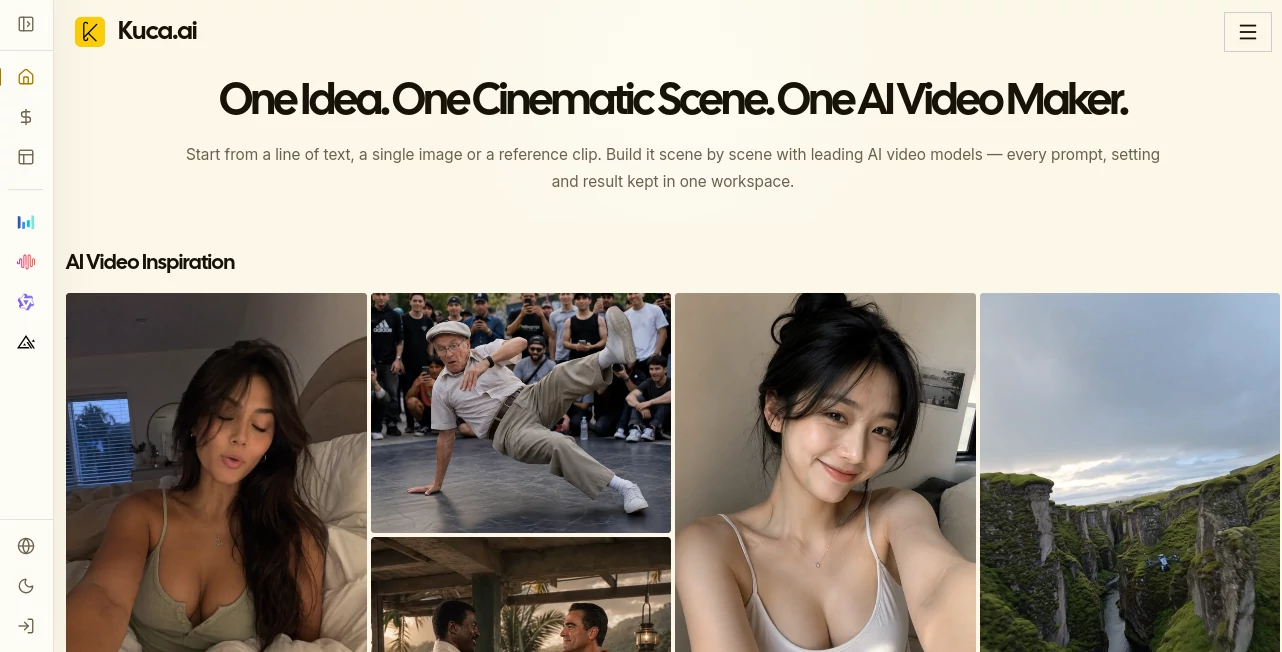
Turning a simple idea into a convincing video can quickly become complicated when every generation model lives in a different platform. Kuca AI takes a more practical approach by bringing multiple AI video models into one workspace, allowing creators to move from an idea, image, or reference clip to a finished scene without constantly switching tools.
The platform is designed around cinematic production rather than quick one-off experiments. Users can create videos from text, animate still images, work with reference material, control aspects such as duration and resolution, and keep prompts, settings, and previous generations organized in one place.
What makes the workflow particularly appealing is the freedom to choose a model for each shot. A creator working on a short film might need stronger reference control for one scene, native audio for another, and inexpensive experimentation for a third. Having those options inside the same workspace makes the creative process considerably easier to manage.
Key Features
- Text-to-video generation for cinematic scenes and creative concepts.
- Image-to-video generation for turning still images into moving scenes.
- Reference-based workflows for greater control over characters, compositions, and visual direction.
- Access to multiple leading video generation models from one workspace.
- Camera and motion direction through prompts and supported model controls.
- First-frame and last-frame workflows on supported models.
- Audio generation on compatible video models.
- Resolution options that can reach 4K on selected models.
- Generation history for reviewing, reusing, and recreating previous work.
- Downloadable generated videos and images.
- Image generation and image editing capabilities alongside video creation.
- Credit-based generation with different costs depending on the selected model and settings.
User Interface
The interface is built around the idea of keeping the production process together. Instead of jumping between separate services to test different models, users can select a model, choose its available generation mode, provide a prompt or reference, adjust the relevant settings, and review the result from the same environment.
The workflow is straightforward: add a prompt or image, select the appropriate model and mode, configure the shot, then generate and review it. Generation history also makes the workspace useful for projects that require several rounds of experimentation rather than a single finished clip.
Accuracy & Performance
Video quality naturally depends on the model, prompt, duration, resolution, and other settings selected for a generation. The advantage here is that creators are not locked into one generation system. They can compare different models and choose the result that better matches the visual requirements of a particular shot.
For example, one model may be preferable when reference consistency matters, while another can be more suitable for longer scenes or native audio. The platform exposes the supported controls for each workflow, helping users make that decision before spending credits.
Capabilities
The platform covers a broad range of creative workflows, from cinematic scenes and short dramas to social media clips, advertisements, product videos, music visuals, educational content, and real-estate presentations.
Its image-to-video workflow is especially useful for marketers and product creators. A finished product image can become the starting point for a moving commercial, while character references and approved frames can help establish a consistent visual direction before animation begins.
Creators can also work with several prominent video models, including Seedance, Veo, Kling, Wan, Grok Imagine, Hailuo, Runway, HappyHorse, and Gemini Omni workflows. Supported modes vary by model, which makes the selection process more purposeful than simply choosing a single generator for every project.
Security & Privacy
Privacy is built into the available account and generation workflow. Paid plans provide private, watermark-free generation, while the platform also keeps completed and previous generations organized through creation history. Users should still review the applicable platform and model terms before uploading confidential material or using generated content commercially, particularly when third-party models are involved.
Use Cases
- YouTube: Create B-roll, introductions, cinematic scenes, and visual sequences for longer-form content.
- TikTok and Reels: Produce vertical social videos and experiment with different visual hooks.
- Faceless Channels: Build visual stories without appearing on camera.
- Ecommerce: Turn product images into animated showcases and promotional clips.
- Advertising: Test different concepts, camera movements, hooks, and visual treatments before selecting a final direction.
- Film and Previsualization: Explore characters, locations, compositions, and scene ideas before production.
- Education: Turn lesson concepts and scripts into visual explanations and story-driven clips.
- Real Estate: Animate property images and architectural concepts with controlled camera movement.
- Agencies and Freelancers: Keep different client projects, prompts, references, and generated results organized in one workspace.
Pros and Cons
Pros
- Multiple AI video models available in one workspace.
- Supports both text-to-video and image-to-video workflows.
- Useful reference controls for more directed visual creation.
- Generation history makes iterative production easier.
- Selected models support high-resolution output and native audio.
- Offers a free plan for trying image and video generation.
- Useful for both individual creators and professional content workflows.
Cons
- Generation costs vary considerably between models and settings.
- Some advanced controls are available only with particular models.
- Generation speed can vary depending on the selected model and provider demand.
- Commercial usage requirements may differ according to the underlying model and source material.
Pricing Plans
The pricing structure uses credits, with free, subscription, and annual options available. The free plan costs $0 and allows users to try image and video generation, access multiple models, download results, view creation history, and generate privately without a watermark.
The Starter plan is listed at an average of $8.30 per month when billed annually and provides 200 credits each month. The Standard plan is listed at $30 per month when billed annually and includes 1,800 monthly credits. The Premium plan is listed at $49.90 per month when billed annually and provides 4,000 monthly credits.
Annual billing offers lower effective monthly rates, while generation costs depend on the selected model and configuration. For example, some video workflows start from only a few credits, while higher-end configurations require substantially more. This makes the credit system flexible for users who want to choose between quick experimentation and higher-fidelity production.
How to Use the AI Video Maker
- Add a text prompt describing the scene, upload a starting image, or provide supported reference media.
- Select the video model that best fits the desired result.
- Choose the available generation mode, such as text-to-video or image-to-video.
- Adjust options such as duration, aspect ratio, resolution, audio, and other model-specific controls.
- Generate the video and review the result in the creation history.
- Reuse a successful prompt or setup, try another model, or create an alternative version.
- Download the finished result when the scene is ready.
Comparison with Similar Tools
Many AI video services focus primarily on their own generation model. This platform takes a different route by acting as a multi-model creative workspace. Instead of committing to one engine for an entire project, creators can compare different generation approaches and select the one that fits each individual shot.
This can be particularly valuable for creators who regularly work with different visual styles. A filmmaker may prioritize reference control and cinematic detail, while an ecommerce marketer may care more about inexpensive iterations and product consistency. Having several model families available makes the workflow more adaptable than a single-model setup.
The generation history is another practical distinction. Rather than treating every result as an isolated experiment, users can revisit prompts and settings, recreate drafts, retry generations, and continue refining a project over time.
Conclusion
For creators who want more than a basic prompt-to-video generator, this platform offers a compelling production environment. Its strongest point is the combination of multiple generation models, reference-driven workflows, image creation, video generation, and organized project history.
The result feels closer to a creative studio than a simple AI demo. Whether the goal is a short social clip, a product advertisement, a cinematic sequence, or early visual development for a larger project, having different models and production controls available in one place can save considerable time.
For anyone experimenting seriously with AI-generated video, the free plan provides an accessible way to explore the workflow before committing to a larger credit package.
Frequently Asked Questions (FAQ)
What is this AI video maker?
It is a multi-model creative workspace for generating cinematic videos, social content, advertisements, product videos, short dramas, and other visual projects from text, images, and supported reference media.
Can I create a video from an image?
Yes. Image-to-video generation is supported, allowing a still image, product frame, character portrait, or other visual starting point to be animated into a video.
Which AI video models are available?
Available workflows include models such as Seedance, Veo, Kling, Wan, Grok Imagine, Hailuo, Runway, HappyHorse, and Gemini Omni. The exact modes and controls depend on the selected model.
Is there a free plan?
Yes. The free plan costs $0 and includes image and video generation, multiple models, downloads, creation history, watermark-free results, and private generation.
Can I use generated videos commercially?
The platform is intended for professional creators, filmmakers, marketers, and businesses. However, commercial usage rights can depend on the selected model, source material, and account terms, so users should check the applicable terms before publishing commercial work.
How are video generations charged?
Generations use credits. The number of credits required depends on the selected model, generation mode, duration, resolution, and other settings. The required credit amount is shown before submitting a generation.
Can I compare different AI video models?
Yes. One of the main advantages is the ability to work with multiple models in the same workspace and choose a different generation approach when a particular model does not produce the desired result.
AI Photo & Image Generator , AI Image to Video , AI Video Generator , AI Video to Video .
These classifications represent its core capabilities and areas of application. For related tools, explore the linked categories above.

Kuca.ai Alternatives Product

Seedance 2.5…

sulphur 2
soro2

Nano Banana …

Mediagen

Kling 5.0

VideoLens

Image2

Subclip