


















Layers
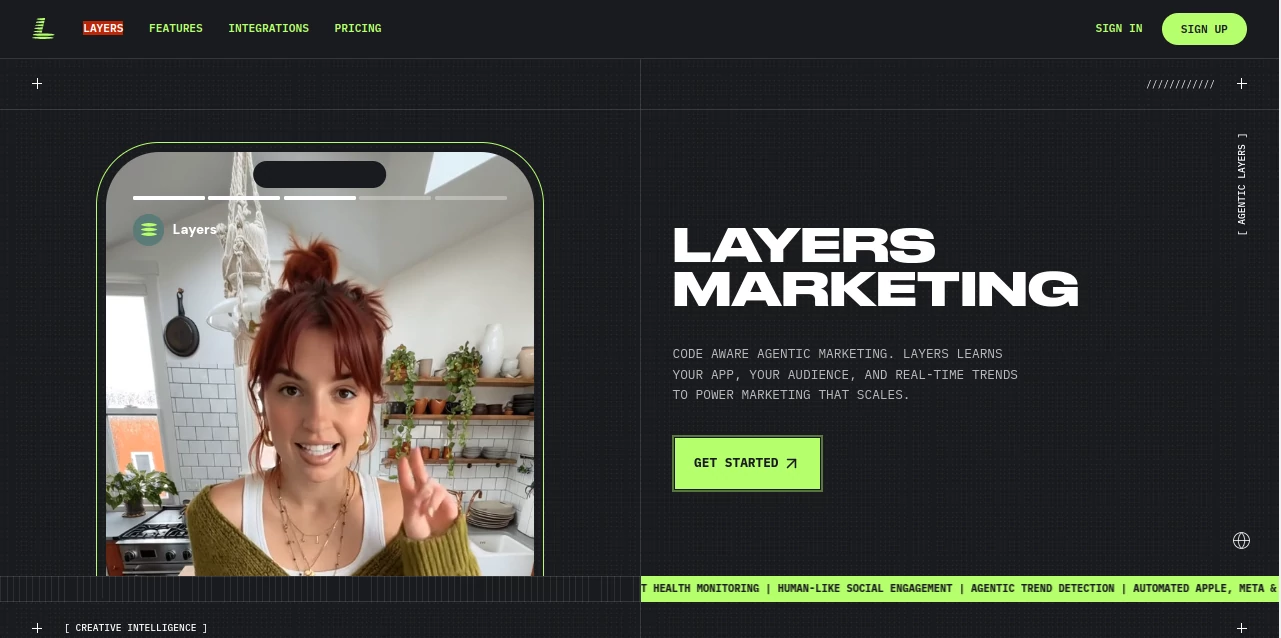
What is Layers?
Design work today is rarely a solo journey. Teams move fast, ideas evolve constantly, and feedback needs to happen in real time. This platform was built exactly for that kind of workflow—where designers, product teams, and collaborators can come together in one shared space without the usual friction of scattered files and endless back-and-forth messages.
Instead of juggling multiple tools for design, review, and communication, everything is brought into a unified environment. The result is a smoother creative process where ideas can be tested, refined, and approved without breaking the flow of work.
Key Features
User Interface
The interface is clean, modern, and intentionally minimal. It removes unnecessary distractions so users can focus entirely on the creative process. Navigation feels intuitive, even for first-time users, which helps teams onboard quickly without long training sessions.
Accuracy & Performance
Performance is responsive and stable, even when handling complex design files and collaborative edits. Real-time syncing ensures that every team member sees updates instantly, reducing miscommunication and version conflicts.
Capabilities
This tool supports collaborative design workflows, feedback loops, and structured iteration. Teams can comment directly on designs, organize assets efficiently, and manage project stages without switching between multiple platforms.
- Real-time collaboration across teams
- Centralized design workspace
- Instant feedback and commenting system
- Organized asset and version management
- Seamless workflow integration
Security & Privacy
Security is treated as a core foundation. Projects and assets are protected with modern encryption standards, ensuring that sensitive design work remains secure. Access control features allow teams to define exactly who can view or edit content.
Use Cases
- UI/UX design collaboration for product teams
- Rapid prototyping and iteration cycles
- Design review sessions with stakeholders
- Creative brainstorming and visual planning
- Remote team design coordination
Pros and Cons
Pros
- Streamlined collaborative workflow
- Easy-to-use interface for beginners and professionals
- Strong real-time synchronization
- Reduces dependency on multiple tools
Cons
- May require adaptation for users used to traditional design software
- Advanced customization options may feel limited for power users
Pricing Plans
The platform typically offers flexible pricing options depending on team size and feature requirements. Users can usually start with a trial or limited free access, then upgrade to premium plans for advanced collaboration features and larger team support.
How to Use It
Getting started is straightforward. After creating an account, users can set up a workspace, invite team members, and begin uploading or creating design projects. From there, collaboration happens in real time—comments, edits, and suggestions appear instantly, making the workflow dynamic and interactive.
Most teams begin by organizing their first project, defining roles, and establishing feedback routines. Within a short time, the platform becomes the central hub for all design-related communication and iteration.
Comparison with Similar Tools
Compared to traditional design software that focuses mainly on individual creation, this platform emphasizes teamwork and live collaboration. While other tools may offer strong design capabilities, they often rely on external communication apps for feedback. Here, everything happens in one place, reducing context switching and improving productivity.
Conclusion
For teams looking to simplify their design workflow and improve collaboration, this platform offers a refreshing approach. It combines clarity, speed, and teamwork into a single environment that feels natural to use. Whether you're working on early-stage ideas or refining final product designs, it helps keep everyone aligned and moving forward together.
Frequently Asked Questions (FAQ)
- Is it suitable for beginners?
Yes, the interface is simple enough for beginners while still powerful for professionals. - Can teams work together in real time?
Yes, collaboration happens live with instant updates and shared visibility. - Does it replace traditional design tools?
It complements and in many cases replaces multiple tools by combining design and collaboration in one place. - Is it cloud-based?
Yes, it is designed for online access and team synchronization.
AI Design Assistant , AI Productivity Tools , AI Team Collaboration , AI Graphic Design .
These classifications represent its core capabilities and areas of application. For related tools, explore the linked categories above.

Layers Alternatives Product

photo to URL

Linkflare
Arobis AI Vi…
Speechara

Playyy AI

eesel AI

IMAGE 2

TrySchedule

GameClick.io
