
Lingera
What is Lingera?
AI conversations have become part of everyday work. A useful research idea might start in one chatbot, a coding solution in another, and a detailed discussion somewhere else. The problem is that valuable information quickly becomes scattered across different conversation histories.
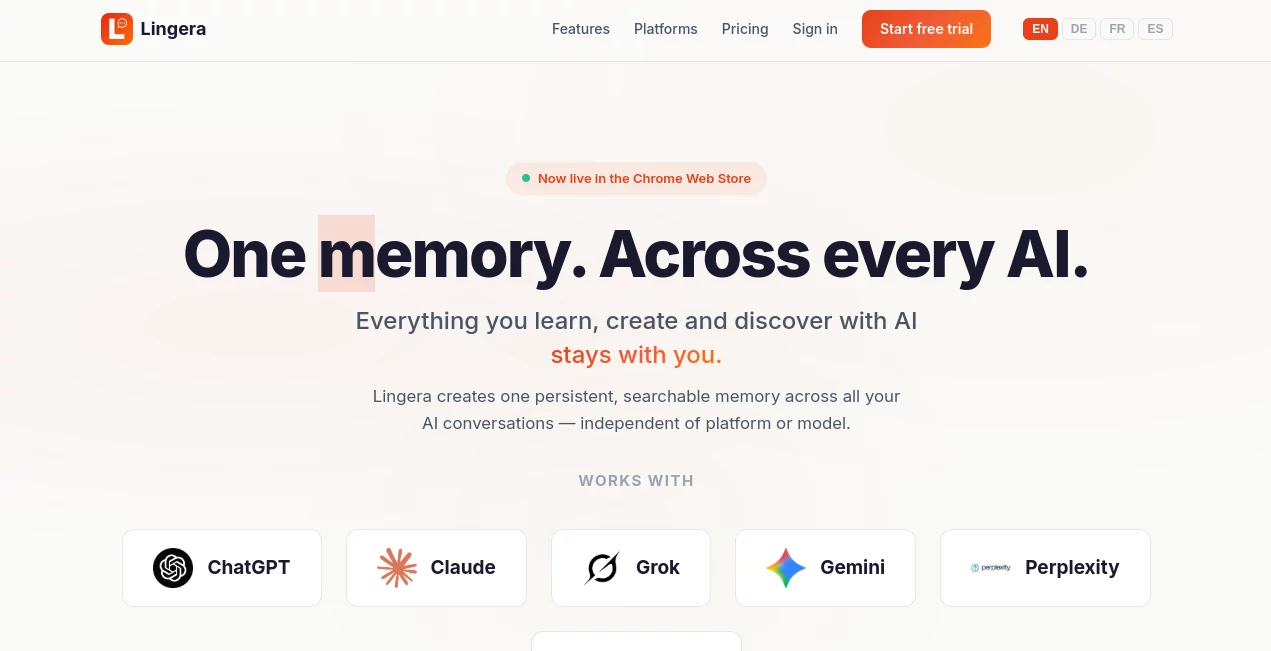
Lingera brings those conversations together into one persistent, searchable personal AI memory. Instead of exporting chats, downloading files, and moving information between services, users can save an AI conversation with a single click and find it later from a central archive.
The service currently works across six major AI platforms, including ChatGPT, Claude, Grok, Gemini, Perplexity, and DeepSeek. This makes it particularly useful for people who regularly switch between different AI assistants during research, development, content creation, or daily business work.
Key Features
- One-Click Capture: Save an AI conversation directly from a supported platform without manually copying and pasting the entire discussion.
- Cross-Platform Memory: Keep conversations from multiple AI services inside one searchable archive.
- Instant Search: Use full-text and semantic search to locate previous discussions, ideas, prompts, or useful answers.
- Highlights and Notes: Mark important passages and add personal notes and tags for better organization.
- AI Insights: Explore themes across saved conversations and identify patterns in previous research and thinking.
- Cloud Sync and Local Storage: The premium plan includes both cloud synchronization and local storage options.
- Export: Saved information can be exported in JSON and Markdown formats.
User Interface
The workflow is intentionally simple. The capture process takes place through a Chrome extension on a desktop or laptop, where a conversation can be saved with one click. Once captured, the extension is no longer required for browsing the archive.
The web dashboard can be accessed from a browser on a desktop, tablet, or phone. This separation between capturing and accessing information makes the experience practical for users who work across multiple devices.
Accuracy & Performance
Search is one of the most useful parts of the experience because the archive supports both full-text and semantic search. That means users can look for an exact phrase or search for an idea without necessarily remembering the original wording.
The platform also monitors its supported integrations automatically. Its website reports daily health checks across six platforms, with checks performed every 24 hours and an average reported fix time of less than four hours when changes are detected.
Capabilities
The main strength is not simply storing conversations. It is turning scattered AI discussions into a reusable knowledge archive. A researcher can save an important investigation, a developer can keep a valuable debugging conversation, and a marketer can preserve useful campaign research without maintaining separate archives for every AI service.
Highlights, notes, tags, semantic search, insights, and export options give the archive more structure than an ordinary chat history. For someone who uses several AI assistants throughout the week, this can make previously forgotten information much easier to reuse.
Security & Privacy
Privacy matters when an application is designed to preserve personal AI conversations. The service provides a dedicated privacy policy and offers cloud synchronization alongside local storage in its premium offering. Users who regularly work with sensitive conversations should review the current privacy documentation before deciding what information to save.
The availability of local storage is also useful for people who prefer to maintain greater control over their archived information rather than relying exclusively on a cloud-based workflow.
Use Cases
- Research: Save long research conversations and quickly return to useful findings months later.
- Software Development: Preserve coding solutions, debugging discussions, architecture ideas, and technical explanations.
- Content Creation: Keep useful brainstorming sessions, writing prompts, research notes, and content strategies in one place.
- Marketing: Store campaign research, customer insights, competitor analysis, and content planning conversations.
- Business Work: Build a searchable archive of AI-assisted meetings, planning sessions, ideas, and operational discussions.
- Students and Learners: Keep explanations, study sessions, research material, and useful learning conversations available for later review.
- Multi-AI Users: Maintain one archive even when switching between several AI assistants for different tasks.
Pros and Cons
Pros
- One-click conversation capture.
- Works across six major AI platforms.
- Full-text and semantic search.
- Highlights, notes, and tags for organization.
- AI-powered insights across the conversation archive.
- Accessible from different browsers and devices after capture.
- JSON and Markdown export options.
- 14-day free trial with all features included.
Cons
- The capture workflow requires the Chrome extension on desktop or laptop.
- The service is primarily useful for people who regularly use multiple AI platforms.
- The premium subscription may be unnecessary for users who rarely need to preserve AI conversations.
- Users handling highly sensitive information should carefully review the privacy policy before archiving it.
Pricing Plans
There is currently one paid plan. The premium subscription costs €8 per month and includes unlimited conversations, access across all six supported AI platforms, cloud synchronization, local storage, tags and organization, semantic AI search, JSON and Markdown export, the web dashboard, and future updates.
New users can try the complete feature set for 14 days without charge. The trial does not require a credit card and can be cancelled at any time.
How to Use It
- Install the Chrome extension: Add the extension to a desktop or laptop browser.
- Open a supported AI platform: Start or revisit the conversation you want to preserve.
- Capture the conversation: Click the available capture button to save the discussion.
- Open the archive: Use the web dashboard from any browser or device.
- Search your memory: Find previous conversations using full-text or semantic search.
- Organize important information: Add highlights, notes, and tags to valuable sections.
- Export when needed: Download selected information in JSON or Markdown format.
Comparison with Similar Tools
Traditional AI chat histories are usually separated by platform. If someone uses several assistants, finding an old answer can mean remembering which service was used and searching through a long conversation list. Manual archiving solves the problem, but it often involves copying text, exporting conversations, downloading files, and importing them somewhere else.
This approach is different because the central idea is persistent memory across AI platforms. The one-click capture workflow reduces the amount of manual organization required, while semantic search, highlights, notes, tags, and cross-platform access make the resulting archive more useful than a simple folder of exported conversations.
For users who mainly work with one AI assistant and rarely need to revisit old conversations, a dedicated cross-platform archive may offer limited additional value. For heavy AI users who move between several platforms every day, however, the difference can be substantial.
Conclusion
Keeping useful AI conversations should not require a complicated personal filing system. This service takes a straightforward approach: capture important conversations once, keep them in a persistent archive, and make them searchable whenever they are needed again.
The combination of one-click capture, cross-platform support, semantic search, highlights, notes, AI insights, and export tools makes it a compelling option for people who increasingly depend on AI for research and professional work.
The 14-day full-feature trial is a practical way to test whether the workflow fits your habits. If your AI usage is spread across several platforms and you often find yourself thinking, “I know I discussed this with an AI before, but where was it?”, this kind of persistent AI memory can be a genuinely useful addition to your workflow.
Frequently Asked Questions (FAQ)
What does this service do?
It creates a persistent, searchable archive for conversations made with supported AI platforms, allowing users to save, search, organize, highlight, and revisit useful AI discussions.
Which AI platforms are supported?
The current supported platforms include ChatGPT, Claude, Grok, Gemini, Perplexity, and DeepSeek.
Do I need a Chrome extension?
The Chrome extension is required for capturing conversations on a desktop or laptop. Once conversations have been saved, the archive can be accessed through a browser on other devices without the extension.
Can I search old AI conversations?
Yes. The archive provides both full-text and semantic search, making it possible to find information by exact wording or by the underlying idea.
Can I organize saved conversations?
Yes. Users can highlight important passages and add notes and tags to organize their saved information.
Can conversations be exported?
Yes. The premium plan provides export in JSON and Markdown formats.
Is there a free trial?
Yes. The premium plan includes a 14-day free trial with all features and no credit card requirement during the trial period.
How much does the premium plan cost?
The current premium plan costs €8 per month after the 14-day trial.
AI Knowledge Management , AI Productivity Tools , AI Notes Assistant .
These classifications represent its core capabilities and areas of application. For related tools, explore the linked categories above.

Lingera Alternatives Product

Caspian

Glanced

Wild and Fre…

GenPPT AI

Meet Submind

MindSnapz
AnyToURL

Oasis

IdeaHunter