Lyzr AI
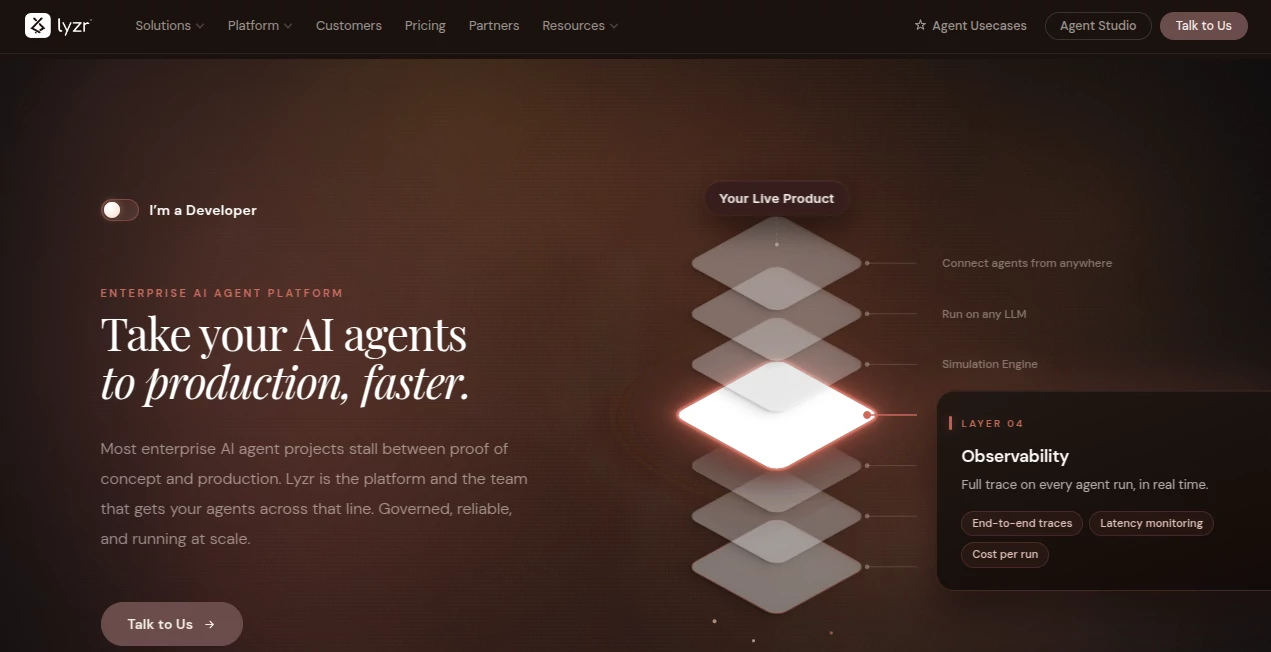
What is Lyzr AI?
Modern businesses are no longer satisfied with simple automation. They want systems that can think, decide, and execute multi-step tasks without constant human supervision. This platform enters exactly at that point, offering a structured way to create autonomous AI agents that can handle real operational work.
Instead of relying on fragmented tools or manual prompt engineering, users are given a more organized environment where intelligent agents can be designed, connected to data sources, and deployed into business workflows. The result is a shift from “AI as a helper” to “AI as an active worker.”
Key Features
User Interface
The interface is designed to feel more like a builder than a chatbot. Users can visually configure agents, define tasks, and connect tools without needing deep technical expertise. Even complex workflows become easier to manage through structured components.
Accuracy & Performance
Performance is centered around task execution rather than simple responses. Agents are able to break down instructions into steps, retrieve relevant data, and follow logical sequences. This improves consistency in multi-step operations compared to single-prompt tools.
Capabilities
- Creation of autonomous AI agents for business tasks
- Workflow automation across multiple tools and APIs
- Data-driven decision execution within defined boundaries
- Integration with external systems and services
- Scalable deployment for teams and enterprises
Security & Privacy
Enterprise-focused design principles are applied to ensure data handling remains controlled. Permissions, access layers, and structured execution help reduce risks when agents interact with sensitive business information.
Use Cases
- Automating customer support workflows with intelligent decision paths
- Generating research summaries from multiple data sources
- Handling internal operations like reporting and task coordination
- Assisting development teams with repetitive engineering tasks
- Building AI-driven business assistants for daily operations
Pros and Cons
Pros
- Strong focus on real workflow automation
- Flexible agent-based architecture
- Suitable for both technical and non-technical users
- Scalable for enterprise environments
Cons
- May require learning curve for beginners
- Advanced features can feel complex at first
- Best value appears in structured business environments rather than casual use
Pricing Plans
The pricing structure typically follows a tiered model, offering entry-level access for small teams and more advanced capabilities for enterprise users. Higher tiers generally unlock greater automation depth, integrations, and scalability options.
How to Use This Platform
Getting started usually begins by defining the task you want an AI agent to perform. From there, you configure the workflow steps, connect necessary data sources or tools, and set execution rules. Once deployed, the agent can operate independently within its defined scope.
A practical approach is to start small—such as automating a single repetitive task—and gradually expand into multi-step workflows as you become familiar with the system.
Comparison with Similar Tools
Compared to basic AI chat interfaces, this solution focuses more on structured execution and automation. While many tools stop at generating responses, this platform pushes further by enabling agents to take actions across systems.
In contrast to traditional automation tools, it introduces more flexibility through AI reasoning, allowing workflows to adapt dynamically instead of following rigid rules.
Conclusion
This platform represents a shift toward operational AI—systems that don’t just respond, but actively perform tasks. For teams looking to reduce manual workload and build intelligent automation into their processes, it offers a compelling and forward-looking solution.
Frequently Asked Questions (FAQ)
Is it suitable for non-technical users?
Yes, although there is a learning curve, the visual structure makes it accessible for users without deep programming knowledge.
Can it integrate with other tools?
Yes, it is designed to connect with external systems and APIs to extend functionality across workflows.
What makes it different from a chatbot?
Instead of only responding to prompts, it focuses on executing multi-step tasks and workflows autonomously.
Is it useful for enterprise teams?
Yes, it is particularly strong in structured business environments where automation and scalability are important.
Does it require coding?
Not necessarily. Many workflows can be built visually, though technical users can extend functionality further.
AI Developer Tools , AI App Builder , AI Productivity Tools , AI Workflow Management .
These classifications represent its core capabilities and areas of application. For related tools, explore the linked categories above.

Lyzr AI Alternatives Product

Lovable APP

Where Is Thi…
AI Wire

freellm.net

Chatref

Free Email V…

GPT Image 2 …
Denoisr

eesel AI