
Magazine Maker
What is Magazine Maker?
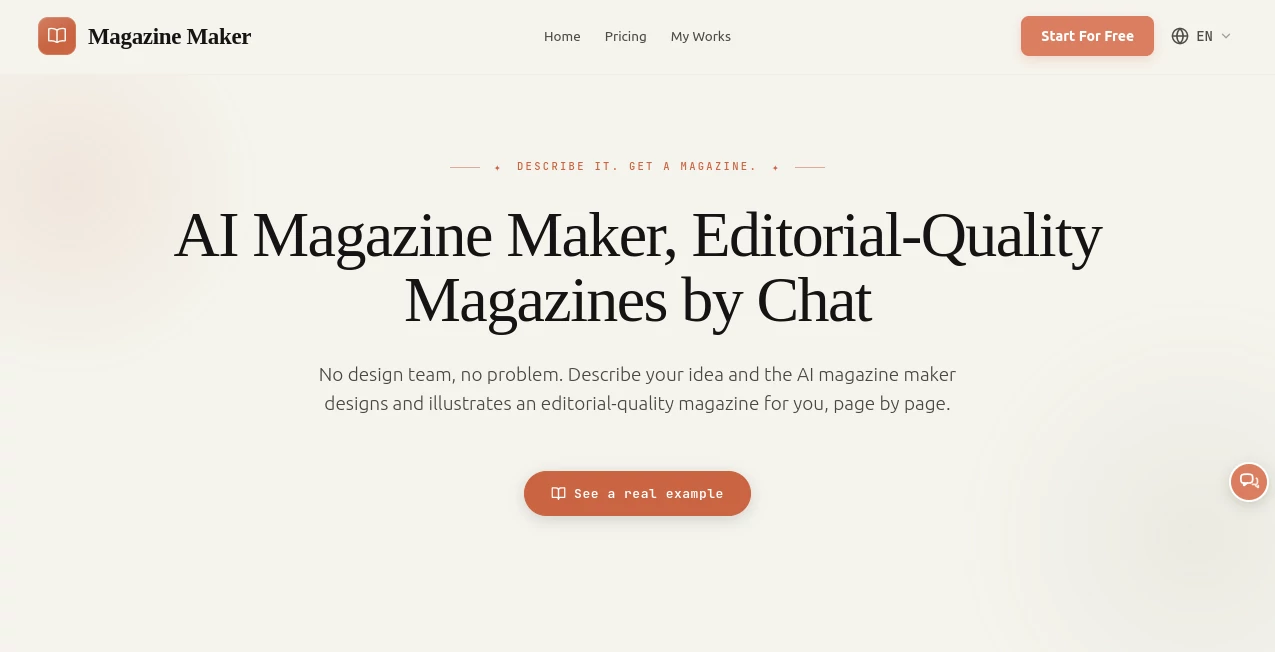
Magazine Maker makes the process of creating a polished magazine feel surprisingly simple. Instead of opening a blank design canvas and spending hours arranging text boxes, images, typography, and page layouts, you can start with an idea, existing content, a URL, or a file and let the platform build the magazine page by page.
The approach is particularly useful for people who have something worth publishing but do not have a dedicated design team. A school project, company report, product launch, travel issue, hobby magazine, or personal collection can be turned into a structured publication without requiring professional layout experience.
What makes the experience interesting is that the platform is designed around a finished editorial concept rather than a collection of individual templates. You choose a visual direction, review the proposed outline, and then refine the generated pages until the result feels right.
Key Features
- AI-assisted magazine creation from an idea, article, URL, or uploaded file.
- Page-by-page editorial layout with a consistent visual style.
- Automatically designed magazine covers and illustrated pages.
- Support for personal logos, photographs, and other supplied materials.
- Chat-based editing as well as direct visual editing.
- Online digital magazine publishing with a shareable link.
- Print-ready PDF export in A4 format.
- Free credits for new users with additional credits available over time.
User Interface
The interface is built around a fairly straightforward workflow. Rather than forcing users to learn a complex desktop publishing application, the experience begins with describing what they want to create. The platform then asks about elements such as the intended audience and style before preparing a page-by-page outline.
Once the outline is ready, users can review it and select a visual style. A live preview makes it possible to see how the publication is taking shape before committing to the final version. This is a practical approach for beginners because the creative process starts with the content and concept rather than technical layout work.
There is also room for hands-on control. Pages can be adjusted using natural-language instructions or through the visual editor, where elements can be moved, resized, or replaced.
Accuracy & Performance
One of the more useful details for people working with their own material is the platform's handling of supplied content. When users provide their own text or data, the service states that it keeps the original words and figures rather than rewriting or inventing information. The main role of the AI is to handle design, illustration, and layout.
That distinction makes the tool more suitable for reports, educational material, company information, and other publications where preserving the source material matters. Users can also review individual pages and make changes before publishing, giving them an opportunity to catch anything that needs adjustment.
The workflow is designed to move quickly from concept to finished publication. Instead of manually constructing every spread, the initial magazine is generated as a complete design and then refined where necessary.
Capabilities
The platform covers considerably more than basic magazine templates. It can create a complete visual system for a publication, including the cover, page layouts, typography, imagery, and supporting illustrations.
Users can begin with a simple topic or bring existing material into the project. Articles, data, URLs, files, logos, and photographs can all become part of the finished publication. Each page can receive a fitting photograph or AI-generated image, which helps avoid the usual process of searching through stock-image libraries for every spread.
The output can then be used in two ways. A publication can be shared online as a digital magazine, or exported as a print-ready PDF. This makes the same project useful for both web publishing and physical distribution.
Security & Privacy
When working with business reports, unpublished articles, school material, or personal projects, it is sensible to review the platform's privacy policy and terms before uploading sensitive information. The service provides dedicated privacy, refund, terms of service, and acceptable-use policy pages, giving users a place to review how the platform operates before committing important material.
For ordinary magazine projects, users can also keep control over their content throughout the creation process. The ability to edit individual pages after generation is useful when a publication contains information that needs a final human review.
Use Cases
There are plenty of situations where this type of workflow can save substantial design time. A marketing team could turn a product launch or company report into a branded publication by adding its logo, photographs, and preferred visual direction. A small business could create a customer magazine without hiring a designer for every issue.
Schools and student groups can use it for class projects, school-year publications, literary collections, or student magazines. Because the layout work is largely automated, students can spend more time on the actual content rather than learning professional publishing software.
It is also a good fit for independent creators. A travel enthusiast could build a destination issue, while someone interested in a particular hobby or fandom could turn a collection of articles and images into a personal magazine. The same idea works for portfolios, event publications, community projects, and promotional material.
Pros and Cons
- Pros: Very low barrier to entry, AI-generated page layouts, cohesive visual styles, automatic illustrations, support for personal content and branding, chat-based editing, visual editing controls, online publishing, and print-ready PDF export.
- Pros: Free credits allow new users to experiment and preview a publication before paying.
- Pros: The same magazine can be prepared for digital sharing or print, which is convenient for publishers who need both formats.
- Cons: Users looking for complete manual control over every design decision may still prefer traditional publishing software.
- Cons: AI-generated layouts and imagery may still require human review, particularly for professional publications where visual details and content accuracy are important.
- Cons: More extensive generation and editing can consume credits, so frequent publishers need to consider their usage requirements.
Pricing Plans
The service uses a credit-based model alongside monthly and yearly subscription options. New users receive free credits when they sign up, with additional credits provided daily, allowing people to create and preview magazines before making a payment. A credit card is not required to get started.
Credits are consumed when pages are generated or edited. The pricing area offers monthly and yearly options, with the yearly option advertised as saving 55%, as well as separate credit-pack options. Since the exact cost and available credit amounts can change, users should check the current plan selection before purchasing.
How to Use Magazine Maker
- Start with a magazine idea or bring your existing material into the project.
- Paste your text, add a URL or file, and upload relevant logos or photographs.
- Provide information about your audience and preferred style.
- Review the page-by-page outline created for the publication.
- Select a visual style for the magazine.
- Preview the generated cover and individual pages.
- Refine pages using natural-language instructions or the visual editor.
- Publish the finished magazine online or export it as a print-ready PDF.
Comparison with Similar Tools
Traditional design platforms such as Canva and Adobe Express give users a flexible canvas where they assemble the publication themselves. That can be an advantage when precise manual control is the priority, but it also means the user is responsible for much of the layout process.
Digital publishing services such as Issuu and Flipsnack are primarily useful when a finished PDF or publication is already available and needs to be presented as an online flipbook. They solve a different part of the publishing process.
This platform takes a more automated route. Instead of beginning with a blank canvas or an already completed PDF, the user can start with an idea or existing content and receive a designed, illustrated magazine as the starting point. That makes it particularly appealing to users who want the result of a professional layout process without spending the same amount of time manually building every spread.
Conclusion
Magazine Maker is an appealing option for anyone who wants to produce a polished publication without becoming a specialist in magazine design. Its biggest strength is the way it combines content, layout, imagery, and publishing into one workflow.
The experience is especially compelling when the goal is to turn existing information into something that looks ready for an audience. A company report can become a branded magazine, a school project can become a finished publication, and a collection of personal ideas can become something worth sharing or printing.
It is not necessarily a replacement for a professional designer when every visual detail needs to be controlled manually. For everyone else, however, the ability to start with an idea, receive a complete editorial-style design, make targeted adjustments, and finish with either a digital publication or print-ready PDF makes it a practical addition to the modern publishing toolkit.
Frequently Asked Questions (FAQ)
Is Magazine Maker free to use?
Yes. New users receive free credits when they sign up, along with additional daily credits. This allows users to experiment with magazine creation and preview their pages before paying.
Can I create a magazine from my own content?
Yes. You can start with your own text, data, URL, or file. Logos and photographs can also be uploaded and incorporated into the publication.
Can I edit a magazine after it has been generated?
Yes. Individual pages can be changed using natural-language instructions or through the visual editor. Elements can be moved, resized, or replaced directly.
Can I export my magazine for printing?
Yes. Finished publications can be exported as print-ready PDFs at full A4 resolution.
Can I publish the magazine online?
Yes. A completed publication can be published as an online digital magazine with a public sharing link, and it can also be presented in a full-screen format.
Do I need design experience?
No. The platform handles the main layout, typography, illustrations, and cover design. Users mainly provide the idea or content, choose a style, and refine the result.
Can I use my own logo and photos?
Yes. You can upload your own logo, photographs, and other content so the finished magazine can reflect your brand or personal identity instead of relying entirely on generic material.
Does it rewrite my original content?
The service states that when users provide their own text or data, the original words and figures are preserved. The AI focuses on design, illustration, and layout, while users remain in control of the content.
What formats can I create?
The finished project can be published as an online digital magazine or exported as a print-ready PDF, allowing one publication to serve both digital and physical publishing needs.
What makes it different from traditional magazine editors?
Traditional editors generally give you a blank canvas or templates and expect you to build the publication yourself. This approach starts by generating a complete editorial-style magazine from your idea or content, after which you can refine individual pages.
AI Presentation Generator , AI Graphic Design .
These classifications represent its core capabilities and areas of application. For related tools, explore the linked categories above.
Magazine Maker details
Website unavailable — View Alternatives
Pricing
- Freemium
Apps
- Web App
Categories

Magazine Maker Alternatives Product

MeltFlex AI

Manus

Face Shape D…

Ai logo maker

MakeBanner.ai

Designmd.fun

Twistly

SciDraw AI

Pixora