
MarketFoundry Workspace
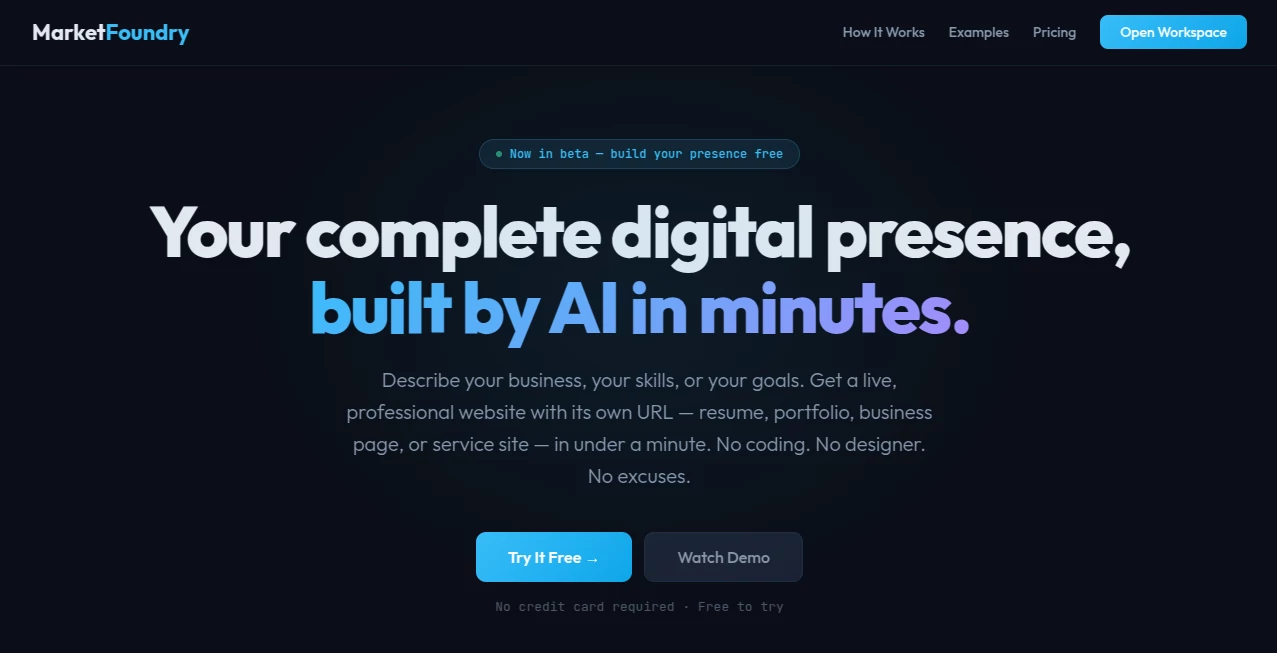
What is MarketFoundry Workspace?
Building a professional online presence used to require web designers, developers, and plenty of time. This platform changes that experience by allowing anyone to describe an idea in plain language and receive a live, fully hosted website within minutes. Whether the goal is launching a business, creating a portfolio, publishing a resume, or developing a landing page, the entire process is streamlined into a simple conversation.
The platform also supports document uploads, making it possible to transform resumes, PDFs, spreadsheets, and other files into interactive web experiences. Every generated project is optimized for mobile devices, includes SEO-friendly structure, and receives a shareable URL immediately after creation. This combination of speed, simplicity, and practical functionality makes it an attractive solution for entrepreneurs, freelancers, creators, and professionals who want results without technical complexity.
Key Features
User Interface
The interface is intentionally designed around natural conversation. Instead of navigating complicated menus, users simply describe what they want to build. Files such as resumes, PDFs, or images can be uploaded to accelerate the creation process, making the experience accessible even for beginners with no design or coding background.
Accuracy & Performance
Projects are generated quickly while maintaining professional layouts and organized content. Websites are responsive, structured for search engines, and ready to publish immediately. Users can continue refining the generated pages through additional prompts instead of rebuilding everything from scratch.
Capabilities
- Create professional business websites.
- Generate portfolio websites from resumes.
- Build landing pages for local businesses.
- Create freelance service pages with booking information.
- Generate SEO-ready page structures automatically.
- Transform PDFs into interactive websites.
- Create dashboards from uploaded spreadsheets.
- Develop budgeting and tracking tools.
- Generate marketing pages for products and services.
- Provide instant live hosting with a shareable URL.
Security & Privacy
Projects remain connected to individual workspaces, allowing users to manage and update their content whenever necessary. Uploaded documents are used during the generation process, while personal projects remain associated with the user's account for future editing and management.
Use Cases
- Launching a startup website in minutes.
- Creating an online resume for job applications.
- Building a freelancer portfolio.
- Publishing service business landing pages.
- Generating marketing websites for small businesses.
- Creating customer booking pages.
- Turning financial spreadsheets into dashboards.
- Building interactive business tools without coding.
- Creating SEO-friendly pages for local businesses.
- Rapidly testing new business ideas online.
Pros and Cons
Pros
- Very easy to use with natural language prompts.
- No coding knowledge required.
- Live websites are generated in minutes.
- Supports PDF and document uploads.
- Mobile-friendly website generation.
- SEO-ready page structure.
- Instant hosting with shareable URLs.
- Useful for individuals and businesses alike.
Cons
- Advanced customization may require additional editing.
- Some premium capabilities are available only in paid plans.
- Internet connection is required for project generation.
Pricing Plans
A free plan allows users to experiment with several AI-generated projects and includes one hosted project with file uploads. Paid subscriptions unlock unlimited builds, unlimited projects, custom subdomains, image uploads, and priority support. Monthly, annual, and founding member options are available for users who need greater flexibility and higher usage limits.
How to Use MarketFoundry
Start by creating a workspace and describing the website, tool, or page you want to build. Optionally upload documents, resumes, images, or spreadsheets to provide additional context. The AI generates a complete live project with its own URL. Review the result, continue refining it through follow-up prompts, and publish or share it immediately with employers, clients, or customers.
Comparison with Similar Tools
Unlike traditional website builders that rely on templates and manual editing, this platform focuses on conversational creation. Instead of dragging components onto a page, users simply explain their goals and receive a finished result. Compared with many AI website generators, it also extends beyond websites by supporting dashboards, budgeting tools, document conversion, and business utilities generated from uploaded files. This broader approach makes it useful not only for web creation but also for productivity and business workflows.
Conclusion
This solution successfully combines AI-assisted website creation, document processing, and business productivity into a single workspace. Its conversational workflow removes technical barriers while still producing polished, responsive, and SEO-friendly websites that are ready to share almost immediately. Whether someone is launching a new business, applying for jobs, showcasing a portfolio, or experimenting with a new idea, the platform offers a practical and remarkably fast way to establish a professional online presence.
Frequently Asked Questions (FAQ)
Can beginners use this platform?
Yes. Everything is designed for users without coding or design experience.
Can I upload my resume or PDF?
Yes. Documents such as resumes, PDFs, and images can be uploaded to help generate websites and other projects.
Does every project receive its own URL?
Yes. Generated projects are published with their own live shareable URL.
Can I edit projects after they are generated?
Yes. Users can continue refining projects by sending additional prompts inside the workspace.
Is there a free version?
Yes. A free plan is available for users who want to test the platform before upgrading to paid subscriptions.
AI Landing Page Builder , AI Website Builder , AI Documents Assistant , AI Productivity Tools .
These classifications represent its core capabilities and areas of application. For related tools, explore the linked categories above.
MarketFoundry Workspace details
Website unavailable — View Alternatives
Pricing
- Free
Apps
- Web App
Categories

MarketFoundry Workspace Alternatives Product

Flitz AI

Nano Banana

Weekly Brief

heicpdf.to

Duct Tape AI…

BulkPicTools

Receipt AI

ApplyBtn

Lynote