MedOS
What is MedOS?
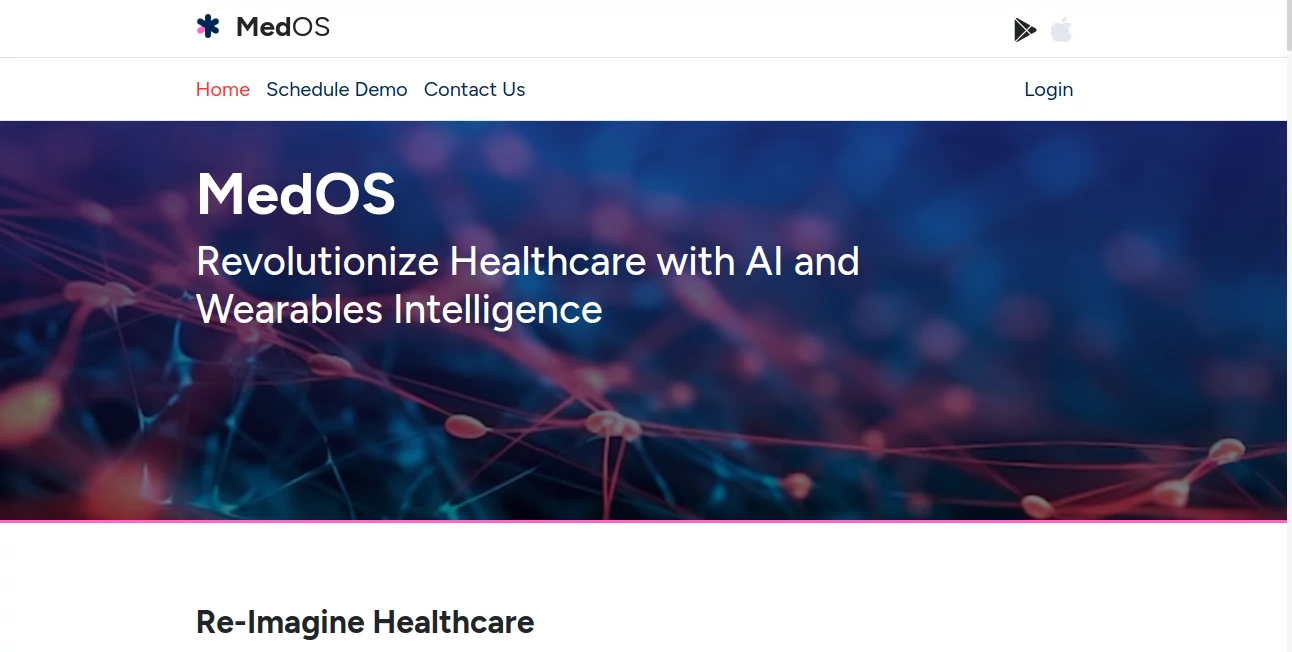
Managing a healthcare practice involves much more than scheduling appointments. From handling patient records to reducing no-shows and processing payments, every task demands time and accuracy. This all-in-one platform was created to simplify those responsibilities by bringing essential clinic operations together in a single workspace.
Designed for solo practitioners, multi-specialty clinics, and hospitals, the system replaces fragmented workflows with an organized digital environment. Online appointment booking, automated reminders, secure teleconsultations, patient record management, billing, and communication are seamlessly connected, helping medical teams spend less time on administration and more time delivering quality care.
Its modern approach to healthcare management makes daily operations smoother while improving the overall patient experience. Whether a practice serves local patients or international visitors, the platform adapts to different practice sizes without adding unnecessary complexity.
Key Features
User Interface
The dashboard is thoughtfully organized with an intuitive layout that minimizes the learning curve. Healthcare providers can access calendars, patient histories, appointments, payments, and staff management from one centralized interface. Multiple scheduling views help clinics organize busy workloads with ease.
Accuracy & Performance
Real-time appointment synchronization prevents double bookings while automated reminders significantly reduce missed visits. Digital patient records remain searchable within seconds, enabling healthcare professionals to retrieve information quickly during consultations and improving operational efficiency.
Capabilities
- 24/7 online appointment booking
- Integrated patient management system
- Electronic medical records
- Automated WhatsApp, SMS, and email reminders
- Secure HD video consultations
- Digital invoicing and payment processing
- Session package management
- Multi-location clinic support
- Cross-border consultation support with multiple currencies
- Patient queue management
- Staff scheduling and availability management
- Lead tracking and follow-up automation
Security & Privacy
Patient confidentiality is a priority. Encrypted video consultations, secure payment processing, and protected patient information help healthcare providers maintain trust while supporting modern data security standards. Sensitive payment information is processed securely without being stored directly on the platform's servers.
Use Cases
- Private medical practices
- Dental clinics
- Mental health professionals
- Physiotherapy centers
- Dermatology clinics
- Pediatric practices
- Alternative medicine clinics
- Multi-specialty hospitals
- Healthcare providers offering telemedicine
- Clinics serving international patients
Pros and Cons
Pros
- Comprehensive clinic management in one platform
- Simple online booking experience for patients
- Excellent automation for reminders and follow-ups
- Supports virtual consultations
- Integrated payment and invoicing tools
- Scales from individual doctors to hospitals
- Reduces administrative workload
Cons
- Mainly focused on healthcare organizations
- Some advanced features may require initial configuration
- New users may need time to fully utilize every module
Pricing Plans
A free 14-day trial is available without requiring a credit card, allowing healthcare providers to explore the platform before committing. Paid plans are designed for professional practices with pricing based on operational requirements and clinic size.
How to Use MedOS
Start by creating a clinic account and configuring doctors, consultation hours, and available services. Import or add patient records, customize appointment availability, and activate the online booking widget. Once scheduling is live, automated reminders, digital invoices, teleconsultations, and patient communications can all be managed from the central dashboard, streamlining everyday operations with minimal manual effort.
Comparison with Similar Tools
Unlike many healthcare management solutions that concentrate on a single function such as appointment booking or patient records, this platform combines scheduling, communication, payments, video consultations, CRM functionality, patient management, and automation into one connected ecosystem. This integrated approach reduces the need for multiple software subscriptions while improving workflow consistency across the entire practice.
Conclusion
Modern healthcare practices need technology that supports both medical professionals and patients without creating additional complexity. This platform delivers a balanced combination of scheduling, communication, digital records, payments, and telemedicine in one reliable environment.
Its thoughtful automation, clean interface, and comprehensive practice management capabilities make it an excellent solution for clinics looking to improve efficiency, reduce administrative burdens, and provide a smoother patient experience from booking to follow-up.
Frequently Asked Questions (FAQ)
Who is this platform designed for?
It is suitable for solo doctors, clinics, healthcare centers, and multi-location hospitals across various medical specialties.
Does it support online appointments?
Yes. Patients can book appointments online at any time and receive automatic confirmations and reminders.
Can healthcare providers conduct virtual consultations?
Yes. Secure HD video consultations are included, allowing patients to join directly without installing additional applications.
Does the system manage patient records?
Yes. It centralizes patient histories, treatments, prescriptions, and visit information for quick access.
Is there a free trial?
Yes. New users can explore the platform through a 14-day free trial before selecting a paid plan.
AI Workflow Management , AI Scheduling , AI Healthcare , AI Customer Service Assistant .
These classifications represent its core capabilities and areas of application. For related tools, explore the linked categories above.
MedOS details
Website unavailable — View Alternatives
Pricing
- Free
Apps
- Web App
- iOS App
- Android App
Categories

MedOS Alternatives Product

Chatbots AI

MindSnapz
KronoPrompt

AllInOneTools

Stinglo

Oasis

ChatFlowchart

TrySchedule

broop