


















Monaro
What is Monaro?
Mechanical estimating can become a serious bottleneck when every bid starts with hours of reading drawings, finding equipment, counting symbols, and transferring information into spreadsheets. Monaro is designed to remove much of that repetitive work by turning PDF construction drawings into structured equipment takeoffs that are ready for the quoting process.
The platform is built specifically around HVAC, plumbing, sheet metal, fire protection, MEP estimating, and mechanical distribution workflows. Instead of treating a drawing as a collection of pages, it interprets the building structure, extracts equipment information, and organizes quantities in a way that fits the distributor bid desk.
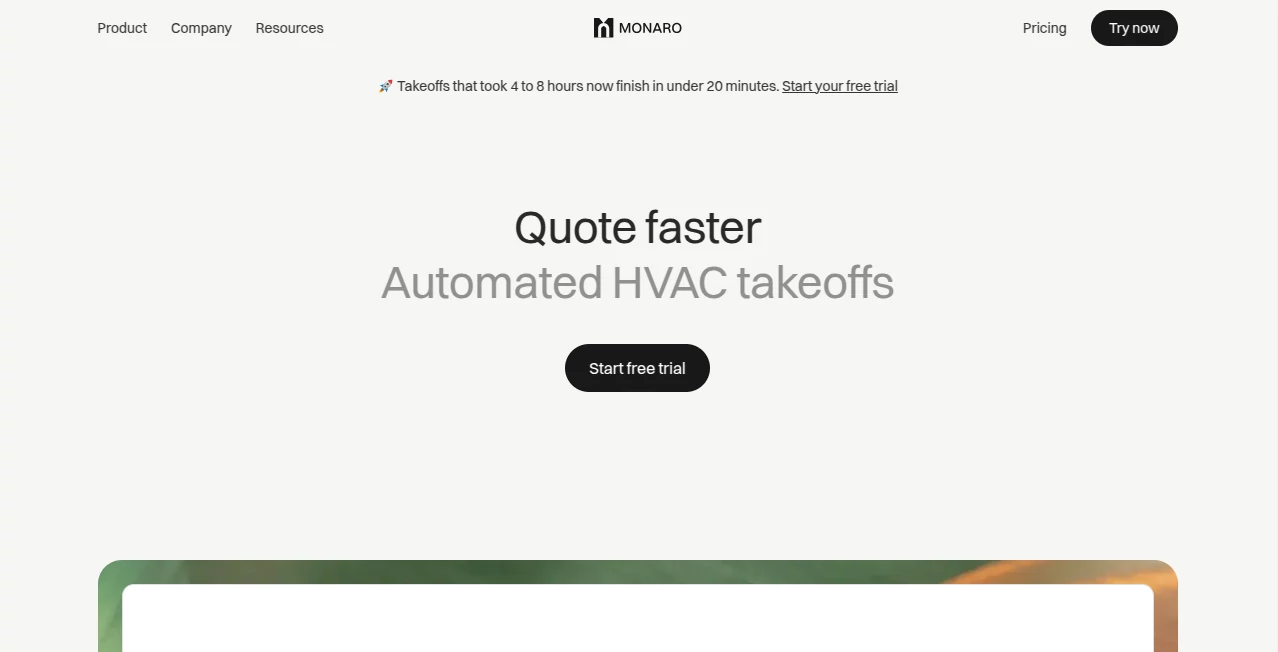
For teams that regularly deal with commercial mechanical drawings, the difference can be substantial. A manual takeoff that may require four to eight hours can be completed in under 20 minutes, giving coordinators more time to review opportunities, work with suppliers, and get quotes back to contractors.
Key Features
- Automated quantity takeoffs from PDF construction drawings
- Equipment schedule extraction with model numbers and specifications
- Automatic counting of diffusers, grilles, fans, fixtures, boilers, pumps, and other terminal equipment
- Floor-by-floor symbol detection and quantity organization
- Callout matching between schedules and floor plans
- Structured takeoff data ready for quoting
- Supplier RFQ management and pricing comparison
- Quote formatting with margins and branded output
- Submittal package support
- ERP synchronization for finalized orders on supported plans
User Interface
The interface is centered around the actual estimating workflow rather than a collection of disconnected AI features. Users can upload a drawing set, let the system process the documents, review detected equipment, and move the resulting information toward pricing and quoting.
One particularly useful design choice is the treatment of uncertain detections. Instead of hiding questionable results, the system surfaces them for review. That gives an estimator a quick opportunity to make a decision while keeping human judgment in the process.
The quoting side is also designed to keep important information together. Supplier pricing can be viewed alongside takeoff information, allowing users to work through pricing and margins without constantly switching between PDFs, spreadsheets, email conversations, and separate quoting tools.
Accuracy & Performance
Performance is one of the strongest reasons to consider automated takeoffs. The platform states that typical manual takeoffs taking four to eight hours can be reduced to less than 20 minutes. Its technology combines AI models with custom OCR and construction-drawing processing for schedule extraction, symbol detection, and callout recognition.
The company also reports a 95% takeoff accuracy rate across mechanical drawings and says customers have achieved significant reductions in estimating labor. These figures should be viewed as product-reported results rather than a guarantee for every drawing set, especially when plans contain unusual symbols, poor scans, or ambiguous information.
Rather than expecting automation to eliminate every review step, the workflow highlights uncertain items so an estimator can verify them. That approach is practical for construction work, where a small interpretation error can affect an entire quote.
Capabilities
The system can process mechanical drawing sets and identify relevant sheets, including floor plans, equipment schedules, legends, and detail sheets. It extracts scheduled equipment information and connects that information with symbols found throughout the plans.
Its focus on terminal equipment is particularly important for distributors. The workflow is designed around items such as diffusers, grilles, louvers, fans, fixtures, boilers, pumps, and similar equipment rather than trying to reproduce a contractor's complete labor and installation estimate.
Once the takeoff is prepared, the information can flow into supplier requests, quote preparation, and submittal work. This creates a more connected process from the original drawing to the customer-facing quote.
Security & Privacy
Security is treated as an important part of the platform because users may upload construction drawings, equipment information, supplier pricing, and customer-related quote data. The service states that data is encrypted both in transit and at rest using AES-256 encryption.
Authentication options include Google or Microsoft single sign-on with multi-factor authentication inherited from the identity provider, as well as email magic links. Paid plans can also enforce organization-level two-factor authentication.
Project files, takeoffs, pricing, and quotes are isolated by organization. The company states that customer content is not shared and that customers retain control over access, permissions, retention, and their business data.
Use Cases
HVAC distributors: Commercial HVAC distributors can use automated takeoffs to identify equipment quantities before preparing supplier requests and customer quotes.
Mechanical estimating teams: Estimators handling large drawing sets can reduce the amount of time spent manually counting symbols and transferring schedule information.
MEP teams: Teams working across mechanical disciplines can use structured drawing data to organize equipment information before moving into pricing and quoting.
High-volume bid desks: When several opportunities arrive close together, faster takeoffs can help coordinators respond to more bids without immediately expanding the estimating team.
Supplier quoting workflows: Teams can use the extracted equipment list as the starting point for RFQs, compare supplier responses, apply margins, and prepare customer-facing quotes.
Pros and Cons
Pros
- Purpose-built for mechanical and HVAC distribution workflows
- Can reduce hours of manual drawing work to minutes
- Extracts schedules and counts equipment automatically
- Flags uncertain detections for human verification
- Connects takeoffs with RFQs and quoting
- Supports unlimited users on listed plans
- Enterprise plans can support multiple locations and ERP synchronization
- Published pricing and a free trial make initial evaluation straightforward
Cons
- The product is highly specialized rather than a general-purpose estimating platform
- Pricing may be substantial for very small teams with limited bid volume
- AI-generated takeoffs still benefit from estimator review, particularly when drawings contain ambiguous details
- Some advanced integrations and multi-location capabilities are reserved for higher-tier plans
Pricing Plans
The available plans are structured around project volume and business locations rather than charging separately for each user. The Starter plan is listed at $399 per month and includes up to 10 projects, with additional projects charged separately. It supports a single location and unlimited users.
The Branch plan is listed at $799 per month and includes up to 25 projects, with a lower additional-project rate. It adds quoting workflows and priority support while retaining unlimited users and a single location.
Enterprise pricing is customized for organizations that need higher project volumes, multiple locations, direct ERP synchronization, and commercial intelligence features. A free trial is available, allowing teams to evaluate the workflow before committing to a subscription.
How to Use the Tool
- Upload a PDF mechanical drawing set from the project you are quoting.
- Allow the system to classify the drawings and identify relevant mechanical sheets.
- Let the AI extract equipment schedules, model information, specifications, and quantities.
- Review detected equipment and check any items that have been flagged as uncertain.
- Use the structured takeoff as the foundation for supplier RFQs and pricing.
- Compare supplier pricing and apply your required margins.
- Prepare the customer quote and supporting submittal information.
- Send the finished quote and synchronize finalized order information with the ERP when the relevant integration is available.
Comparison with Similar Tools
Many construction estimating products are designed primarily for contractors who need to calculate complete project costs, including labor, installation, routing, and other construction expenses. This platform takes a different approach by focusing on the equipment supply side of the process.
That distinction matters for distributors. Instead of forcing a bid desk into a contractor-oriented estimating model, the workflow concentrates on reading drawings, identifying terminal equipment, requesting supplier pricing, preparing quotes, and assembling submittals.
The result is a more specialized solution for organizations whose main challenge is turning mechanical drawings into accurate equipment quotes quickly. For a contractor looking for full installed-cost estimating, a broader construction estimating platform may still be more appropriate.
Conclusion
Automating mechanical takeoffs makes sense when estimating teams repeatedly spend valuable hours doing the same counting and data-entry work. This platform takes a focused approach, combining drawing analysis, equipment extraction, quantity counting, supplier pricing, quoting, and downstream workflow management in one environment.
Its strongest advantage is specialization. Rather than presenting itself as another general AI assistant, it is built around the practical needs of mechanical and HVAC distributors. The ability to process drawings quickly, surface uncertain items for review, and carry structured takeoff information into quoting can make a meaningful difference for busy bid desks.
For organizations handling regular commercial HVAC or mechanical bids, the free trial provides a sensible way to test the workflow against real project drawings and determine whether the time savings justify the subscription.
Frequently Asked Questions (FAQ)
What type of companies is this platform designed for?
It is primarily designed for HVAC and mechanical distributors, while also supporting workflows involving plumbing, sheet metal, fire protection, MEP estimating, and related mechanical trades.
Can it read PDF construction drawings?
Yes. Users can upload PDF drawing sets, after which the system analyzes relevant sheets, extracts equipment schedules, and detects mechanical symbols across floor plans.
What equipment can it count?
The platform focuses on terminal-level mechanical equipment, including diffusers, grilles, louvers, fans, fixtures, boilers, pumps, and other equipment commonly supplied by mechanical distributors.
Does it completely replace an estimator?
No. The automation handles repetitive drawing analysis and counting, while users remain responsible for reviewing questionable detections and approving information before it becomes part of a quote.
How quickly can a takeoff be completed?
The company states that a manual takeoff that normally takes four to eight hours can be processed in under 20 minutes with its automated workflow. Actual processing time can vary depending on the drawing set.
Does it work with supplier RFQs?
Yes. The takeoff can feed into supplier pricing requests, allowing teams to request and compare supplier quotes as part of the broader quoting workflow.
Can it integrate with an existing ERP?
ERP synchronization is available as part of the Enterprise offering. Finalized quote and order information can be pushed into the existing ERP workflow to reduce duplicate data entry.
Is there a free trial?
Yes. A free trial is available so teams can evaluate the automated takeoff and quoting workflow before choosing a paid plan.
Is customer data protected?
The service states that customer data is encrypted in transit and at rest, isolated by organization, and protected through authentication and access controls.
Who would benefit most from using it?
It is particularly well suited to mechanical and HVAC distributors that process commercial drawing sets regularly and want to increase bid capacity without adding the same amount of manual estimating work.
AI Document Extraction , AI Documents Assistant , AI Productivity Tools , Business .
These classifications represent its core capabilities and areas of application. For related tools, explore the linked categories above.

Monaro Alternatives Product

hd image con…

PDFgear

Keepmind

Clearterms

Zamicus

CoolVerdict

Receipt AI

TopPDF

Flitz AI
