
















What is MP3 to Text Converter?
Converting spoken audio into readable text has become an essential part of modern digital workflows. Whether you are a student recording lectures, a journalist working with interviews, or a content creator repurposing audio, having a reliable transcription tool can save hours of manual work. This platform is designed to simplify that process by turning MP3 audio files into clean, readable text in just a few moments.
What makes it especially useful is its simplicity. There is no need for complex setup or technical knowledge. Users can upload their audio and receive structured text output that can be edited, copied, or used directly in their projects. It focuses on speed, ease of use, and practical accuracy, making it suitable for everyday transcription needs.
Key Features
User Interface
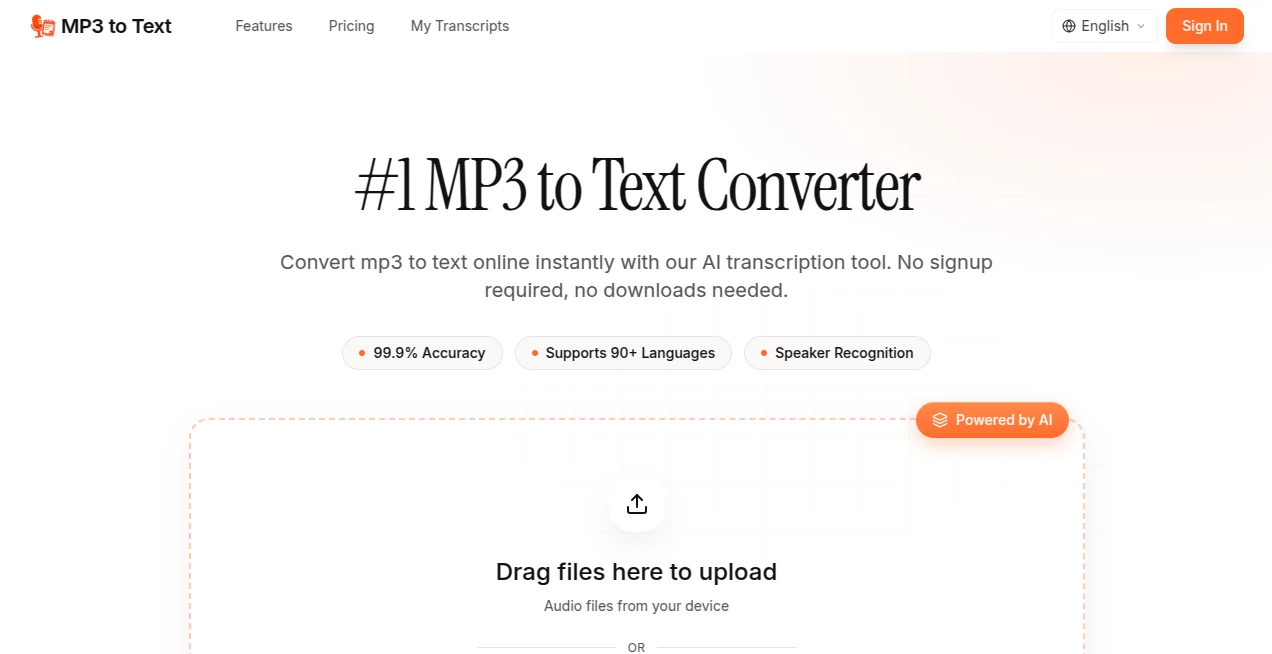
The interface is designed with clarity in mind. Everything is minimal, allowing users to focus on uploading their audio and receiving results without distractions. Even first-time users can navigate it effortlessly. Buttons, upload areas, and result displays are intuitive and responsive across devices.
Accuracy & Performance
The transcription engine is optimized to handle spoken language with a strong level of accuracy, especially in clear audio conditions. It can process recordings such as interviews, meetings, podcasts, and voice notes. While background noise or heavy accents may affect results, overall performance remains consistent for standard use cases.
Capabilities
This tool is built to handle a variety of audio inputs. It can process short voice clips as well as longer recordings. The output is structured in readable text format, making it easy to use for documentation, subtitles, notes, or content repurposing. It is particularly helpful for users who need quick transcription without installing software.
Security & Privacy
User privacy is an important aspect of any transcription service. Uploaded audio files are typically processed securely, and the system is designed to minimize unnecessary data retention. This makes it suitable for users who work with sensitive or private recordings.
Use Cases
- Transcribing business meetings into structured notes
- Converting interviews into written articles or scripts
- Helping students turn lectures into study material
- Creating subtitles for video content
- Repurposing podcast episodes into blog posts
Pros and Cons
Pros
- Simple and beginner-friendly interface
- No software installation required
- Fast processing for standard audio files
- Useful for a wide range of transcription tasks
- Works directly in the browser
Cons
- Accuracy may decrease with noisy recordings
- Limited advanced editing features
- Depends on internet connection
- May require manual corrections for complex speech
Pricing Plans
The service typically follows a flexible access model. Many users start with basic usage options, while more advanced or high-volume needs may require premium access. This structure allows casual users to benefit without commitment while offering scalability for professionals who rely heavily on transcription in their workflow.
How to Use This Tool
Getting started is straightforward. First, upload your MP3 file into the designated area. After uploading, the system begins processing the audio automatically. Within a short time, the converted text appears on the screen. Users can then review, copy, or download the output depending on their needs.
For best results, it is recommended to use clear audio recordings with minimal background noise. Speaking at a steady pace also improves transcription quality. Once processed, the text can be refined manually if needed.
Comparison with Similar Tools
Compared to traditional manual transcription, this platform dramatically reduces the time required to convert audio into text. While human transcription may offer higher precision in complex cases, automated solutions provide a much faster and more cost-effective alternative.
When compared to other online transcription tools, its main strength lies in simplicity and accessibility. Some platforms may offer advanced editing timelines or AI-powered summarization, but this tool focuses on doing one job efficiently: converting speech into readable text without unnecessary complexity.
Conclusion
For anyone dealing with audio content on a regular basis, this tool offers a practical and efficient solution. It removes the manual burden of typing everything out and provides a fast way to transform spoken words into usable text. While it may not replace professional human transcription in every scenario, it is more than sufficient for everyday tasks and productivity workflows.
Its balance of simplicity, speed, and accessibility makes it a valuable addition to any digital toolkit, especially for users who prioritize efficiency over complexity.
Frequently Asked Questions (FAQ)
Is the tool free to use?
It generally offers accessible usage options, with possible limitations depending on file size or volume of transcription required.
What types of audio files are supported?
It is primarily designed for MP3 files, but similar common audio formats may also be supported depending on system compatibility.
How accurate is the transcription?
Accuracy depends on audio clarity, speaker pronunciation, and background noise. Clear recordings produce the best results.
Can it be used for professional work?
Yes, it can be used for professional tasks such as interviews, meetings, and content creation, though manual review is recommended for critical documents.
Does it require installation?
No installation is needed. It works directly in the browser for quick and easy access.