

















Murf

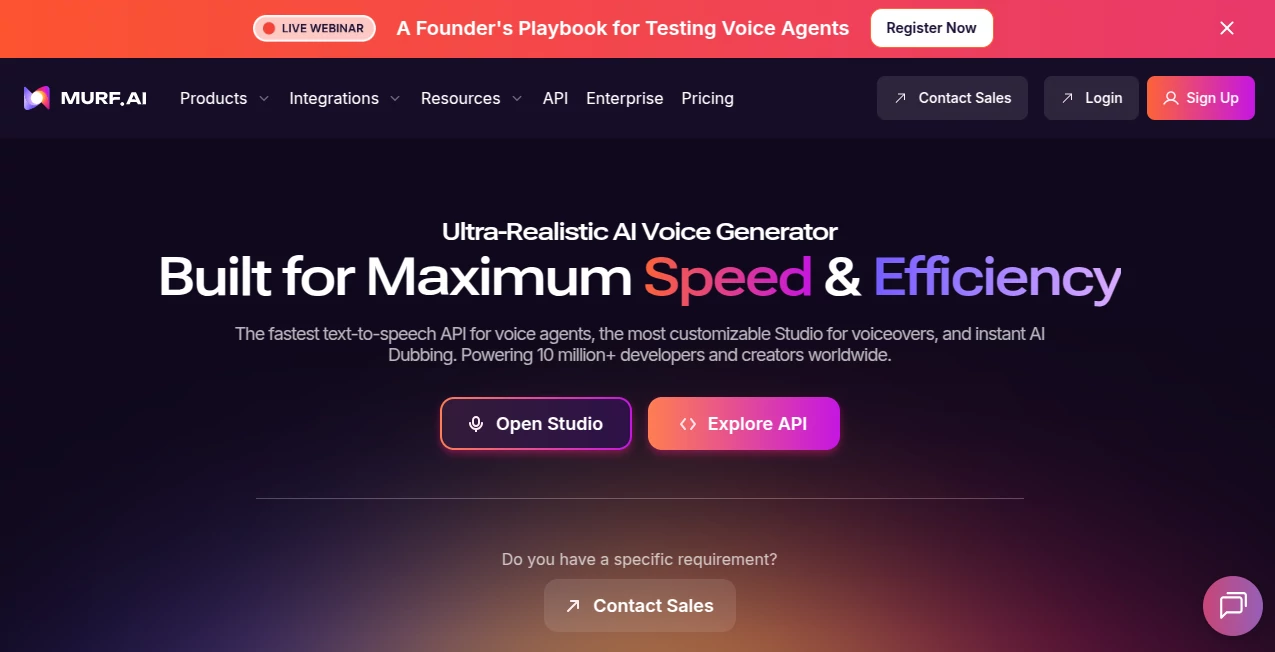
What is Murf?
I remember the first time I needed a professional voiceover for a training video. Hiring talent felt expensive and slow, while free tools sounded robotic and flat. Then I tried this platform, and the difference was night and day. Within minutes, I had a warm, natural-sounding narrator that could have fooled most listeners. It wasn’t just the voice quality — it was the emotion, the pacing, the tiny pauses that made it feel alive. Since then, I’ve used it for everything from explainer videos to podcast intros, and it consistently delivers results that make my projects sound more polished and professional.
Introduction
Creating high-quality voiceovers used to mean studio time, expensive talent, and tight deadlines. This tool changes the game by offering studio-grade AI voices that are expressive, customizable, and surprisingly human. With over 200 voices across 35+ languages, it gives creators, educators, marketers, and businesses the ability to produce narration, dubbing, and audio content at a fraction of the usual time and cost. What sets it apart is the attention to natural delivery — voices don’t just read words; they convey tone, emphasis, and feeling in ways that connect with listeners.
Key Features
User Interface
The editor feels intuitive from the first click. You paste your script, choose a voice, and start tweaking. The timeline lets you adjust pronunciation, speed, pitch, and emphasis with simple clicks. Preview any section instantly, and the clean layout keeps your focus on the content rather than fighting the tool. Even first-time users I’ve watched managed to create their first professional-sounding track in under ten minutes.
Accuracy & Performance
The voices consistently hit high marks for naturalness and pronunciation accuracy. They handle complex scripts with proper breathing, pauses, and emotional shifts that make the output feel recorded by a real person. Generation is fast, and the platform scales smoothly whether you’re creating one short clip or dozens of videos. In real projects, the results require very little post-editing, which saves enormous time.
Capabilities
Beyond basic text-to-speech, you get full voiceover studio features: multi-voice projects, background music layering, precise timing controls, AI dubbing for video localization, and integrations with tools like Canva, PowerPoint, and more. You can clone voices, create custom pronunciations, and export in multiple formats. The combination of creative control and speed makes it suitable for everything from quick social videos to full corporate training courses.
Security & Privacy
Enterprise-grade security standards (SOC 2, ISO 27001, GDPR, HIPAA) give businesses confidence when handling sensitive content. Your scripts and generated audio stay protected, with options for data residency across multiple regions. For teams working with client material or confidential information, that level of care matters.
Use Cases
Marketers create engaging explainer videos and product demos in multiple languages without scheduling talent. Educators turn lecture notes into natural-sounding audio lessons that students actually enjoy listening to. Podcasters generate intro segments or full episodes when guests aren’t available. Companies localize training materials across global teams while keeping the same warm tone. The flexibility makes it valuable for anyone who needs clear, professional audio content without the usual production headaches.
Pros and Cons
Pros:
- Voices sound remarkably natural with excellent emotional range.
- Full creative control over pacing, emphasis, and pronunciation.
- Fast generation and easy editing save significant time.
- Strong multilingual and dubbing capabilities for global reach.
- Integrations and export options fit smoothly into existing workflows.
Cons:
- Free tier has limited minutes, so heavier users upgrade quickly.
- Advanced voice cloning requires higher plans.
- Best results still benefit from well-written scripts.
Pricing Plans
It starts with a generous free plan for testing voices and creating short projects. Paid plans (Creator, Business, Enterprise) scale with your needs — more minutes, more voices, team features, and priority support. Many users find the investment pays for itself quickly through time saved and higher-quality output compared to traditional voiceover methods.
How to Use Murf
Sign up, go to the studio, paste or type your script, and choose a voice that fits your tone. Adjust pronunciation, emphasis, or speed as needed using the simple timeline tools. Add background music if desired, preview sections, then generate the full track. Export in your preferred format or integrate directly into video editing software. The process stays fast and iterative, letting you refine until it sounds just right.
Comparison with Similar Tools
While many text-to-speech tools sound robotic or require heavy post-production, this one delivers natural delivery and creative control that feels closer to working with real talent. The combination of voice quality, editing features, and multilingual support gives it an edge for professional use cases where other platforms fall short on emotion or consistency.
Conclusion
Voiceovers should enhance your message, not distract from it. This platform makes creating high-quality, natural-sounding audio accessible, fast, and genuinely enjoyable. Whether you’re producing content for business, education, marketing, or personal projects, it removes the traditional barriers and lets your ideas come through clearly. For anyone who needs their words to sound human, it’s become one of the most valuable tools available.
Frequently Asked Questions (FAQ)
How natural do the voices sound?
Extremely natural — many people can’t tell they’re AI-generated, especially with proper script writing.
Can I use it for commercial projects?
Yes, paid plans include full commercial rights for your generated audio.
How many languages are supported?
Over 35 languages with multiple voice options in most of them.
Do I need professional recording equipment?
No — everything is created in the browser using the AI voices.
Is there a free version?
Yes, with enough minutes to test voices and create short projects effectively.