


















Free Online Image Resizer Tool
What is Free Online Image Resizer Tool?
There's nothing more frustrating than spending time perfecting an image only to watch it turn blurry or pixelated the moment you resize it. This tool changes that experience completely. You upload a photo, choose your new dimensions, and get back a crisp, clean result that actually looks intentional. Whether you're prepping product shots for an online store or shrinking family pictures for social media, it keeps the details alive instead of sacrificing them. I've resized everything from high-res product photography to old scanned memories and been genuinely impressed at how much quality it preserves. It's one of those quiet tools that makes everyday digital life noticeably smoother.
Introduction
Most image resizers are blunt instruments—they stretch or squash pixels without much thought. This one feels more like a careful craftsman. It understands edges, textures, and important details, so the final image stays sharp and natural even after significant size changes. No more choosing between "small file" and "looks decent." It gives you both. For bloggers, shop owners, designers, and anyone who regularly works with visuals, it removes one of those tiny daily frustrations that add up over time. The best part? It does all this without forcing you to learn complicated software or spend money on subscriptions just to resize a few photos.
Key Features
User Interface
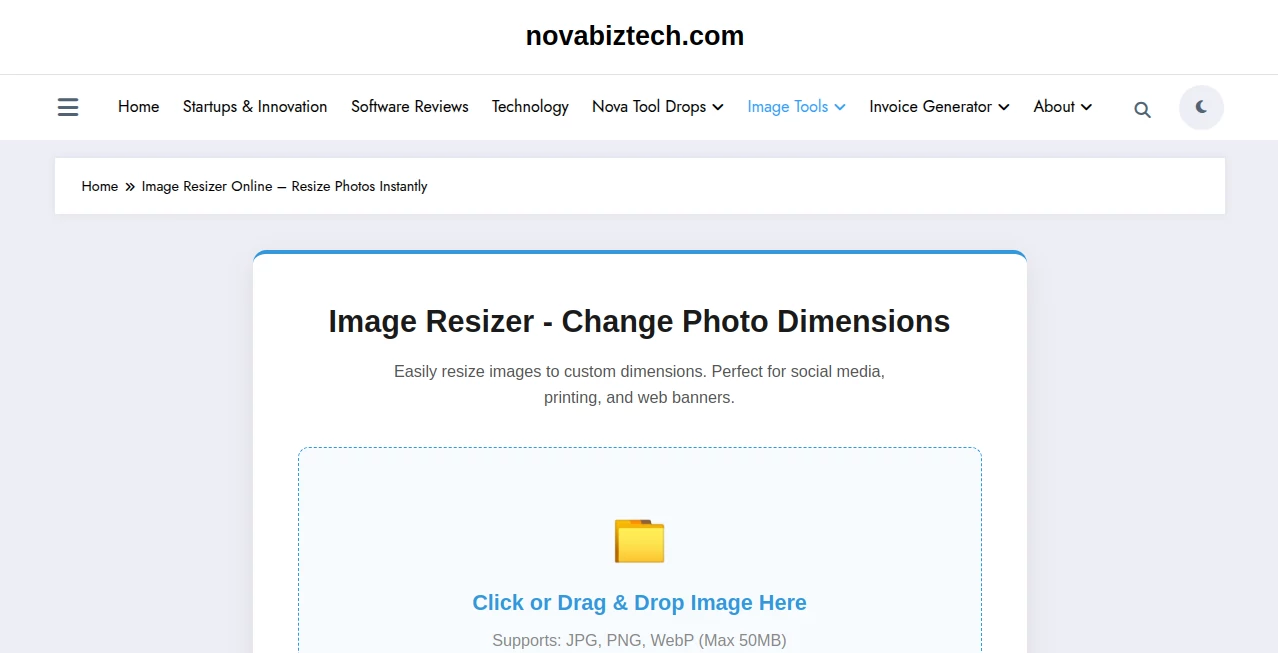
The design is wonderfully straightforward. A big, inviting upload area, clear input fields for width and height, and a few smart presets for common uses like social media, thumbnails, or print. You can lock aspect ratio with one click or freely adjust if you need to. Previews appear almost instantly so you can see the difference before committing. No clutter, no hidden menus—just a calm, efficient workspace that respects your time.
Accuracy & Performance
It excels at maintaining sharpness where it matters most. Fine details like hair strands, fabric texture, or text on product labels stay readable even after aggressive downsizing. Processing is fast—most images finish in just a couple of seconds—and it handles both small batches and larger files smoothly. The results consistently look better than what you get from basic phone editors or free online tools that tend to muddy things up.
Capabilities
Beyond basic resizing, it supports bulk processing so you can handle dozens of images at once, offers multiple output formats (JPG, PNG, WebP), and includes smart compression that reduces file size without visible quality loss. You can choose exact pixel dimensions, percentage scaling, or target file size. It also preserves transparency in PNGs and handles different color profiles intelligently. Whether you're optimizing for web speed or preparing files for professional printing, it adapts cleanly to the task.
Security & Privacy
Your images are processed securely and deleted from their servers shortly after download. No accounts are required for basic use, so you’re not building up a profile of your personal or client photos. For freelancers and small businesses handling sensitive client work, that simple, respectful approach is a real plus.
Use Cases
An Etsy seller resizes dozens of product photos to the perfect dimension for listings and notices better load times and higher conversion. A blogger quickly prepares hero images for different devices without losing that crisp first impression. A family archivist shrinks old scanned photos to shareable sizes while keeping enough detail for future generations to enjoy. A social media manager prepares a full week’s worth of visuals in one batch instead of fighting with each image individually. It fits anywhere you need visuals that look good and load fast.
Pros and Cons
Pros:
- Excellent quality preservation even at significant size reductions.
- Fast processing and bulk support save serious time.
- Smart compression options help with web performance.
- Simple enough for beginners, powerful enough for regular use.
- No forced account or heavy marketing during use.
Cons:
- Very extreme enlargements still have natural limits (physics, not magic).
- Advanced batch features and unlimited use require a paid plan.
Pricing Plans
The free tier is generous enough for regular personal and small business use—multiple high-quality resizes per day with no watermarks. Paid plans unlock unlimited processing, larger file support, priority speed, and batch tools for heavier workloads. Pricing stays reasonable and scales with actual need, which feels fair in a world full of bloated subscription models.
How to Use Image Resizer
Drag your image into the upload box or click to select from your computer. Enter your desired width and height (or pick a preset), decide whether to keep aspect ratio, and hit resize. Check the side-by-side preview to confirm quality, then download the optimized file. For multiple images, paid users can upload a batch and let it work through them all at once. The entire process usually takes less than thirty seconds per photo.
Comparison with Similar Tools
Many basic resizers sacrifice too much quality for speed or file size. This one consistently delivers sharper, more natural results while still being fast and easy. Where some tools force accounts or add watermarks even on paid tiers, this keeps things clean and respectful. It strikes a sweet spot between simplicity and real performance that most free and freemium options miss.
Conclusion
Good visuals shouldn’t come with technical headaches. This tool removes one of those small but constant annoyances and replaces it with reliable, high-quality results you can trust. Whether you’re a professional who resizes images daily or someone who just wants their memories to look their best online, it makes the process feel effortless and the outcome genuinely satisfying. In a world of bloated tools, sometimes the best ones are the ones that simply do their job exceptionally well.
Frequently Asked Questions (FAQ)
How much can I resize for free?
Multiple high-quality resizes per day—plenty for regular use and testing.
Will my images lose quality?
Not noticeably. It’s designed to preserve sharpness and detail far better than standard resizing.
Can I resize many photos at once?
Yes—bulk mode is available on paid plans for larger projects.
Does it support transparency?
Yes, PNG files with transparency are handled cleanly.
Is there a file size limit?
Free tier handles most common sizes; paid plans support much larger files.
AI Image to Video , Photo & Image Editor , AI Photo Enhancer , AI Design Generator .
These classifications represent its core capabilities and areas of application. For related tools, explore the linked categories above.
Free Online Image Resizer Tool details
Website unavailable — View Alternatives
Pricing
- Free
Apps
- Web App
Categories

Free Online Image Resizer Tool Alternatives Product

Grayscale Im…

imagen 5

Logo Teddy

Image to STL

Photo Retouch

uni-1

Square Image

VIGGLE

AI Interior …
