OpenArt
What is OpenArt?
I still remember the first time I needed a specific image for a project and spent hours tweaking prompts across different tools, only to get inconsistent results. Then I tried this platform and everything clicked. It brings together powerful image and video generation, character consistency, editing tools, and even audio in one clean space. You describe what you want, and it delivers with a level of control and quality that feels professional without being intimidating. Whether you're a designer, content creator, marketer, or just someone who loves making visuals, it turns ideas into polished assets faster than you’d expect.
Introduction
OpenArt has grown into a genuine creative companion for millions of people. Instead of juggling separate tools for images, video, characters, and editing, you get everything in one place with access to top models and smart workflows. The platform shines at helping you maintain consistent characters across scenes, create compelling video clips, and refine every detail until it feels exactly right. It’s built for both quick experiments and serious production work, making it especially valuable for those who create content regularly and need reliable, high-quality output without the usual headaches.
Key Features
User Interface
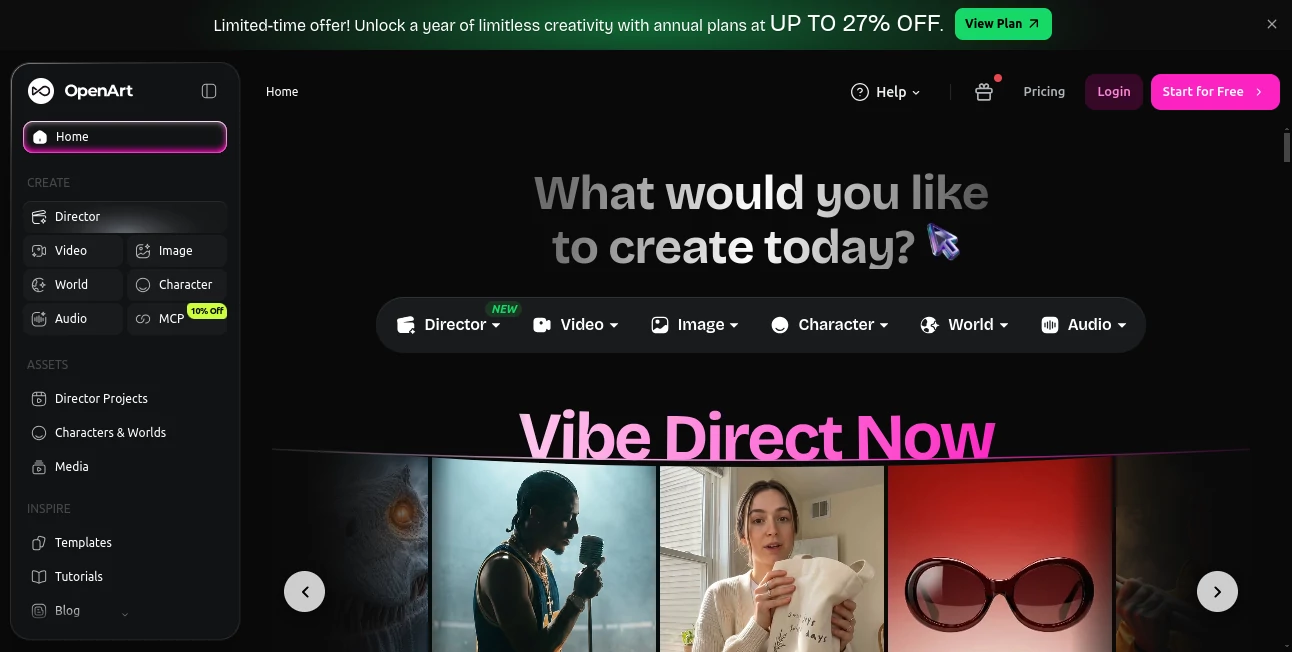
The workspace is intuitive and focused. A clean prompt area, easy model selection, and powerful editing tools sit right where you need them. You can generate, upscale, edit, and create consistent characters without switching tabs or learning complex software. Previews load quickly, and the flow feels natural — like having a skilled creative partner who understands what you’re trying to achieve. Even on busy days, it stays fast and responsive.
Accuracy & Performance
The results consistently impress with strong prompt understanding and excellent detail preservation. Character consistency across multiple images or video frames is notably reliable, which is rare in this space. Generation speeds are competitive, and the platform handles complex requests without falling apart on fine details like hands, textures, or lighting. Users often mention that the first or second attempt is already close enough to use, which saves enormous time compared to other tools.
Capabilities
It excels at text-to-image, image-to-video, consistent character creation, advanced editing, upscaling, and even audio features. You can build entire visual stories, maintain the same character across scenes, or turn a single idea into multiple assets. The platform supports professional workflows with high-resolution outputs suitable for commercial use, social media, presentations, and more. The combination of creative freedom and technical reliability makes it versatile for many different needs.
Security & Privacy
Your creations and prompts are handled with care. The platform offers good control over your data and generated content, with options that respect both personal and commercial use cases. For creators who generate client work or sensitive material, that thoughtful approach to privacy provides important reassurance.
Use Cases
A social media manager creates consistent branded visuals and short video clips for multiple campaigns in one afternoon. An indie game developer generates character concepts and scene variations while keeping the same style throughout. A product marketer turns product descriptions into photorealistic images and lifestyle shots without scheduling photoshoots. A storyteller builds illustrated stories or animated sequences with recurring characters. It fits naturally into creative routines where speed and quality both matter.
Pros and Cons
Pros:
- All-in-one workspace that reduces tool-switching and keeps you in flow.
- Strong character consistency for storytelling and branding work.
- Powerful editing and upscaling tools that improve existing assets.
- Fast, high-quality results that feel professional.
- Accessible for beginners while offering depth for experienced creators.
Cons:
- Heavy daily use benefits from paid plans for higher limits and priority access.
- Some very niche or complex artistic styles may require more prompting refinement.
Pricing Plans
It offers a free tier with daily credits so you can explore and create without commitment. Paid plans provide significantly higher limits, access to premium models, faster generation, and advanced features. The structure is flexible enough for casual creators and scales well for professionals and teams who rely on it regularly. Many users find the value clear once they see how much time and creative energy it saves.
How to Use OpenArt
Start by typing a detailed description of what you want to create. Choose your preferred model or style, adjust any settings like aspect ratio or quality level, and generate. Use the built-in editing tools to refine results, create consistent characters for multi-image projects, or turn static images into short videos. Download your favorites in high resolution and keep iterating as needed. The workflow stays fast and enjoyable, encouraging experimentation while delivering usable assets quickly.
Comparison with Similar Tools
While many AI generators focus on either images or video, this one brings both together with strong editing capabilities and character consistency in a single workspace. It often feels more complete and user-friendly than tools that require switching between platforms. The balance of creative control, quality, and speed makes it a strong choice for creators who want reliable results without complexity.
Conclusion
Creating high-quality visuals shouldn’t feel like a technical battle. This platform makes the process enjoyable and productive, giving you powerful tools without burying you in complexity. Whether you need a single striking image, a consistent character across scenes, or short video content, it delivers with impressive quality and speed. For anyone who creates visually, it’s become one of those tools that quietly elevates everyday work and sparks new ideas along the way.
Frequently Asked Questions (FAQ)
How good is the character consistency?
Very strong — one of the standout features for storytelling and branding work.
Can I use it for commercial projects?
Yes, paid plans include commercial usage rights for your generated content.
Do I need advanced prompting skills?
Not at all. Clear, descriptive prompts work well, and the tools help guide you toward better results.
What file formats can I download?
High-resolution images and video files suitable for most professional uses.
Is there a free way to try it?
Yes — the free tier gives you daily credits to explore and create right away.
AI Photo & Image Generator , AI Video Generator , AI Art Generator , AI Design Generator .
These classifications represent its core capabilities and areas of application. For related tools, explore the linked categories above.

OpenArt Alternatives Product
Nano Banana 2

Nano Image AI
Face Shape D…

AI Picture G…
Krea 2 AI
Uni-1
GPT Image 2 …

Sovibe AI
Claude Desig…