Ottermind
What is Ottermind?
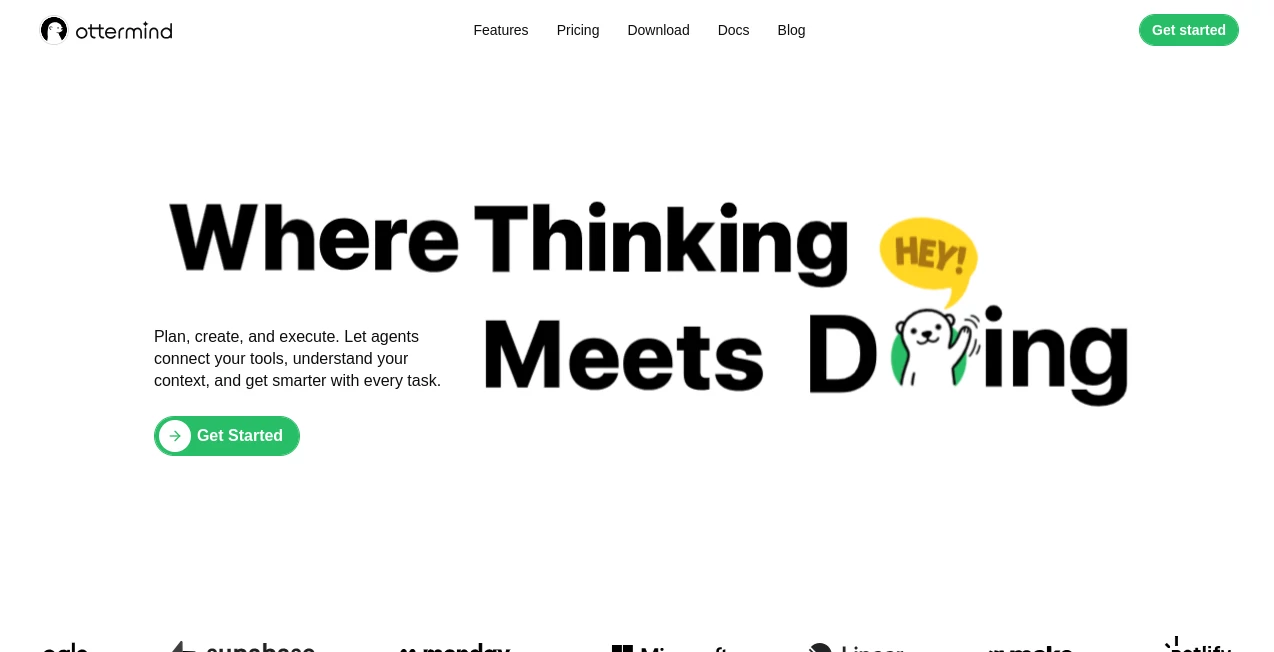
Ottermind is an AI agent workspace built for people who want to move beyond simple chat and get real work completed. Instead of treating every request as an isolated conversation, it keeps project files, decisions, conversations, and previous work connected in one place. This makes it especially useful for tasks that involve several steps, different tools, and ongoing context.
The platform can plan and execute workflows ranging from research and report writing to presentations, website creation, video production, spreadsheet analysis, and other digital tasks. Its biggest strength is the way it brings AI agents, project context, connected services, and editable outputs together rather than making the user jump between multiple applications.
For example, a user could ask it to research a market, organize the findings, prepare a report, and turn the important points into a presentation. Rather than starting from scratch at every stage, the workspace is designed to retain the relevant project context and carry the work forward.
Key Features
- AI agents designed to plan and execute multi-step tasks
- Persistent project context for files, conversations, decisions, and previous work
- Connections with services and tools such as Notion, Google, Microsoft, Slack, GitHub, Linear, Monday, Make, Stripe, Netlify, Supabase, and more
- AI-powered presentation and slide creation
- Image generation and visual creation
- Video creation capabilities
- Spreadsheet analysis
- Website and application building workflows
- File summarization and document-focused tasks
- Reusable skills and configurable agents
- Automations for scheduled or condition-based workflows
- Cross-platform access across web, desktop, and mobile
User Interface
The interface is built around tasks and projects rather than a collection of disconnected conversations. Users can describe what they want in a task bar, provide the necessary context, and allow the agent to work through the request.
This approach feels practical for longer assignments. Instead of repeatedly explaining the background of a project, users can keep related files, decisions, conversations, and outputs together. The workspace is also available across devices, so a task can be started on a computer and checked later from a phone.
The experience is particularly appealing to users who prefer describing an outcome instead of manually specifying every individual step.
Accuracy & Performance
Performance is closely tied to the complexity of the requested task, the connected services, and the models being used. The platform supports several AI models and integrations, giving agents access to different capabilities depending on the workflow.
One useful feature is its approach to failed tasks. When an agent encounters an error, the system can inspect logs, adjust its approach, and attempt recovery. Agent activity remains visible, while important actions can require user approval. This provides a more controlled experience for workflows that should not run completely unchecked.
As with any AI system, generated content and important decisions should still be reviewed by the user. The advantage here is that the system is designed to handle more of the surrounding workflow instead of stopping after generating a single response.
Capabilities
The platform covers a surprisingly broad range of practical work. It can be used to research information, summarize files, analyze spreadsheets, create presentations, generate visuals, produce videos, build websites, and work with connected development environments.
Its agent-based design also makes it suitable for more involved projects. A user can define an objective and allow the system to plan the necessary steps, work with available tools, and deliver an editable result.
For developers and technical teams, integrations with services such as GitHub, Supabase, Netlify, and Sentry can make the workspace useful beyond ordinary writing and productivity tasks. For marketers, researchers, and business users, the ability to combine research, documents, presentations, and connected business tools can reduce repetitive work.
Security & Privacy
Privacy and control are important parts of the platform's design. Users control what they connect, what they upload, and what project information is available to agents. The system separates areas such as local files, cloud tasks, connected tools, project memory, and model usage.
Another practical safeguard is approval for critical actions. Instead of allowing every operation to happen without oversight, important actions can remain under the user's control. This is useful when an AI agent is connected to external services or handling work that could have real consequences.
Users should still review the current privacy policy and connected-service permissions before uploading sensitive business or personal information.
Use Cases
Research and reports: Researchers can use the workspace to investigate a topic, work through source material, organize findings, summarize documents, and turn the results into structured deliverables.
Presentations: Business professionals can move from an idea or research brief to a slide deck without manually transferring information between several applications.
Website development: Developers and founders can use AI-assisted workflows for website and application projects, including work involving code environments and deployment services.
Marketing workflows: Marketing teams can combine research, content creation, visual production, and connected services in a single project environment.
Document-heavy work: People dealing with long files can use the system to summarize and organize information before turning it into reports, presentations, or other outputs.
Business operations: Teams can connect their existing productivity and business services and use agents to coordinate repetitive multi-step processes.
Personal productivity: Individuals can use it as a persistent AI workspace for planning, organizing files, managing recurring work, and continuing projects across devices.
Pros and Cons
Pros
- Designed for completing multi-step work rather than only answering prompts
- Keeps project context, files, decisions, and history together
- Works with a wide range of external tools and services
- Supports web, desktop, and mobile workflows
- Useful for research, presentations, websites, documents, video, and spreadsheets
- Offers reusable skills, agents, and automations
- Provides visibility into agent work and recovery from errors
Cons
- The large number of capabilities may take some time to learn
- Credit-based pricing requires users to monitor their usage
- More advanced workflows can depend on connected services and their permissions
- AI-generated work still benefits from human review, especially for important business decisions
- The higher-tier plans may be more suitable for users with substantial workloads than occasional users
Pricing Plans
The platform currently offers three main subscription levels with monthly and yearly billing options. The yearly option is advertised with a 20% saving.
- Solo: $20 per month, including 2,000 monthly credits, 10GB of cloud storage, a standard cloud sandbox with 1 CPU core and 2GB RAM, and unlimited skill access.
- Squad: $49 per month, including 5,500 monthly credits, 50GB of cloud storage, a high-speed cloud sandbox with 2 CPU cores and 4GB RAM, and unlimited skill access.
- Colony: $200 per month, including 25,000 monthly credits, 200GB of cloud storage, an elite cloud sandbox with 4 CPU cores and 8GB RAM, and unlimited skill access.
Additional credits are available as add-ons. Users can purchase 1,000 extra credits for $10 or 2,500 extra credits for $20. Since pricing and available models can change, checking the current plan details before subscribing is recommended.
How to Use It
Getting started is straightforward. First, create an account and enter the workspace. Once inside, describe the task you want completed in the task bar. The request can be something specific, such as researching market trends, preparing a report, creating a slide deck, analyzing a spreadsheet, or building a website.
After receiving the request, the AI agent plans the workflow and works through the required steps. Depending on the task, it can use connected tools, project files, and other available resources. Results are delivered back into the workspace so they can be reviewed and edited.
A useful approach is to provide enough context at the beginning. Clear goals, relevant files, expected output formats, and important constraints can help the agent produce a more useful result.
Comparison with Similar Tools
Many AI assistants are excellent at conversation, brainstorming, or generating individual pieces of content. This platform takes a different approach by placing the AI inside a broader workspace where project memory, tools, agents, and workflows remain connected.
Compared with a traditional chatbot, the main distinction is the emphasis on execution. Instead of stopping after answering a question, an agent can continue through multiple stages of a project and interact with connected services.
Compared with standalone automation platforms, it also places more emphasis on AI reasoning and project context. This can be useful when the task is not completely predictable and requires the system to decide what should happen next.
The result is best suited to users who regularly deal with work that sits somewhere between a simple AI prompt and a fully scripted automation.
Conclusion
Ottermind stands out by focusing on the gap between asking AI a question and actually getting a project finished. Its combination of persistent project context, AI agents, connected tools, cross-device access, and workflow automation gives it a practical role in everyday professional work.
For someone who frequently switches between documents, research, spreadsheets, presentations, development tools, and communication platforms, having those pieces connected can save a considerable amount of repetitive effort. It is not simply another place to chat with an AI model; its value comes from coordinating the work surrounding the conversation.
Users who want an AI workspace capable of handling longer assignments and multi-step workflows will find plenty to explore here. The strongest results are likely to come from people willing to give the system meaningful context and then review the finished work before putting it into production.
Frequently Asked Questions (FAQ)
What is Ottermind?
It is an AI agent workspace designed to retain project context, connect external tools, and help users move from a request to finished, editable work.
Can it create presentations?
Yes. Presentation and slide creation are among the supported capabilities, allowing users to turn information and project requirements into presentation materials.
Can it build websites?
Yes. Website and application building are among the workflows supported by the platform, with connections to development and deployment services available for certain projects.
Does it work on mobile devices?
Yes. The service is available across web, desktop, and mobile, allowing users to continue their workspace and monitor ongoing work from different devices.
What types of users can benefit from it?
It can be useful for developers, researchers, marketers, business professionals, founders, and individual users who regularly manage multi-step digital work.
Does it support external tools?
Yes. The platform supports connections with a range of services, including productivity, development, communication, deployment, and business tools.
Are there different pricing plans?
Yes. The current plans are Solo, Squad, and Colony, with different monthly credit allowances, storage limits, and cloud sandbox resources.
AI Workflow Management , AI Project Management , AI Productivity Tools , AI Developer Tools .
These classifications represent its core capabilities and areas of application. For related tools, explore the linked categories above.

Ottermind Alternatives Product

eesel AI

OGimage

Claude and C…

Odysseus AI

Geekflare AI

Startup Read…

UpMocker

FeatureShark

WhatIsThisMo…