


















Pabble
What is Pabble?
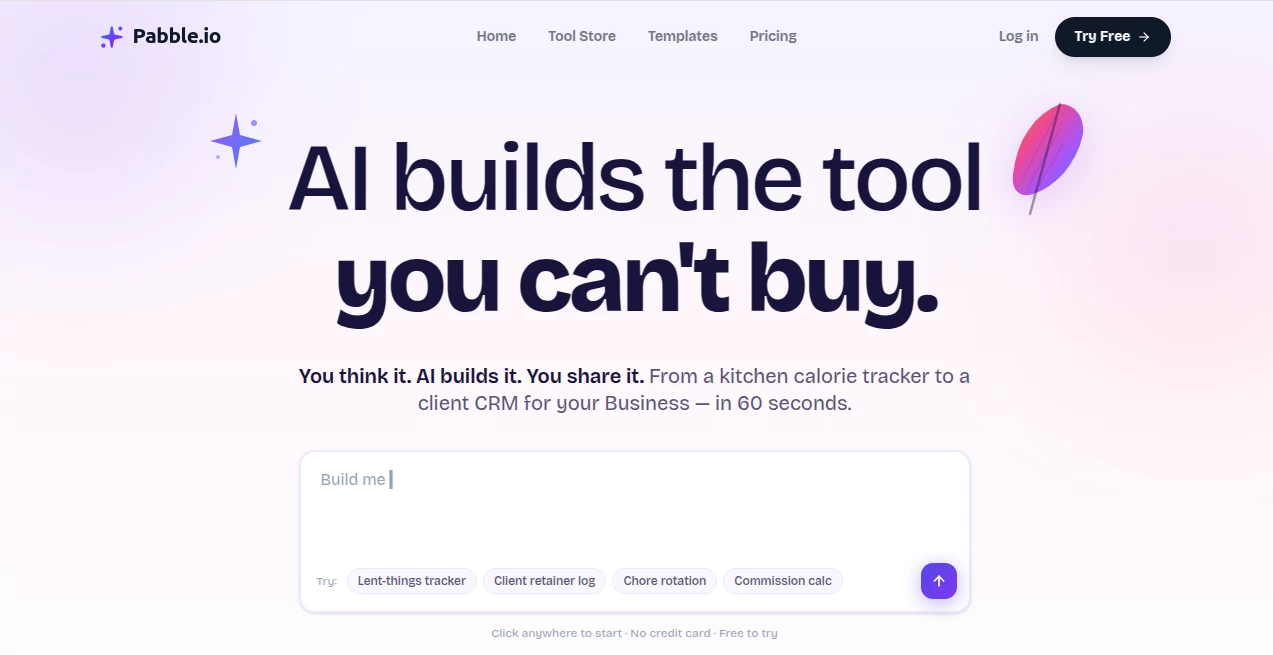
Most of us have that one workflow we wish had a proper tool. A simple tracker for household chores, a quick calculator for splitting commissions, or a clean log for client updates. Instead, we make do with messy spreadsheets or sticky notes. This platform changes that story completely. You describe what you need in plain English—like texting a friend—and in about a minute it builds a real, working piece of software with database, logic, and a clean interface. No coding, no complicated setups. Just an idea turned into something you can actually use and share. I’ve watched non-technical friends build tools they’d been wishing for years, and the look on their face when it actually works is priceless.
Introduction
The gap between “I wish there was an app for this” and having that app has always been huge—either you learn to code, hire someone expensive, or settle for clunky workarounds. Pabble quietly removes that gap. It’s built for regular people who have specific, everyday needs that existing software doesn’t quite solve. Describe your workflow in normal language and watch it turn into functional software you can open on any device. It’s especially loved by solopreneurs, small teams, teachers, and anyone tired of forcing square pegs into round holes. The best part? You own it, you can edit it later by chatting, and you can share it without gatekeeping.
Key Features
User Interface
The whole experience feels refreshingly light. You type one sentence describing what you want, and the AI gets to work. Once built, you get a clean, usable interface that doesn’t look like it was thrown together. Editing is just as simple—chat with it to add features or change behavior. No visual builders to learn, no confusing dashboards. It’s the rare tool where non-technical people feel powerful instead of frustrated.
Accuracy & Performance
It understands plain English remarkably well and turns descriptions into working logic with databases and proper flows. Most ideas become usable tools in around 60 seconds. The results are practical—clean UI, sensible data handling, and behavior that matches what you asked for. Of course, very complex enterprise systems are out of scope, but for the small-to-medium tools most people actually need, it delivers with impressive reliability.
Capabilities
You can build trackers, calculators, checklists, simple CRMs, chore rotators, client follow-up systems, reading logs, deposit trackers—pretty much any focused workflow you can describe. The AI creates real backend logic, stores data properly, and gives you a usable frontend. Once built, you can iterate by chatting (“add a reminder feature” or “make it calculate totals automatically”). Everything works across phone, tablet, and desktop, and you can share access with others easily.
Security & Privacy
Your tools and data belong to you. The platform emphasizes ownership—no lock-in, no surprise data usage. Built with sensible security practices for small tools, it gives peace of mind that your custom workflows and the information inside them stay under your control.
Use Cases
A busy parent builds a family chore rotation that actually gets used. A freelancer creates a simple deliverable checklist with automated reminders. A small business owner makes a client retainer hour tracker that replaces their messy spreadsheet. A teacher sets up a reading challenge dashboard for students. The common thread is solving specific, annoying problems that big software either overcomplicates or ignores completely.
Pros and Cons
Pros:
- From vague idea to working tool in about a minute—insanely fast.
- No coding or complex setup required; plain English is enough.
- You can edit and improve tools later just by chatting.
- Great for personal use, small teams, or quick internal tools.
- Free to start and try ideas without commitment.
Cons:
- Best suited for focused, relatively simple tools (not full enterprise systems).
- Very complex logic may need a few iterations to get perfect.
- Advanced features and higher usage sit behind paid plans.
Pricing Plans
It starts completely free so you can test ideas and build small tools without any risk. Paid plans (Pro, Pro Plus, Business) add more AI credits, storage, team workspaces, unlimited apps, and removal of branding. Pricing is reasonable and scales with real usage—perfect for solo makers who want to stay free longer and growing teams who need more power.
How to Use Pabble
Go to the builder, type one clear sentence describing the tool you want (“a simple client hours tracker with monthly totals and reminders”). Hit generate and watch it build. Open the result, test it, then chat to refine (“add export to CSV” or “make the dashboard prettier”). Share the link with teammates or clients. Save favorites, duplicate for variations, and keep iterating as your needs evolve. The whole process feels more like brainstorming with a smart assistant than traditional software development.
Comparison with Similar Tools
Spreadsheets are free but break down quickly and look terrible on mobile. Hiring developers is expensive and slow. Big no-code platforms have steep learning curves. This one sits in the sweet spot: dramatically faster than coding or hiring, much more capable than spreadsheets, and far simpler than full no-code suites. It’s ideal when you need something specific, fast, and actually usable without becoming a developer yourself.
Conclusion
The best tools are the ones that quietly solve problems you’ve been living with for too long. This platform makes building those tools feel almost too easy—in a good way. It empowers regular people to create software that fits their exact workflow instead of forcing their workflow to fit existing software. If you’ve ever thought “there should be an app for this,” chances are you can have it in the next minute. That kind of power in plain English is something special.
Frequently Asked Questions (FAQ)
Do I need to know how to code?
Not at all. You describe what you want in normal sentences.
How complex can the tools be?
Great for focused tools and workflows. Not designed to replace massive enterprise systems.
Can I edit tools after they’re built?
Yes—simply chat with the AI to add features or make changes.
Is my data private?
You own your tools and data. The platform respects ownership and privacy.
Is it really free to start?
Yes—no credit card required. Build and test for free, upgrade only when you need more power.
AI Workflow Management , AI App Builder , AI No-Code & Low-Code , AI Developer Tools .
These classifications represent its core capabilities and areas of application. For related tools, explore the linked categories above.

Pabble Alternatives Product

TrySchedule

cznull

Claude and C…

Tate-A-Tate

Bolt AI
BootstrapKing

freellm.net

Calculadora …

Sourcetable
