

















AI Face Analyzer
What is AI Face Analyzer?
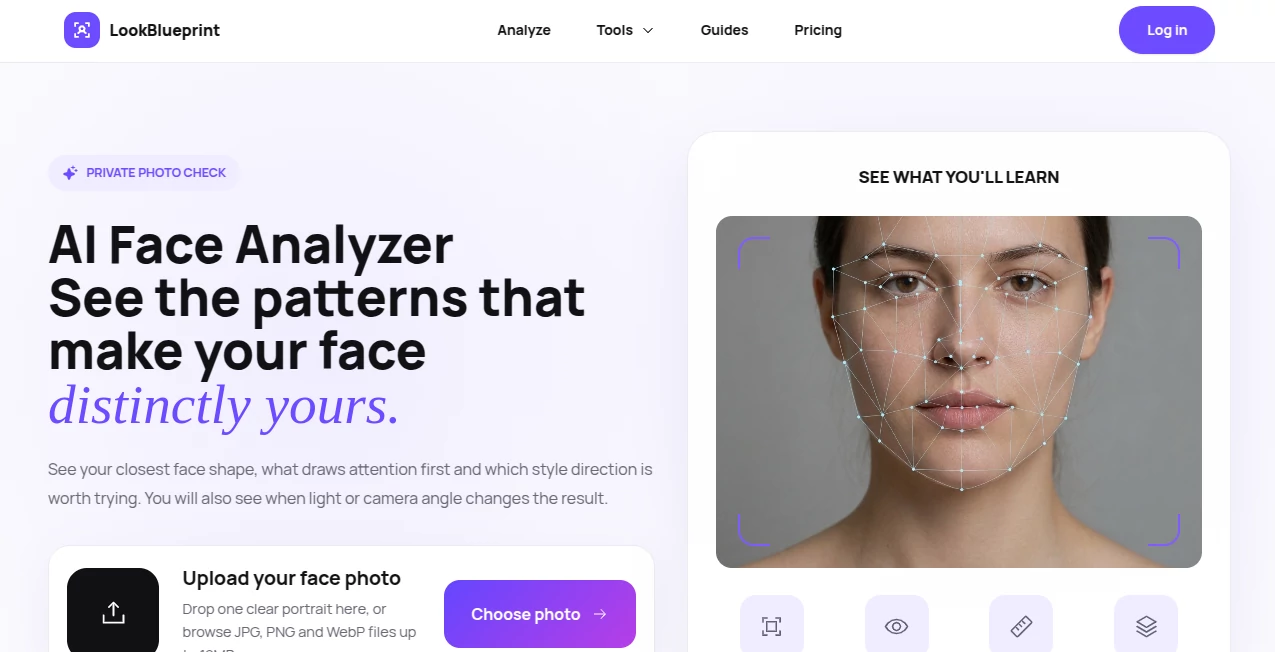
Understanding facial structure is about much more than receiving a simple attractiveness score. This platform helps users explore the unique geometry, symmetry, and proportions that shape their appearance through an intelligent facial analysis system. Instead of relying on subjective opinions, it provides measurable insights that explain why certain features stand out and how different facial characteristics work together.
The experience is designed to be educational rather than judgmental. By analyzing a well-lit, front-facing photograph, users receive detailed observations about facial landmarks, proportions, balance, and image quality. The result is a practical report that helps individuals better understand their own facial structure while learning how photography conditions, pose, and lighting influence accurate measurements. The browser-based analysis also gives users greater confidence that they remain in control of their photos throughout the process. These thoughtful details make the platform an excellent choice for anyone interested in facial analytics, personal aesthetics, or simply learning more about their own features.
Key Features
User Interface
The interface is refreshingly straightforward. Users are guided through clear photo requirements before analysis begins, reducing common mistakes that often affect facial measurements. Helpful instructions explain ideal lighting, camera position, facial expression, and framing, making it easy even for first-time visitors to obtain reliable results. The overall workflow is fast, uncluttered, and accessible on modern browsers.
Accuracy & Performance
One of the strongest aspects of the platform is its emphasis on measurement quality. It evaluates image conditions before producing facial metrics, helping users avoid inaccurate conclusions caused by poor lighting, tilted head positions, heavy filters, or low-quality photos. The system encourages consistent photography practices so users can compare future analyses under similar conditions for more meaningful results. The free facial analysis is performed locally within the browser unless users choose to save a report, adding another layer of privacy. :contentReference[oaicite:0]{index=0}
Capabilities
- Facial symmetry analysis
- Facial proportion measurements
- Landmark detection
- Photo quality evaluation
- Pose validation
- Lighting balance assessment
- Neutral expression guidance
- Repeatable comparison workflow
- Educational facial analytics
- Browser-based processing for free analysis
Security & Privacy
Privacy receives careful attention throughout the analysis process. Free image analysis remains inside the browser rather than being uploaded automatically, while saved reports follow a separate retention policy. The platform also reminds users to upload only their own photos or images shared with proper permission, reinforcing responsible use alongside technical safeguards. :contentReference[oaicite:1]{index=1}
Use Cases
- Learning about facial symmetry and proportions.
- Tracking facial changes over time using consistent photography.
- Improving portrait photography through better pose and lighting.
- Preparing reference images for cosmetic consultations.
- Exploring personal facial characteristics for curiosity and self-discovery.
- Understanding how camera position influences facial appearance.
Pros and Cons
Pros
- Clean and beginner-friendly interface.
- Strong focus on accurate image preparation.
- Detailed facial measurements instead of simple scores.
- Privacy-conscious browser-based free analysis.
- Useful educational guidance throughout the process.
Cons
- Best results require carefully captured photographs.
- Facial analysis depends heavily on lighting and camera positioning.
- Some advanced reporting features may require saving a report.
Pricing Plans
The platform offers a free browser-based facial analysis experience. Additional report-saving or premium features may be available depending on the selected service. Users should visit the official website for the latest pricing information. :contentReference[oaicite:2]{index=2}
How to Use LookBlueprint
- Open the website.
- Prepare a clear front-facing photo with balanced lighting.
- Maintain a neutral facial expression.
- Upload the image or begin the browser-based analysis.
- Review facial proportions, symmetry, landmark information, and image quality feedback.
- Retake photos under consistent conditions for future comparisons if desired.
Comparison with Similar Tools
Unlike many facial scoring applications that simply generate a numerical attractiveness rating, this platform focuses on understanding facial structure through measurable characteristics. The inclusion of image quality validation, detailed preparation guidance, repeatable analysis methods, and browser-local processing creates a more reliable experience for users who value meaningful facial insights over entertainment. Its educational approach makes the results easier to interpret and more useful for long-term comparisons.
Conclusion
For anyone interested in learning what makes their face visually distinctive, this platform delivers a thoughtful blend of intelligent analysis, privacy-conscious design, and practical guidance. Rather than reducing appearance to a single number, it explains the patterns, proportions, and relationships that contribute to facial uniqueness. The combination of careful measurement, accessible presentation, and responsible handling of user data makes it a valuable resource for facial analysis, photography improvement, and personal exploration.
Frequently Asked Questions (FAQ)
Is the facial analysis free?
Yes. A browser-based facial analysis is available without automatically uploading your photo.
What kind of photo works best?
A clear, front-facing image with even lighting and a relaxed facial expression provides the most reliable results.
Can I compare multiple photos?
Yes. Using consistent lighting, camera position, and framing helps produce meaningful comparisons over time.
Does the analysis evaluate image quality?
Yes. The system checks factors such as lighting balance, pose, and framing before generating facial measurements.
Is my privacy protected?
The free analysis is performed locally in the browser unless you choose to save a report, giving users greater control over their images.