

















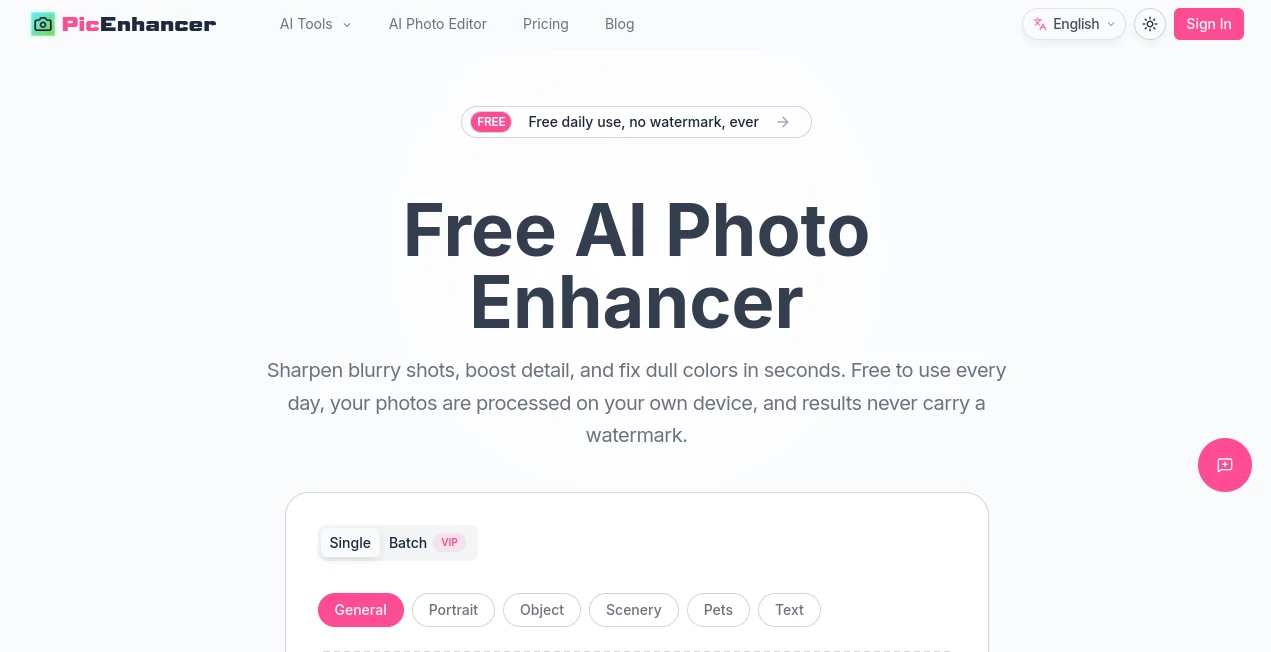
What is picenhancer.ai?
PicEnhancer is a free online photo enhancement platform designed for people who want better-looking images without installing complicated editing software. It can sharpen blurry photos, improve colors, reduce common image imperfections, upscale low-resolution pictures, remove backgrounds, and restore older photographs.
One of its most appealing features is the way everyday enhancement tasks are handled directly in the browser. This makes the process quick and convenient while also keeping supported images on the user's own device. For more advanced restoration and colorization work, the platform also provides credit-powered AI tools.
Key Features
- Free daily photo enhancement with no watermark.
- Six enhancement modes for general photos, portraits, objects, scenery, pets, and text.
- 2x and 4x image upscaling for small or low-resolution pictures.
- One-click background removal with transparent PNG and WebP output.
- AI restoration for scratches, tears, dust, faded photographs, and damaged areas.
- Colorization for black-and-white photographs, manga, comics, line art, and illustrations.
- Tools for unblurring, sharpening, removing glare, and cleaning up unwanted objects.
- AI-powered image generation and editing features.
- Image conversion and cropping tools for everyday image preparation.
- PNG, JPG, and WebP export options.
- Batch processing for users who need to work with multiple images.
User Interface
The interface keeps the editing process straightforward. Users can drag and drop an image or select one from their device, choose the appropriate enhancement mode, preview the result, and download the finished image. The before-and-after comparison is particularly useful because it makes it easy to judge whether the enhancement has improved the original photo without excessive editing.
The maximum upload size shown for the main enhancer is 18MB, while output can be saved as PNG, JPG, or WebP. The overall layout feels more like a practical image workspace than a traditional professional photo editor, which makes it approachable for occasional users.
Accuracy & Performance
The enhancement workflow is built for quick results. Supported on-device tools process images directly inside the browser, allowing common improvements to happen without sending the original image to a remote server. The platform also uses specialized modes rather than treating every picture exactly the same, giving users options based on whether they are working with a portrait, product, landscape, pet, or text-heavy image.
For example, a slightly soft product photograph can be sharpened and enlarged before being used in an online store, while an old family photograph can be handled with the dedicated restoration workflow. The distinction between these tasks makes the toolkit more useful than a single generic enhancement filter.
Capabilities
The platform goes beyond basic sharpening. Its toolkit includes image upscaling, unblurring, background removal, object removal, glare reduction, restoration, colorization, image conversion, cropping, and AI-assisted editing. There is also a text-to-image generator for users who want to create new visual content rather than simply improve an existing photograph.
The restoration tools are particularly interesting for archival projects. Damaged areas such as scratches and tears can be reconstructed, while black-and-white images can receive natural-looking color. Colorization also extends beyond conventional photography, supporting manga, illustrations, comics, and line art with several predefined color palettes and custom color guidance.
Security & Privacy
Privacy is one of the stronger aspects of the service. The core photo enhancement and several other tools run locally in the browser, meaning the image does not need to be uploaded to a server for those operations. The site specifically states that on-device enhancement keeps photos on the user's device.
There is an important distinction for advanced features. Cloud-based AI is used for functions such as photo restoration and certain colorization workflows, which operate through the platform's credit system. Users working with private or sensitive photographs should therefore pay attention to which tool they select before processing an image.
Use Cases
E-commerce: Sellers can improve phone-shot product images, sharpen small details, brighten colors, and remove backgrounds before publishing product listings.
Social Media: Creators can clean up dim or soft photographs and upscale images so they remain clearer after social platforms compress them.
Old Family Photos: Restoration and colorization features make it possible to repair faded photographs, scratches, tears, and other signs of aging.
Real Estate: Property marketers can improve interior photographs, correct dull-looking images, and upscale pictures used in property listings.
Professional Profiles: Portrait enhancement and background removal can help prepare cleaner images for resumes, professional profiles, company pages, and social accounts.
Print Preparation: Upscaling images to 2x or 4x can be useful when preparing smaller digital photographs for posters, cards, albums, or other printed materials.
Pros and Cons
- Pros: Free daily use, no watermark, browser-based processing, strong privacy for on-device tools, multiple enhancement modes, 2x and 4x upscaling, background removal, restoration, colorization, and a broad collection of image utilities.
- Pros: The combination of everyday free tools and more advanced credit-powered features gives users room to start without immediately committing to a subscription.
- Cons: Some of the more advanced AI features require credits rather than being completely free.
- Cons: Cloud-powered restoration and colorization have different processing requirements from the local browser-based tools.
- Cons: Users looking for a full professional desktop editor may find the platform more focused on automated enhancement and AI-assisted tasks.
Pricing Plans
The service follows a free-to-paid model. Everyday local tools can be used for free, with daily allowances available for credit-based AI features. Paid plans add larger monthly credit allocations, batch processing, higher output priority, and access to the complete AI toolkit.
- Starter: $8 per month, or $6.40 per month when billed annually. Includes 200 monthly credits, 20 free daily credits, credit rollover up to 600, VIP batch processing, higher output priority, and access to all AI tools.
- Pro: $25 per month, or $20 per month with annual billing. Includes 1,000 monthly credits, 30 free daily credits, rollover up to 6,000 credits, VIP batch processing, higher output priority, and all AI tools.
- Ultra: $45 per month, or $36 per month with annual billing. Includes 2,000 monthly credits, 50 free daily credits, rollover up to 12,000 credits, VIP batch processing, higher output priority, and all AI tools.
Annual billing is presented with a 20% saving compared with monthly pricing. Credit add-ons are also available, making the pricing structure suitable for users whose image-processing requirements change from month to month.
How to Use the Tool
- Open the photo enhancement workspace in a modern web browser.
- Drag and drop an image into the upload area or select a file from your device.
- Choose the most appropriate enhancement mode, such as general, portrait, object, scenery, pets, or text.
- Let the browser process the image and review the result using the before-and-after preview.
- For advanced tasks, select the appropriate AI feature such as restoration, colorization, or another specialized tool.
- Choose PNG, JPG, or WebP when exporting the finished image.
- Download the result and use it for your intended project.
Comparison with Similar Tools
Many online image enhancers focus primarily on increasing resolution or sharpening blurry pictures. This platform takes a broader approach by combining enhancement with background removal, object cleanup, restoration, colorization, image conversion, cropping, and AI generation.
Another meaningful difference is the use of local browser processing for several everyday features. For someone who frequently works with personal photographs, that can be more attractive than uploading every image to a cloud-based editor. At the same time, users who need sophisticated restoration can move to the credit-powered AI features when a simple local enhancement is not enough.
In practical terms, it sits somewhere between a quick online photo utility and a larger AI image toolkit. It is especially appealing when a user wants several small photo fixes in one place instead of opening a separate website for each task.
Conclusion
For users who regularly deal with blurry, low-resolution, faded, or poorly prepared images, this platform offers a surprisingly broad collection of useful tools in one browser-based workspace. The free daily enhancement, absence of watermarks, local processing, and support for multiple image formats make it easy to try without a major commitment.
Its wider toolkit is where the platform becomes more interesting. Upscaling, background removal, restoration, colorization, object cleanup, and AI image creation cover very different stages of a typical visual workflow. Whether the goal is improving a product listing, preparing a professional portrait, rescuing an old family photograph, or getting an image ready for print, there is a good chance that one of the available tools fits the job.
Frequently Asked Questions (FAQ)
Is the photo enhancer free?
Yes. The core on-device enhancement tools are available for free daily use, and the service states that enhanced results do not contain a watermark. Credit-powered AI features use a separate credit system.
Does image enhancement require uploading my photo?
For the core on-device enhancement and several local tools, processing takes place inside the browser, so the image does not need to leave the device. Some advanced AI features use cloud processing.
Can I upscale an image?
Yes. The image upscaling feature supports 2x and 4x enlargement and is designed to preserve edges and important details better than a simple image stretch.
Can I remove an image background?
Yes. The background removal tool uses an on-device segmentation model and can produce transparent PNG or WebP files.
Can old photographs be restored?
Yes. The AI restoration feature is designed to repair issues such as scratches, tears, dust, fading, and lost facial detail. It can also add color to black-and-white photographs.
Can I process several images at once?
Yes. Batch processing is supported, with VIP batch processing available in the paid plans for processing between 2 and 20 images.
Which export formats are supported?
The main enhancement workflow supports PNG, JPG, and WebP output formats.
Does the service add a watermark?
The platform states that its free enhancement results are provided without a watermark.
Is there an option for professional or frequent users?
Yes. The Pro and Ultra plans provide substantially larger monthly credit allocations, daily credits, rollover credits, batch processing, and higher output priority for users with heavier workloads.