
















Readaloudreader
Verified Blue CheckMark
Verified Blue CheckMark products are featured above free or unverified listings.
This badge indicates authenticity and builds trust, giving your product higher visibility across the platform.
Upgrade to get verified
Verified Blue CheckMark products are featured above free or unverified listings. This badge indicates authenticity and builds trust, giving your product higher visibility across the platform.
Upgrade to get verified
What is Readaloudreader?
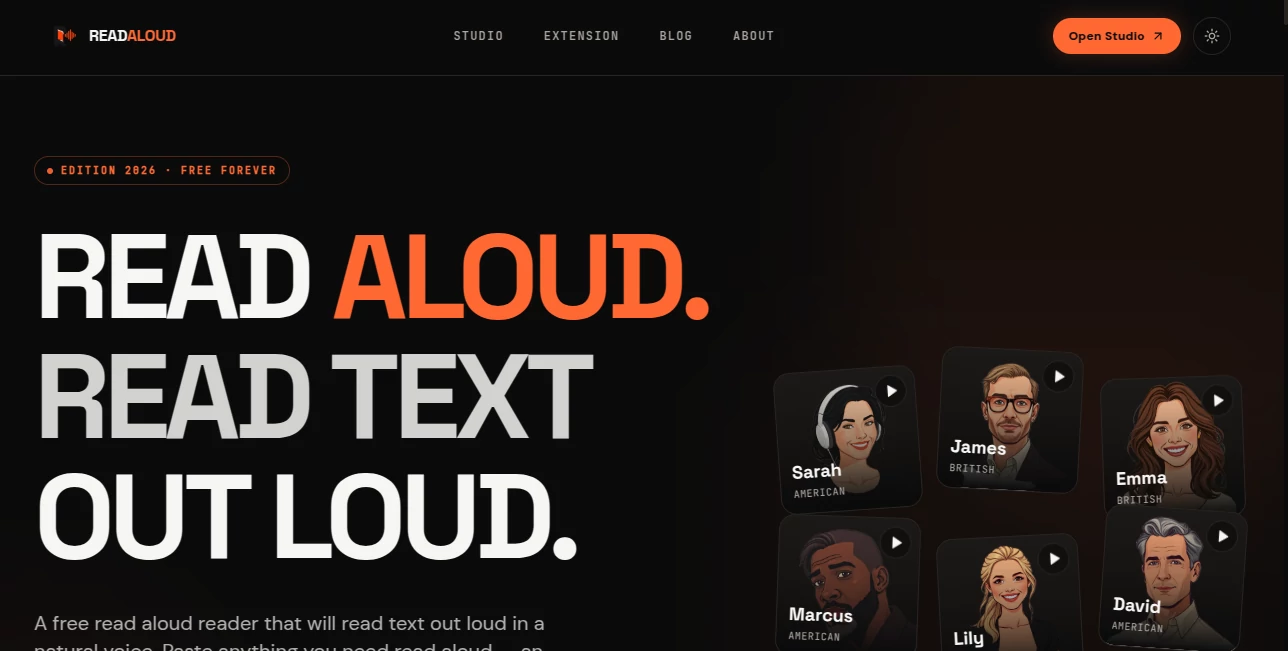
Read Aloud Reader is a free browser-based text-to-speech tool designed to turn written content into natural-sounding audio without complicated setup. Instead of staring at a screen for every article, document, email, or study note, users can simply provide their text, choose a voice, and start listening.
The experience is particularly appealing because there is no account to create and nothing to install. It works directly in a browser across desktop and mobile devices, making it useful for people who want to listen while commuting, studying, exercising, or simply taking a break from continuous screen reading.
One of the nicest touches is sentence highlighting during playback. You are not forced to choose between listening and following the text visually. The two work together, which can make longer reading sessions feel much more manageable.
Key Features
- Natural-sounding neural AI voices for reading written content aloud.
- Support for pasted or typed text as well as PDF, DOCX, EPUB, and article URLs.
- Sentence highlighting that follows the audio as it plays.
- Adjustable playback speeds from 0.5x to 2x.
- MP3 audio export for offline listening.
- Browser-based operation with no installation required.
- Works across Chrome, Safari, Edge, and Firefox.
- Compatible with Mac, Windows, ChromeOS, iPhone, and Android.
- A free starting experience with no credit card or account requirement.
User Interface
The interface keeps the process deliberately simple. The main workspace focuses on the text and playback controls rather than surrounding users with unnecessary menus. Add your content, select a voice, choose a comfortable reading speed, and press play.
The sentence highlighting is especially useful when listening to educational material or checking written work. It gives the experience a more interactive feel and helps users keep their place instead of losing track of where the narration is.
For someone trying the service for the first time, there is very little learning involved. The browser-based approach also means the same workflow can be used from a laptop during work and from a phone later in the day.
Accuracy & Performance
The tool uses neural AI voices powered by OpenAI's text-to-speech technology, giving the narration a noticeably more natural character than traditional robotic text-to-speech systems. The available voices include different accents and presentation styles, allowing users to choose something that feels comfortable for longer listening sessions.
Playback speed can be adjusted between 0.5x and 2x. A slower setting can be helpful when studying unfamiliar material, while faster playback works well for articles and documents that are being consumed primarily for information.
The service is also designed for practical everyday use rather than requiring users to install desktop software. Text is processed in the browser experience for audio generation, and the website states that submitted text is not stored or logged.
Capabilities
The range of supported content makes the tool useful beyond simple copy-and-paste reading. Users can work with ordinary text, PDF files, DOCX documents, EPUB files, and article URLs. This makes it possible to move between study material, online articles, business documents, and personal notes without changing tools.
PDF support is particularly useful for students and professionals. A report or textbook chapter can be converted into spoken audio and consumed away from the desk. Image-only scanned PDFs are a different case because they require OCR before their text can be read.
Another practical capability is MP3 export. Instead of keeping the browser open for every listening session, users can save generated audio and listen to it later through a compatible audio or podcast application.
Security & Privacy
Privacy is an important part of the product's appeal. The service states that text submitted for audio generation is not stored or logged. There is also no requirement to create an account or provide an email address simply to use the core reading experience.
For users working with sensitive documents, it is still sensible to consider the nature of the material before sending it to any online service. However, the clearly stated no-storage approach and the absence of mandatory registration make the experience considerably more straightforward than many account-based alternatives.
Use Cases
Students can use the tool to listen to textbooks, research papers, course notes, and PDF study materials while walking or commuting. Listening at a slower speed can also make difficult sections easier to follow.
Writers and editors have another useful application. Hearing a draft rather than silently reading it can expose awkward sentences, repeated wording, missing transitions, and phrases that do not sound natural. A paragraph that looks fine on screen can sometimes sound completely different when spoken.
Professionals can turn reports, briefs, contracts, and other long documents into audio for consumption away from the desk. This can be particularly convenient during a commute or while exercising.
People with dyslexia, ADHD, visual fatigue, or other reading challenges may also benefit from combining spoken narration with synchronized highlighting. The ability to control playback speed gives users additional flexibility instead of forcing everyone into the same reading pace.
Language learners can use spoken text to hear words and sentences while following along visually. This combination can be useful for connecting written language with its spoken form.
Pros and Cons
Pros
- Free to start with no account required.
- Natural neural AI voices.
- Supports PDF, DOCX, EPUB, text, and article URLs.
- Sentence highlighting improves follow-along reading.
- Adjustable playback speed from 0.5x to 2x.
- MP3 export allows offline listening.
- Works across desktop and mobile browsers.
- No software installation is necessary.
- The website states that submitted text is not stored or logged.
Cons
- Scanned, image-only PDFs require OCR before their content can be read.
- The free service has daily usage limits for heavier users.
- Users who regularly process very large amounts of text may need a paid plan.
- It is primarily designed for listening to written material rather than producing full audiobook-style content.
Pricing Plans
The service is free to start, with no credit card and no account required for the core experience. The current free allowance is listed as 20,000 characters per day, which is enough for many everyday articles, emails, study sessions, and shorter documents.
The free experience includes neural AI voices, sentence highlighting, adjustable playback speed, and MP3 audio export. Paid plans are also referenced for users who need to process longer amounts of material on a regular basis, although the core functionality remains available without payment.
For occasional readers, students, and people who simply want to try AI-powered text-to-speech without committing to a subscription, the free starting point is a strong advantage.
How to Use the Tool
- Open the reading studio in a supported web browser.
- Paste or type the text you want to hear, or provide a supported PDF, DOCX, EPUB, or article URL.
- Select one of the available neural voices.
- Choose a playback speed that suits your listening style.
- Press play to begin the narration.
- Follow the highlighted sentences while listening if you want to read along.
- Export the generated audio as an MP3 when you want to listen offline.
The entire process takes only a few moments. There is no installation wizard, account setup, or complicated configuration standing between the user and the first playback.
Comparison with Similar Tools
There are many text-to-speech options available, but they are not all designed for the same audience. Some browser extensions are excellent for reading individual web pages, while dedicated accessibility platforms may offer broader features at the cost of a subscription.
This service takes a particularly straightforward approach. It combines browser-based reading, neural voices, document support, synchronized highlighting, speed controls, and MP3 export in one place. That makes it attractive to users who want more than a basic browser read-aloud button but do not necessarily need a large productivity platform.
Another advantage is the lack of installation. Users can move between supported browsers and devices without setting up a traditional desktop application. For someone who reads across a laptop, tablet, and phone, that simplicity can matter more than having dozens of advanced controls.
Its strongest position is therefore convenience: take something you already need to read, turn it into speech, and keep listening without changing your normal workflow.
Conclusion
For anyone who spends a significant amount of time reading articles, documents, PDFs, study material, or written drafts, converting text into audio can be a surprisingly effective way to make better use of the day. This tool makes that transition unusually easy.
The combination of neural voices, multiple document formats, sentence highlighting, speed control, cross-device browser support, and MP3 export gives it a practical edge. More importantly, the experience does not bury the basic function behind registration screens or complicated software.
Whether the goal is studying while walking, proofreading a document by ear, reducing screen fatigue, or simply listening to an article instead of reading it, this is a capable option worth trying. The free entry point makes it particularly easy to test with real content and decide whether audio-based reading fits your routine.
Frequently Asked Questions (FAQ)
Can I use the tool for free?
Yes. The core experience is available for free without a credit card or account. The website currently lists a daily allowance of 20,000 characters for the free experience.
What types of files are supported?
You can work with typed or pasted text, PDF, DOCX, and EPUB files. Article URLs are also supported, allowing the service to extract article text for listening.
Can it read PDF files aloud?
Yes. PDF documents can be uploaded and their selectable text can be converted into spoken audio. Image-only scanned PDFs may require OCR first.
Can I download the generated audio?
Yes. The generated narration can be exported as an MP3 file for offline listening.
Does it require an app or browser extension?
No. The main reading experience runs directly in a browser, so there is no required software installation.
Does it work on mobile phones?
Yes. The browser-based experience works on both iPhone and Android devices, as well as Mac, Windows, and Chromebook computers.
Can I change the reading speed?
Yes. Playback can be adjusted from 0.5x to 2x, making it possible to slow down difficult material or increase the pace for familiar content.
Is my text stored?
The website states that text submitted for audio generation is used to create the audio and is not stored or logged.
Who can benefit most from this tool?
Students, writers, professionals, language learners, busy readers, and people who prefer audio over continuous visual reading can all find practical uses for it.