

















What is Video Translator?
Video content can reach a much wider audience when language is no longer a barrier. VideoTranslator.org brings transcription, subtitle translation, subtitle editing, and video rendering into one practical workflow, making it easier to turn an existing video into content that viewers in other languages can understand.
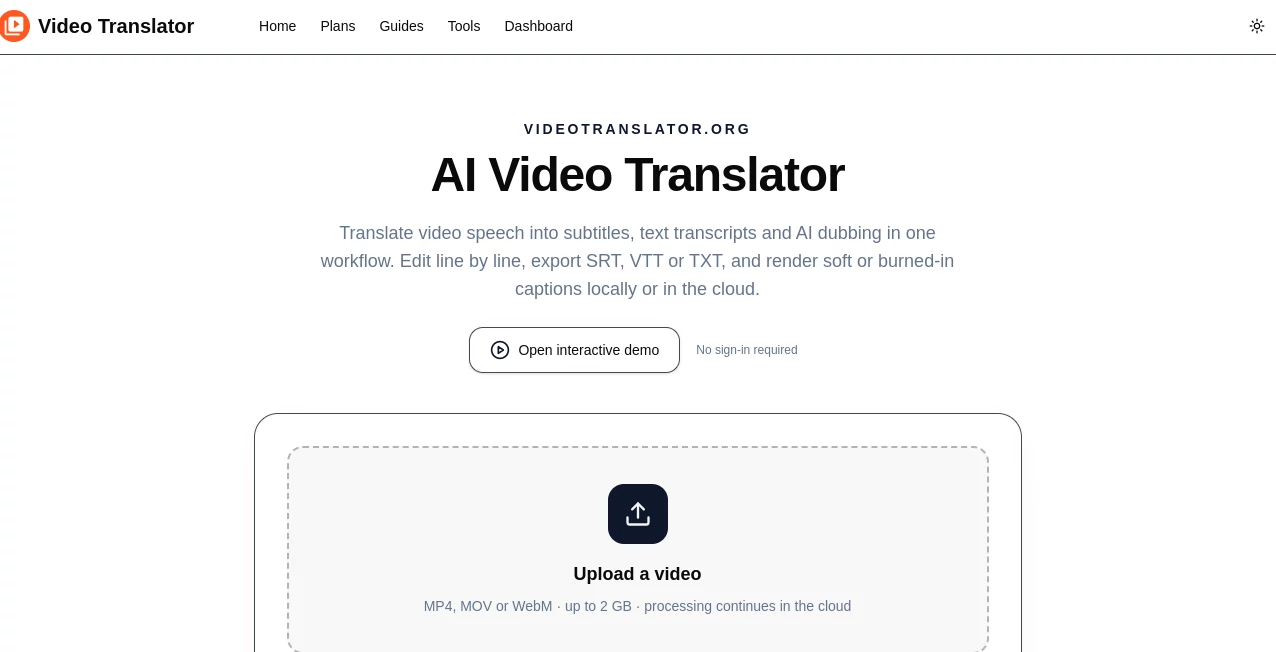
The service supports common video formats such as MP4, MOV, and WebM, with files up to 2 GB. Instead of moving a video between several separate services, users can upload their footage, select the spoken and target languages, generate timed subtitles, review the result, and export the finished files from one place.
It is particularly useful for creators who already have tutorials, interviews, courses, product demonstrations, podcasts, or social videos and want to make that content available to an international audience without recording every video again.
Key Features
- AI-powered speech transcription with timed subtitle segments.
- Translation of spoken video content into major languages.
- Original, translated, and bilingual subtitle options.
- Line-by-line subtitle editing before final export.
- Support for MP4, MOV, and WebM video files up to 2 GB.
- Subtitle exports in SRT, VTT, TXT, ASS, JSON, CSV, and DOCX formats.
- Translated video rendering with embedded subtitles.
- Soft subtitle tracks for workflows where captions can remain separate from the video.
- AI dubbing for creating a translated voice track.
- Browser-based processing and optional cloud rendering.
- Ability to review subtitles alongside the exact point in the video.
- Original video resolution is preserved during subtitle rendering.
User Interface
The workflow is straightforward and does not require a complicated editing setup. Users begin by uploading a video and selecting the source and target languages. Once transcription and translation are complete, subtitle segments can be reviewed alongside the video.
One useful detail is the line-by-line editing workflow. Clicking a subtitle can take the user directly to its corresponding moment in the video, making it easier to spot a misspelled name, incorrect number, awkward translation, or terminology that needs adjustment.
This approach feels particularly practical for educational videos and interviews, where small transcription mistakes can change the meaning of a sentence. Rather than exporting immediately and discovering problems later, users can make corrections before producing the final version.
Accuracy & Performance
The platform uses Whisper for speech transcription and ChatGPT for translation. The resulting subtitles are time-aligned with the spoken content, which is essential for producing a usable translated video rather than simply generating a block of translated text.
Performance naturally depends on video length, audio quality, background noise, language complexity, and the amount of speech in the recording. Clear narration generally provides a better starting point, while names, specialist terminology, numbers, and sections containing several speakers should still be reviewed before publication.
The ability to edit generated subtitles is an important part of the workflow. AI can handle the first pass quickly, while the creator remains in control of the final wording.
Capabilities
The service goes beyond basic subtitle translation. Users can generate original-language subtitles, translated subtitles, or bilingual captions that display both languages together. This makes the same workflow useful for publishing as well as quality control and language learning.
Subtitle files can be exported in several formats, including widely used SRT and VTT files. For platforms or social channels where captions need to be permanently visible, subtitles can also be rendered directly into the video.
Another useful capability is AI dubbing. Instead of relying only on written subtitles, creators can generate a translated voice track for supported workflows, opening another option for localized video production.
Security & Privacy
The service is designed to keep source video handling controlled. Videos are uploaded to private cloud storage when cloud processing is used, allowing transcription and rendering to continue even after the browser is closed.
According to the service's current privacy information, source videos, extracted audio, and generated voice tracks are temporary and automatically deleted after seven days, while rendered videos are deleted after three days. Subtitle task data remains available in the user's account history.
For sensitive, professional, educational, or client-owned material, users should still review the service's privacy policy and terms before uploading content. It is also sensible to confirm that they have permission to translate and distribute the video they are processing.
Use Cases
- Online Courses: Translate lessons so students in different regions can follow the same educational material.
- Tutorials: Add translated subtitles to software, technical, or practical demonstrations.
- Interviews and Podcasts: Turn long conversations into bilingual or translated caption files.
- Product Demonstrations: Localize product walkthroughs for customers in international markets.
- Social Media Videos: Prepare translated or burned-in captions for videos aimed at audiences in different countries.
- Language Learning: Use bilingual subtitles to compare the original speech with its translation.
- Business Presentations: Adapt presentations and recorded meetings for multilingual teams.
- Content Localization: Repurpose existing video libraries for new markets without recreating the original recordings.
Pros and Cons
- Pros: Combines transcription, translation, subtitle editing, and rendering in one workflow.
- Pros: Supports several useful subtitle and document export formats.
- Pros: Offers original, translated, and bilingual subtitle outputs.
- Pros: Supports common video formats with a generous 2 GB maximum file size.
- Pros: Provides both subtitle-based translation and AI dubbing capabilities.
- Pros: Allows users to correct subtitles before rendering the final video.
- Cons: Translation quality can vary with audio quality, background noise, terminology, and language complexity.
- Cons: Professional or highly specialized content may still require human review.
- Cons: Longer videos require a paid plan for higher processing limits.
Pricing Plans
A free plan is available for users who want to test the complete workflow on a short video. It allows processing of the first 90 seconds and includes original, translated, and bilingual SRT output, although exported video contains a watermark.
The Pro plan costs $9.90 per month and increases the limit to 10 minutes per video. It also removes the watermark, provides high-quality video export and SRT subtitle downloads, and includes priority support.
For longer recordings, the Premium plan costs $49 per month and supports videos up to 120 minutes. It includes the features available in Pro along with 24/7 priority support.
How to Use the Tool
- Upload an MP4, MOV, or WebM video.
- Select the language spoken in the video.
- Choose the target language for translation.
- Allow the system to transcribe the audio and create timed subtitle segments.
- Review the original and translated subtitles line by line.
- Correct names, numbers, terminology, or translation issues where necessary.
- Choose an original, translated, or bilingual subtitle output.
- Download the required subtitle file or render the captions into the video.
- Watch the final video before publishing to confirm timing, readability, and translation quality.
For longer projects, it is a good idea to process a short representative section first. This gives you an opportunity to check terminology and subtitle style before translating an entire course, interview, or video library.
Comparison with Similar Tools
Many video translation services concentrate on one part of the localization process. Some focus mainly on automatic subtitles, while others are built around video editing or voice dubbing. This platform takes a broader approach by connecting transcription, translation, subtitle review, multiple export formats, video rendering, and AI dubbing in the same workflow.
The biggest advantage is convenience for users who want to work from an existing video rather than manually create subtitles and move the content through several applications. The bilingual subtitle option is also useful when accuracy needs to be checked against the original dialogue.
It may not replace a professional localization team for highly regulated content, complex terminology, or projects where every translated sentence needs specialist approval. For creators, educators, marketers, and businesses handling everyday multilingual video content, however, the automated first pass can remove a substantial amount of repetitive work.
Conclusion
Video translation becomes much more manageable when transcription, translation, subtitle editing, and video production are handled together. This platform offers a practical solution for creators and businesses that want to extend existing videos to audiences who speak different languages.
Its combination of timed AI transcription, translated and bilingual subtitles, flexible exports, browser or cloud rendering, and AI dubbing makes it useful for everything from short social clips to lengthy courses and presentations. The ability to review and edit each subtitle before publishing is especially valuable, since the best automated workflow is one that leaves room for human judgment.
For anyone building a multilingual video library, testing a short clip first is a sensible way to evaluate the transcription, translation, terminology, and final subtitle presentation before moving to larger projects.
Frequently Asked Questions (FAQ)
What video formats are supported?
MP4, WebM, and MOV are supported, with a maximum video file size of 2 GB.
Which languages can be used for translation?
The service supports major languages including English, Chinese, Spanish, French, German, Japanese, Korean, Russian, Portuguese, and Arabic.
Can I edit the translated subtitles?
Yes. Subtitle segments can be reviewed and edited line by line before the final subtitles or video are exported.
Can I create bilingual subtitles?
Yes. A bilingual output can show the original language together with the translated language, which is useful for language learning and translation review.
Can I download subtitle files separately?
Yes. Subtitle and transcript outputs can be downloaded in several formats, including SRT, VTT, TXT, ASS, JSON, CSV, and DOCX.
Can translated subtitles be embedded into the video?
Yes. The selected subtitles can be rendered into the video as burned-in captions, while soft subtitle workflows are also supported.
Does the service support AI dubbing?
Yes. The platform can generate an AI voice track for translated subtitles, providing an alternative to subtitle-only localization.
Is a free plan available?
Yes. The free plan allows users to test the workflow on the first 90 seconds and includes original, translated, and bilingual SRT subtitles, with a watermark on video exports.
Is human review still recommended?
Yes. AI translation can provide a strong first draft, but names, technical terminology, numbers, cultural expressions, and important professional content should be checked before publication.