Recall
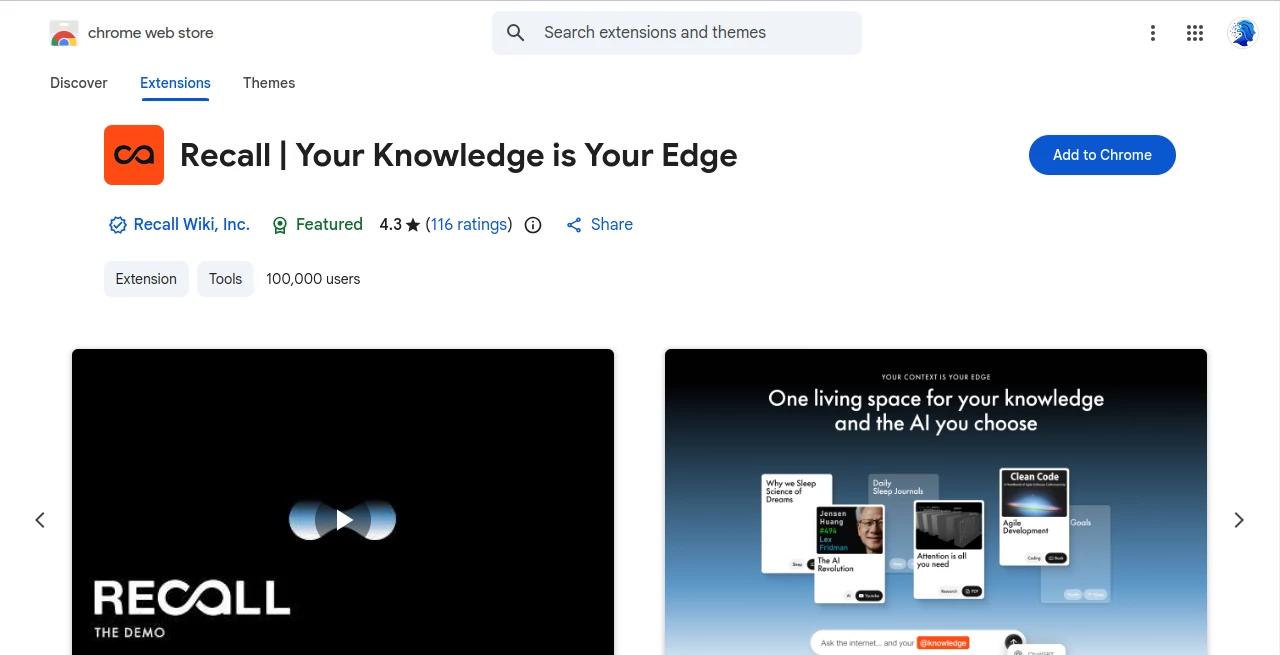
What is Recall?
Keeping valuable information organized has become increasingly difficult as articles, videos, podcasts, PDFs, and online resources continue to grow every day. This AI-powered knowledge management platform transforms scattered information into a structured personal knowledge base, making it easier to save, organize, revisit, and understand important content whenever it is needed.
Instead of simply bookmarking pages that are rarely opened again, the platform intelligently summarizes content, builds meaningful connections between topics, and allows users to chat with their own knowledge using popular AI models. Whether someone is researching a complex subject, preparing for exams, building business strategies, or simply collecting ideas, everything stays organized in one searchable workspace.
One of its strongest advantages is the ability to combine AI-powered summarization with long-term knowledge retention. Through automatic organization, spaced repetition, quizzes, and a visual knowledge graph, information becomes easier to remember instead of disappearing inside endless browser bookmarks.
Key Features
User Interface
The interface is clean, modern, and designed around productivity. Saving new content requires only a single click, while the dashboard automatically categorizes information without forcing users to manually create folders. Rich note-taking capabilities, block-based editing, and intuitive navigation make daily use enjoyable even for large knowledge collections.
Accuracy & Performance
Content is summarized quickly while preserving the most valuable insights. AI-powered conversations can combine personal knowledge with live web information, allowing users to receive more relevant answers than relying on general AI responses alone. Switching between different AI models provides additional flexibility depending on individual preferences.
Capabilities
- Save articles, YouTube videos, podcasts, PDFs, TikTok videos, Google Docs, recipes, and many other content types.
- Create AI-generated summaries automatically.
- Chat with personal knowledge or combine it with live web search.
- Choose between multiple AI models including GPT, Claude, Gemini, and others.
- Generate quizzes for active learning.
- Practice spaced repetition to improve long-term memory.
- Create rich notes with tables, code blocks, and task lists.
- Automatically generate a visual knowledge graph.
- Receive AI-powered audio summaries through text-to-speech.
- Connect with external workflows through API support.
- Automatically organize saved information without manual folders.
- Resurface relevant knowledge while browsing the web.
Security & Privacy
Privacy is treated as an essential part of the platform rather than an afterthought. Users retain ownership of their information and can export or delete their data whenever they choose. According to the developer, saved content is not used for advertising, profiling, or training AI models, giving users greater confidence when building a long-term personal knowledge library.
Use Cases
- Researchers organizing academic papers and references.
- Students preparing for exams with quizzes and spaced repetition.
- Professionals building searchable knowledge libraries.
- Content creators collecting research from multiple sources.
- Entrepreneurs tracking industry trends and competitors.
- Developers storing technical documentation.
- Lifelong learners creating a personal knowledge archive.
- Teams managing shared research materials.
Pros and Cons
Pros
- Supports numerous content sources.
- Excellent automatic organization.
- Works with multiple leading AI models.
- Integrated note-taking and knowledge graph.
- Powerful memory improvement through quizzes and spaced repetition.
- Fast browser integration.
- Strong privacy and data ownership policies.
Cons
- Some advanced capabilities require a premium subscription.
- Learning all productivity features may take time.
- Internet access is required for AI-powered functionality.
Pricing Plans
A free plan is available for new users, while premium subscriptions unlock additional AI capabilities, expanded usage limits, and advanced productivity features. Pricing may change over time, so users should review the latest plans before subscribing.
How to Use Recall
Install the browser extension and begin saving articles, videos, podcasts, PDFs, and other online resources with a single click. The platform automatically summarizes every item, extracts key topics, builds relationships between ideas, and stores everything inside a searchable knowledge base. Users can then write notes, ask questions using their preferred AI model, generate quizzes, listen to audio summaries, and revisit important information whenever needed.
Comparison with Similar Tools
Unlike traditional bookmarking services that simply collect links, this platform transforms saved information into an intelligent knowledge system. Compared with standard note-taking applications, it automatically summarizes content, builds knowledge graphs, enables AI conversations, and improves long-term learning through spaced repetition. The ability to switch between multiple AI models also offers greater flexibility than many competing knowledge management tools.
Conclusion
Managing information efficiently has become just as important as finding it. This solution combines AI-powered summarization, intelligent organization, interactive conversations, and memory-enhancing learning techniques into a single workspace. It helps users spend less time searching through bookmarks and more time understanding, remembering, and applying valuable knowledge. For students, professionals, creators, and lifelong learners, it offers an impressive balance between productivity, learning, and intelligent knowledge management.
Frequently Asked Questions (FAQ)
Can I save different types of online content?
Yes. The platform supports articles, videos, podcasts, PDFs, documents, recipes, and many additional online resources.
Does it support multiple AI models?
Yes. Users can choose between popular AI models such as GPT, Claude, Gemini, and others depending on their workflow.
Can I chat with my saved knowledge?
Yes. AI conversations can reference your personal knowledge base, live web information, or both together.
Is my data private?
Yes. Users own their data and can export or delete it. The developer states that user data is not used for advertising or AI model training.
Is there a free version?
Yes. A free plan is available, while premium plans provide additional features and higher usage limits.
AI Knowledge Management , AI Productivity Tools , AI Research Tool , AI Knowledge Base .
These classifications represent its core capabilities and areas of application. For related tools, explore the linked categories above.
Recall details
Website unavailable — View Alternatives
Pricing
- Free
Apps
- Chrome Extensions
Categories

Recall Alternatives Product

Rabbitholes …

SkipBait

YTVidHub-you…

Classroom Sc…

CheckAEO

Unix Timesta…

Resyfy AI

OLVA

Caspian