


















Relume AI
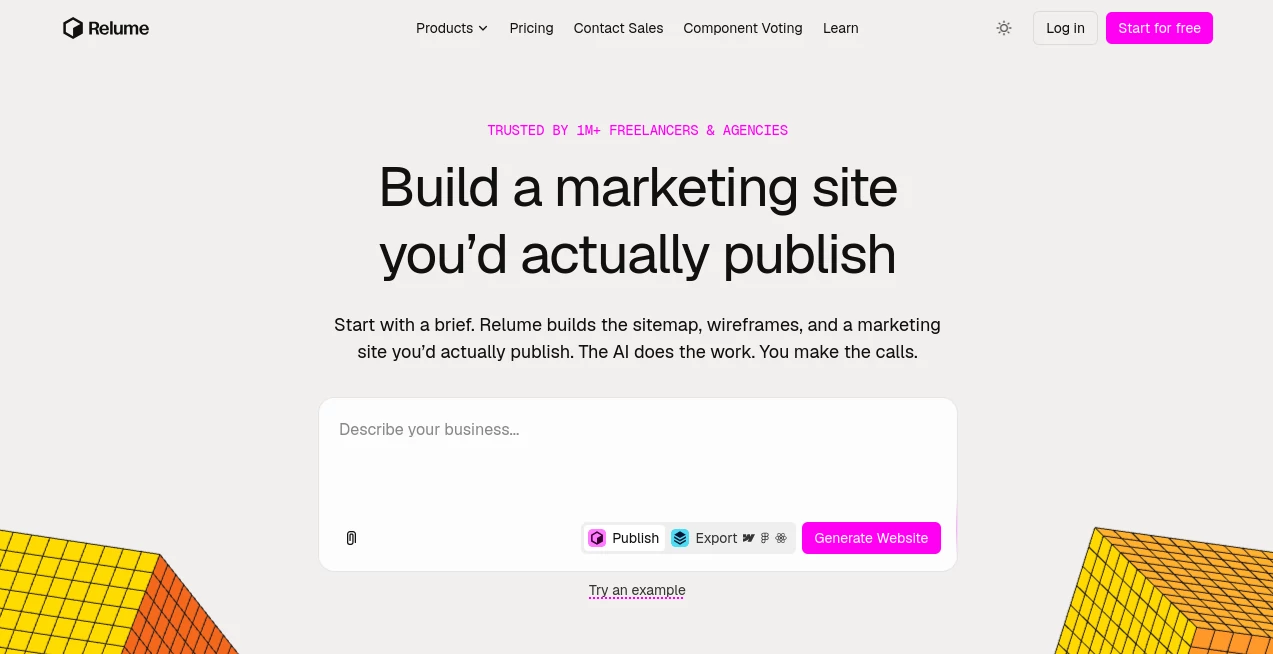
What is Relume AI?
Relume is an AI-powered website planning and design platform built for people who want to move from a rough idea to a structured marketing website without spending days on the first draft. Instead of asking AI to write raw code and hoping the result looks right, it uses a component-based approach to create sitemaps, wireframes, page structures, and design concepts that designers and developers can actually work with.
The workflow is particularly appealing for agencies, freelancers, and web teams. You can begin with a short brief describing a company, its audience, and its goals, then turn that information into a proposed sitemap and wireframes. From there, the project can be refined visually and exported into familiar design and development environments. The result feels less like handing a project over to an automated website generator and more like having a fast first draft that you remain in control of.
That distinction matters. A designer can reject a section, change the page structure, rewrite copy, or try another direction instead of accepting whatever the AI produces. For client projects, that can make the early discovery stage considerably easier to manage.
Key Features
- AI-generated website sitemaps based on a short project brief
- AI-generated wireframes connected directly to the sitemap structure
- More than 1,000 responsive components for building complete websites
- Design system and style guide tools for maintaining visual consistency
- Export options for Figma, Webflow, and React
- AI-assisted copywriting for wireframe content
- Import tools for working from an existing website structure
- Collaboration and project sharing for clients and teams
- Component libraries designed for responsive website production
- Publishing and hosting options for teams that want to take projects live
User Interface
The interface is designed around the way web professionals already think about projects. Instead of presenting a blank canvas and asking users to invent everything from scratch, it organizes the work around pages, sections, components, and visual systems.
The sitemap and wireframe views are especially useful together. Changing a section in the sitemap can influence the corresponding wireframe, which makes it easier to experiment with information architecture before committing to detailed design work. There are also practical editing controls, keyboard shortcuts, global sections, and sharing features that make the workspace feel suitable for real projects rather than quick AI experiments.
A useful example is a small agency starting a website for a consulting company. The team can describe the business, identify its main services and goals, generate a sitemap, review the proposed pages with the client, and then move into wireframes. That is a much cleaner starting point than opening a design file with dozens of empty frames.
Accuracy & Performance
The platform takes an interesting approach to AI-generated design. Rather than asking an AI model to invent completely new layouts every time, the system assembles websites from a maintained library of human-designed components. This helps keep the output practical, responsive, and consistent.
Its sitemap generator can also work from relatively simple prompts. You can describe the company, target audience, website goals, important services, and required pages, then use the generated structure as a starting point. The output still needs human review, particularly for businesses with unusual information architectures, but that is part of the strength of the workflow: AI handles the repetitive first pass while the designer makes the important decisions.
Capabilities
The platform covers much more than basic wireframing. Its workflow can take a project from a written brief through sitemap creation, wireframes, design direction, and export. The component system includes responsive building blocks, while the design tools help establish colors, typography, spacing, and other visual decisions across a project.
For developers, the export options are another major advantage. Projects can be taken into Figma, Webflow, or React, depending on the workflow. The React output uses Tailwind CSS and shadcn/ui components, while Webflow projects are built around Client-First conventions. This makes the platform particularly useful when designers and developers need to stay connected throughout a project.
There is also support for AI-assisted copywriting, multiple languages, sitemap importing, reusable global sections, and project pricing workflows. The latter can even produce an Excel pricing sheet based on the structure of a proposed website, which is a surprisingly practical feature for agencies.
Security & Privacy
For published websites, the platform provides SSL, DDoS protection, a global edge network, and a stated 99.99% uptime service objective. Its current product information also notes that SOC 2 compliance is pending.
Payment processing is handled through established payment infrastructure rather than requiring users to enter payment details directly into an unfamiliar system. As with any cloud-based design platform, teams working with confidential client information should still review the provider’s current privacy and security documentation before placing sensitive material into projects.
Use Cases
Agency website projects: Agencies can use the workflow to turn discovery notes into a sitemap and early wireframes before spending significant design time.
Freelance web designers: Freelancers can create a strong first draft quickly and use it as a foundation for client presentations and revisions.
Webflow projects: Teams working heavily with Webflow can take advantage of the component library and export workflow instead of rebuilding common sections manually.
Figma design workflows: Designers can use generated structures as a starting point and continue refining the project in Figma.
React development: Development teams can export designs into React and continue building with Tailwind CSS and shadcn/ui components.
Client discovery and presentations: A generated sitemap gives clients something concrete to review early, which can uncover missing pages or incorrect assumptions before development begins.
Website pricing: Agencies can use the sitemap structure to estimate project scope and generate pricing spreadsheets based on sections and complexity.
Pros and Cons
Pros
- Excellent workflow from brief to sitemap and wireframe
- Large library of responsive website components
- Strong fit for agencies and professional web designers
- Useful export options for Figma, Webflow, and React
- AI supports the designer instead of forcing a fully automated result
- Good tools for client collaboration and project planning
- Can reduce repetitive work during the early stages of a website project
Cons
- The platform is more valuable for professional website workflows than for someone looking for a simple one-click personal site
- AI-generated structures still require human review and editing
- Some advanced features and larger component libraries require a paid plan
- Teams already committed to a completely different design system may need to adapt their workflow
Pricing Plans
A free option is available for users who want to explore the platform without paying. The free level is limited but provides a practical way to understand the workflow before upgrading.
Paid plans currently include Starter, Pro, and Team options. The Starter plan begins at around $18 per month, while Pro starts at around $40 per month. Team pricing starts at around $36 per month with a minimum of three users. Pricing can vary depending on the billing period and current offers, so the latest plan details should be checked before subscribing.
The higher tiers provide more project capacity, broader export options, larger component access, and additional collaboration features. For agencies producing multiple client websites, the value is less about generating one website and more about reducing the time spent repeating the same planning and production tasks.
How to Use It
Start by describing the business and the website you want to create. Include the company's purpose, target audience, main services, website goals, and any pages you already know you need.
Generate the sitemap and review it before moving forward. Rename pages, remove unnecessary sections, add missing content, and adjust the structure until it makes sense for the project.
Next, generate the wireframes. Because the sitemap and wireframes are connected, the information architecture you created earlier helps guide the sections that appear on each page.
Refine the generated content and layout, create or adjust the style guide, and review the project with your team or client. Once the structure is approved, export it to the environment that fits your workflow, such as Figma, Webflow, or React.
A good practical approach is to treat the AI output as a first draft rather than the final website. The more specific the original brief and the more thoughtful the human editing, the more useful the final result becomes.
Comparison with Similar Tools
Many AI website products focus on producing a finished website as quickly as possible. This platform takes a different route by concentrating heavily on the planning and design workflow behind a professional marketing website.
That makes it a particularly strong choice for designers who want control over information architecture, wireframes, components, and design systems. Someone who simply wants a personal landing page with minimal involvement may prefer a more automated website generator, while an agency building websites for clients can benefit much more from the structured workflow.
The component library is another important distinction. Instead of receiving a completely unpredictable AI-generated interface, users work with established responsive building blocks. This gives the resulting project a more coherent visual and technical foundation and makes later refinement considerably easier.
Conclusion
For anyone who builds marketing websites professionally, the biggest benefit here is not simply speed. It is the ability to turn a vague client brief into something tangible much earlier in the process.
The combination of AI-assisted planning, connected sitemaps and wireframes, a large responsive component library, design tools, and exports to established design and development platforms creates a workflow that feels genuinely useful beyond the initial AI novelty.
It will not replace a good designer, strategist, copywriter, or developer—and it does not try to. Instead, it takes care of a large amount of repetitive groundwork so those people can spend more time making decisions that actually improve the website. For agencies and freelancers handling multiple projects, that can make a meaningful difference.
Frequently Asked Questions (FAQ)
Can beginners use the platform?
Yes. The workflow is approachable for beginners, although the platform becomes especially valuable once you understand basic concepts such as sitemaps, wireframes, responsive components, and website information architecture.
Can I export my project?
Yes. Depending on the plan, projects can be exported to Figma, Webflow, and React. The React workflow uses Tailwind CSS and shadcn/ui components.
Does it only create wireframes?
No. The workflow covers website briefs, sitemaps, wireframes, style guides, design, component libraries, exports, and publishing options.
Is there a free plan?
Yes. A free plan is available with limitations on projects, pages, components, and other features. It is useful for testing the workflow before committing to a paid subscription.
Is it suitable for agencies?
Yes. Agencies are one of the clearest audiences for the platform because it can help with discovery, sitemap creation, client reviews, wireframing, project pricing, and production workflows.
Can I use the generated websites for commercial projects?
Yes. The platform is designed for professional and commercial website work, including client projects. Specific plan and component licensing terms should always be checked before using particular assets in a commercial project.
Can I build a website directly without exporting?
Yes. Publishing and hosting options are available for users who want to take a project live within the platform, while others can export their work into their preferred design or development environment.
Does the AI replace a web designer?
No. Its strongest role is accelerating the repetitive parts of website planning and production. Human judgment is still important for brand strategy, content decisions, user experience, visual direction, and final quality.
AI Website Builder , AI Design Assistant , AI Website Designer , AI Graphic Design .
These classifications represent its core capabilities and areas of application. For related tools, explore the linked categories above.

Relume AI Alternatives Product

Simplified

Sento AI

Lovable

MakeBanner.ai

HTMLSlides

IMAGE 2

Image to Thr…

Apprentice

Seed3D 2.0
