Restore Old Photos
What is Restore Old Photos?
Old photographs often carry stories that cannot be replaced. Family portraits, wedding pictures, childhood memories, and historical snapshots can fade over time, losing the details that once made them special. This AI-powered restoration platform offers a simple way to bring those treasured images back to life without requiring advanced editing skills or expensive software.
Designed for anyone who wants to preserve meaningful memories, the platform uses modern image restoration technology to repair damage, improve clarity, and add realistic color to aging photographs. Whether the image suffers from fading, scratches, blur, or discoloration, the restoration process is remarkably straightforward and delivers impressive results directly from a web browser.
What makes the experience particularly appealing is its focus on natural-looking enhancements. Instead of producing overly processed images, the system aims to preserve the original character of each photograph while carefully improving quality and detail.
Key Features
User Interface
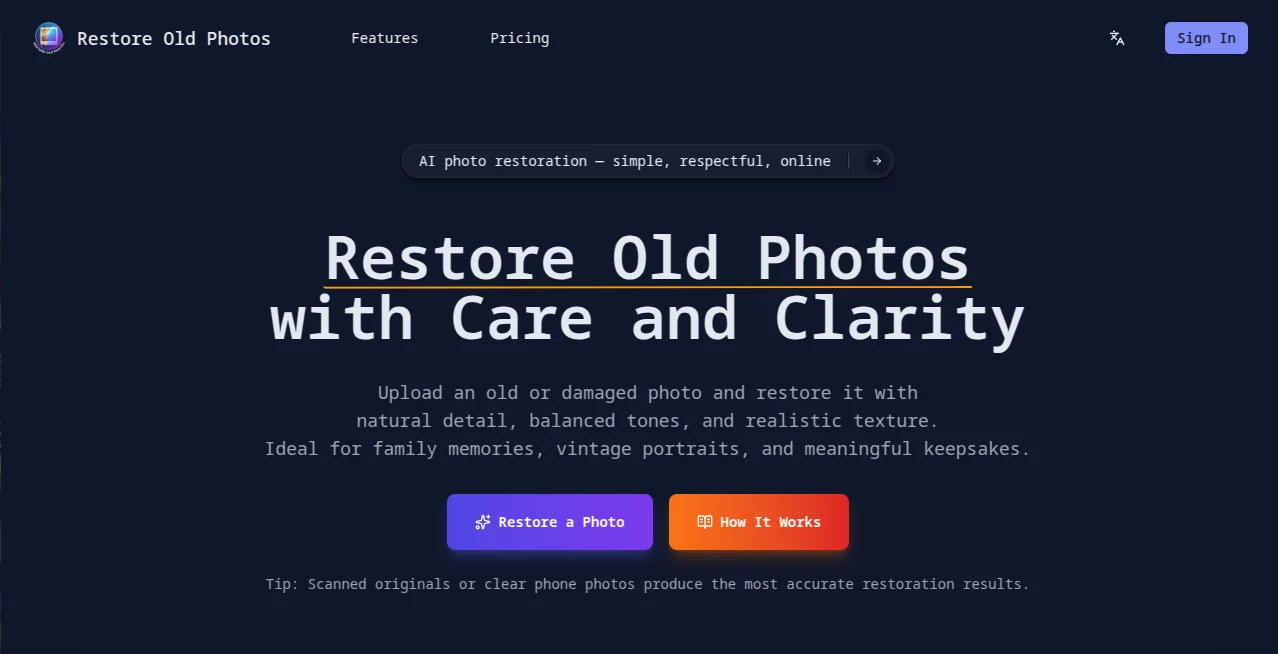
The platform features a clean and intuitive interface that makes photo restoration accessible to everyone. Uploading an image takes only a few seconds, and the workflow is clearly organized from start to finish. Users can preview results, compare before-and-after versions, and download the final image without navigating complicated menus.
The browser-based design means there is no software installation required, allowing users to restore photos from desktops, laptops, tablets, or mobile devices.
Accuracy & Performance
The restoration engine performs exceptionally well when handling faded photographs, damaged prints, and black-and-white images. It intelligently enhances details while maintaining realistic textures and balanced tones.
Facial features are preserved carefully, making the tool particularly useful for family portraits. The system also improves sharpness in blurry areas and restores contrast in images that have lost visual depth over time.
Capabilities
- Restore damaged and aging photographs automatically.
- Repair scratches, cracks, and visible wear.
- Colorize black-and-white photos with realistic tones.
- Enhance facial details and portrait clarity.
- Improve sharpness and overall image quality.
- Generate high-resolution outputs suitable for printing.
- Provide side-by-side comparisons between original and restored versions.
- Work entirely online without additional software.
Security & Privacy
Privacy is an important consideration when working with personal photographs. The platform processes images through a secure online environment and allows users to manage their restoration projects directly through the browser.
For individuals restoring sensitive family archives or personal collections, the streamlined workflow reduces unnecessary sharing and keeps the process simple and controlled.
Use Cases
- Restoring vintage family albums.
- Preserving historical photographs for future generations.
- Repairing old wedding pictures damaged by age.
- Colorizing black-and-white portraits.
- Enhancing scanned photographs before printing.
- Recovering details from faded childhood memories.
- Preparing archival images for digital collections.
- Creating gifts and family keepsakes from restored photographs.
Pros and Cons
Pros
- Easy-to-use interface suitable for beginners.
- Natural-looking restoration results.
- Realistic colorization for black-and-white images.
- No software installation required.
- High-quality downloadable outputs.
- Works across desktop and mobile devices.
- Fast processing and image enhancement.
Cons
- Highly damaged photographs may still require manual editing for perfect restoration.
- Credit-based usage may not suit users with very large restoration projects.
- Results can vary depending on the quality of the original image upload.
Pricing Plans
The platform offers multiple subscription tiers designed for different usage levels. Plans are based on credits, allowing users to restore varying numbers of photos depending on their needs.
- Starter plan for occasional restoration projects.
- Standard plan for regular users with larger photo collections.
- Premium plan for high-volume restoration and archival work.
- High-resolution downloads included with paid plans.
The flexible structure makes it suitable for both casual users restoring a few family photographs and professionals handling larger collections.
How to Use Restore Old Photos
Getting started is straightforward and requires only a few steps:
- Upload an old, faded, or damaged photograph.
- Allow the AI restoration system to analyze the image.
- Review the restored preview generated automatically.
- Compare the original and enhanced versions.
- Download the final high-quality result.
For best outcomes, clear scans or high-quality photos of original prints typically provide the most accurate restoration results.
Comparison with Similar Tools
Many photo restoration services focus heavily on aggressive enhancement, often producing results that look artificial or overly sharpened. In contrast, this platform emphasizes authenticity and preservation.
Its ability to maintain realistic textures, balanced colors, and natural facial details helps restored images retain their original emotional value. The side-by-side comparison feature is also particularly useful, allowing users to evaluate improvements instantly.
Compared with traditional editing software, the restoration process is dramatically faster and requires no technical expertise. Users who simply want to recover cherished memories without learning advanced photo-editing techniques will find the experience far more approachable.
Conclusion
Bringing old photographs back to life has never been easier. With powerful AI restoration technology, intuitive design, and a strong focus on natural-looking results, this platform offers an effective solution for preserving memories that might otherwise continue to deteriorate.
Whether restoring a grandparent's portrait, reviving faded family albums, or preparing historical images for digital archiving, the tool delivers a practical and enjoyable restoration experience. Its combination of simplicity, quality, and accessibility makes it a valuable choice for anyone looking to preserve the past through modern technology.
Frequently Asked Questions (FAQ)
Can the platform restore severely damaged photos?
Yes, it can repair many common forms of damage including scratches, fading, cracks, and blur. Extremely damaged images may still benefit from additional manual editing.
Does it colorize black-and-white photographs?
Yes, realistic colorization is one of its core features, helping vintage photographs appear more vivid and lifelike.
Do I need photo editing experience?
No. The restoration process is fully automated and designed for users of all skill levels.
Can I use it on a mobile device?
Yes. The browser-based platform works across smartphones, tablets, laptops, and desktop computers.
Are restored images suitable for printing?
Yes. High-resolution output options make the restored photos suitable for printing, framing, and long-term preservation.
Photo & Image Editor , AI Photo Enhancer , AI Photo Restoration , AI Photography .
These classifications represent its core capabilities and areas of application. For related tools, explore the linked categories above.
Restore Old Photos details
Website unavailable — View Alternatives
Pricing
- Free
Apps
- Web App
Categories

Restore Old Photos Alternatives Product

AI Clothes

Plottie

Image Text E…

Better Image

ImgUnblur

BatchRemover

Face Shape D…

AI Image Edi…

Reztune