
Seedream 5.0 Pro
What is Seedream 5.0 Pro?
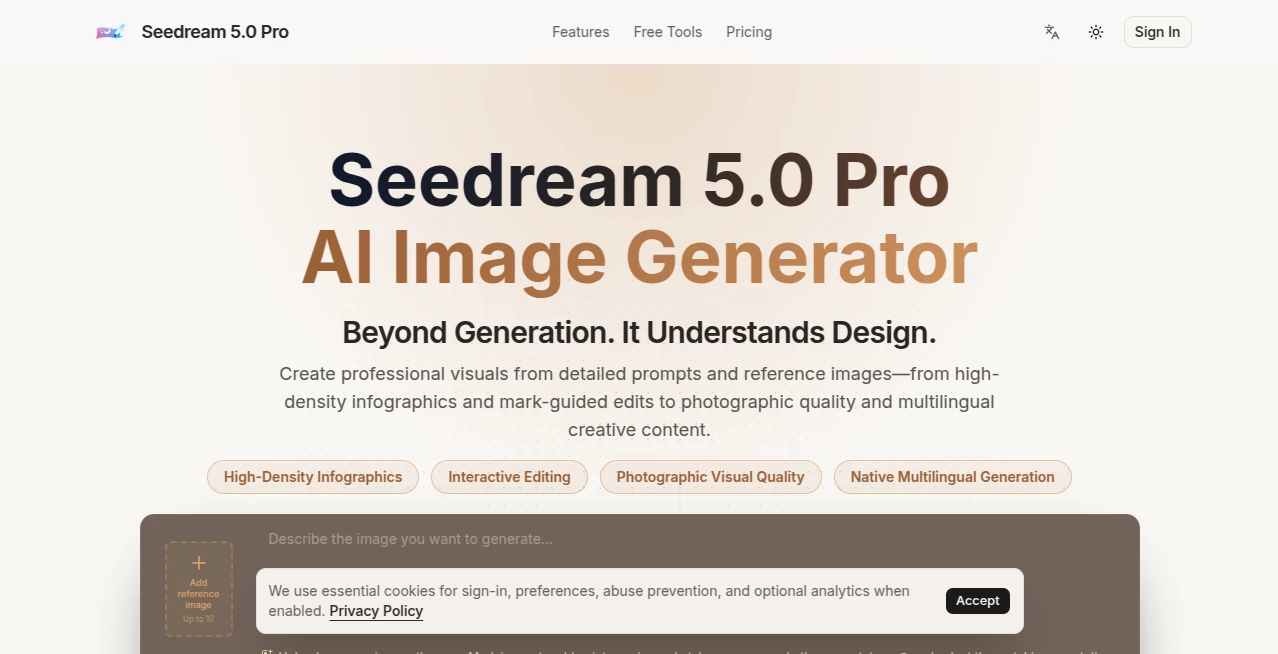
Seedream 5.0 Pro is an advanced multimodal image generation tool built for turning detailed creative directions into polished visual content. Its focus goes beyond simple text-to-image generation, combining complex prompt understanding, reference-guided editing, structured layouts, realistic photographic rendering, and multilingual image text generation.
The platform is particularly useful when an image needs to serve a practical purpose rather than simply look attractive. A product advertisement, educational infographic, ecommerce visual, presentation graphic, social media asset, or localized campaign can all be created from a carefully written prompt. The ability to work with reference images also gives creators more control when a particular subject, composition, or visual identity needs to remain consistent.
One of the more interesting parts of the experience is the editing workflow. Instead of repeatedly generating an entire image, users can upload a source image and mark areas with points, regions, sketches, or arrows before explaining what should change. That makes the process feel closer to directing a designer than simply entering a prompt and hoping for the right result.
Key Features
- Text-to-image generation from detailed creative prompts.
- Reference-guided image creation and editing.
- Mark-based editing using points, regions, sketches, and arrows.
- High-density infographic generation with structured information.
- Photographic rendering with realistic lighting, materials, reflections, and skin texture.
- Multilingual image-text generation for localized creative work.
- Support for common formats and visual compositions such as square, portrait, and widescreen layouts.
- 1K and 2K generation options for different production requirements.
- Generation history and downloadable results.
User Interface
The interface keeps the main creative workflow straightforward. Users can enter a description, add reference material, select image settings, and generate a result without needing technical knowledge. The marking system is especially useful for image editing because it provides a visual way to identify the area that needs attention.
For someone working on a product image, for example, it is possible to indicate the product or background area and then explain what should be changed while specifying what needs to remain untouched. This makes iterative work more practical than starting from scratch after every unsuccessful generation.
Accuracy & Performance
The model is designed to handle detailed prompts and visually complicated compositions. It can organize charts, labels, timelines, explanatory elements, and other information-heavy components while also producing realistic photographic scenes.
Its 2K option is useful when the generated image is intended for a campaign, presentation, ecommerce page, or other situation where a small preview is not enough. The platform also emphasizes stronger text rendering and multilingual generation, although generated text should still be checked before publishing, especially when it contains product names, prices, legal wording, or important brand information.
Capabilities
The strongest use cases are practical visual projects. A marketing team can develop product advertisements and campaign concepts, while an ecommerce business can create polished product scenes without arranging a complete photoshoot for every variation.
It can also produce educational infographics, pitch-deck visuals, storyboards, posters, localized campaign concepts, realistic portraits, cinematic scenes, and brand exploration concepts. Reference images add another layer of control, particularly when the shape of a product, the appearance of a character, or a specific visual direction needs to be preserved.
Use Cases
For ecommerce teams, the platform can turn a simple product reference into a more polished commercial scene with controlled lighting, realistic materials, and space for marketing copy.
Marketing professionals can use it to explore advertising concepts, social media creatives, campaign visuals, and localized promotional material. Instead of waiting for a complete design before testing an idea, several creative directions can be explored directly from written briefs.
Educators and content creators can benefit from its ability to structure information into infographics. A complex subject can be presented through diagrams, labels, timelines, and supporting visual elements rather than relying entirely on blocks of text.
Designers can also use reference-guided editing for concept development. A rough sketch or existing visual can become the starting point for a more finished composition, making the tool useful during early design exploration as well as final asset production.
Pros and Cons
Pros:
- Strong handling of detailed and complex visual prompts.
- Useful reference-image and mark-guided editing workflow.
- Good fit for commercial-style product and marketing visuals.
- Supports information-dense infographic concepts.
- Multilingual image-text generation expands its usefulness for international campaigns.
- 2K output is available for higher-quality visual work.
- Simple enough for beginners while offering useful control for experienced creators.
Cons:
- Generated text should still be reviewed carefully before publication.
- The Pro workflow generates one image at a time, so it is less suited to comparing many variations simultaneously.
- Higher-resolution generations consume more credits.
- Commercial use is subject to the applicable platform terms and third-party rights considerations.
Pricing Plans
The platform offers a free option for personal evaluation with 18 one-time trial credits that are valid for seven days. The free plan provides access to the available image models, supported reference-image workflows, generation history, and downloads, but commercial rights are not advertised for this tier.
The Starter plan costs $6.99 per month when billed annually and includes 300 credits that reset monthly. The Creator plan costs $20.99 per month on annual billing and provides 1,500 monthly credits, while the Studio plan costs $48.99 per month on annual billing with 3,600 monthly credits. Paid plans provide access to the same core model family, with the higher tiers aimed at creators, marketing teams, client projects, and heavier production workloads.
For occasional experimentation, the free tier is a sensible way to evaluate the workflow before spending money. Users producing regular advertising, ecommerce, or client assets will likely find the larger credit packages more practical.
How to Use Seedream 5.0 Pro
Start by describing the image you want to create. Rather than writing only a style such as “cinematic” or “realistic,” explain the purpose, subject, composition, lighting, materials, text, and desired aspect ratio. A prompt written like a creative brief generally provides more useful direction.
If an existing image is important, upload it as a reference. The marking feature can then be used to identify specific areas with points, regions, sketches, or arrows. Explain what should change and what should remain consistent.
Choose the desired image settings and resolution, then generate the image. Review the result carefully, particularly any generated wording, and refine the prompt when something needs adjustment. This iterative approach works particularly well for advertising visuals and detailed compositions where small changes can make a significant difference.
Comparison with Similar Tools
Many AI image generators are excellent for quickly producing attractive concepts, but this platform is positioned more toward structured and production-oriented visual work. Its emphasis on dense infographics, reference-guided editing, realistic photography, and multilingual layouts makes it particularly interesting for users who need an image to communicate information or support a business objective.
Compared with lighter image-generation workflows, the Pro model is better suited to refining a single polished result rather than producing a large collection of variations. Users who mainly want rapid experimentation may prefer a system designed around multiple generations, while designers and marketers working toward a specific final asset can benefit from the additional control.
The practical difference becomes clear when creating something such as a product advertisement. Instead of asking only for a beautiful product picture, a user can define the product, lighting, composition, headline placement, materials, mood, and reference characteristics. That workflow is closer to directing a finished design than simply generating an image.
Conclusion
Seedream 5.0 Pro stands out as a capable choice for creators who want more control over the visual creation process. Its combination of detailed prompt understanding, reference-based editing, realistic rendering, structured infographic creation, and multilingual support gives it a broader role than a basic image generator.
The platform is especially compelling for marketing teams, ecommerce businesses, designers, educators, and content creators who need visuals that communicate something specific. The free credits also make it easy to test the workflow before committing to a paid plan.
If your goal is simply to generate random artwork, there are plenty of options available. But when the image needs to sell, explain, present, localize, or support a real creative project, the additional control offered here can make the generation process considerably more useful.
Frequently Asked Questions (FAQ)
What is Seedream 5.0 Pro?
It is a multimodal AI image generation model designed for advanced visual creation, including detailed scenes, professional graphics, realistic photography, infographics, and reference-guided editing.
Can I generate images from text?
Yes. Users can describe a subject, purpose, composition, style, lighting, text requirements, and other visual details in a prompt to create an image.
Does it support reference images?
Yes. Reference images can be uploaded to help guide the generation or editing process. The platform also provides marking tools for identifying specific areas that should be changed or preserved.
Can it create infographics?
Yes. High-density infographics are one of its notable use cases. It can organize labels, charts, timelines, explanatory text, and other structured visual elements.
Does it support multilingual text?
Yes. The platform supports multilingual image-text generation, making it useful for localized posters and international creative campaigns. Generated wording should still be reviewed before publication.
Can I generate 2K images?
Yes. The Pro workflow supports both 1K and 2K generation, with 2K intended for higher-quality production work.
Is there a free plan?
Yes. The free tier provides one-time trial credits for evaluating the available models and supported generation workflows. Commercial rights are not advertised for the free tier.
Is it suitable for commercial projects?
Paid plans may support commercial projects under the platform's terms. Users are responsible for checking trademarks, likeness rights, brand assets, copyrights, and other permissions relevant to their particular project.
How can I get better results?
Write prompts like a creative brief. Include the subject, purpose, composition, visual style, lighting, materials, exact text, aspect ratio, and instructions about what should remain consistent when using references.
AI Photo & Image Generator , AI Poster Generator , AI Image to Image , AI Text to Image .
These classifications represent its core capabilities and areas of application. For related tools, explore the linked categories above.
Seedream 5.0 Pro details
Website unavailable — View Alternatives
Pricing
- Free
Apps
- Web App
Categories

Seedream 5.0 Pro Alternatives Product

StyleCut

Image to Ima…

FLUX.1 Konte…

Image Text E…

NanoBanana P…

Hairstyle An…

UnblurImage …

Pic 2 Meme
Kirkified AI