Sign Customiser
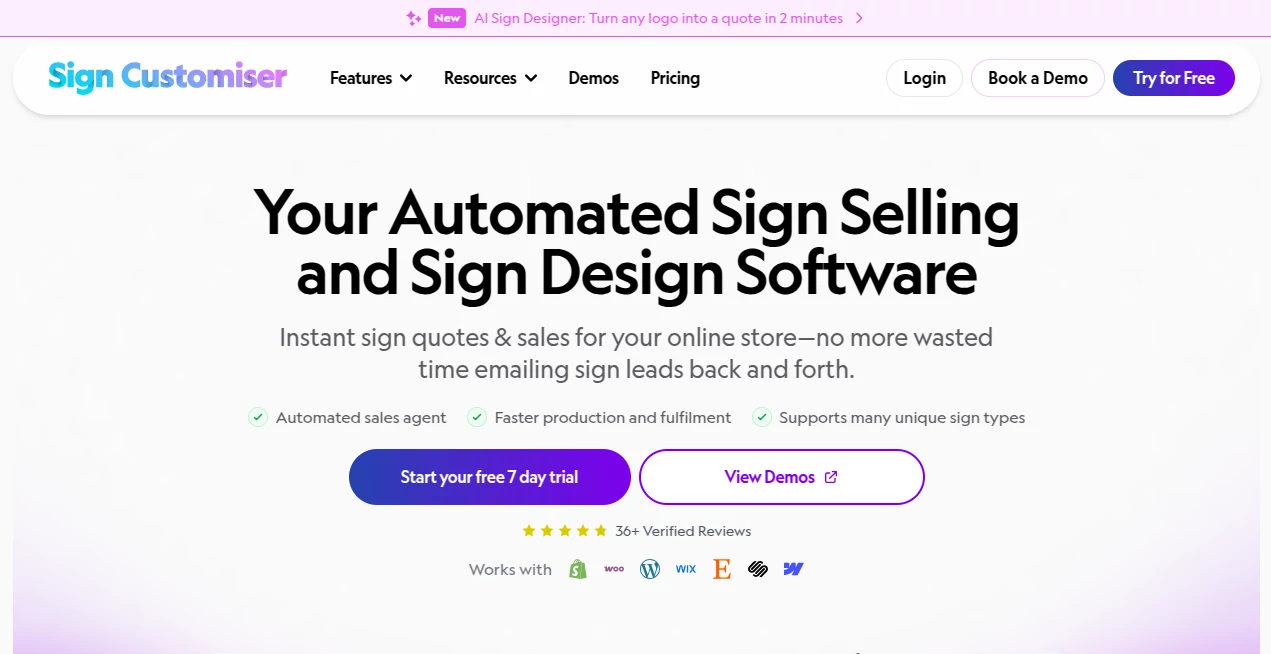
What is Sign Customiser?
You know that frustrating moment when a customer sends over a complex logo or a rough sketch and asks, "Can you turn this into a sign?" Traditionally, that meant hours of manual tracing, back-and-forth emails, and a lot of waiting. Not anymore. There's a smarter way to handle custom sign requests without turning your production schedule upside down.
Imagine giving your customers the power to upload any picture—a company logo, a child's drawing, or even a photo of an old neon sign—and watching it transform into a clean, production-ready vector file right before their eyes. That's exactly what this platform delivers. It takes the headache out of custom design work and puts the control directly where it belongs: in your customers' hands. We've tested dozens of sign shops and dropshippers who have cut their design-to-order time from days down to just a few minutes using this approach.
Key Features
This isn't just another file converter. The system is purpose-built for the sign industry, meaning it understands the difference between a simple image trace and a manufacturable sign file. Let's break down what actually happens under the hood.
User Interface
Getting started feels surprisingly straightforward. From the admin dashboard, the tool lives under a dedicated "Custom Designs" section, clearly marked with an "AI Designer" badge so you won't go hunting for it. The setup process walks you through enabling the feature on eligible products, and once it's live, customers see a clean promo card that reads "AI Sign Designer — Turn any image into production-ready signs" .
On the customer side, the upload process is dead simple. They drag in a PNG, JPEG, WebP, or even an SVG file (up to 5MB), and the interface shows them exactly what's happening. No confusing jargon, no hidden steps. For shop owners, the admin panel gives you a visual preview of how different logo shapes will fit within your configured dimensions—super helpful when you're setting up defaults for wide logos versus tall ones .
Accuracy & Performance
Here's where things get impressive. When a customer uploads an image, the processing typically takes between 30 to 60 seconds. Complex images might stretch to 2-3 minutes, but here's the kicker: failed conversions don't cost you anything. You only pay for successful generations, which removes the risk of experimenting with tricky files .
The vector outlines it produces are clean—really clean. It traces every path in the uploaded image and converts it into an SVG that's ready for sign configuration. We've seen it handle everything from simple text-based logos to complex illustrated graphics, and the output consistently maintains the original proportions while adapting to your sign dimensions. The system keeps the aspect ratio intact, so a wide logo fills the width appropriately, and a tall logo fills the height .
Capabilities
What you get per conversion is surprisingly comprehensive. Each successful generation produces the original uploaded image, a vector SVG outline ready for the customiser, and depending on your settings, an EPS file plus an Illustrator-compatible PDF (saved with an .ai filename). This means your production team gets multiple file formats without any extra steps .
The tool works across different sign types too—neon signs, channel letters (both acrylic and metal), and various pricing models. If you're using Frame Fit pricing, it calculates based on total sign area. If you're using Material Length pricing (Advanced Letter model), it actually measures the total length of the SVG paths. Complex designs with more detail cost more, simpler designs cost less. That's a level of precision you don't usually see in off-the-shelf solutions .
Security & Privacy
For shop owners worried about customer data or design theft, the platform handles things sensibly. Credits are shared across all your customisers, so you're not managing separate balances for each product. When your balance drops below 5 credits, you get a clear email warning—no surprises, no sudden service interruptions.
If credits do run out, the system gracefully falls back to a custom design form you've set up. Customers see the form instead of the upload interface, submit their request manually, and you process it later. This means you never leave a customer stranded with no way to place an order. You can also disconnect the integration at any time without jumping through hoops.
Use Cases
We've seen this tool transform operations for several types of businesses. Etsy sellers using the integration guide customers to design their signs through a hosted link, then paste the design summary directly into the personalisation box at checkout. Dropshippers who work with preconfigured manufacturer templates can start selling immediately without learning complex design software. And for shops that manufacture in-house, the ability to receive ready-to-cut vector files instead of messy JPEGs has been a game-changer for production workflow.
One sign shop owner told us they used to spend 45 minutes on average tracing customer images manually. Now, they let the AI handle the first pass, and their designers just do quick touch-ups. That's not just saving time—it's freeing up their skilled workers for more valuable projects.
Pros and Cons
What Works Well: The credit system is straightforward and credits never expire, so you're not forced into monthly subscriptions you don't use. The fallback form option is genuinely thoughtful—most tools would just show an error message when credits run out, but this keeps your sales funnel moving. The multi-format output (SVG, EPS, PDF/AI) means your production team gets everything they need without requesting files repeatedly.
What to Consider: The tool doesn't work with Simple Letter pricing models, so if your customiser uses Fixed Width pricing, you'll need to switch to Frame Fit or Material Length first . Also, the processing time (though reasonable) means customers might wait up to three minutes—you'll want to set expectations clearly or offer email notifications for when designs are ready.
Pricing Plans
The pricing runs on a credit-based system, which we actually prefer over monthly subscriptions for this type of tool. Credits are sold in packages and never expire, so you buy what you need when you need it. Current pricing: 25 credits for $12.50 USD ($0.50 per credit), 75 credits for $33.75 USD ($0.45 per credit, saving 10%), and 200 credits for $80.00 USD ($0.40 per credit, saving 20%).
For high-volume shops, enterprise volume pricing is available by contacting support. Shopify users see charges appear on their regular Shopify invoice, while Universal account users process payments through Stripe. Every conversion—whether from the admin dashboard or customer uploads—costs exactly one credit. Failed conversions don't consume credits, which is a fair policy that encourages testing.
How to Use the Platform
Getting started takes about ten minutes if you have your pricing and sign types ready. First, decide which sign types you want to offer—neon, acrylic letters, metal letters, wood frames, or lightboxes . Then choose your pricing model. If you're a dropshipper, you can select from preconfigured manufacturer templates. If you manufacture in-house, you'll input your own sizes, pricing, and options.
Once you've created your customiser, enable the AI Sign Designer from the Custom Designs section in your admin panel. Set your default sign dimensions and minimum production height based on your manufacturing method. Neon signs typically need a 5-6cm minimum height (tube bend radius), while channel letters need 8-10cm for return depth plus LED clearance . The admin panel will flag any dimension conflicts before you go live, so you won't discover problems after customers start ordering.
Finally, add the customiser to your website. Shopify users can add it directly to product pages; WordPress, Wix, and headless site users embed an iframe . The platform also integrates with Etsy via customiser links and personalisation boxes .
Comparison with Similar Tools
Most "AI design" tools on the market fall into two categories. There are signature generators like Jotform or Canva that create simple PNG signatures for email or PDF signing . Then there are general AI image tools that produce pretty pictures but don't understand manufacturing constraints like material length pricing or minimum production heights.
This platform sits in a completely different space. It's built specifically for sign production workflows, not general design. While a tool like WiseStamp's AI Designer creates email signatures and Pippit's stamp generator makes logos and badges , this solution outputs vector files with actual production data attached—pricing based on material length, size tier scaling, and manufacturer-ready formats like EPS and Illustrator PDFs.
The Etsy integration is also unique. Most competitors don't offer any e-commerce bridge, let alone one that guides customers through design, captures their specifications, and redirects them back to complete checkout. If you're running a sign business online, this isn't competing with Canva—it's competing with hours of manual design work.
Conclusion
If you're tired of being the bottleneck in your own sign business—manually tracing customer images, answering endless "can you make this into a sign?" emails, and chasing down file formats—this tool genuinely fixes that problem. It's not magic, but it's the closest thing we've seen to a practical solution for automating custom sign design without sacrificing quality.
The credit-based pricing means you can start small, test it with real customer orders, and scale up as you see results. And the fallback form ensures you never turn away business even if you forget to top up credits. For sign shops, dropshippers, and even Etsy sellers who want to offer custom products without hiring a full-time designer, this is worth a serious look.
Frequently Asked Questions (FAQ)
What file formats can customers upload? Customers can upload PNG, JPEG, WebP, or SVG files up to 5MB. The AI generates vector SVG outlines from any of these formats .
Do failed conversions use my credits? No. You only pay for successful conversions. If the AI can't process an image for any reason, your credit balance stays exactly the same.
Can I use this with my existing Etsy store? Yes. The Etsy integration connects once from your admin panel. Each customiser pairs with an Etsy listing through a customiser link, and customers copy their design summary into the personalisation box at checkout.
What happens when I run out of credits? If you've set up a fallback form, customers are automatically redirected to it when credits hit zero. They submit their design request manually, and you process it later. If no fallback form exists, customers see a "Credits Required" screen .
Does it work on WordPress, Shopify, and Wix? Yes. The platform works on Shopify, WordPress, Wix, and standalone embeds. Credits are shared across all platforms for Universal accounts, though Shopify store credits can only be used for that specific store .
AI Design Assistant , AI Documents Assistant , AI Image to Image , AI Files Assistant .
These classifications represent its core capabilities and areas of application. For related tools, explore the linked categories above.
Sign Customiser details
Website unavailable — View Alternatives
Pricing
- Free
Apps
- Web App
Categories

Sign Customiser Alternatives Product

OutfitSwap S…

Document Chat

Imagens App

GPT IMAGE2
AI text clea…

Caricature G…
gpt image

Z image AI

hd image con…