
SlideScript
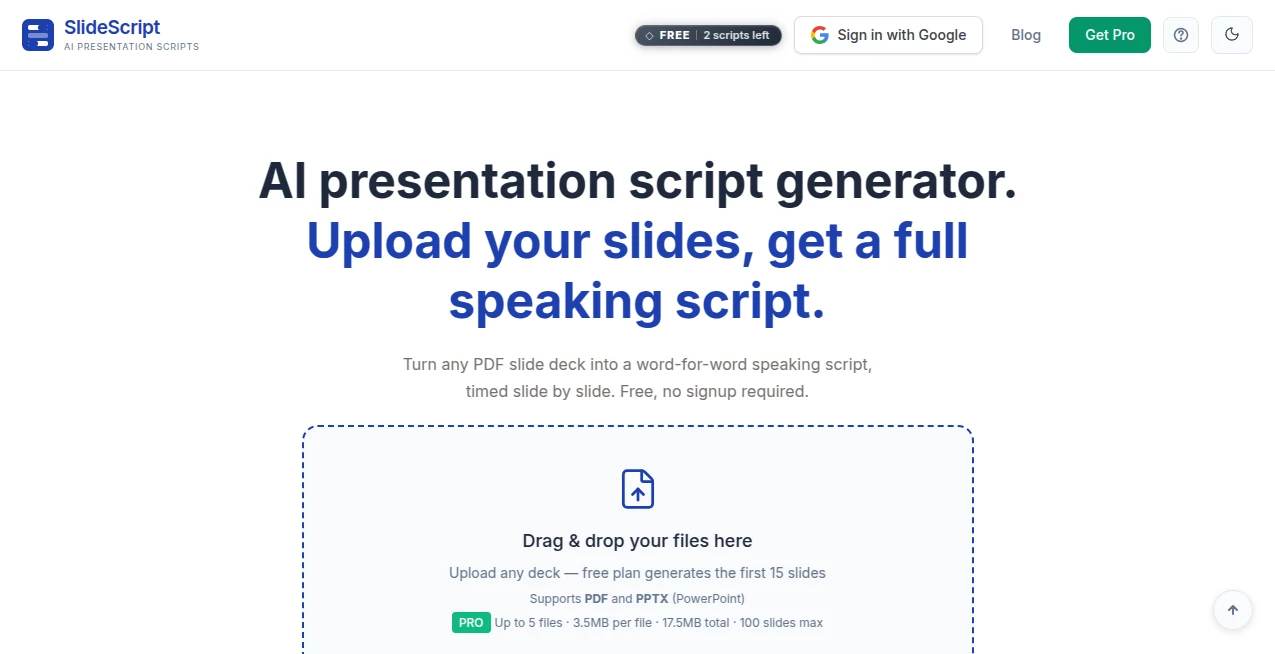
What is SlideScript?
Delivering a presentation is about far more than creating attractive slides. The real challenge begins when it's time to explain ideas clearly, keep the audience engaged, and stay within the allotted time. This platform was created to solve exactly that problem by transforming presentation slides into a complete speaking script that feels natural, organized, and easy to follow.
Instead of relying on short speaker notes or memorizing every sentence, users can upload a PDF presentation, choose their preferred presentation length and language, and receive a detailed script for every slide. The generated content includes smooth transitions, balanced pacing, and conversational wording that helps speakers sound more confident whether they're presenting in a classroom, boardroom, conference hall, or online meeting.
One of the most impressive aspects is its built-in presentation coaching experience. After generating the script, users receive practical suggestions for improving delivery, refining wording, and strengthening individual slides. The editing workflow is equally intuitive, allowing specific sections to be rewritten without affecting the rest of the presentation.
Support for dozens of languages makes the platform especially valuable for international teams, educators, researchers, and professionals who regularly present to global audiences. Whether preparing for an important sales pitch or a university thesis defense, the entire process becomes faster, more organized, and significantly less stressful.
Key Features
User Interface
The interface is remarkably clean and beginner-friendly. Uploading presentation files requires only a few clicks, while options for selecting presentation duration and output language are clearly organized. Scripts are displayed slide by slide, making navigation and editing simple even for first-time users.
Accuracy & Performance
The platform analyzes the content of each slide rather than simply expanding visible text. It understands charts, layouts, titles, and supporting information to generate scripts that follow the presentation naturally. Time allocation across slides also helps speakers stay within scheduled presentation limits.
Capabilities
Users can generate complete speaking scripts, refine individual slides using natural language instructions, receive AI coaching, lock completed sections from future edits, export scripts in multiple formats, and generate presentations in more than thirty languages. These capabilities make it suitable for academic, business, educational, and professional presentations.
Security & Privacy
Presentation files are processed to generate scripts while maintaining user privacy. The service focuses on temporary document processing instead of long-term storage, giving users additional confidence when working with business presentations, research material, or confidential documents.
Use Cases
Students can prepare thesis defenses with properly timed speaking notes. Sales professionals can create polished client presentations with smooth transitions. Teachers can build lecture scripts that improve classroom delivery. Researchers can organize conference talks without spending hours writing scripts manually. Corporate teams can prepare investor meetings, internal reports, product launches, and training sessions with greater consistency.
Pros and Cons
Pros:
Creates complete presentation scripts automatically.
Supports more than 30 languages.
Includes AI coaching for presentation improvement.
Allows slide-by-slide refinement.
Offers downloadable TXT, DOCX, and PDF formats.
Free usage without mandatory registration.
Cons:
Works primarily with PDF presentation files.
Large presentations require paid plans.
Generated scripts may still benefit from personal editing for individual speaking style.
Pricing Plans
A free plan allows users to generate a limited number of presentation scripts without creating an account. Premium plans unlock support for larger presentations, advanced AI models, additional refinements, and expanded coaching capabilities for professional users and frequent presenters.
How to Use SlideScript
Upload your presentation as a PDF file. Select the desired presentation duration and output language. Allow the AI to analyze every slide and generate a complete speaking script. Review each section, make refinements where necessary, receive presentation coaching suggestions, and finally export the finished script for rehearsal or live presentations.
Comparison with Similar Tools
Many presentation platforms focus on designing slides or generating visual content. This solution takes a different approach by concentrating on presentation delivery instead of design. Rather than replacing presentation software, it complements existing slide decks with natural speaking scripts, detailed timing, AI coaching, and multilingual support. For presenters who already have finished slides but struggle with what to say, this specialized workflow offers considerably greater value than general-purpose AI writing assistants.
Conclusion
Preparing an outstanding presentation often requires more effort than designing attractive slides. Speakers need confidence, structure, and a clear narrative that connects every slide naturally. This platform removes one of the most time-consuming parts of presentation preparation by producing realistic speaking scripts that are easy to practice and personalize.
Its combination of intelligent script generation, multilingual support, presentation coaching, flexible editing tools, and practical export options makes it an excellent choice for students, educators, consultants, researchers, business professionals, and anyone who regularly presents in front of an audience. The result is a smoother preparation process and a more confident presentation experience.
Frequently Asked Questions (FAQ)
Can presentations be generated in different languages?
Yes. The platform supports over 30 languages for script generation.
Do I need to create an account?
No. A free version is available without mandatory registration.
Can individual slides be rewritten?
Yes. Each slide can be refined independently without affecting the remaining presentation.
What export formats are available?
Scripts can be downloaded as TXT, DOCX, and PDF files.
Who benefits most from this tool?
Students, educators, business professionals, sales teams, researchers, trainers, and conference speakers can all benefit from its presentation scripting capabilities.
AI Documents Assistant , AI Productivity Tools , AI Presentation Generator , AI Writing Assistants .
These classifications represent its core capabilities and areas of application. For related tools, explore the linked categories above.

SlideScript Alternatives Product

TierCove

AI text clea…

AIDeckly

ShipBoost

TrySchedule

Lynote

Where Is Thi…

The #1 Compa…

Khuram Youraj